- אורך ויחס
- 0:27
- 16:9
- נוצר באמצעות
- Canvas
- SVG
- GSAP
- AI image
פרומפט
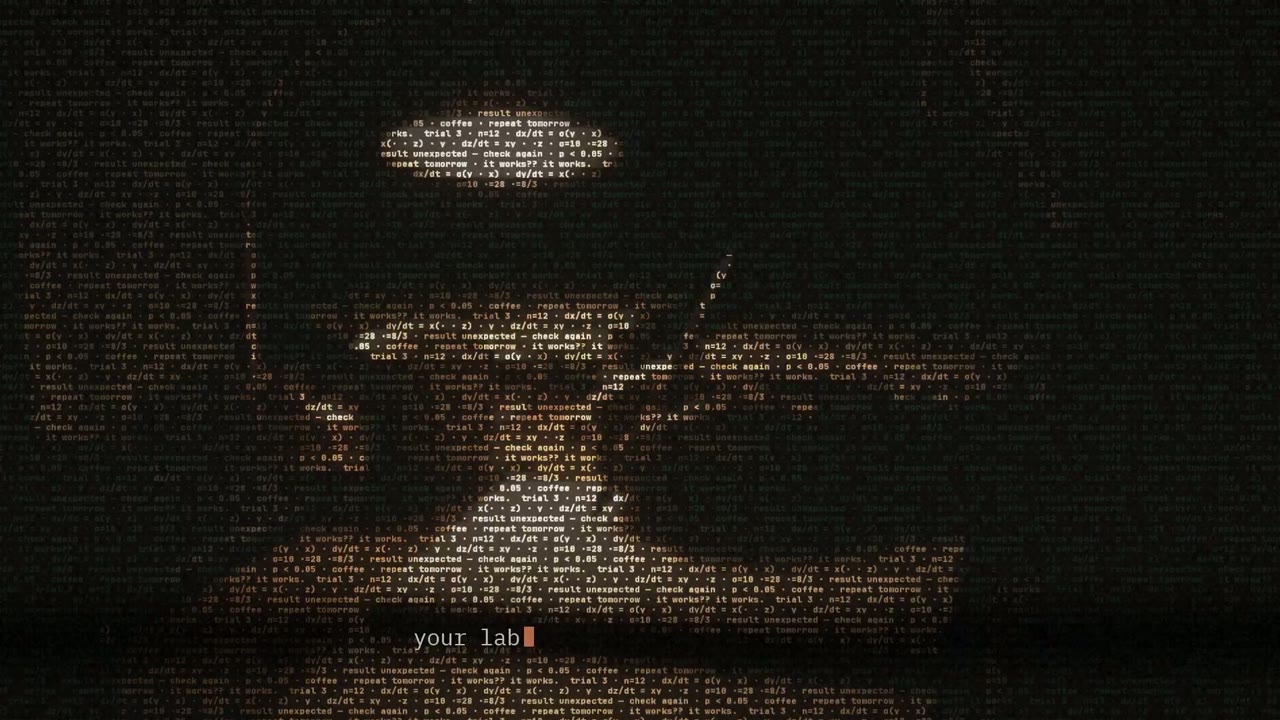
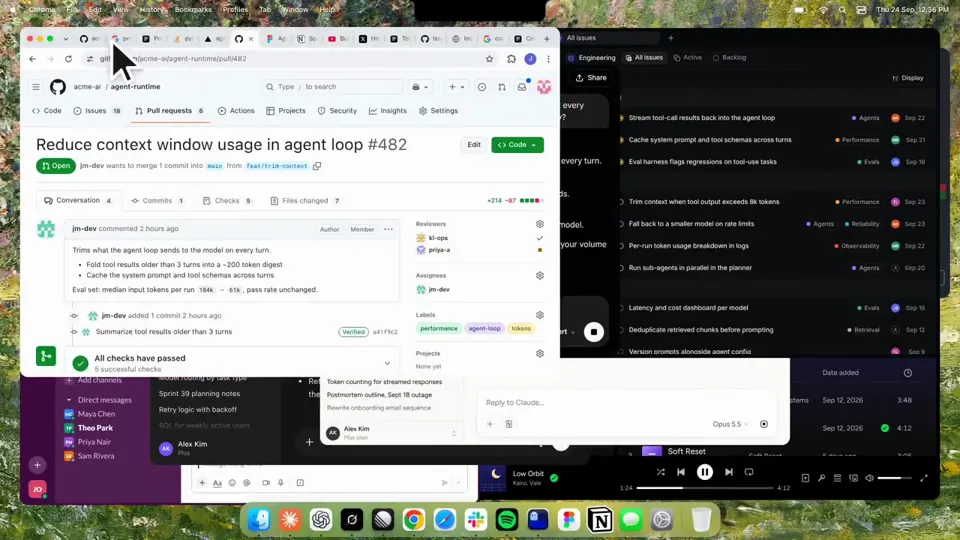
Using HyperFrames, make a hype teaser for the product in this post - [link]. Landscape, around 27 seconds. Match the product UI, wallpaper and copy from the post's video Motion should feel slow and polished - one continuous camera over one Mac desktop, no hard cuts. Camera pushes, pulls and pans run like 1.5 to 3 seconds on gentle ease-in-out curves, nothing snappy - aim for half the speed you'd default to. Add motion blur on fast moves and a light film grain finish. Use an oversized macOS cursor. No audio. All on-screen copy lowercase like the post. 1. Open on a big centered line - "in the AI era, the hard part is" - entering word by word from the right with an orange colorama text wipe over it (the `colorama-wipe` registry component). Hold it about a second, then scale it down into place above a spinning list. 2. The list rotates through 30 hard things about working in the AI era - spending tokens wisely, picking the right model, managing context windows, etc - each with a real app icon. Go fast, it's not meant to be read, then land slowly on "managing your desktop". 0.2s after it lands a question mark pops on after it. 3. Pull the camera back to reveal the Mac desktop as windows pile in on top of each other, arriving from behind the camera - Claude, ChatGPT, Grok, Linear, Chrome, Spotify, Slack and Claude Code in a terminal. Build these as accurate recreations of the real apps with real icons. 4. Push back in so the windows fly past the camera, back to text - "don't make your browser / one of them". 5. Pan up to a really tight framing of just the notch and the top of the wallpaper. A cursor comes up and hovers - the notch morphs into a pill with the name "NotchBrowser", then opens into the browser panel exactly like in the video. 6. Click through the tabs like the video does, then click the collapse chevron so the panel retracts into the notch. 7. End on a checklist of the post's claims with rings and ticks drawing on
עוד סרטונים דומים
הצגת הכול
בחרו מסלול
יתרת קרדיטים אחת לסרטוני AI ולתמונות AI. הירשמו לחודש או לשנה, או קנו חבילת קרדיטים פעם אחת.
2,000 קרדיטים
20 $חד-פעמי
תשלום חד-פעמי · בלי מנוי
סרטונים לחבילה
סרטון הדגמת מוצר של 30 שניות13 סרטונים
סרטון הסבר של 60 שניות5 סרטונים
- 2,000 קרדיטים, מתווספים פעם אחת
- עד 86 תמונות מהירות
- בלי להוסיף סימן מים של Potto
- משותפים לכלי וידאו ותמונה
5,000 קרדיטים
50 $חד-פעמי
תשלום חד-פעמי · בלי מנוי
סרטונים לחבילה
סרטון הדגמת מוצר של 30 שניות33 סרטונים
סרטון הסבר של 60 שניות13 סרטונים
- 5,000 קרדיטים, מתווספים פעם אחת
- עד 217 תמונות מהירות
- בלי להוסיף סימן מים של Potto
- משותפים לכלי וידאו ותמונה
15,000 קרדיטים
100 $חד-פעמי
תשלום חד-פעמי · בלי מנוי
סרטונים לחבילה
סרטון הדגמת מוצר של 30 שניות100 סרטונים
סרטון הסבר של 60 שניות40 סרטונים
- 15,000 קרדיטים, מתווספים פעם אחת
- עד 652 תמונות מהירות
- בלי להוסיף סימן מים של Potto
- משותפים לכלי וידאו ותמונה
Lite
בחירת Lite20 $לחודשחיוב חודשי
סרטונים בחודש
סרטון הדגמת מוצר של 30 שניות13 סרטוניםסרטון הסבר של 60 שניות5 סרטונים- 2,000 קרדיטים בחודש
- עד 86 תמונות מהירות
- תור רגיל
- בלי להוסיף סימן מים של Potto
- עיבוד קבוצתי עם כלי AI
- לא רשום בגלריות ציבוריות
Pro
בחירת Pro50 $לחודשחיוב חודשי
סרטונים בחודש
סרטון הדגמת מוצר של 30 שניות33 סרטוניםסרטון הסבר של 60 שניות13 סרטונים- 5,000 קרדיטים בחודש
- עד 217 תמונות מהירות
- תור בעדיפות
- בלי להוסיף סימן מים של Potto
- עיבוד קבוצתי עם כלי AI
- לא רשום בגלריות ציבוריות
- מומלץ
Max
בחירת Max100 $לחודשחיוב חודשי
סרטונים בחודש
סרטון הדגמת מוצר של 30 שניות100 סרטוניםסרטון הסבר של 60 שניות40 סרטונים- 15,000 קרדיטים בחודש
- עד 652 תמונות מהירות
- תור בעדיפות הגבוהה ביותר
- בלי להוסיף סימן מים של Potto
- עיבוד קבוצתי עם כלי AI
- לא רשום בגלריות ציבוריות
Lite
-20%בחירת Lite20 $16 $לחודשחיוב שנתי · 240 $ ← 192 $ לשנה
סרטונים בחודש
סרטון הדגמת מוצר של 30 שניות13 סרטוניםסרטון הסבר של 60 שניות5 סרטונים- 2,000 קרדיטים בחודש
- עד 86 תמונות מהירות
- תור רגיל
- בלי להוסיף סימן מים של Potto
- עיבוד קבוצתי עם כלי AI
- לא רשום בגלריות ציבוריות
Pro
-20%בחירת Pro50 $40 $לחודשחיוב שנתי · 600 $ ← 480 $ לשנה
סרטונים בחודש
סרטון הדגמת מוצר של 30 שניות33 סרטוניםסרטון הסבר של 60 שניות13 סרטונים- 5,000 קרדיטים בחודש
- עד 217 תמונות מהירות
- תור בעדיפות
- בלי להוסיף סימן מים של Potto
- עיבוד קבוצתי עם כלי AI
- לא רשום בגלריות ציבוריות
- מומלץ
Max
-20%בחירת Max100 $80 $לחודשחיוב שנתי · 1,200 $ ← 960 $ לשנה
סרטונים בחודש
סרטון הדגמת מוצר של 30 שניות100 סרטוניםסרטון הסבר של 60 שניות40 סרטונים- 15,000 קרדיטים בחודש
- עד 652 תמונות מהירות
- תור בעדיפות הגבוהה ביותר
- בלי להוסיף סימן מים של Potto
- עיבוד קבוצתי עם כלי AI
- לא רשום בגלריות ציבוריות
Videos use credits when you export, and starting one needs a balance that covers its export. Counts assume a 30-second product demo and a 60-second explainer with narration and 3 illustrations.
שאלות נפוצות על Kinetic text teaser for a notch-dwelling browser app
איך נוצר Kinetic text teaser for a notch-dwelling browser app, מה אומר הפרומפט שלו, ואיך ליצור סרטון טיפוגרפיה קינטית דומה עם Potto.
מה זה Kinetic text teaser for a notch-dwelling browser app?
Kinetic text teaser for a notch-dwelling browser app הוא סרטון motion graphics בקטגוריה טיפוגרפיה קינטית של jake11moran. A 27-second kinetic text teaser for a notch-dwelling browser app, built with canvas, SVG, GSAP and AI imagery.
איך נוצר Kinetic text teaser for a notch-dwelling browser app?
Kinetic text teaser for a notch-dwelling browser app נוצר עם Canvas, SVG, GSAP ו-AI image. הוא חלק מאוסף טיפוגרפיה קינטית של סרטוני motion graphics AI ב-Potto.
האם הפרומפט של Kinetic text teaser for a notch-dwelling browser app זמין?
כן. הפרומפט המלא מאחורי Kinetic text teaser for a notch-dwelling browser app נמצא בעמוד הזה. העתיקו אותו, או לחצו על שימוש בפרומפט הזה כדי לפתוח אותו בסביבת העבודה של Potto.
מה האורך של Kinetic text teaser for a notch-dwelling browser app, ומה יחס הממדים?
Kinetic text teaser for a notch-dwelling browser app נמשך 0:27 במסגרת 16:9.
אפשר ליצור עם Potto סרטון טיפוגרפיה קינטית כמו Kinetic text teaser for a notch-dwelling browser app?
כן. לחצו על שימוש בפרומפט הזה כדי לטעון את הפרומפט מאחורי Kinetic text teaser for a notch-dwelling browser app לסביבת העבודה של Potto. Potto מרנדר גרסה משלו, ואפשר לשנות את הטקסט והסגנון לפני הייצוא.
באיזה skill של סוכן השתמשו כדי ליצור את Kinetic text teaser for a notch-dwelling browser app?
Kinetic text teaser for a notch-dwelling browser app נוצר עם ה-skill Hyperframes. לחצו על הצגת skill כדי להתקין אותו בחינם ב-Claude Code, ב-Codex או ב-Cursor אחרי ההתחברות.
איפה אפשר לצפות במקור של Kinetic text teaser for a notch-dwelling browser app?
Kinetic text teaser for a notch-dwelling browser app פורסם לראשונה על ידי היוצר. לחצו על צפייה במקור כדי לפתוח את הפוסט בכרטיסייה חדשה.
איפה מוצאים עוד סרטוני טיפוגרפיה קינטית כמו Kinetic text teaser for a notch-dwelling browser app?
עיינו באוסף טיפוגרפיה קינטית ב-Potto: 85 סרטונים, לכל אחד פרומפט, מפרט ומקור.