
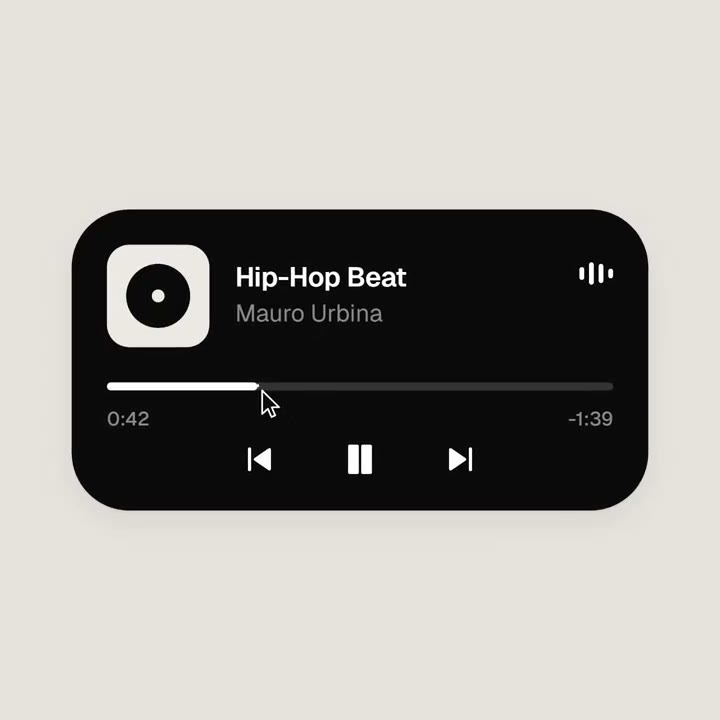
- אורך ויחס
- 0:14
- 1:1
- נוצר באמצעות
- HTML
- FFmpeg
פרומפט
<inputs> Ask me for: 8 to 12 UI states I want the shape to become (e.g. button, loader, player, slider, toggle, tabs, chart, command palette, toast), pure black and white or one accent color, and a royalty-free song around 120 BPM (e.g. Mixkit, free for commercial use). </inputs> <direction> Dribbble-level UI motion. One shape, never cut: every state is the same element morphing its size, radius and color while its content swaps with a short blur. A cursor drives every change with real clicks and drags. Light warm-gray canvas, black and white components, one clean UI font (Geist). Springs everywhere, a tiny overshoot at most. The camera zooms so each state fills the frame. The last frame is the first frame, so it loops. Banned: bouncy easing, particle bursts, glows, gradients on UI chrome, mismatched icon strokes, dead time, anything that looks like a template. </direction> <structure> 120 BPM, 7 bars, something happens on every beat. Button → loader → check → dynamic island → music player with a play/pause morph → scrub the progress bar → it becomes a volume slider that stretches when dragged past max → a toggle flips on the beat → the knob becomes a liquid tab indicator → the tabs open into a chart that draws itself, with a tooltip on hover → it collapses into ⌘K → type to filter → enter → toast → back to the button. </structure> <build> 1. One HTML file, square 1440x1440. Every style is computed from time inside seek(t): no CSS transitions, no timers, no state carried between frames. 2. Springs are closed-form step responses. A value that changes target many times is the sum of one spring per change, so it stays a pure function of time. 3. The tab indicator's two edges ride different springs, so the leading edge stretches ahead of the trailing one. Same trick for the toggle knob. 4. Drags are direct manipulation: while the cursor is held, the value is computed from its position. On release it springs back from wherever it was. 5. Analyze the song with numpy for the beat grid and start on a downbeat. Place every UI sound by its measured peak. 6. Render with Playwright: 4 subframes per frame, blended with ffmpeg tmix for motion blur at 60fps. 7. Render one frame per beat before the full render. Fix anything off the grid, cramped or hard to read. </build> <gotchas> Never put will-change on anything the camera scales or the text renders blurry. Text that swaps inside a morphing container needs its own enter and exit timing or it overlaps. Make the last frame identical to the first, cursor position and speed included, or the loop stutters. </gotchas> <start> Ask me for the inputs, then show me the state list on the beat grid before you write any code. </start>
עוד סרטונים דומים
הצגת הכול

בחרו מסלול
יתרת קרדיטים אחת לסרטוני AI ולתמונות AI. הירשמו לחודש או לשנה, או קנו חבילת קרדיטים פעם אחת.
2,000 קרדיטים
20 $חד-פעמי
תשלום חד-פעמי · בלי מנוי
סרטונים לחבילה
סרטון הדגמת מוצר של 30 שניות13 סרטונים
סרטון הסבר של 60 שניות5 סרטונים
- 2,000 קרדיטים, מתווספים פעם אחת
- עד 86 תמונות מהירות
- בלי להוסיף סימן מים של Potto
- משותפים לכלי וידאו ותמונה
5,000 קרדיטים
50 $חד-פעמי
תשלום חד-פעמי · בלי מנוי
סרטונים לחבילה
סרטון הדגמת מוצר של 30 שניות33 סרטונים
סרטון הסבר של 60 שניות13 סרטונים
- 5,000 קרדיטים, מתווספים פעם אחת
- עד 217 תמונות מהירות
- בלי להוסיף סימן מים של Potto
- משותפים לכלי וידאו ותמונה
15,000 קרדיטים
100 $חד-פעמי
תשלום חד-פעמי · בלי מנוי
סרטונים לחבילה
סרטון הדגמת מוצר של 30 שניות100 סרטונים
סרטון הסבר של 60 שניות40 סרטונים
- 15,000 קרדיטים, מתווספים פעם אחת
- עד 652 תמונות מהירות
- בלי להוסיף סימן מים של Potto
- משותפים לכלי וידאו ותמונה
Lite
בחירת Lite20 $לחודשחיוב חודשי
סרטונים בחודש
סרטון הדגמת מוצר של 30 שניות13 סרטוניםסרטון הסבר של 60 שניות5 סרטונים- 2,000 קרדיטים בחודש
- עד 86 תמונות מהירות
- תור רגיל
- בלי להוסיף סימן מים של Potto
- עיבוד קבוצתי עם כלי AI
- לא רשום בגלריות ציבוריות
Pro
בחירת Pro50 $לחודשחיוב חודשי
סרטונים בחודש
סרטון הדגמת מוצר של 30 שניות33 סרטוניםסרטון הסבר של 60 שניות13 סרטונים- 5,000 קרדיטים בחודש
- עד 217 תמונות מהירות
- תור בעדיפות
- בלי להוסיף סימן מים של Potto
- עיבוד קבוצתי עם כלי AI
- לא רשום בגלריות ציבוריות
- מומלץ
Max
בחירת Max100 $לחודשחיוב חודשי
סרטונים בחודש
סרטון הדגמת מוצר של 30 שניות100 סרטוניםסרטון הסבר של 60 שניות40 סרטונים- 15,000 קרדיטים בחודש
- עד 652 תמונות מהירות
- תור בעדיפות הגבוהה ביותר
- בלי להוסיף סימן מים של Potto
- עיבוד קבוצתי עם כלי AI
- לא רשום בגלריות ציבוריות
Lite
-20%בחירת Lite20 $16 $לחודשחיוב שנתי · 240 $ ← 192 $ לשנה
סרטונים בחודש
סרטון הדגמת מוצר של 30 שניות13 סרטוניםסרטון הסבר של 60 שניות5 סרטונים- 2,000 קרדיטים בחודש
- עד 86 תמונות מהירות
- תור רגיל
- בלי להוסיף סימן מים של Potto
- עיבוד קבוצתי עם כלי AI
- לא רשום בגלריות ציבוריות
Pro
-20%בחירת Pro50 $40 $לחודשחיוב שנתי · 600 $ ← 480 $ לשנה
סרטונים בחודש
סרטון הדגמת מוצר של 30 שניות33 סרטוניםסרטון הסבר של 60 שניות13 סרטונים- 5,000 קרדיטים בחודש
- עד 217 תמונות מהירות
- תור בעדיפות
- בלי להוסיף סימן מים של Potto
- עיבוד קבוצתי עם כלי AI
- לא רשום בגלריות ציבוריות
- מומלץ
Max
-20%בחירת Max100 $80 $לחודשחיוב שנתי · 1,200 $ ← 960 $ לשנה
סרטונים בחודש
סרטון הדגמת מוצר של 30 שניות100 סרטוניםסרטון הסבר של 60 שניות40 סרטונים- 15,000 קרדיטים בחודש
- עד 652 תמונות מהירות
- תור בעדיפות הגבוהה ביותר
- בלי להוסיף סימן מים של Potto
- עיבוד קבוצתי עם כלי AI
- לא רשום בגלריות ציבוריות
Videos use credits when you export, and starting one needs a balance that covers its export. Counts assume a 30-second product demo and a 60-second explainer with narration and 3 illustrations.
שאלות נפוצות על Looping morph from one shape into app UI states
איך נוצר Looping morph from one shape into app UI states, מה אומר הפרומפט שלו, ואיך ליצור סרטון לופ תכונה דומה עם Potto.
מה זה Looping morph from one shape into app UI states?
Looping morph from one shape into app UI states הוא סרטון motion graphics בקטגוריה לופ תכונה של nezbuilds. A looping motion graphic that morphs one shape into app UI states.
איך נוצר Looping morph from one shape into app UI states?
Looping morph from one shape into app UI states נוצר עם HTML ו-FFmpeg. הוא חלק מאוסף לופ תכונה של סרטוני motion graphics AI ב-Potto.
האם הפרומפט של Looping morph from one shape into app UI states זמין?
כן. הפרומפט המלא מאחורי Looping morph from one shape into app UI states נמצא בעמוד הזה. העתיקו אותו, או לחצו על שימוש בפרומפט הזה כדי לפתוח אותו בסביבת העבודה של Potto.
מה האורך של Looping morph from one shape into app UI states, ומה יחס הממדים?
Looping morph from one shape into app UI states נמשך 0:14 במסגרת 1:1.
אפשר ליצור עם Potto סרטון לופ תכונה כמו Looping morph from one shape into app UI states?
כן. לחצו על שימוש בפרומפט הזה כדי לטעון את הפרומפט מאחורי Looping morph from one shape into app UI states לסביבת העבודה של Potto. Potto מרנדר גרסה משלו, ואפשר לשנות את הטקסט והסגנון לפני הייצוא.
איפה אפשר לצפות במקור של Looping morph from one shape into app UI states?
Looping morph from one shape into app UI states פורסם לראשונה על ידי היוצר. לחצו על צפייה במקור כדי לפתוח את הפוסט בכרטיסייה חדשה.
איפה מוצאים עוד סרטוני לופ תכונה כמו Looping morph from one shape into app UI states?
עיינו באוסף לופ תכונה ב-Potto: 9 סרטונים, לכל אחד פרומפט, מפרט ומקור.