
- المدة والنسبة
- 0:42
- 1:1
- صُنع باستخدام
- SVG
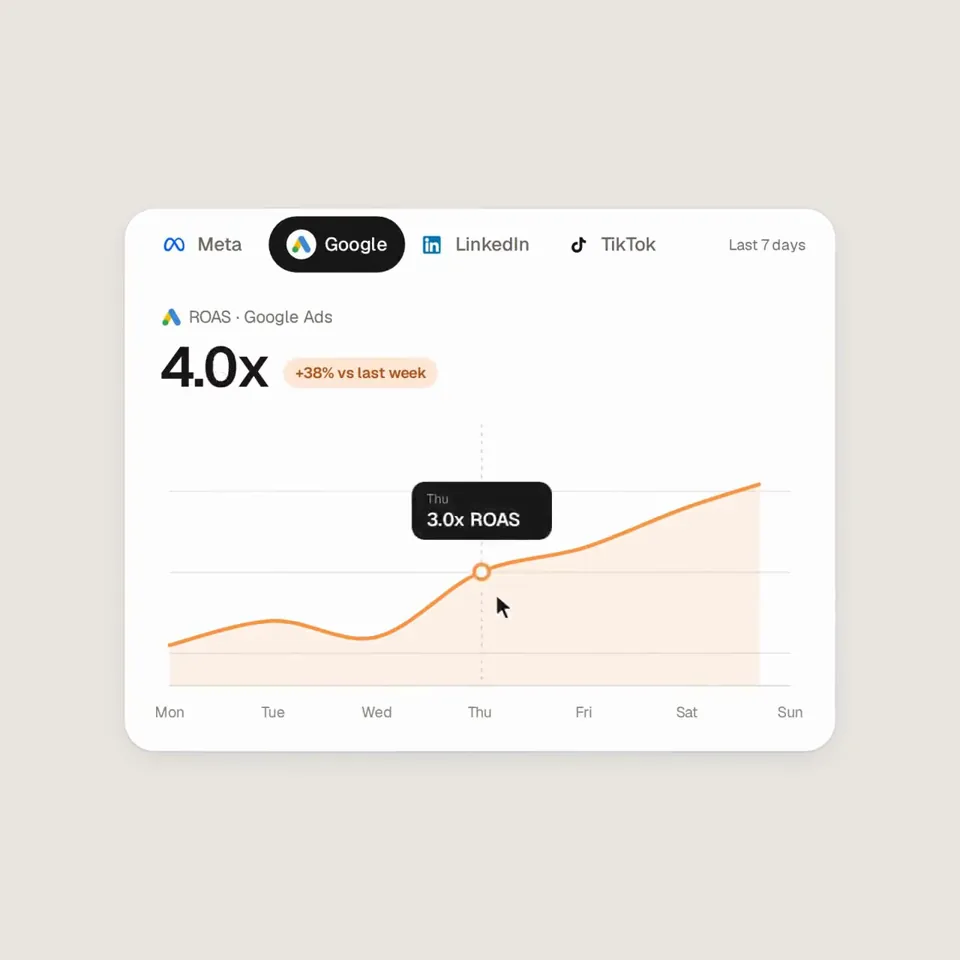
الوصف
Analyze http://sprites.ai and build a product promo from our own UI, not generic components. <direction> Dribbble-level UI motion. One shape, never cut: every state is the same element morphing its size, radius and color while its content swaps with a short blur. A cursor drives every change with real clicks and drags. Warm-gray canvas, black and white components, one accent (#FD9543), Geist. Springs everywhere, a tiny overshoot at most. The camera zooms so each state fills the frame. Last frame = first frame, so it loops. Banned: bouncy easing, particles, glows, gradients on UI chrome, mismatched icon strokes, dead time, anything that looks like a template. </direction> <structure> 120 BPM, 7 bars, something on every beat. Connect ad account (Meta, Google, LinkedIn, TikTok, Reddit logos) → loader → check → prompt bar types "Launch ads that convert" → island "Researching 42 competitors" → Ads Library wall of real ads scrolls and lands on a top performer → approval card → Approve & launch → budget slider that stretches past max → Autopilot toggle → knob becomes a liquid tab indicator across channels → ROAS chart draws itself with hover tooltip → ⌘K → type "pause" → toast "Paused 3 losing ads" → back to the button. </structure> <build> 1. One HTML file, 1440x1440. Every style is computed inside seek(t): no CSS transitions, no timers, no state between frames. 2. Springs are closed-form step responses. A value that changes target many times is a sum of springs, so it stays a pure function of time. 3. Tab indicator and toggle knob: the two edges ride different springs, so the leading edge stretches ahead. 4. Drags are direct manipulation: while held, the value follows the cursor. On release it springs back from wherever it was. 5. No music. Synthesize UI sounds with numpy and place each one by its measured peak on the beat grid. 6. Render with Playwright: 4 subframes per frame, blended with ffmpeg tmix for motion blur at 60fps. 7. Render one frame per beat first. Fix anything off-grid, cramped or hard to read. </build> <gotchas> No will-change on anything the camera scales. Swapped text needs its own enter/exit timing. Match the last frame to the first, cursor position and speed included, or the loop stutters. </gotchas> Show me the state list on the beat grid before writing any code.
المزيد من الفيديوهات المشابهة
عرض الكل


اختر باقتك
رصيد واحد لفيديوهات الذكاء الاصطناعي وصور الذكاء الاصطناعي. اشترك شهريًا أو سنويًا، أو اشترِ حزمة رصيد مرة واحدة.
2,000 رصيد
20 US$لمرة واحدة
ادفع مرة واحدة · بلا اشتراك
الفيديوهات لكل حزمة
فيديو عرض منتج مدته 30 ثانية13 فيديو
فيديو توضيحي مدته 60 ثانية5 فيديوهات
- 2,000 من الرصيد، تُضاف مرة واحدة
- حتى 86 صورة سريعة
- بلا علامة مائية من Potto مضافة
- مشتركة بين أدوات الفيديو والصور
5,000 رصيد
50 US$لمرة واحدة
ادفع مرة واحدة · بلا اشتراك
الفيديوهات لكل حزمة
فيديو عرض منتج مدته 30 ثانية33 فيديو
فيديو توضيحي مدته 60 ثانية13 فيديو
- 5,000 من الرصيد، تُضاف مرة واحدة
- حتى 217 صورة سريعة
- بلا علامة مائية من Potto مضافة
- مشتركة بين أدوات الفيديو والصور
15,000 رصيد
100 US$لمرة واحدة
ادفع مرة واحدة · بلا اشتراك
الفيديوهات لكل حزمة
فيديو عرض منتج مدته 30 ثانية100 فيديو
فيديو توضيحي مدته 60 ثانية40 فيديو
- 15,000 من الرصيد، تُضاف مرة واحدة
- حتى 652 صورة سريعة
- بلا علامة مائية من Potto مضافة
- مشتركة بين أدوات الفيديو والصور
Lite
اختر Lite20 US$/ شهريًاتُفوتر شهريًا
الفيديوهات شهريًا
فيديو عرض منتج مدته 30 ثانية13 فيديوفيديو توضيحي مدته 60 ثانية5 فيديوهات- 2,000 رصيد شهريًا
- حتى 86 صورة سريعة
- قائمة انتظار عادية
- بلا علامة مائية من Potto مضافة
- معالجة جماعية بأدوات الذكاء الاصطناعي
- غير مُدرَج في المعارض العامة
Pro
اختر Pro50 US$/ شهريًاتُفوتر شهريًا
الفيديوهات شهريًا
فيديو عرض منتج مدته 30 ثانية33 فيديوفيديو توضيحي مدته 60 ثانية13 فيديو- 5,000 رصيد شهريًا
- حتى 217 صورة سريعة
- قائمة انتظار ذات أولوية
- بلا علامة مائية من Potto مضافة
- معالجة جماعية بأدوات الذكاء الاصطناعي
- غير مُدرَج في المعارض العامة
- موصى بها
Max
اختر Max100 US$/ شهريًاتُفوتر شهريًا
الفيديوهات شهريًا
فيديو عرض منتج مدته 30 ثانية100 فيديوفيديو توضيحي مدته 60 ثانية40 فيديو- 15,000 رصيد شهريًا
- حتى 652 صورة سريعة
- قائمة انتظار بأعلى أولوية
- بلا علامة مائية من Potto مضافة
- معالجة جماعية بأدوات الذكاء الاصطناعي
- غير مُدرَج في المعارض العامة
Lite
-20%اختر Lite20 US$16 US$/ شهريًاتُفوتر سنويًا · 240 US$ ← 192 US$ / سنويًا
الفيديوهات شهريًا
فيديو عرض منتج مدته 30 ثانية13 فيديوفيديو توضيحي مدته 60 ثانية5 فيديوهات- 2,000 رصيد شهريًا
- حتى 86 صورة سريعة
- قائمة انتظار عادية
- بلا علامة مائية من Potto مضافة
- معالجة جماعية بأدوات الذكاء الاصطناعي
- غير مُدرَج في المعارض العامة
Pro
-20%اختر Pro50 US$40 US$/ شهريًاتُفوتر سنويًا · 600 US$ ← 480 US$ / سنويًا
الفيديوهات شهريًا
فيديو عرض منتج مدته 30 ثانية33 فيديوفيديو توضيحي مدته 60 ثانية13 فيديو- 5,000 رصيد شهريًا
- حتى 217 صورة سريعة
- قائمة انتظار ذات أولوية
- بلا علامة مائية من Potto مضافة
- معالجة جماعية بأدوات الذكاء الاصطناعي
- غير مُدرَج في المعارض العامة
- موصى بها
Max
-20%اختر Max100 US$80 US$/ شهريًاتُفوتر سنويًا · 1,200 US$ ← 960 US$ / سنويًا
الفيديوهات شهريًا
فيديو عرض منتج مدته 30 ثانية100 فيديوفيديو توضيحي مدته 60 ثانية40 فيديو- 15,000 رصيد شهريًا
- حتى 652 صورة سريعة
- قائمة انتظار بأعلى أولوية
- بلا علامة مائية من Potto مضافة
- معالجة جماعية بأدوات الذكاء الاصطناعي
- غير مُدرَج في المعارض العامة
Videos use credits when you export, and starting one needs a balance that covers its export. Counts assume a 30-second product demo and a 60-second explainer with narration and 3 illustrations.
الأسئلة الشائعة عن Sprites ad-platform promo built from a morphing button
كيف صُنع Sprites ad-platform promo built from a morphing button، وماذا يقول الموجّه، وكيف تصنع فيديو إطلاق مثله باستخدام Potto.
ما هو Sprites ad-platform promo built from a morphing button؟
Sprites ad-platform promo built from a morphing button فيديو موشن جرافيك من فئة إطلاق من إعداد AnnaCher___. A 42-second code-built promo for an ad platform, animated as one morphing UI element.
كيف صُنع Sprites ad-platform promo built from a morphing button؟
صُنع Sprites ad-platform promo built from a morphing button باستخدام SVG. وهو جزء من مجموعة إطلاق لفيديوهات موشن جرافيك بالذكاء الاصطناعي على Potto.
هل وصف Sprites ad-platform promo built from a morphing button متاح؟
نعم. الوصف الكامل وراء Sprites ad-platform promo built from a morphing button موجود في هذه الصفحة. انسخه، أو انقر استخدم هذا الوصف لفتحه في مساحة عمل Potto.
كم مدة Sprites ad-platform promo built from a morphing button، وما نسبة أبعاده؟
مدة Sprites ad-platform promo built from a morphing button هي 0:42 ضمن إطار 1:1.
هل أستطيع صنع فيديو إطلاق مثل Sprites ad-platform promo built from a morphing button باستخدام Potto؟
نعم. انقر استخدم هذا الوصف لتحميل الوصف وراء Sprites ad-platform promo built from a morphing button إلى مساحة عمل Potto. يعرض Potto نسخته الخاصة، ويمكنك تغيير النص والأسلوب قبل التصدير.
أين أشاهد Sprites ad-platform promo built from a morphing button الأصلي؟
نشر Sprites ad-platform promo built from a morphing button أولاً منشئه. انقر على عرض الأصل لفتح ذلك المنشور في علامة تبويب جديدة.
أين أجد المزيد من فيديوهات إطلاق مثل Sprites ad-platform promo built from a morphing button؟
تصفح مجموعة إطلاق على Potto: 348 فيديوًا، ولكل منها الوصف والمواصفات والمصدر.