
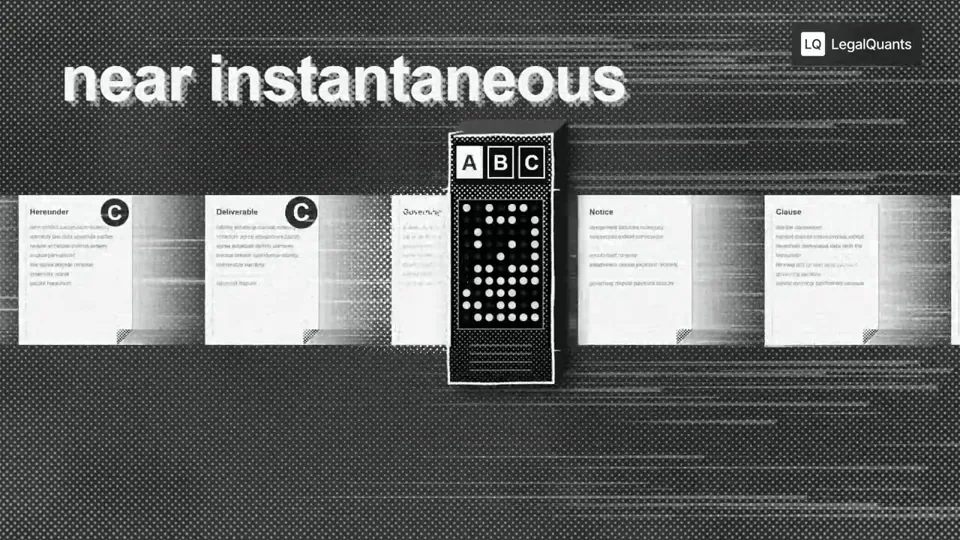
- Tempoh & nisbah
- 0:16
- 16:9
- Dibuat dengan
- Canvas
- SVG
Prompt
Go through the entire [episode] cut and add full-screen animations and graphics wherever they help. Be aggressive and over-inclusive: 35–50 moments, at least 2 per chapter. The goal is to fill empty talking-head time, explain ideas, and create visual hooks. Style. Pick an aesthetic that's genuinely interesting and very, very cool, built in JavaScript with HyperFrames and assembled in Tesseract. Inspiration (all JS, no image assets): paper, typewriter-tape labels, hand-drawn marks halftone, manga and pixel print, kinetic data type Stay inside the LegalQuants brand (read brands/legalquants/): charcoal, white and black only, Arial, and the supplied lockup top-right, static. Write a shared style bible and a component kit first, so every animation looks like the same show. Moments I definitely want: [LIST] Rules Whenever anything goes full-screen (animation, screen share or still), one of us is in a corner picture-in-picture, bottom-right, following whoever is talking. No punch-ins or zooming on the cameras. Keep each speaker relatively centered. Copy must be verbatim or faithful to what's said. Never invent facts, numbers or quotes. Sync each animation's beats to the spoken words. Keep each graphic inside one uncut stretch of audio, and leave a few seconds of faces between graphics. Process An Opus 5.5 agent at extra-high effort finds every timestamp where an animation could fill space and hook the viewer, with a concept for each. Opus 5.5 at medium effort builds each animation. Opus 5.5 at extra-high effort judges each one once on brand consistency with the others, visual interest, relevance to the narrative and creative judgment. Only cues the judge considers egregiously bad go back for a fix. No blanket redo loops. Assemble the full cut with PiP baked into every full-screen visual, and give me a folder of the individual animations.
Lagi video seperti ini
Lihat semua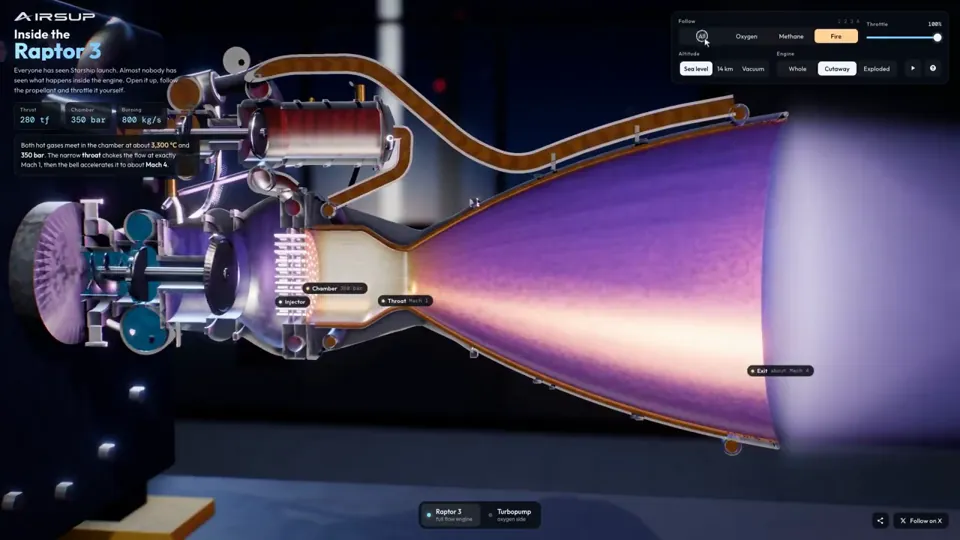
Penerangan
Raptor 3 engine cutaway tracing its turbopumps
three.js, Shader · 16:9 · 0:35
oleh konstantinsaifo

Pilih Pelan Anda
Satu baki kredit untuk video AI dan gambar AI. Langgan bulanan atau tahunan, atau beli pek kredit sekali.
2,000 kredit
USD 20sekali
Bayar sekali · tiada langganan
Video setiap pek
Demo produk 30 saat13 video
Video penerangan 60 saat5 video
- 2,000 kredit, ditambah sekali
- Sehingga 86 gambar pantas
- Tiada tanda air Potto ditambah
- Dikongsi alat video dan imej
5,000 kredit
USD 50sekali
Bayar sekali · tiada langganan
Video setiap pek
Demo produk 30 saat33 video
Video penerangan 60 saat13 video
- 5,000 kredit, ditambah sekali
- Sehingga 217 gambar pantas
- Tiada tanda air Potto ditambah
- Dikongsi alat video dan imej
15,000 kredit
USD 100sekali
Bayar sekali · tiada langganan
Video setiap pek
Demo produk 30 saat100 video
Video penerangan 60 saat40 video
- 15,000 kredit, ditambah sekali
- Sehingga 652 gambar pantas
- Tiada tanda air Potto ditambah
- Dikongsi alat video dan imej
Lite
Pilih LiteUSD 20/bulanDibil bulanan
Video sebulan
Demo produk 30 saat13 videoVideo penerangan 60 saat5 video- 2,000 kredit sebulan
- Sehingga 86 gambar pantas
- Baris gilir standard
- Tiada tanda air Potto ditambah
- Pemprosesan kelompok dengan alat AI
- Tidak disenaraikan dalam galeri awam
Pro
Pilih ProUSD 50/bulanDibil bulanan
Video sebulan
Demo produk 30 saat33 videoVideo penerangan 60 saat13 video- 5,000 kredit sebulan
- Sehingga 217 gambar pantas
- Giliran keutamaan
- Tiada tanda air Potto ditambah
- Pemprosesan kelompok dengan alat AI
- Tidak disenaraikan dalam galeri awam
- Disyorkan
Max
Pilih MaxUSD 100/bulanDibil bulanan
Video sebulan
Demo produk 30 saat100 videoVideo penerangan 60 saat40 video- 15,000 kredit sebulan
- Sehingga 652 gambar pantas
- Giliran keutamaan tertinggi
- Tiada tanda air Potto ditambah
- Pemprosesan kelompok dengan alat AI
- Tidak disenaraikan dalam galeri awam
Lite
-20%Pilih LiteUSD 20USD 16/bulanDibil tahunan · USD 240 → USD 192/tahun
Video sebulan
Demo produk 30 saat13 videoVideo penerangan 60 saat5 video- 2,000 kredit sebulan
- Sehingga 86 gambar pantas
- Baris gilir standard
- Tiada tanda air Potto ditambah
- Pemprosesan kelompok dengan alat AI
- Tidak disenaraikan dalam galeri awam
Pro
-20%Pilih ProUSD 50USD 40/bulanDibil tahunan · USD 600 → USD 480/tahun
Video sebulan
Demo produk 30 saat33 videoVideo penerangan 60 saat13 video- 5,000 kredit sebulan
- Sehingga 217 gambar pantas
- Giliran keutamaan
- Tiada tanda air Potto ditambah
- Pemprosesan kelompok dengan alat AI
- Tidak disenaraikan dalam galeri awam
- Disyorkan
Max
-20%Pilih MaxUSD 100USD 80/bulanDibil tahunan · USD 1,200 → USD 960/tahun
Video sebulan
Demo produk 30 saat100 videoVideo penerangan 60 saat40 video- 15,000 kredit sebulan
- Sehingga 652 gambar pantas
- Giliran keutamaan tertinggi
- Tiada tanda air Potto ditambah
- Pemprosesan kelompok dengan alat AI
- Tidak disenaraikan dalam galeri awam
Videos use credits when you export, and starting one needs a balance that covers its export. Counts assume a 30-second product demo and a 60-second explainer with narration and 3 illustrations.
Soalan lazim Halftone machine sorts contract clauses in a podcast
Cara Halftone machine sorts contract clauses in a podcast dibuat, apa yang prompt nyatakan, dan cara membuat video Penerangan yang serupa dengan Potto.
Apakah Halftone machine sorts contract clauses in a podcast?
Halftone machine sorts contract clauses in a podcast ialah video motion graphics Penerangan oleh stokebuilder. A halftone machine sorts contract clauses in a podcast explainer.
Bagaimana Halftone machine sorts contract clauses in a podcast dibuat?
Halftone machine sorts contract clauses in a podcast dibuat dengan Canvas dan SVG. Ia sebahagian daripada koleksi Penerangan video Motion graphics AI di Potto.
Adakah prompt untuk Halftone machine sorts contract clauses in a podcast tersedia?
Ya. Prompt penuh di sebalik Halftone machine sorts contract clauses in a podcast ada di halaman ini. Salin, atau klik Guna prompt ini untuk membukanya dalam ruang kerja Potto.
Berapa lama Halftone machine sorts contract clauses in a podcast, dan apakah nisbah aspeknya?
Halftone machine sorts contract clauses in a podcast berdurasi 0:16 dalam bingkai 16:9.
Bolehkah saya buat video Penerangan seperti Halftone machine sorts contract clauses in a podcast dengan Potto?
Ya. Klik Guna prompt ini untuk memuatkan prompt di sebalik Halftone machine sorts contract clauses in a podcast ke ruang kerja Potto. Potto memaparkan versinya sendiri, dan anda boleh ubah teks serta gaya sebelum mengeksport.
Skill ejen manakah digunakan untuk membuat Halftone machine sorts contract clauses in a podcast?
Halftone machine sorts contract clauses in a podcast dibuat dengan skill Hyperframes. Klik Lihat skill untuk memasangnya percuma dalam Claude Code, Codex atau Cursor selepas log masuk.
Di mana saya boleh tonton Halftone machine sorts contract clauses in a podcast yang asal?
Halftone machine sorts contract clauses in a podcast mula-mula disiarkan oleh penciptanya. Klik Lihat asal untuk membuka siaran itu dalam tab baharu.
Di mana saya cari lebih banyak video Penerangan seperti Halftone machine sorts contract clauses in a podcast?
Layari koleksi Penerangan di Potto: 264 video, setiap satu dengan prompt, spesifikasi dan sumber.