
- 길이와 비율
- 0:15
- 16:9
- 제작 도구
- Canvas
- SVG
프롬프트
Create a 15s motion-graphics film explaining {{PRODUCT}}. HyperFrames + GSAP, no voiceover, no footage. Style: paper-light canvas, marker notes that draw on, real physics, huge kinetic type, hard light/dark switches, a new idea every 1.5–2 s, a sound on every hit. COPY: read {{POSITIONING_DOCS}} first. {{ONE_LINER}} For {{AUDIENCE}}. {{WHAT_IT_DOES}} Name what the product learns, never the abstraction. RULES - No chrome (scrubber, timecode, fps, headers). No animator jargon on screen ("squash", "stagger", "easing"...). Every word speaks to the buyer. - No invented results: no %, multipliers, customer names or figures. - Never use: {{BANNED_WORDS}}. - Logo: real mark {{LOGO_FILE}} + "{{PRODUCT}}" in {{WORDMARK_FONT}}; never a boxed logo file. CRAFT - Colours {{COLOR_CANVAS}} / {{COLOR_INK}} / {{COLOR_ACCENT_1}} / {{COLOR_ACCENT_2}}; notes in the accents; dark mode = charcoal matching the palette. - Fonts {{BRAND_FONTS}}; Anton for kinetic type; Caveat handwriting via stroke-dashoffset. - Real easing, squash/stretch, stagger, overlap, onion skin, smear, follow-through. Check the HyperFrames registry first. Set every from-state at t=0 (seek-safe); never cover an exit. One primary move per transition; no generic push/slide/rotate-swing. - Music in sections: drums drop on the dark switch and while the ball is airborne, slam back on the type and the logo. SFX: pops, pen scribbles, whooshes, logo sub-hit. CC0 or generated only; log sources. Master -14 LUFS, -2 dBTP, re-measured after AAC encode.
비슷한 영상 더 보기
모두 보기


요금제 선택
AI 영상과 AI 이미지에 함께 쓰는 하나의 크레딧 잔액입니다. 월간 또는 연간으로 구독하거나, 크레딧 팩을 한 번 구매할 수 있습니다.
2,000 크레딧
US$20일회성
한 번 결제 · 구독 없음
팩당 동영상
30초 제품 데모 영상13개
60초 설명 영상5개
- 2,000 크레딧, 한 번만 지급
- 빠른 이미지 최대 86장
- Potto 워터마크 추가 없음
- 동영상과 이미지 도구가 공유
5,000 크레딧
US$50일회성
한 번 결제 · 구독 없음
팩당 동영상
30초 제품 데모 영상33개
60초 설명 영상13개
- 5,000 크레딧, 한 번만 지급
- 빠른 이미지 최대 217장
- Potto 워터마크 추가 없음
- 동영상과 이미지 도구가 공유
15,000 크레딧
US$100일회성
한 번 결제 · 구독 없음
팩당 동영상
30초 제품 데모 영상100개
60초 설명 영상40개
- 15,000 크레딧, 한 번만 지급
- 빠른 이미지 최대 652장
- Potto 워터마크 추가 없음
- 동영상과 이미지 도구가 공유
Lite
Lite 선택US$20/월월 단위 결제
월 영상 수
30초 제품 데모 영상13개60초 설명 영상5개- 매월 2,000크레딧
- 빠른 이미지 최대 86장
- 표준 대기열
- Potto 워터마크 추가 없음
- AI 도구 일괄 처리
- 공개 갤러리에 표시되지 않음
Pro
Pro 선택US$50/월월 단위 결제
월 영상 수
30초 제품 데모 영상33개60초 설명 영상13개- 매월 5,000크레딧
- 빠른 이미지 최대 217장
- 우선 대기열
- Potto 워터마크 추가 없음
- AI 도구 일괄 처리
- 공개 갤러리에 표시되지 않음
- 추천
Max
Max 선택US$100/월월 단위 결제
월 영상 수
30초 제품 데모 영상100개60초 설명 영상40개- 매월 15,000크레딧
- 빠른 이미지 최대 652장
- 최우선 대기열
- Potto 워터마크 추가 없음
- AI 도구 일괄 처리
- 공개 갤러리에 표시되지 않음
Lite
-20%Lite 선택US$20US$16/월연 단위 결제 · 연 US$240 → US$192
월 영상 수
30초 제품 데모 영상13개60초 설명 영상5개- 매월 2,000크레딧
- 빠른 이미지 최대 86장
- 표준 대기열
- Potto 워터마크 추가 없음
- AI 도구 일괄 처리
- 공개 갤러리에 표시되지 않음
Pro
-20%Pro 선택US$50US$40/월연 단위 결제 · 연 US$600 → US$480
월 영상 수
30초 제품 데모 영상33개60초 설명 영상13개- 매월 5,000크레딧
- 빠른 이미지 최대 217장
- 우선 대기열
- Potto 워터마크 추가 없음
- AI 도구 일괄 처리
- 공개 갤러리에 표시되지 않음
- 추천
Max
-20%Max 선택US$100US$80/월연 단위 결제 · 연 US$1,200 → US$960
월 영상 수
30초 제품 데모 영상100개60초 설명 영상40개- 매월 15,000크레딧
- 빠른 이미지 최대 652장
- 최우선 대기열
- Potto 워터마크 추가 없음
- AI 도구 일괄 처리
- 공개 갤러리에 표시되지 않음
Videos use credits when you export, and starting one needs a balance that covers its export. Counts assume a 30-second product demo and a 60-second explainer with narration and 3 illustrations.
Bouncing teal ball explains a construction AI brand 자주 묻는 질문
Bouncing teal ball explains a construction AI brand의 제작 방식, 프롬프트 내용, 그리고 Potto로 비슷한 출시 동영상을 만드는 방법.
Bouncing teal ball explains a construction AI brand이란?
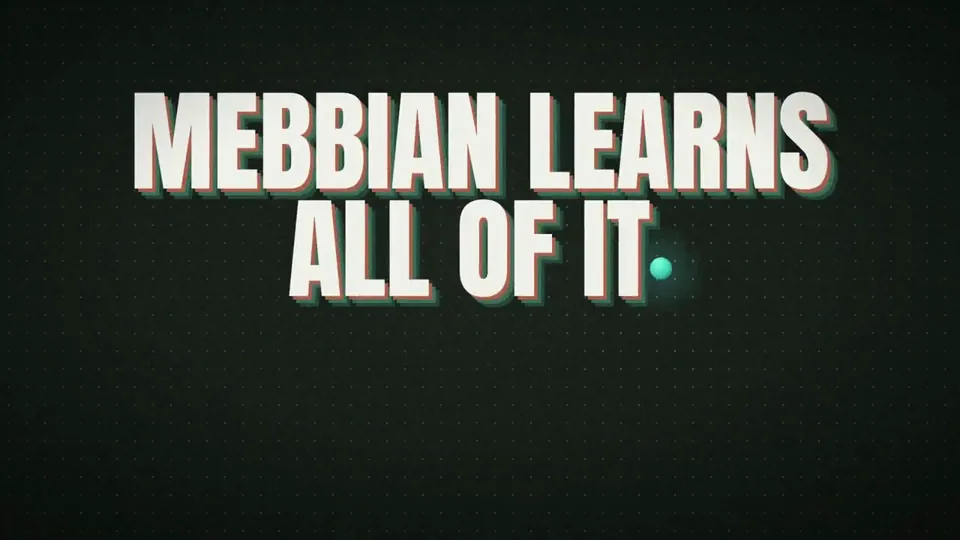
Bouncing teal ball explains a construction AI brand은 ik_builds가 만든 출시 모션그래픽 영상입니다. A 15-second launch video with a bouncing teal ball explaining a construction AI brand.
Bouncing teal ball explains a construction AI brand은 어떻게 만들었나요?
Bouncing teal ball explains a construction AI brand은 Canvas 및 SVG로 만들었습니다. Potto의 출시 AI 모션그래픽 영상 모음에 포함되어 있습니다.
Bouncing teal ball explains a construction AI brand의 프롬프트를 볼 수 있나요?
네. Bouncing teal ball explains a construction AI brand의 전체 프롬프트가 이 페이지에 있습니다. 복사하거나, 「이 프롬프트 사용」을 눌러 Potto 작업 공간에서 여세요.
Bouncing teal ball explains a construction AI brand의 길이와 화면 비율은 어떻게 되나요?
Bouncing teal ball explains a construction AI brand의 길이는 0:15이고, 프레임은 16:9입니다.
Potto로 Bouncing teal ball explains a construction AI brand 같은 출시 영상을 만들 수 있나요?
네. 「이 프롬프트 사용」을 누르면 Bouncing teal ball explains a construction AI brand의 프롬프트가 Potto 작업 공간에 불러와집니다. Potto가 자체 버전을 렌더링하며, 내보내기 전에 글과 스타일을 바꿀 수 있습니다.
Bouncing teal ball explains a construction AI brand을 만드는 데 쓴 agent skill은 무엇인가요?
Bouncing teal ball explains a construction AI brand은 Hyperframes skill로 만들었습니다. 로그인한 뒤 「skill 보기」를 누르면 Claude Code, Codex 또는 Cursor에 무료로 설치할 수 있습니다.
Bouncing teal ball explains a construction AI brand 원본은 어디서 보나요?
Bouncing teal ball explains a construction AI brand 은 제작자가 처음 게시했습니다. 「원본 보기」를 클릭하면 해당 게시물이 새 탭에서 열립니다.
Bouncing teal ball explains a construction AI brand 같은 출시 영상은 어디서 더 찾나요?
Potto의 출시 모음을 둘러보세요. 영상 348개가 있으며, 각각 프롬프트, 사양, 출처가 있습니다.