
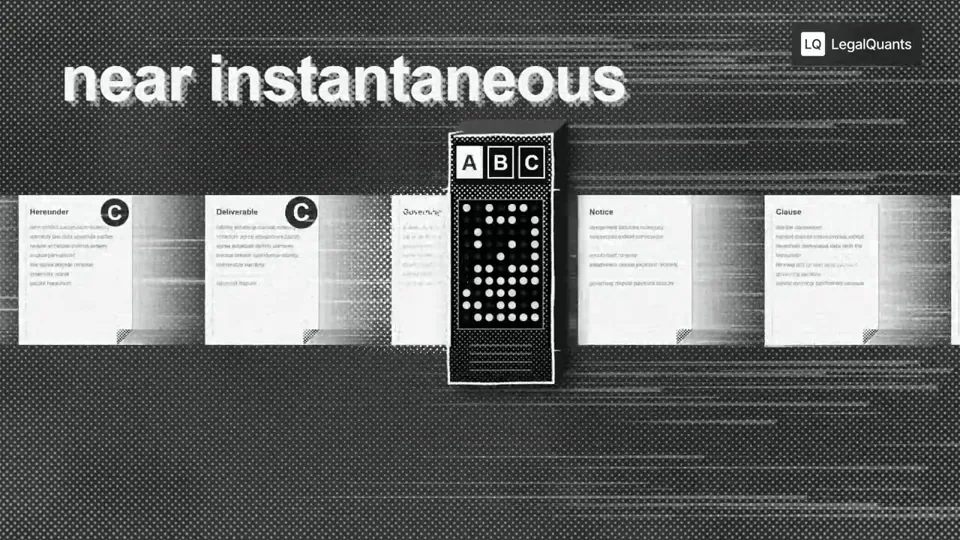
- 길이와 비율
- 0:16
- 16:9
- 제작 도구
- Canvas
- SVG
프롬프트
Go through the entire [episode] cut and add full-screen animations and graphics wherever they help. Be aggressive and over-inclusive: 35–50 moments, at least 2 per chapter. The goal is to fill empty talking-head time, explain ideas, and create visual hooks. Style. Pick an aesthetic that's genuinely interesting and very, very cool, built in JavaScript with HyperFrames and assembled in Tesseract. Inspiration (all JS, no image assets): paper, typewriter-tape labels, hand-drawn marks halftone, manga and pixel print, kinetic data type Stay inside the LegalQuants brand (read brands/legalquants/): charcoal, white and black only, Arial, and the supplied lockup top-right, static. Write a shared style bible and a component kit first, so every animation looks like the same show. Moments I definitely want: [LIST] Rules Whenever anything goes full-screen (animation, screen share or still), one of us is in a corner picture-in-picture, bottom-right, following whoever is talking. No punch-ins or zooming on the cameras. Keep each speaker relatively centered. Copy must be verbatim or faithful to what's said. Never invent facts, numbers or quotes. Sync each animation's beats to the spoken words. Keep each graphic inside one uncut stretch of audio, and leave a few seconds of faces between graphics. Process An Opus 5.5 agent at extra-high effort finds every timestamp where an animation could fill space and hook the viewer, with a concept for each. Opus 5.5 at medium effort builds each animation. Opus 5.5 at extra-high effort judges each one once on brand consistency with the others, visual interest, relevance to the narrative and creative judgment. Only cues the judge considers egregiously bad go back for a fix. No blanket redo loops. Assemble the full cut with PiP baked into every full-screen visual, and give me a folder of the individual animations.
비슷한 영상 더 보기
모두 보기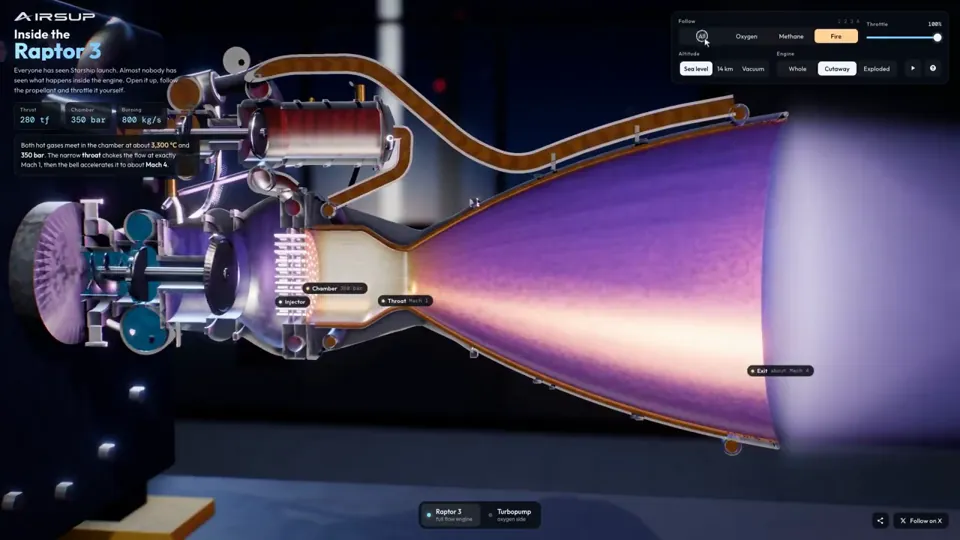
설명 영상
Raptor 3 engine cutaway tracing its turbopumps
three.js, Shader · 16:9 · 0:35
작성자 konstantinsaifo

요금제 선택
AI 영상과 AI 이미지에 함께 쓰는 하나의 크레딧 잔액입니다. 월간 또는 연간으로 구독하거나, 크레딧 팩을 한 번 구매할 수 있습니다.
2,000 크레딧
US$20일회성
한 번 결제 · 구독 없음
팩당 동영상
30초 제품 데모 영상13개
60초 설명 영상5개
- 2,000 크레딧, 한 번만 지급
- 빠른 이미지 최대 86장
- Potto 워터마크 추가 없음
- 동영상과 이미지 도구가 공유
5,000 크레딧
US$50일회성
한 번 결제 · 구독 없음
팩당 동영상
30초 제품 데모 영상33개
60초 설명 영상13개
- 5,000 크레딧, 한 번만 지급
- 빠른 이미지 최대 217장
- Potto 워터마크 추가 없음
- 동영상과 이미지 도구가 공유
15,000 크레딧
US$100일회성
한 번 결제 · 구독 없음
팩당 동영상
30초 제품 데모 영상100개
60초 설명 영상40개
- 15,000 크레딧, 한 번만 지급
- 빠른 이미지 최대 652장
- Potto 워터마크 추가 없음
- 동영상과 이미지 도구가 공유
Lite
Lite 선택US$20/월월 단위 결제
월 영상 수
30초 제품 데모 영상13개60초 설명 영상5개- 매월 2,000크레딧
- 빠른 이미지 최대 86장
- 표준 대기열
- Potto 워터마크 추가 없음
- AI 도구 일괄 처리
- 공개 갤러리에 표시되지 않음
Pro
Pro 선택US$50/월월 단위 결제
월 영상 수
30초 제품 데모 영상33개60초 설명 영상13개- 매월 5,000크레딧
- 빠른 이미지 최대 217장
- 우선 대기열
- Potto 워터마크 추가 없음
- AI 도구 일괄 처리
- 공개 갤러리에 표시되지 않음
- 추천
Max
Max 선택US$100/월월 단위 결제
월 영상 수
30초 제품 데모 영상100개60초 설명 영상40개- 매월 15,000크레딧
- 빠른 이미지 최대 652장
- 최우선 대기열
- Potto 워터마크 추가 없음
- AI 도구 일괄 처리
- 공개 갤러리에 표시되지 않음
Lite
-20%Lite 선택US$20US$16/월연 단위 결제 · 연 US$240 → US$192
월 영상 수
30초 제품 데모 영상13개60초 설명 영상5개- 매월 2,000크레딧
- 빠른 이미지 최대 86장
- 표준 대기열
- Potto 워터마크 추가 없음
- AI 도구 일괄 처리
- 공개 갤러리에 표시되지 않음
Pro
-20%Pro 선택US$50US$40/월연 단위 결제 · 연 US$600 → US$480
월 영상 수
30초 제품 데모 영상33개60초 설명 영상13개- 매월 5,000크레딧
- 빠른 이미지 최대 217장
- 우선 대기열
- Potto 워터마크 추가 없음
- AI 도구 일괄 처리
- 공개 갤러리에 표시되지 않음
- 추천
Max
-20%Max 선택US$100US$80/월연 단위 결제 · 연 US$1,200 → US$960
월 영상 수
30초 제품 데모 영상100개60초 설명 영상40개- 매월 15,000크레딧
- 빠른 이미지 최대 652장
- 최우선 대기열
- Potto 워터마크 추가 없음
- AI 도구 일괄 처리
- 공개 갤러리에 표시되지 않음
Videos use credits when you export, and starting one needs a balance that covers its export. Counts assume a 30-second product demo and a 60-second explainer with narration and 3 illustrations.
Halftone machine sorts contract clauses in a podcast 자주 묻는 질문
Halftone machine sorts contract clauses in a podcast의 제작 방식, 프롬프트 내용, 그리고 Potto로 비슷한 설명 영상 동영상을 만드는 방법.
Halftone machine sorts contract clauses in a podcast이란?
Halftone machine sorts contract clauses in a podcast은 stokebuilder가 만든 설명 영상 모션그래픽 영상입니다. A halftone machine sorts contract clauses in a podcast explainer.
Halftone machine sorts contract clauses in a podcast은 어떻게 만들었나요?
Halftone machine sorts contract clauses in a podcast은 Canvas 및 SVG로 만들었습니다. Potto의 설명 영상 AI 모션그래픽 영상 모음에 포함되어 있습니다.
Halftone machine sorts contract clauses in a podcast의 프롬프트를 볼 수 있나요?
네. Halftone machine sorts contract clauses in a podcast의 전체 프롬프트가 이 페이지에 있습니다. 복사하거나, 「이 프롬프트 사용」을 눌러 Potto 작업 공간에서 여세요.
Halftone machine sorts contract clauses in a podcast의 길이와 화면 비율은 어떻게 되나요?
Halftone machine sorts contract clauses in a podcast의 길이는 0:16이고, 프레임은 16:9입니다.
Potto로 Halftone machine sorts contract clauses in a podcast 같은 설명 영상 영상을 만들 수 있나요?
네. 「이 프롬프트 사용」을 누르면 Halftone machine sorts contract clauses in a podcast의 프롬프트가 Potto 작업 공간에 불러와집니다. Potto가 자체 버전을 렌더링하며, 내보내기 전에 글과 스타일을 바꿀 수 있습니다.
Halftone machine sorts contract clauses in a podcast을 만드는 데 쓴 agent skill은 무엇인가요?
Halftone machine sorts contract clauses in a podcast은 Hyperframes skill로 만들었습니다. 로그인한 뒤 「skill 보기」를 누르면 Claude Code, Codex 또는 Cursor에 무료로 설치할 수 있습니다.
Halftone machine sorts contract clauses in a podcast 원본은 어디서 보나요?
Halftone machine sorts contract clauses in a podcast 은 제작자가 처음 게시했습니다. 「원본 보기」를 클릭하면 해당 게시물이 새 탭에서 열립니다.
Halftone machine sorts contract clauses in a podcast 같은 설명 영상 영상은 어디서 더 찾나요?
Potto의 설명 영상 모음을 둘러보세요. 영상 264개가 있으며, 각각 프롬프트, 사양, 출처가 있습니다.