
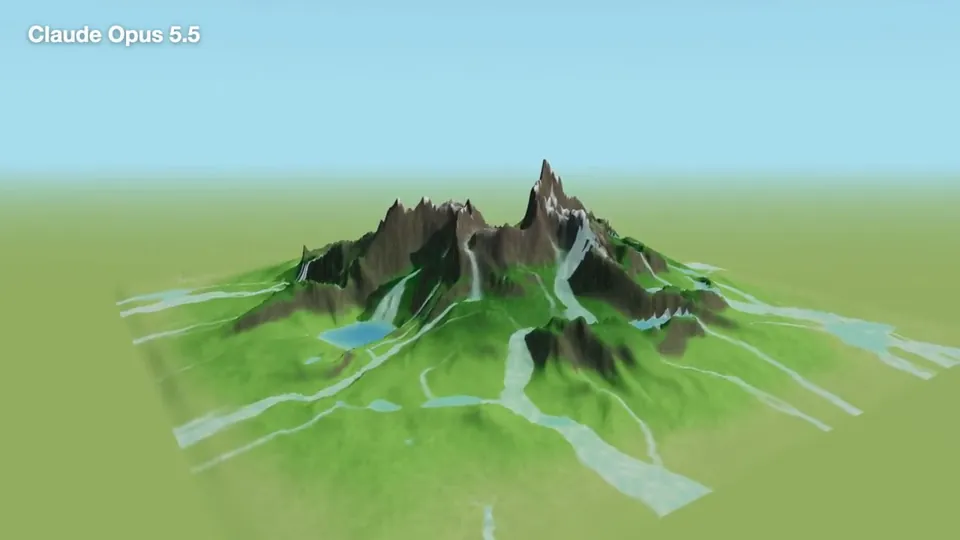
- 길이와 비율
- 0:30
- 16:9
- 제작 도구
- three.js
- Shader
- Physics
프롬프트
Your working directory for this task is `<PATH>` — an empty, freshly initialized git repository. Do ALL work inside that directory only. Do not modify anything outside it. Complete the following task: Build an interactive 3D water simulation in this empty repository. Generate a procedural mountain landscape from a deterministic seed. Water must flow downhill according to the local terrain gradient, collect in depressions, and form visible streams and lakes. Use TypeScript, Vite, and Three.js. Do not use a prebuilt physics engine or external 3D assets. IMPORTANT — the application must be a FULLY AUTONOMOUS demo with NO user interaction and NO visible UI controls at all. Purpose: recording showcase videos for social media. Concretely: - No visible control elements whatsoever (no buttons, sliders, panels, seed input, click-to-place-water). The screen shows only the 3D scene. - On page load the simulation starts automatically: rainfall begins on its own and/or water springs emerge near mountain peaks, so water visibly flows downhill, forms streams, and collects into lakes without anyone touching anything. - Add a slow, smooth automatic camera movement (e.g. gentle orbit around the terrain) so a recorded video looks good. - Configuration (seed, rain intensity, simulation speed) may only exist via URL query parameters or code constants — never as on-screen UI. - The scene background must NOT be black — use an attractive sky blue (e.g. around #87CEEB, ideally a soft gradient sky) with matching fog color so the horizon blends naturally. Also make sure the page body background is sky blue, not dark, so there is no dark flash before the canvas paints. Keep the simulation, rendering, and user-interface/bootstrap code cleanly separated. Add meaningful automated tests for deterministic terrain generation, approximate conservation of water mass, and downhill flow direction. Also add an executable `start.sh` in the repository root so that people who clone the repo can start the demo with a single command. It should: check that Node.js and npm are available and print a helpful message if not; run `npm install` if node_modules is missing; then start the app (dev server, plus a `--preview` mode for the production build) and print the local URL. chmod +x it and mention it in the README ("Quick start: ./start.sh"). Install the required dependencies, run the tests and production build, and independently fix any errors you encounter. Finally, document the architecture, the simulation model, how to run the application, and all known limitations in the README. When you are finished, report: the final test results (pass/fail counts), the production build result, a short summary of the architecture, and any known limitations.
비슷한 영상 더 보기
모두 보기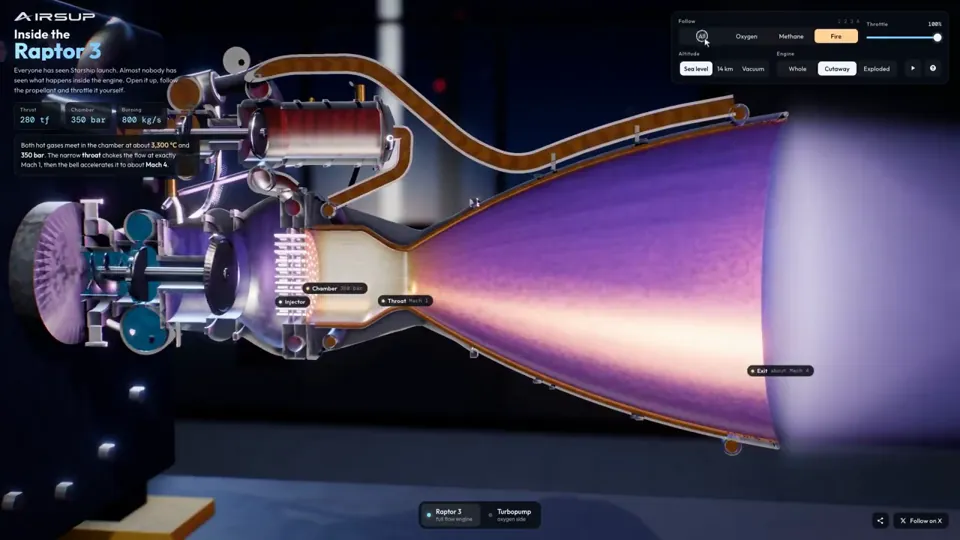
설명 영상
Raptor 3 engine cutaway tracing its turbopumps
three.js, Shader · 16:9 · 0:35
작성자 konstantinsaifo

요금제 선택
AI 영상과 AI 이미지에 함께 쓰는 하나의 크레딧 잔액입니다. 월간 또는 연간으로 구독하거나, 크레딧 팩을 한 번 구매할 수 있습니다.
2,000 크레딧
US$20일회성
한 번 결제 · 구독 없음
팩당 동영상
30초 제품 데모 영상13개
60초 설명 영상5개
- 2,000 크레딧, 한 번만 지급
- 빠른 이미지 최대 86장
- Potto 워터마크 추가 없음
- 동영상과 이미지 도구가 공유
5,000 크레딧
US$50일회성
한 번 결제 · 구독 없음
팩당 동영상
30초 제품 데모 영상33개
60초 설명 영상13개
- 5,000 크레딧, 한 번만 지급
- 빠른 이미지 최대 217장
- Potto 워터마크 추가 없음
- 동영상과 이미지 도구가 공유
15,000 크레딧
US$100일회성
한 번 결제 · 구독 없음
팩당 동영상
30초 제품 데모 영상100개
60초 설명 영상40개
- 15,000 크레딧, 한 번만 지급
- 빠른 이미지 최대 652장
- Potto 워터마크 추가 없음
- 동영상과 이미지 도구가 공유
Lite
Lite 선택US$20/월월 단위 결제
월 영상 수
30초 제품 데모 영상13개60초 설명 영상5개- 매월 2,000크레딧
- 빠른 이미지 최대 86장
- 표준 대기열
- Potto 워터마크 추가 없음
- AI 도구 일괄 처리
- 공개 갤러리에 표시되지 않음
Pro
Pro 선택US$50/월월 단위 결제
월 영상 수
30초 제품 데모 영상33개60초 설명 영상13개- 매월 5,000크레딧
- 빠른 이미지 최대 217장
- 우선 대기열
- Potto 워터마크 추가 없음
- AI 도구 일괄 처리
- 공개 갤러리에 표시되지 않음
- 추천
Max
Max 선택US$100/월월 단위 결제
월 영상 수
30초 제품 데모 영상100개60초 설명 영상40개- 매월 15,000크레딧
- 빠른 이미지 최대 652장
- 최우선 대기열
- Potto 워터마크 추가 없음
- AI 도구 일괄 처리
- 공개 갤러리에 표시되지 않음
Lite
-20%Lite 선택US$20US$16/월연 단위 결제 · 연 US$240 → US$192
월 영상 수
30초 제품 데모 영상13개60초 설명 영상5개- 매월 2,000크레딧
- 빠른 이미지 최대 86장
- 표준 대기열
- Potto 워터마크 추가 없음
- AI 도구 일괄 처리
- 공개 갤러리에 표시되지 않음
Pro
-20%Pro 선택US$50US$40/월연 단위 결제 · 연 US$600 → US$480
월 영상 수
30초 제품 데모 영상33개60초 설명 영상13개- 매월 5,000크레딧
- 빠른 이미지 최대 217장
- 우선 대기열
- Potto 워터마크 추가 없음
- AI 도구 일괄 처리
- 공개 갤러리에 표시되지 않음
- 추천
Max
-20%Max 선택US$100US$80/월연 단위 결제 · 연 US$1,200 → US$960
월 영상 수
30초 제품 데모 영상100개60초 설명 영상40개- 매월 15,000크레딧
- 빠른 이미지 최대 652장
- 최우선 대기열
- Potto 워터마크 추가 없음
- AI 도구 일괄 처리
- 공개 갤러리에 표시되지 않음
Videos use credits when you export, and starting one needs a balance that covers its export. Counts assume a 30-second product demo and a 60-second explainer with narration and 3 illustrations.
Procedural mountain sheds rain into streams and lakes 자주 묻는 질문
Procedural mountain sheds rain into streams and lakes의 제작 방식, 프롬프트 내용, 그리고 Potto로 비슷한 설명 영상 동영상을 만드는 방법.
Procedural mountain sheds rain into streams and lakes이란?
Procedural mountain sheds rain into streams and lakes은 StephanFerraro가 만든 설명 영상 모션그래픽 영상입니다. A procedural mountain scene where rain falls and flows into streams and lakes.
Procedural mountain sheds rain into streams and lakes은 어떻게 만들었나요?
Procedural mountain sheds rain into streams and lakes은 three.js, Shader 및 Physics로 만들었습니다. Potto의 설명 영상 AI 모션그래픽 영상 모음에 포함되어 있습니다.
Procedural mountain sheds rain into streams and lakes의 프롬프트를 볼 수 있나요?
네. Procedural mountain sheds rain into streams and lakes의 전체 프롬프트가 이 페이지에 있습니다. 복사하거나, 「이 프롬프트 사용」을 눌러 Potto 작업 공간에서 여세요.
Procedural mountain sheds rain into streams and lakes의 길이와 화면 비율은 어떻게 되나요?
Procedural mountain sheds rain into streams and lakes의 길이는 0:30이고, 프레임은 16:9입니다.
Potto로 Procedural mountain sheds rain into streams and lakes 같은 설명 영상 영상을 만들 수 있나요?
네. 「이 프롬프트 사용」을 누르면 Procedural mountain sheds rain into streams and lakes의 프롬프트가 Potto 작업 공간에 불러와집니다. Potto가 자체 버전을 렌더링하며, 내보내기 전에 글과 스타일을 바꿀 수 있습니다.
Procedural mountain sheds rain into streams and lakes 원본은 어디서 보나요?
Procedural mountain sheds rain into streams and lakes 은 제작자가 처음 게시했습니다. 「원본 보기」를 클릭하면 해당 게시물이 새 탭에서 열립니다.
Procedural mountain sheds rain into streams and lakes 같은 설명 영상 영상은 어디서 더 찾나요?
Potto의 설명 영상 모음을 둘러보세요. 영상 264개가 있으며, 각각 프롬프트, 사양, 출처가 있습니다.