- 길이와 비율
- 0:54
- 16:9
- 제작 도구
- HTML
- FFmpeg
프롬프트
<inputs> Ask me for: 8 to 12 UI states I want the shape to become (e.g. button, loader, player, slider, toggle, tabs, chart, command palette, toast), pure black and white or one accent color, and a royalty-free song around 120 BPM (e.g. Mixkit, free for commercial use). </inputs> <direction> Dribbble-level UI motion. One shape, never cut: every state is the same element morphing its size, radius and color while its content swaps with a short blur. A cursor drives every change with real clicks and drags. Light warm-gray canvas, black and white components, one clean UI font (Geist). Springs everywhere, a tiny overshoot at most. The camera zooms so each state fills the frame. The last frame is the first frame, so it loops. Banned: bouncy easing, particle bursts, glows, gradients on UI chrome, mismatched icon strokes, dead time, anything that looks like a template. </direction> <structure> 120 BPM, 7 bars, something happens on every beat. Button → loader → check → dynamic island → music player with a play/pause morph → scrub the progress bar → it becomes a volume slider that stretches when dragged past max → a toggle flips on the beat → the knob becomes a liquid tab indicator → the tabs open into a chart that draws itself, with a tooltip on hover → it collapses into ⌘K → type to filter → enter → toast → back to the button. </structure> <build> 1. One HTML file, square 1440x1440. Every style is computed from time inside seek(t): no CSS transitions, no timers, no state carried between frames. 2. Springs are closed-form step responses. A value that changes target many times is the sum of one spring per change, so it stays a pure function of time. 3. The tab indicator's two edges ride different springs, so the leading edge stretches ahead of the trailing one. Same trick for the toggle knob. 4. Drags are direct manipulation: while the cursor is held, the value is computed from its position. On release it springs back from wherever it was. 5. Analyze the song with numpy for the beat grid and start on a downbeat. Place every UI sound by its measured peak. 6. Render with Playwright: 4 subframes per frame, blended with ffmpeg tmix for motion blur at 60fps. 7. Render one frame per beat before the full render. Fix anything off the grid, cramped or hard to read. </build> <gotchas> Never put will-change on anything the camera scales or the text renders blurry. Text that swaps inside a morphing container needs its own enter and exit timing or it overlaps. Make the last frame identical to the first, cursor position and speed included, or the loop stutters. </gotchas> <start> Ask me for the inputs, then show me the state list on the beat grid before you write any code. </start>
비슷한 영상 더 보기
모두 보기
요금제 선택
AI 영상과 AI 이미지에 함께 쓰는 하나의 크레딧 잔액입니다. 월간 또는 연간으로 구독하거나, 크레딧 팩을 한 번 구매할 수 있습니다.
2,000 크레딧
US$20일회성
한 번 결제 · 구독 없음
팩당 동영상
30초 제품 데모 영상13개
60초 설명 영상5개
- 2,000 크레딧, 한 번만 지급
- 빠른 이미지 최대 86장
- Potto 워터마크 추가 없음
- 동영상과 이미지 도구가 공유
5,000 크레딧
US$50일회성
한 번 결제 · 구독 없음
팩당 동영상
30초 제품 데모 영상33개
60초 설명 영상13개
- 5,000 크레딧, 한 번만 지급
- 빠른 이미지 최대 217장
- Potto 워터마크 추가 없음
- 동영상과 이미지 도구가 공유
15,000 크레딧
US$100일회성
한 번 결제 · 구독 없음
팩당 동영상
30초 제품 데모 영상100개
60초 설명 영상40개
- 15,000 크레딧, 한 번만 지급
- 빠른 이미지 최대 652장
- Potto 워터마크 추가 없음
- 동영상과 이미지 도구가 공유
Lite
Lite 선택US$20/월월 단위 결제
월 영상 수
30초 제품 데모 영상13개60초 설명 영상5개- 매월 2,000크레딧
- 빠른 이미지 최대 86장
- 표준 대기열
- Potto 워터마크 추가 없음
- AI 도구 일괄 처리
- 공개 갤러리에 표시되지 않음
Pro
Pro 선택US$50/월월 단위 결제
월 영상 수
30초 제품 데모 영상33개60초 설명 영상13개- 매월 5,000크레딧
- 빠른 이미지 최대 217장
- 우선 대기열
- Potto 워터마크 추가 없음
- AI 도구 일괄 처리
- 공개 갤러리에 표시되지 않음
- 추천
Max
Max 선택US$100/월월 단위 결제
월 영상 수
30초 제품 데모 영상100개60초 설명 영상40개- 매월 15,000크레딧
- 빠른 이미지 최대 652장
- 최우선 대기열
- Potto 워터마크 추가 없음
- AI 도구 일괄 처리
- 공개 갤러리에 표시되지 않음
Lite
-20%Lite 선택US$20US$16/월연 단위 결제 · 연 US$240 → US$192
월 영상 수
30초 제품 데모 영상13개60초 설명 영상5개- 매월 2,000크레딧
- 빠른 이미지 최대 86장
- 표준 대기열
- Potto 워터마크 추가 없음
- AI 도구 일괄 처리
- 공개 갤러리에 표시되지 않음
Pro
-20%Pro 선택US$50US$40/월연 단위 결제 · 연 US$600 → US$480
월 영상 수
30초 제품 데모 영상33개60초 설명 영상13개- 매월 5,000크레딧
- 빠른 이미지 최대 217장
- 우선 대기열
- Potto 워터마크 추가 없음
- AI 도구 일괄 처리
- 공개 갤러리에 표시되지 않음
- 추천
Max
-20%Max 선택US$100US$80/월연 단위 결제 · 연 US$1,200 → US$960
월 영상 수
30초 제품 데모 영상100개60초 설명 영상40개- 매월 15,000크레딧
- 빠른 이미지 최대 652장
- 최우선 대기열
- Potto 워터마크 추가 없음
- AI 도구 일괄 처리
- 공개 갤러리에 표시되지 않음
Videos use credits when you export, and starting one needs a balance that covers its export. Counts assume a 30-second product demo and a 60-second explainer with narration and 3 illustrations.
UI-morph showreel lands on an agent dashboard grid 자주 묻는 질문
UI-morph showreel lands on an agent dashboard grid의 제작 방식, 프롬프트 내용, 그리고 Potto로 비슷한 제품 화면 동영상을 만드는 방법.
UI-morph showreel lands on an agent dashboard grid이란?
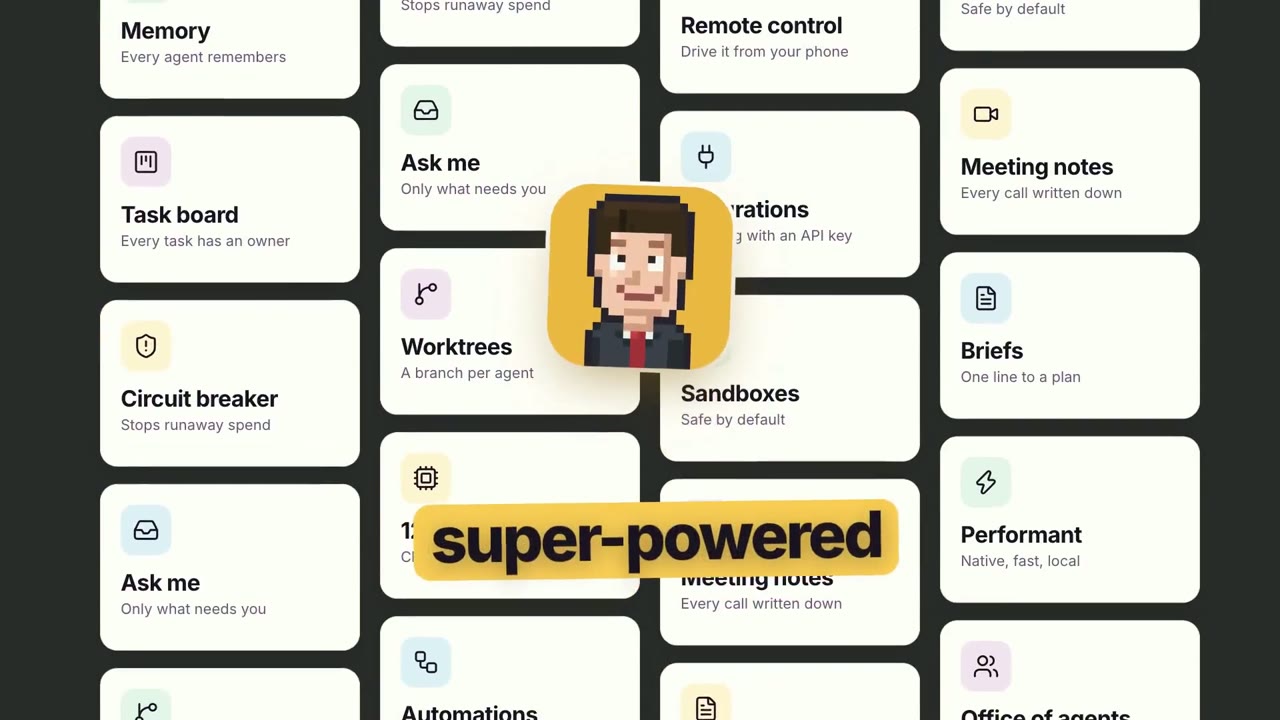
UI-morph showreel lands on an agent dashboard grid은 hiCallMeChai가 만든 제품 화면 모션그래픽 영상입니다. A 54-second product UI animation showing a morphing interface that lands on an agent dashboard grid.
UI-morph showreel lands on an agent dashboard grid은 어떻게 만들었나요?
UI-morph showreel lands on an agent dashboard grid은 HTML 및 FFmpeg로 만들었습니다. Potto의 제품 화면 AI 모션그래픽 영상 모음에 포함되어 있습니다.
UI-morph showreel lands on an agent dashboard grid의 프롬프트를 볼 수 있나요?
네. UI-morph showreel lands on an agent dashboard grid의 전체 프롬프트가 이 페이지에 있습니다. 복사하거나, 「이 프롬프트 사용」을 눌러 Potto 작업 공간에서 여세요.
UI-morph showreel lands on an agent dashboard grid의 길이와 화면 비율은 어떻게 되나요?
UI-morph showreel lands on an agent dashboard grid의 길이는 0:54이고, 프레임은 16:9입니다.
Potto로 UI-morph showreel lands on an agent dashboard grid 같은 제품 화면 영상을 만들 수 있나요?
네. 「이 프롬프트 사용」을 누르면 UI-morph showreel lands on an agent dashboard grid의 프롬프트가 Potto 작업 공간에 불러와집니다. Potto가 자체 버전을 렌더링하며, 내보내기 전에 글과 스타일을 바꿀 수 있습니다.
UI-morph showreel lands on an agent dashboard grid 원본은 어디서 보나요?
UI-morph showreel lands on an agent dashboard grid 은 제작자가 처음 게시했습니다. 「원본 보기」를 클릭하면 해당 게시물이 새 탭에서 열립니다.
UI-morph showreel lands on an agent dashboard grid 같은 제품 화면 영상은 어디서 더 찾나요?
Potto의 제품 화면 모음을 둘러보세요. 영상 244개가 있으며, 각각 프롬프트, 사양, 출처가 있습니다.