Claude video समझाया गया: यह क्या बनाता है और Potto से कैसे अलग है
द्वारा Potto AI Team·
Claude video क्या है? Claude Motion, Claude के लिए Anthropic का animation tool है। इसमें क्या बनता है, कौन इस्तेमाल कर सकता है, Remotion की भूमिका क्या है, और यह Potto से कैसे अलग है।
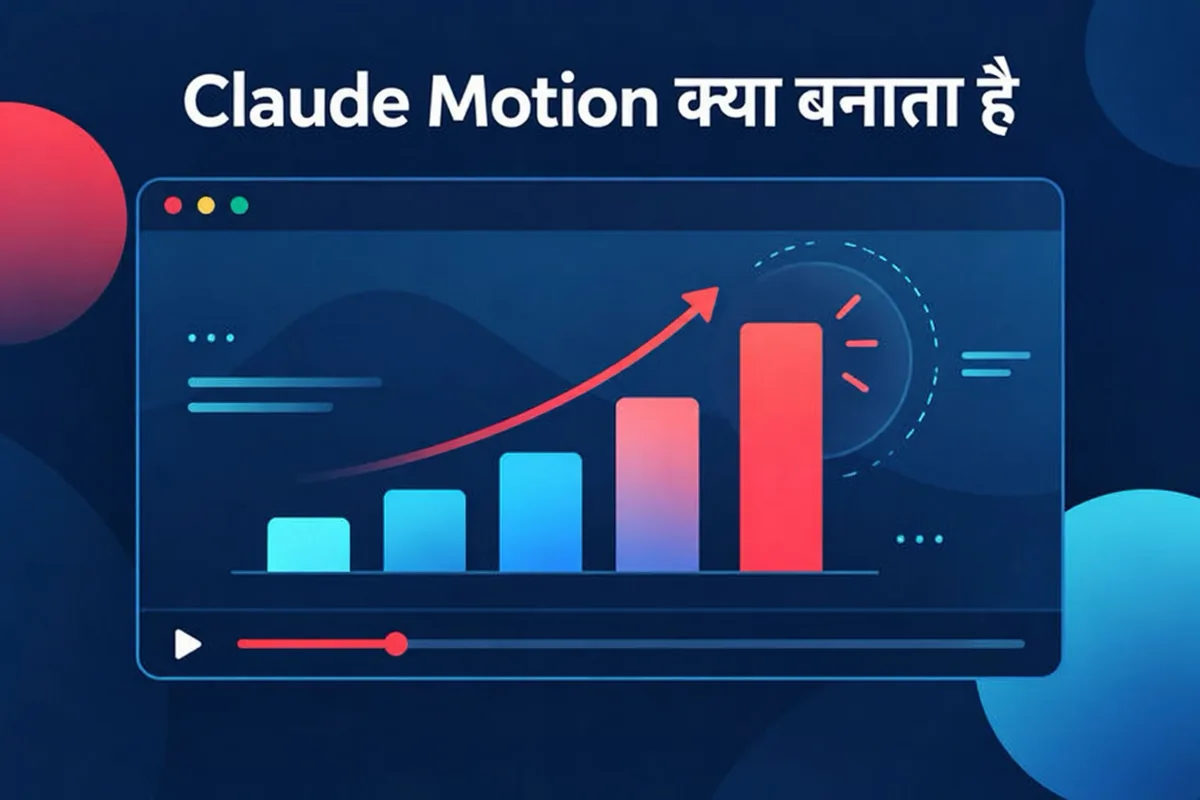
Claude Motion, Anthropic का एक feature है जो एक prompt और आपके content को Claude के अंदर एक short animation में बदल देता है। Anthropic के अपने pages के अनुसार, Claude ऐसा code लिखता है जो text, charts, shapes और images को animate करता है, और आप result को एक MP4 file के रूप में download कर सकते हैं। यह Team और Enterprise plans पर beta में है, और यह किसी video generation model का इस्तेमाल नहीं करता, इसलिए न कोई generated footage होती है और न कोई AI-generated people।
यह "Claude Motion क्या है?" का छोटा जवाब है। इस guide के बाकी हिस्से में बताया गया है कि official pages क्या कहते हैं, एक Claude Motion video क्या हो सकता है और क्या नहीं, code से बनी video से Remotion का क्या रिश्ता है, और यह सब Potto से कैसे तुलना करता है। शुरुआत में ही एक बात, क्योंकि नाम मिलते-जुलते लगते हैं: Potto, Claude Motion नहीं है, और Potto का Anthropic से कोई official संबंध नहीं है। Potto एक independent product है जो एक API के ज़रिए Claude Opus 5.5 model का इस्तेमाल करके outline, storyboards और narration लिखता है, और तस्वीरें अपने ही Remotion scene components से बनाता है। नीचे Claude Motion के बारे में जो कुछ भी कहा गया है, वह Anthropic के published pages से लिया गया है, जिन्हें 2026-10-10 को जाँचा गया।
Claude Motion क्या है?
Anthropic ने Claude Motion की घोषणा 8 October 2026 को Dashboards and Motion शीर्षक वाली एक post में की। इसका help center इस feature को एक वाक्य में बताता है: "Claude Motion आपके content को छोटी animations में बदल देता है।" दोनों pages के examples हैं एक 30-second all-hands explainer, किसी board deck chart में जोड़ा गया motion, और customer onboarding के लिए एक product walkthrough।
विचार यह है कि आपके पास पहले से Claude में material मौजूद है, जैसे कोई report, कोई spreadsheet, images या कोई साधारण description। summary माँगने के बजाय आप उसका एक short animation माँगते हैं। animation किसी short video की तरह चलता है, लेकिन यह filmed या AI-generated clip से अलग तरीके से बनाया जाता है।
"Code से बना" का क्या मतलब है
help article कहता है कि हर animation एक artifact template से बना code है। animation एक flat video file के बजाय content का एक structured टुकड़ा है, इसलिए आप एक detail बदल सकते हैं, जैसे कोई number या timing, और बाकी सब वैसा ही रहता है। announcement भी यही बात कहता है: "आप कोई भी शब्द, number या timing बदल सकते हैं।"
help article यह भी स्पष्ट करता है कि Claude Motion क्या नहीं है: यह किसी video generation model का इस्तेमाल नहीं करता, इसलिए यह realistic footage या people नहीं बनाता। अगर आपको filmed जैसे दिखने वाले scenes या presenters चाहिए, तो वह एक अलग category है। अगर आपको designed, editable motion graphics चाहिए, तो Claude Motion और Potto जैसे tools एक ही category में आते हैं।
"Claude Motion video" और "Claude video" से लोगों का क्या मतलब होता है
Claude Motion video आम तौर पर Anthropic के Claude Motion feature से export किए गए MP4 को कहते हैं।
Claude video ज़्यादा ढीला शब्द है। इसका मतलब Claude Code और किसी rendering library से video बनाना, Claude Motion का इस्तेमाल करना, या किसी third-party product से कोई Claude model call करना हो सकता है। Potto का Claude video generator तीसरे तरह का एक उदाहरण है।
Claude Motion क्या बनाता है
Output और format
text, charts, shapes और images की animations। announcement इन चार building blocks को सूचीबद्ध करता है।
छोटी अवधि। help article results को "short animations" कहता है और उदाहरण के तौर पर एक 30-second explainer देता है, लेकिन कोई maximum duration नहीं बताता।
MP4 export। help article में यही एकमात्र format बताया गया है।
Artifacts tab में saved।
अन्य tools में खोलें। announcement कहता है कि आप एक animation को Adobe, Descript, HeyGen, Higgsfield, invideo, Luma AI या Runway में खोल सकते हैं, और Canva तथा Captions को coming soon बताया गया है। ये Anthropic के integrations हैं; Potto का इनमें से किसी से कोई संबंध नहीं है।
आप शुरुआत कैसे करते हैं
help article के अनुसार, आप किसी भी chat से एक animation माँग सकते हैं, या message box में "Output" चुनकर "Motion" select कर सकते हैं। आप Artifacts tab खोलकर, कोई Motion template चुनकर और बताकर कि आप क्या चाहते हैं, भी शुरू कर सकते हैं। announcement एक shortcut भी जोड़ता है: message box में /motion type करें।
बेहतर results के लिए Anthropic की सलाह practical है: audience बताएँ, बताएँ कि animation कहाँ चलेगा और मोटे तौर पर कितना लंबा होना चाहिए, और source report, data या images attach करें। नीचे दिया गया brief section इसी पर आगे बढ़ता है।
Editing, sharing और limits
Editing। chat में Claude से बदलाव माँगें, जैसे किसी scene को धीमा करना या कोई figure update करना, या सीधे built-in editor में edit करें।
Sharing। animations default रूप से private होते हैं; उन्हें share करने के लिए आप "Share" का इस्तेमाल करते हैं।
Usage। animations आपके plan की usage limits में गिने जाते हैं, और लंबे या ज़्यादा जटिल animations एक सामान्य message से ज़्यादा आपकी limit इस्तेमाल करते हैं।
कौन इस्तेमाल कर सकता है
Claude Motion, Team और Enterprise plans पर beta में है। Team पर यह default रूप से on है। Enterprise पर यह तब तक off रहता है जब तक कोई owner इसे Organization settings में Artifacts के अंतर्गत enable नहीं करता, और owners custom roles के ज़रिए access को खास groups तक सीमित कर सकते हैं। इसे सिर्फ़ Owners और Primary Owners ही on या off कर सकते हैं। help article में Pro या Max plans का ज़िक्र नहीं है, इसलिए यह guide उनके बारे में कुछ नहीं कहती।
official pages क्या नहीं कहते
2026-10-10 तक, Claude Motion help article यह निर्दिष्ट नहीं करता:
export किए गए MP4 के aspect ratios या resolutions,
एक maximum animation length,
क्या किसी animation में narration हो सकती है, या किन languages में,
animation को कौन सा software render करता है। खास तौर पर, यह Remotion का ज़िक्र नहीं करता।
तो अगर आप online पढ़ते हैं कि Claude Motion "runs on Remotion," तो उसे unverified मानें। Anthropic के pages कहते हैं कि animations artifact templates से बना code हैं और किसी renderer का नाम नहीं लेते। अगला section बताता है कि Remotion की बात बार-बार क्यों आती है।
Remotion कहाँ फिट बैठता है
Remotion की वजह से ही developers के लिए "code से video" जाना-पहचाना है, और यही वह technology है जिसे Potto अपने scenes draw करने के लिए इस्तेमाल करता है।
Remotion क्या है
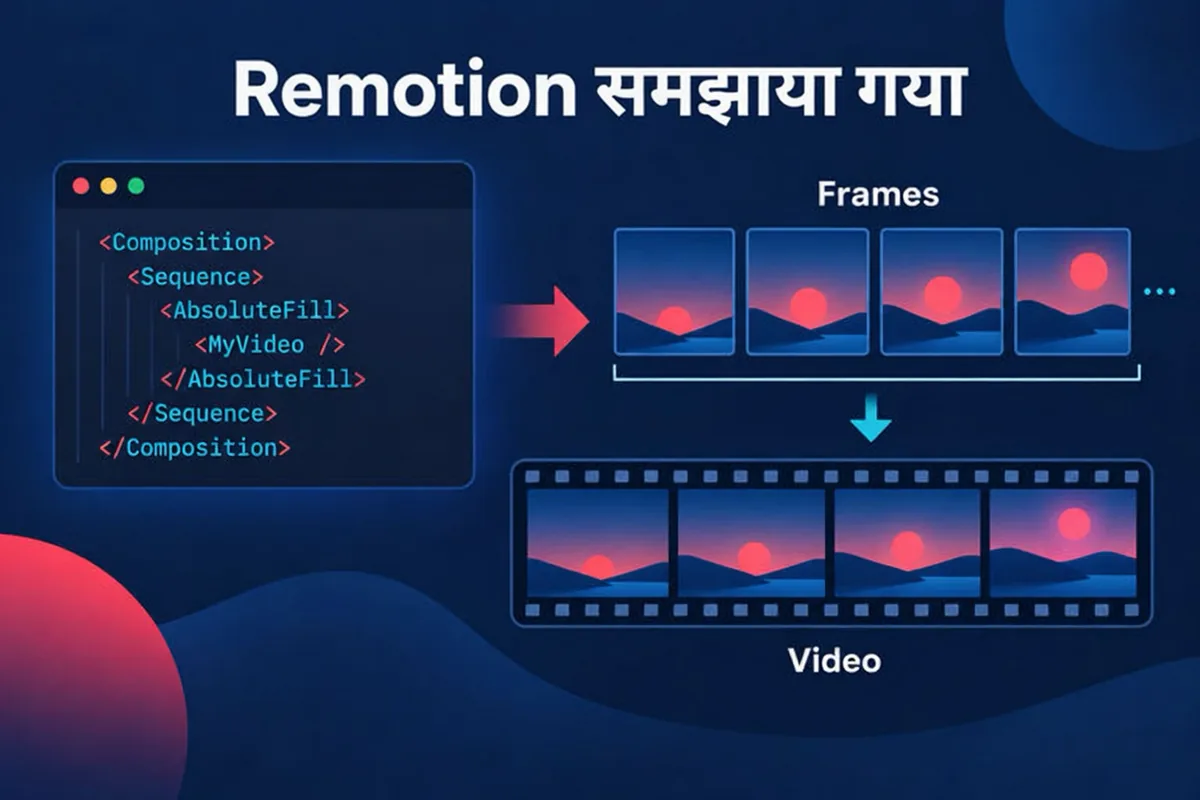
Remotion खुद को "make videos programmatically" के लिए एक tool बताता है। इसका home page कहता है कि आप React से videos और motion graphics बनाते हैं। एक नया project npx create-video@latest से शुरू होता है और Remotion Studio, जो एक preview environment है, में चलता है।
fundamentals page मुख्य idea बताता है: Remotion आपको एक frame number और एक blank canvas देता है, और "a video is a function of images over time." एक React component वर्तमान frame number लेता है और वह frame draw करता है। एक composition component को metadata के साथ जोड़ती है: pixels में width और height, fps और durationInFrames। सेकंड में duration frame count भागा frame rate होता है, इसलिए 30 fps पर 900 frames 30 सेकंड चलते हैं।
code से बनी video क्यों उपयोगी है
क्योंकि एक Remotion video code है, यह repeatable है (वही code वही video देता है), parameterized है (data जोड़ें और variants बनाएँ) और बदलने में आसान है (एक number यानी एक line)। home page तीन workflows बताता है: agentic, जिसमें Agent Skills के साथ coding agents इस्तेमाल होते हैं; interactive, जिसमें Studio में edit करके code में वापस save किया जाता है; और programmatic, जिसमें code में data जोड़ा जाता है। यह कहता है कि "code is always the source of truth."
Remotion और coding agents
Remotion के documentation में Agent Skills पर एक page है। यह कहता है कि skills "useful for AI agents like Claude Code, Codex, Kimi Code or Cursor" हैं, कि ये Remotion projects के लिए best practices परिभाषित करते हैं, और कि install command npx skills add remotion-dev/skills है। यही उन बहुत सारे tutorials की पृष्ठभूमि है जो Claude Code और Remotion से video बनाने के बारे में हैं: एक coding agent Remotion code लिखता है, और आप इसे अपनी ही machine पर render करते हैं।
यह रास्ता असली और documented है, लेकिन यह एक developer workflow है। आपको एक Node environment, एक Remotion project, एक agent, और code review करने का धैर्य चाहिए। यह feature है या बोझ, यह इस पर निर्भर करता है कि आप कौन हैं।
Remotion का license
Remotion का home page कहता है कि Free License तीन लोगों तक unlimited commercial use को कवर करता है, इसकी शर्तों के अधीन, और सहयोग तथा चार या ज़्यादा लोगों की companies के लिए Company License आवश्यक है। अगर आप किसी company में सीधे Remotion पर build करने की योजना बनाते हैं, तो remotion.dev पर वर्तमान शर्तें पढ़ें, क्योंकि उन्हें परिभाषित करना Remotion का अधिकार है और वे बदल सकती हैं।
Potto कहाँ फिट बैठता है
Potto, Claude Motion नहीं है
Potto, Anthropic के Claude Motion feature का इस्तेमाल नहीं करता, न ही उसका reseller है, और न ही उसका Anthropic से कोई official संबंध है। Potto जो इस्तेमाल करता है वह Claude Opus 5.5 model है, एक API के ज़रिए, ताकि video की text लिखी जाए। Claude video generator page अपने FAQ में यही कहता है, और यह guide इसे दोहराती है ताकि दोनों नामों में भ्रम न हो।
Claude Opus 5.5 plan लिखता है। यह आपके description, link या document से outline, एक scene-by-scene storyboard और narration script तैयार करता है।
Potto के Remotion scene components video draw करते हैं। एक project ग्यारह scene types से बनता है: hook, title, screenshot, features, list, stat, compare, chart, illustration, quote और एक closing call to action। browser preview और export किया गया video एक ही composition हैं। देखें कि एआई मोशन ग्राफिक्स में scenes क्या animate करते हैं।
Illustrations और voiceover AI-generated हैं। Illustration scenes AI-generated images इस्तेमाल करते हैं, और narration AI-generated speech है।
32 languages में narration, या automatic language detection, जिसमें captions sentence-sized blocks में दिखाए जाते हैं।
एक original soundtrack Potto की अपनी music library से, जिसे style और length से मेल खाते हुए चुना जाता है, और जिसे आप बदल सकते हैं।
30 frames per second पर 1080p MP4 के रूप में export 16:9, 9:16 या 1:1 में।
export से पहले scene-by-scene editing। किसी scene का text और narration बदलें, screenshots बदलें, कोई focus point चुनें, या कोई illustration regenerate या replace करें।
Brand kits। एक चुना गया kit चार brand colors लाता है, तीन fonts (Inter, Space Grotesk और Bricolage) देता है और आपका logo opening और closing में लगाता है।
Generation और browser preview credits इस्तेमाल नहीं करते; सिर्फ़ export करता है। Potto AI कीमत के अनुसार, English narration वाली और बिना illustrations की एक 30-second video export करने में 153 credits लगते हैं, और दो illustrations जोड़ने पर यह 199 हो जाता है। aspect ratio कीमत नहीं बदलता। एक user प्रतिदिन 30 video projects तक बना सकता है और 60 illustrations तक generate कर सकता है।
Potto क्या नहीं करता
यह filmed footage या digital presenters generate नहीं करता।
यह आपको किसी video के पीछे का code नहीं देता। आपको MP4 मिलता है।
यह आपके upload किए videos को edit या analyze नहीं करता; यह descriptions, links और documents से नई videos बनाता है।
यह सिर्फ़ 16:9, 9:16 और 1:1 export करता है।
Claude Motion और Potto साथ-साथ
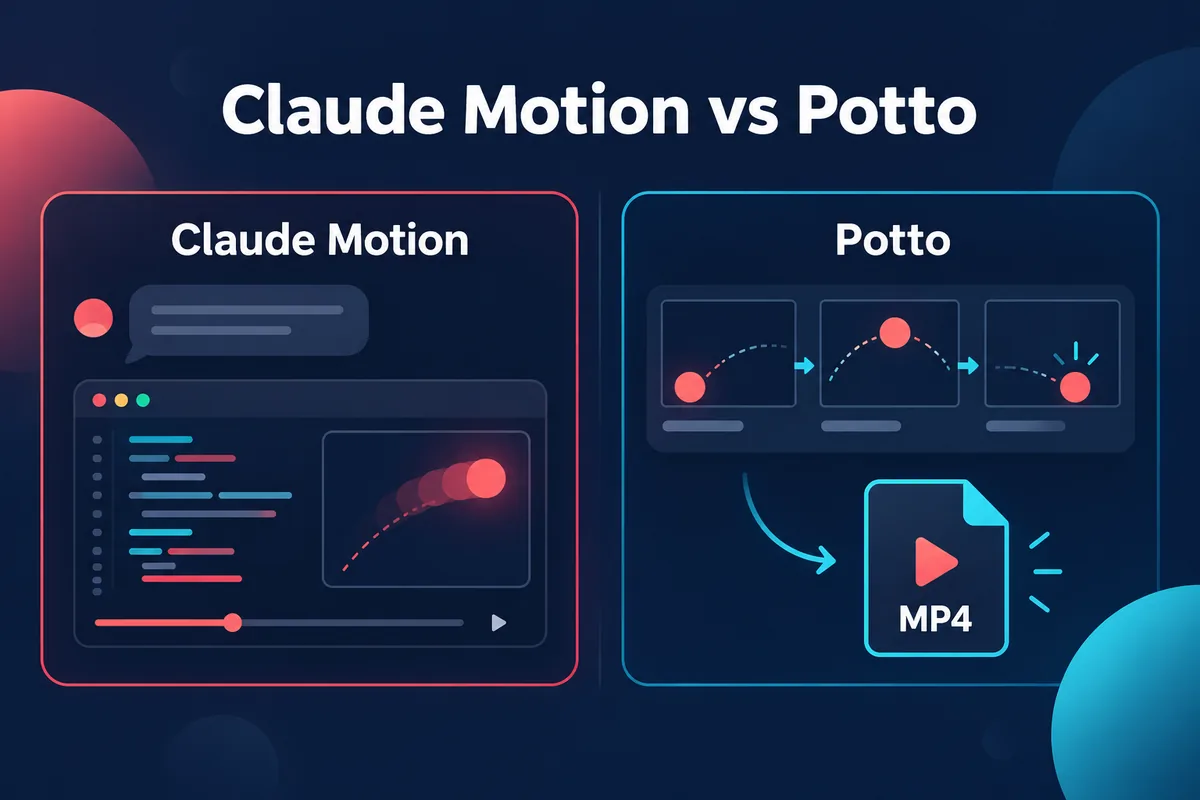
table में सिर्फ़ वे अंतर हैं जिन्हें Anthropic के pages और Potto के product pages से जाँचा जा सकता है। जहाँ कोई published page चुप है, वहाँ cell यही कहता है।
Claude Motion
Potto
किसने बनाया
Anthropic
Potto, एक independent product
कहाँ चलता है
Claude के अंदर, chat और Artifacts tab में
browser में potto.ai पर
उपलब्धता
Team और Enterprise plans पर Beta
Preview मुफ़्त; export credits इस्तेमाल करता है
Language model
Claude (pages किसी model का नाम नहीं लेते)
Claude Opus 5.5 outline, storyboard और narration लिखता है
तस्वीर कैसे बनती है
text, charts, shapes और images को animate करने वाले एक artifact template से बना code
ग्यारह scene types में Remotion scene components, साथ में AI-generated illustrations
Footage या people
कोई नहीं
कोई नहीं
Narration, captions, music
pages पर नहीं बताया गया
32 languages में AI narration, sentence-block captions, original soundtrack
Export
MP4; ratios और resolution निर्दिष्ट नहीं
1080p MP4, 30 fps, 16:9, 9:16 या 1:1
Editing
chat में या built-in editor में
export से पहले per-scene edits
Source material
जो कुछ आप Claude में attach करते हैं
Description, public link, PDF, PPTX या DOCX
Cost model
आपके plan की usage limits में गिना जाता है
export के लिए credits
table को अंतरों के नक्शे के रूप में पढ़ें, ranking के रूप में नहीं। beta के विकसित होने के साथ Claude Motion की तरफ़ के कई cells भरे जा सकते हैं।
कौन कब फिट बैठता है
Claude Motion तब फिट बैठता है जब आपका organization ऐसे plan पर हो जिसमें यह शामिल है, जिस material को आप animate करना चाहते हैं वह पहले से एक Claude conversation में हो, और आप एक ही जगह edit करना चाहते हों या animation को Anthropic के सूचीबद्ध tools में से किसी को सौंपना चाहते हों।
Potto तब फिट बैठता है जब आप captions और music के साथ एक तैयार narrated video चाहते हैं, किसी खास language में narration या उसी video के vertical और square versions चाहिए, या आप किसी product link, PDF या slide deck से शुरू कर रहे हैं, जैसे प्रोडक्ट वीडियो, डेमो वीडियो या explainer video के लिए। यह तब भी फिट बैठता है जब आप Team या Enterprise plan पर न हों, और जब आप export पर credits खर्च करने से पहले per-scene control चाहते हों।
Claude Code with Remotion तब फिट बैठता है जब आपको ऐसा कुछ चाहिए जो scene types का एक तय सेट नहीं कर सकता, जब videos आपके अपने data से बड़े पैमाने पर generate करनी हों, या जब आप code का मालिकाना और versioning चाहते हों। इसमें एक development environment चाहिए और यह Remotion की license शर्तों के साथ आता है।
ये tools exclusive नहीं हैं। हो सकता है कि आप किसी internal meeting के लिए Claude Motion में एक data animation draft करें, किसी ऐसे narrated explainer के लिए Potto इस्तेमाल करें जो तीन formats में जाना है, और किसी data-driven series के लिए एक Remotion project रखें। सिर्फ़ एक चीज़ से बचना है — यह मान लेना कि इनमें features साझा हैं।
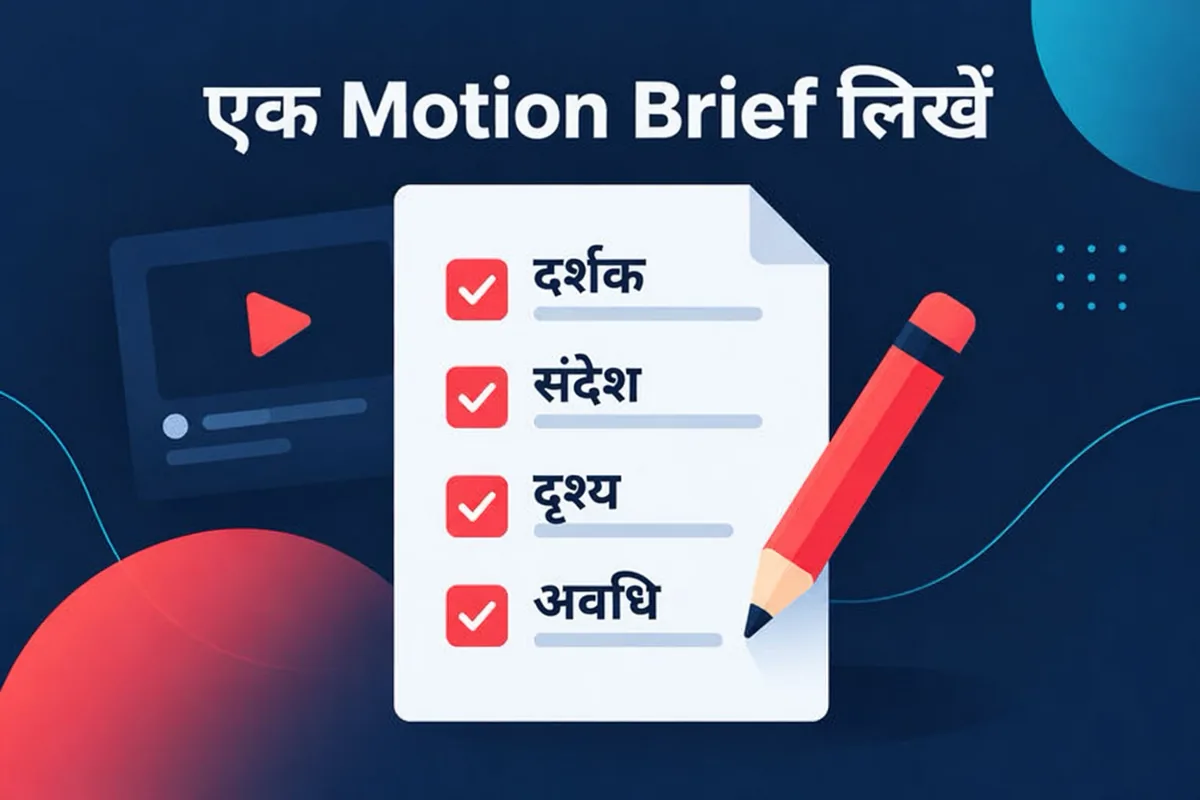
किसी भी tool में काम करने वाला motion brief कैसे लिखें
Anthropic की सलाह एक अच्छे brief का मुख्य हिस्सा है: audience, यह कहाँ चलेगा, मोटी अवधि, और source material। वही brief Potto में और किसी coding agent के साथ भी मदद करता है। एक motion brief script से छोटा और prompt से लंबा होता है, और इसके छह हिस्से होते हैं।
एक वाक्य का purpose। viewer इसके बाद क्या समझे या करे? "finance team को बताएँ कि Q3 churn क्यों गिरा" एक purpose है। "एक शानदार animation बनाओ" नहीं है।
Audience। कौन देखता है, और वे पहले से क्या जानते हैं?
Placement और length। एक meeting, एक landing page या एक vertical feed — हरेक के लिए अलग length चाहिए। एक चुनें और बता दें।
वे facts जो ज़रूर आने चाहिए। numbers, names और claims की सूची बनाएँ, और ये कहाँ से आते हैं। animation tools figures अच्छी तरह दिखाते हैं और सही बनाने में कमज़ोर हैं, इसलिए इन्हें दें।
विचारों का क्रम। तीन से छह beats काफ़ी हैं, हर एक में screen पर एक चीज़: एक statement, एक chart या एक comparison।
अंत। आखिरी frame तय करें: एक call to action, एक summary figure या एक logo।
chart-heavy brief के लिए, असली values और labels दें। Potto का animated chart maker बिल्कुल यही input लेता है और तीन से छह values से bar और donut charts animate करता है। narrative brief के लिए, beats को साधारण वाक्यों में लिखें और ज़ोर से पढ़ें; अगर आप अटकते हैं, तो narration भी अटकेगी।
FAQs
Claude Motion क्या है?
Claude Motion एक Anthropic feature है जो Claude के अंदर आपके content को छोटी animations में बदल देता है। Claude ऐसा code generate करता है जो text, charts, shapes और images को animate करता है, आप result को chat में या किसी built-in editor में edit कर सकते हैं, और इसे MP4 के रूप में download कर सकते हैं। इसकी घोषणा 8 October 2026 को हुई थी और यह Team और Enterprise plans पर beta में है। यह किसी video generation model का इस्तेमाल नहीं करता, इसलिए यह filmed footage या people के बजाय designed animation बनाता है।
क्या Claude Motion, Potto जैसा ही है?
नहीं। Claude Motion, Claude के अंदर Anthropic का feature है, और Potto एक independent product है जिसका Anthropic से कोई official संबंध नहीं है। Potto outline, storyboard और narration लिखने के लिए एक API के ज़रिए Claude Opus 5.5 model का इस्तेमाल करता है, फिर video को अपने ही Remotion scene components से render करता है और 1080p MP4 export करता है। Claude video generator page बताता है कि यह कैसे होता है।
Claude Motion कौन इस्तेमाल कर सकता है?
Claude Motion, Team और Enterprise plans पर beta में है। Team के लिए यह default रूप से on और Enterprise के लिए default रूप से off है, जब तक कोई owner इसे Organization settings में Artifacts के अंतर्गत enable नहीं करता। Anthropic का help article Pro या Max plans का ज़िक्र नहीं करता, इसलिए इस पर भरोसा करने से पहले अपना plan जाँचें।
क्या Claude Motion, Remotion इस्तेमाल करता है?
Anthropic के pages नहीं कहते। वे हर animation को एक artifact template से बना code बताते हैं और किसी renderer का नाम नहीं लेते, और help article Remotion का ज़िक्र नहीं करता। Remotion, React code से videos बनाने का एक अलग tool है, और यही वह चीज़ है जो Potto अपने scene components के लिए इस्तेमाल करता है। खोजों में एक साझा नाम का मतलब साझा engine नहीं होता।
Remotion क्या है?
Remotion, React के साथ programmatically videos बनाने का एक tool है। इसका documentation एक video को समय के साथ images का function बताता है: एक component एक frame number लेता है और वह frame draw करता है, और एक composition width, height, frame rate और duration तय करती है। आप एक project npx create-video@latest से शुरू करते हैं और इसे Remotion Studio में preview करते हैं। इसका home page तीन लोगों तक के लिए एक Free License और बड़े समूहों के लिए एक Company License सूचीबद्ध करता है।
क्या मुझे Claude Motion, Potto या सीधे Remotion इस्तेमाल करना चाहिए?
Claude Motion इस्तेमाल करें अगर आपके plan में यह शामिल है और आप Claude में पहले से मौजूद material को animate करना चाहते हैं। Potto इस्तेमाल करें अगर आप किसी description, link या document से captions, music और 16:9, 9:16 या 1:1 के चुनाव वाली एक narrated video चाहते हैं, जैसा एक्सप्लेनर वीडियो पर है। सीधे Remotion इस्तेमाल करें अगर आप एक developer हैं जो code का मालिक होना चाहता है और उसे एक तय सेट से आगे के scenes चाहिए। comparison table जाँचे जा सकने वाले अंतर सूचीबद्ध करती है।
क्या मुझे किसी Potto video के पीछे का Remotion code मिल सकता है?
नहीं। Potto MP4 देता है और किसी video के पीछे का code न तो देता है न चलाने देता है। अगर आपको code चाहिए, तो आपका अपना एक Remotion project ही इसे पाने का रास्ता है, और remotion.dev पर Agent Skills page बताता है कि coding agents Remotion projects के साथ कैसे काम करते हैं।
Sources
सभी sources 2026-10-10 को जाँचे गए।
Anthropic, Dashboards and Motion, announcement dated October 8, 2026। Claude Motion क्या है, उपलब्धता, MP4 download, "no video generation model" कथन और third-party tools की सूची के लिए इस्तेमाल किया गया। जाँचा गया 2026-10-10।
Anthropic Help Center, Get started with Claude Motion। शुरुआत कैसे करें, editing, export, sharing, usage limits और admin controls के लिए इस्तेमाल किया गया। जाँचा गया 2026-10-10।
Remotion, Remotion home page। Remotion के विवरण, तीन workflows, setup command और license सारांश के लिए इस्तेमाल किया गया। जाँचा गया 2026-10-10।
Remotion documentation, The fundamentals। frames, compositions और video properties के लिए इस्तेमाल किया गया। जाँचा गया 2026-10-10।
Remotion documentation, Agent Skills। इस कथन के लिए इस्तेमाल किया गया कि skills, Claude Code जैसे AI agents के लिए उपयोगी हैं, और install command के लिए। जाँचा गया 2026-10-10।
Potto AI
अपना अगला लॉन्च वीडियो बनाएं।
जिस चीज़ ने आपकी रुचि जगाई उसे अपना वीडियो या इमेज बनाएं। स्क्रीनशॉट, कोई विषय या प्रॉम्प्ट लेकर आएं।