
Premium00
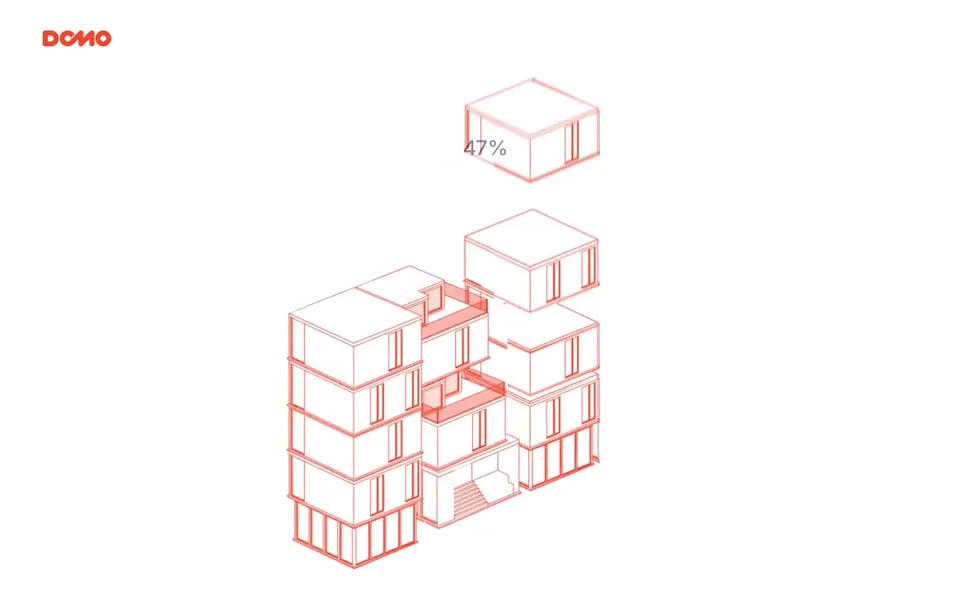
भिडियो 1 / 1Wireframe building fills in with a render in a hero
भिडियो पृष्ठ खोल्नुहोस्
एआई भिडियो र एआई इमेजका लागि क्रेडिटको एउटै मौज्दात। मासिक वा वार्षिक सदस्यता लिनुहोस्, वा एक पटक क्रेडिट प्याक किन्नुहोस्।
एक पटक भुक्तानी · सदस्यता छैन
प्याकमा भिडियो
एक पटक भुक्तानी · सदस्यता छैन
प्याकमा भिडियो
एक पटक भुक्तानी · सदस्यता छैन
प्याकमा भिडियो
मासिक बिल
प्रति महिना भिडियो
मासिक बिल
प्रति महिना भिडियो
मासिक बिल
प्रति महिना भिडियो
वार्षिक बिल · $240 → $192/वर्ष
प्रति महिना भिडियो
वार्षिक बिल · $600 → $480/वर्ष
प्रति महिना भिडियो
वार्षिक बिल · $1,200 → $960/वर्ष
प्रति महिना भिडियो
Videos use credits when you export, and starting one needs a balance that covers its export. Counts assume a 30-second product demo and a 60-second explainer with narration and 3 illustrations.
Wireframe Build to Render ले के गर्छ, कुन एजेन्टमा चल्छ, कुन कुञ्जी चाहिन्छ र कसरी इन्स्टल गर्ने।
Wireframe Build to Render भनेको दृश्य प्रणाली भिडियो बनाउन Potto ले बनाएको एजेन्ट स्किल हो। Create an architectural product or real estate hero film in which isometric wireframe modules drop into place with a progress counter, a feathered diagonal wipe reveals the same…
Wireframe Build to Render एउटा Premium स्किल हो। यो Potto को कुनै पनि सशुल्क प्लान (Lite, Pro वा Max) मा समावेश छ, वा एकपटक $5 तिरेर सधैँका लागि किन्न सकिन्छ।
Wireframe Build to Render स्किल अङ्ग्रेजी मा लेखिएको छ। तपाईंले दिनुभएको जुनसुकै भाषामा यसले पर्दाको पाठ बनाउँछ।
Wireframe Build to Render Remotion मा आधारित छ। चलाउनुअघि Bun, Python 3 र FFmpeg इन्स्टल गर्नुहोस्।
Wireframe Build to Render ले MP4 उत्पादन गर्छ।
Wireframe Build to Render Claude Code र Codex मा चल्छ, वा SKILL.md पढ्ने अन्य agent मा।
चाहिँदैन। Wireframe Build to Render थप API कुञ्जी बिना चल्छ।
यस पृष्ठबाट Wireframe Build to Render को इन्स्टल प्रम्प्ट कपी गरेर आफ्नो एजेन्टमा टाँस्नुहोस्, वा यसको ZIP डाउनलोड गर्नुहोस्।
Wireframe Build to Render Potto ग्यालरीमा 1 भिडियो बनाउन प्रयोग भयो, जस्तै Wireframe building fills in with a render in a hero।
Potto मा Wireframe Build to Render v1.0.0 छ, 2026 अक्टोबर 21 मा अद्यावधिक। नयाँ संस्करणका लागि इन्स्टल प्रम्प्ट फेरि प्रतिलिपि गर्नुहोस्।