Ten artykuł nie jest jeszcze dostępny w tym języku. Czytasz wersję angielską.
What Is an Explainer Video? Examples, Costs and How to Make One
Autor: Potto AI Team·
What an explainer video is, the main types, a four-part script structure, real examples, what they cost and how to make one yourself or with a company.
An explainer video is a short, goal-driven video that uses visuals and narration to explain one product, service, process or idea so a viewer understands it without reading a long page. It usually runs about one to two minutes, follows a simple order (the problem, the solution, how it works, what to do next) and is built around a single message. It can be animated, drawn on a whiteboard, recorded from a screen or filmed with real people. This guide covers the definition, the main types, how a good explainer is structured, examples from Potto's own sample videos, what an explainer video costs, how a production company compares with making one yourself, and a five-step way to make one with Potto.
To try it as you read, Potto's explainer video maker turns a topic, an article or a document into a script, illustrated scenes, narration and captions that you review before you export.
What an explainer video is
TechSmith calls an explainer video a "short, goal-driven video" that uses visuals and narration to explain a product, service, process or idea, with one clear message. Adobe describes explainer videos as designed to communicate a product, service or concept in a simple, easy-to-understand way. Vyond describes the classic version as a short video that introduces a product or company to potential customers and answers what problem the product solves and why the viewer would want it.
Three ideas hold the definition up:
One subject. An explainer covers one idea, one product or one process. A video that tries to explain a whole company usually explains none of it.
A clear job for the viewer. Afterwards, the viewer should be able to say what the thing is, who it is for or how it works, and know the next step.
Short. Adobe recommends keeping an explainer under 90 seconds, and Vyond's guide describes about one to two minutes. These are publisher guidelines, not a standard, but they agree on the range.
Explainers are not only marketing: teams use them for onboarding, training, support answers and lessons, with the same structure.
A product demo shows what a product does, usually with real interface footage, while an explainer is organised around understanding; for the real interface, use the product demo video maker. A tutorial teaches a task step by step, and an advertisement persuades without necessarily teaching.
Types of explainer videos
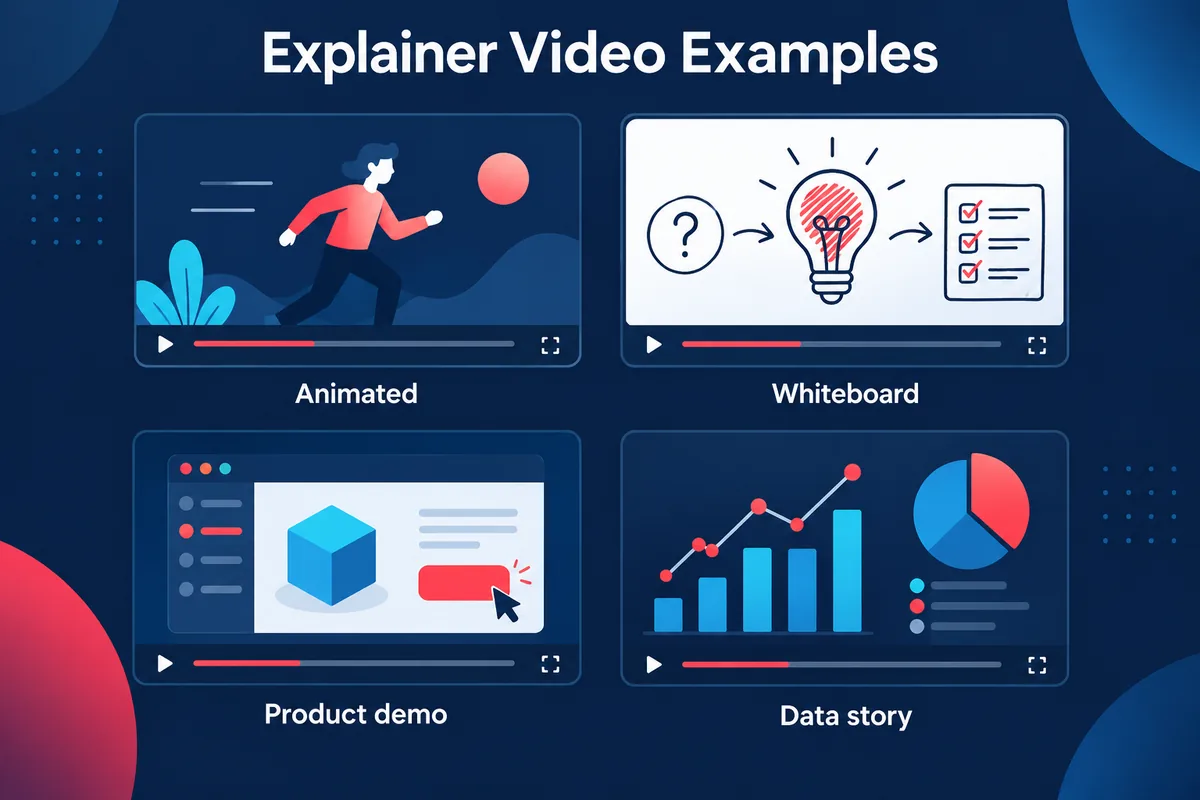
TechSmith's guide lists animation, live action, screencasts, whiteboard drawing, motion graphics, tutorials, product demos and educational videos as common forms. In practice the choice is between a few visual styles, and each suits a different subject.
Potto AI
Zrób swój następny film premierowy.
Weź to, co Cię zainteresowało, i zamień w swój film lub obraz. Przynieś zrzuty ekranu, temat lub prompt.
Animated and motion graphics explainers
An animated explainer uses illustrations, characters, animated text, icons and charts. Adobe notes that animation, which can be 2D, 3D or mixed, suits abstract or technical topics, because you can draw what a camera cannot film: a data flow, a policy, a process inside software. Motion graphics are the subset built from moving text, shapes and charts rather than characters, and they work well for explanations that depend on numbers, sequences or comparisons. Potto makes this type: motion graphics scenes built from your text, source images or illustrations, with narration and captions. For more on the style, see AI motion graphics.
Whiteboard explainers
Whiteboard videos show hand-drawn illustrations appearing on a white background while a narrator explains, much like a teacher explaining a concept step by step. Potto does not make whiteboard-drawing animation; its scenes are motion graphics with illustrations and animated text.
Screencast and product demo explainers
A screencast records a computer screen with narration or annotations. TechSmith calls it a clear, low-cost choice for software demos, digital workflows and internal training. When the subject is software, a product walkthrough video built from real screenshots with explanatory text is often enough.
Live-action explainers
Live-action videos feature real people and settings. Adobe says they focus on authenticity and suit service industries such as healthcare, real estate and hospitality. They need cameras, people and locations, which sits outside what a self-serve motion-graphics tool does.
Educational explainers
Educational explainers teach a concept rather than promote anything, and they fit text-based sources such as handouts, reports and articles.
What a good explainer video contains
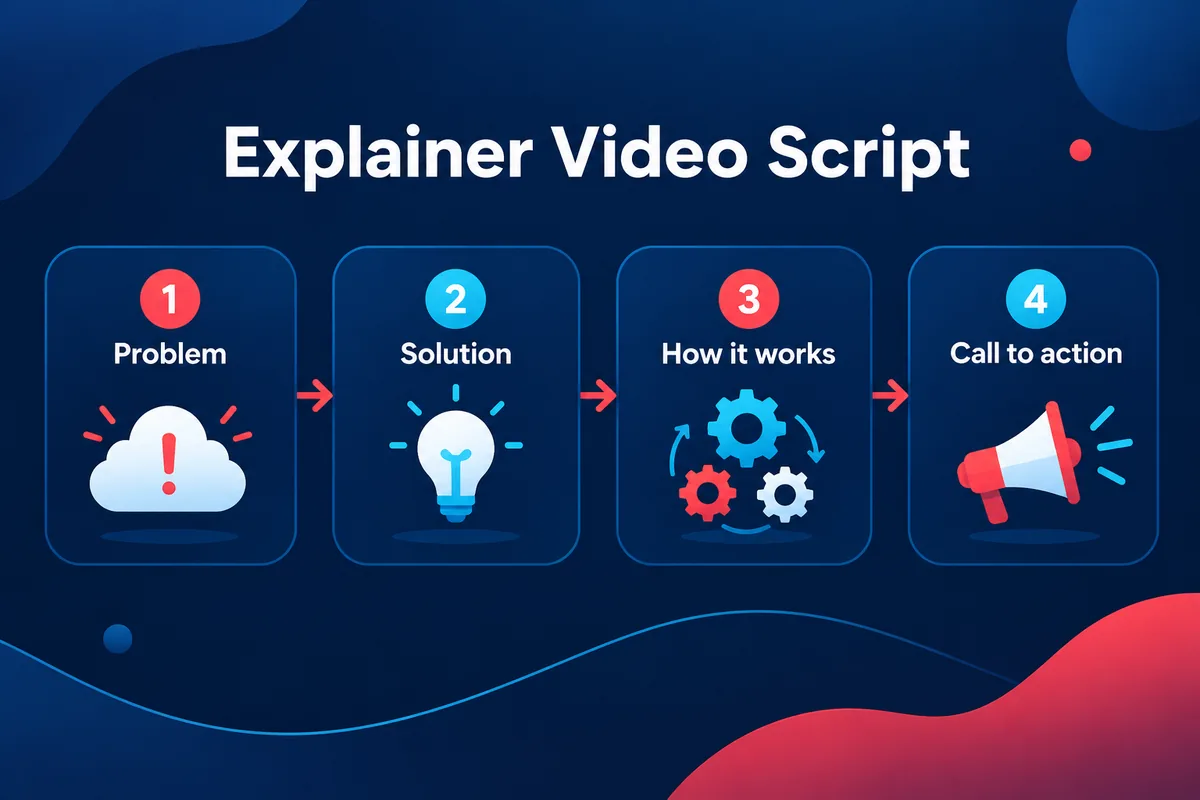
Most guidance converges on four beats. Adobe's guide describes a script that explains one core idea in a logical flow of problem, then solution, then outcome and ends with a call to action. Vyond's examples follow the same arc: the pain point, the possibility of a fix, the product as the solution. TechSmith maps a roughly 60-second story to a hook in the first 10 seconds, an explanation through second 50, and a call to action in the last 10 seconds.
1. The problem
Open with the situation your viewer already recognises, in their words. The viewer should think "that is my situation" within the first few sentences. Keep it specific: "teams lose track of decisions made in meetings" gives the viewer something to nod at; "communication is hard" does not.
2. The solution
Name the idea, product or approach that resolves the problem, in one sentence a newcomer could repeat. This is where the definition belongs. For a concept explainer, the solution is the core insight itself.
3. How it works
Show the mechanism in about three steps, each with its own scene and visual. This is where animation is strongest, because each step can be drawn as a simple relationship: an arrow, a before-and-after chart, a numbered list that builds.
4. The call to action
Tell the viewer exactly what to do next: read the full guide, start a trial, open the help page. Make the action match the audience's stage; a viewer who just learned what a thing is is not ready for a purchase request.
Length, narration and captions
Match length to the number of points. One definition and three steps fit comfortably in about a minute; a comparison of two options with a decision rule needs more room. If a script runs long, cut a point and link to the full source. Write the narration for one listen, in short sentences, and put short labels on screen that match it rather than repeat it. TechSmith advises keeping text on screen for at least three seconds, and Adobe recommends captions for mobile viewers and adapting the format per platform: landscape for YouTube, vertical for Reels or YouTube Shorts.
A smooth voice and a polished illustration do not make an explanation correct. Whoever produces the video, check names, numbers, definitions and conditions against your source before it goes out.
Explainer video examples from Potto
The most useful examples are ones you can compare with their source. The samples below come from Potto's own pages. Potto wrote the source material, so the companies, people and figures in the document-based samples are fictional, and none of them is a customer's project. They show what the tool does with a given input, not the results of a campaign.
A report turned into an explainer
On the PDF to video converter, the samples start from one file and a sentence of direction. One is a 20-page sustainability report turned into a wide explainer: three headline numbers, the sourcing and roasting changes, then next year's goals. The same report appears as a vertical clip that opens on one number and as a square clip with three numbers, one sentence each. That shows a useful habit: one source, three framings for three places the video will be seen.
A lesson and a how-to from documents
Two more samples start from a biology handout and a product manual. The handout becomes a short lesson with six steps in order, one idea per screen, ending on check-yourself questions. The manual becomes a how-to covering first use, setting a temperature and cleaning. The article to video samples show the same idea from a pasted article: a short piece on green roofs becomes a vertical clip with the question, the three reasons and the trade-off at the end.
A product demo from a page link and screenshots
The product demo video page has a sample made from a link to Potto's own image generator page and three screenshots: write a brief, type three lines, then pick a model. It sits beside a launch video made from the homepage link and a feature walkthrough made from a background remover page link, with music and no voiceover. Here real interface images carry the explanation and the narration adds the reason behind each step.
Numbers as the explanation
On the animated chart maker page, one sample is built from a short brief with its numbers written in: four months of daily coffee sales as an animated bar chart, then one product's share of orders before and after, ending on a headline number. Others come from a sample PPT to video deck and a research summary. The page notes that each figure read aloud has to match the chart, so listen at normal speed before exporting.
Lessons, onboarding and support answers
The gallery on the explainer video page also covers a concept lesson, an onboarding walkthrough, a process training clip, a support answer, an article summary, and a comparison of two options that ends with a decision rule instead of a winner. The page states that these are arranged explanations built from supplied text and illustrations, not recordings of a real customer's experience.
When you watch any explainer video example, ask what the single message is and which of the four beats is weakest.
Animated explainer video: when animation fits
An animated explainer video is the most common answer to a search for the format, and it fits in a few clear situations:
The subject cannot be filmed. Software logic, finance, policy, data and science have no natural footage, so animation draws the relationship.
You need a consistent look at scale. A repeatable visual system keeps many explainers recognisable. Potto's brand kit applies your brand colours, a choice of three fonts, and your logo in the opening and closing scenes.
You expect to update it. Changing a line of narration and a label in a storyboard is simpler than reshooting.
Animation is a poorer fit when the point is trust in a real person, when the real interface is the evidence (use real screenshots or a demo), or when you need to edit an existing recording. Potto does not edit existing video clips; it builds videos from your text, documents, images and links.
Explainer video production company vs making it yourself
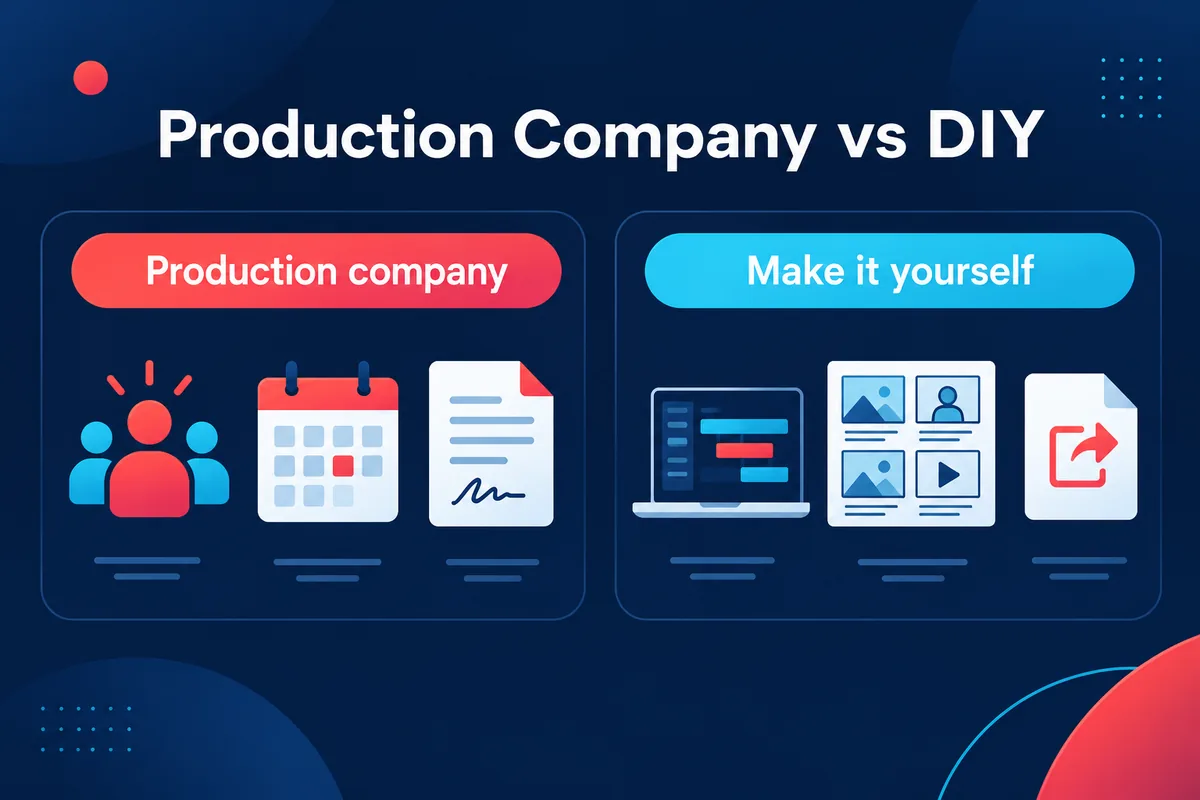
Searches for an explainer video production company or explainer video services usually come from someone choosing between hiring and doing it. Both routes are legitimate, and the right one depends on the job.
What a production company does well
A studio brings people and craft that software does not replace:
Strategy and scripting. A good studio asks who the audience is and what they should do afterwards, then writes to that brief. Vidico's cost guide describes studios as handling strategy, scripting, storyboarding, animation, voiceover and revisions.
Custom illustration, characters and sound. Original characters, bespoke styles, cast voice talent and sound design are craft work.
Live action and complex 3D. If the video needs actors, locations or a 3D product render, you need a team.
Revision management. According to the same guide, most studios include one to two rounds of revisions in the base price.
Hiring makes the most sense for a flagship homepage video, a brand campaign with a distinctive look, or when the message is still unclear.
What making it yourself does well
Many videos from existing material. A report, handout, manual or article already contains the content. A self-serve tool can turn it into a draft you edit.
Frequent updates. If numbers change quarterly or a product changes monthly, editing a scene beats commissioning a new video.
Internal and educational use. Training clips, onboarding steps and support answers often need clarity and correctness more than a custom visual identity.
Potto is a self-serve tool, not a production company. It does not provide scripting consultancy, custom character animation, live action or human voice casting. It writes the script and storyboard with Claude Opus 5.5, as in Claude video, renders with Remotion and gives you every scene to edit.
A middle route, and questions to ask
Some teams combine both: a studio produces one flagship video and sets the visual system, and the team makes everyday explainers with a tool. Whichever route you compare, ask whether the price includes scripting, voiceover and music, how many revision rounds are included, whether you receive source files, and who checks the facts.
Explainer video cost
How much an explainer video costs depends on the route, the style and the length. Public cost guides from production companies give wide ranges, and they are written by firms that sell the service, so treat them as indicators and not as quotes.
Published ranges from a production company
Vidico's cost guide, dated May 29, 2026, lists ranges for a 60-second video by style: 2D vector animation $2,500 to $10,000, whiteboard animation $1,500 to $5,000, motion graphics and infographics $1,500 to $6,000, 3D animation $5,000 to $25,000 or more, and live action $5,000 to $20,000 or more. It also gives ranges by route: AI and DIY tools from $99 to $1,500, freelancers at $500 to $3,000 per minute, specialised studios at $3,000 to $10,000 per minute and full-service agencies from $10,000 to $50,000 or more. These are one company's published figures, so use them as a rough scale and ask any provider for a written breakdown.
What changes the price
The same guide names the factors that move a quote. Length matters: each additional 30 seconds adds roughly 25% to 40% to the total cost. It lists studio scripting as an add-on of $500 to $1,500 (supplying your own script saves that), professional voiceover at $1,000 to $5,000, custom soundtracks and sound design at $500 to $2,000, and extra revision rounds at 8% to 12% each. Custom characters, layered backgrounds and particle effects add cost.
What an explainer video costs on Potto
On Potto, writing the brief, outline and storyboard is free and so is the browser preview; credits are charged only when you export. The explainer video page states that exporting costs 5 credits per second plus narration and any illustrations, and that the export button shows the total before you confirm. Aspect ratio does not change the price. As a worked example from the site's pricing rules, a 30-second video with English narration and no illustrations costs 153 credits, and adding two illustrations brings it to 199 credits. A silent 30-second video is 150 credits.
Credits are not dollars, so check the current pricing page before you plan a budget. The point of the example is the shape of the cost: it scales with length, narration and illustrations, you see the number before you pay, and revising the script costs no credits.
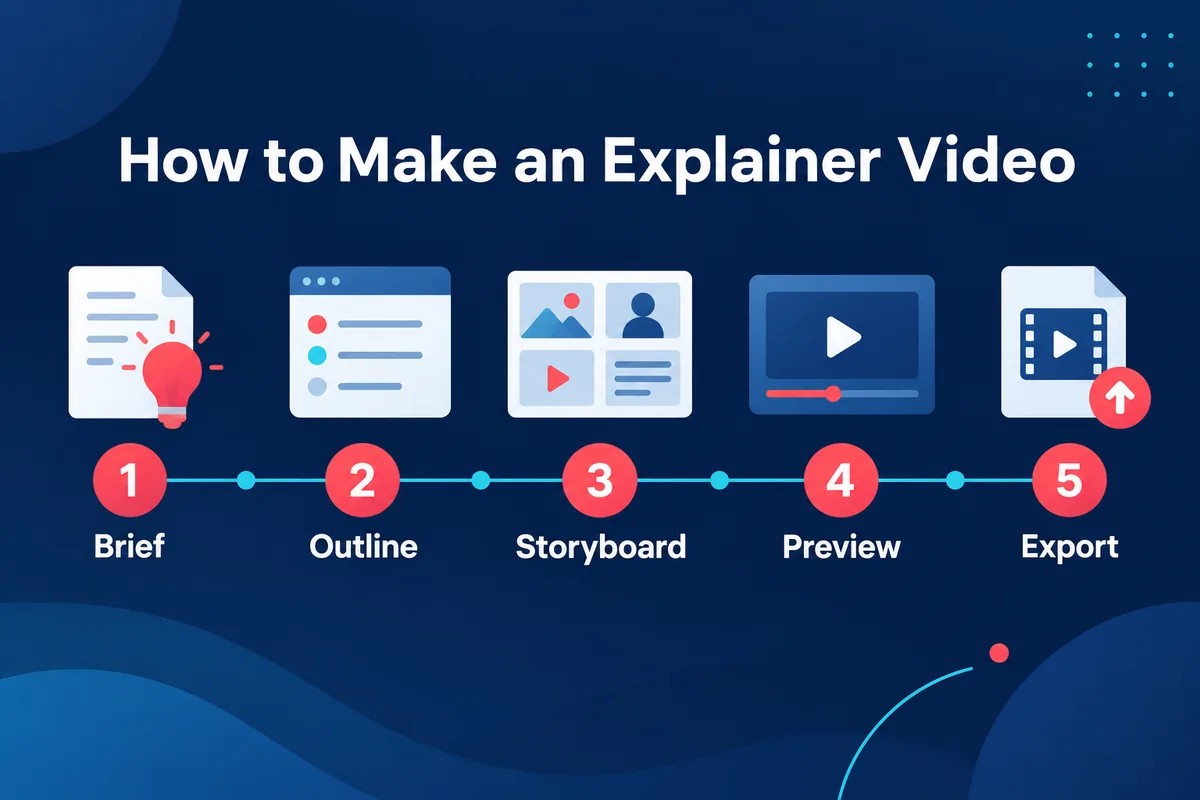
How to make an explainer video with Potto in five steps
Potto builds videos in stages you can review. These steps describe what the tool does today.
Step 1: Start from a topic, a document or a link
Open the explainer video maker and write the topic, or add what you already have: notes, an article, a report, a PDF, PowerPoint or Word file, images or a webpage link. A project accepts up to 8 attachments. You can write the topic and choose the format before signing in; starting the video opens the sign-in dialog and your sources stay in the workspace. For documents, the PDF to video page explains the limits: files up to 20 MB, text from up to 100 pages (a very long document contributes only its opening portion to the script), and the first 12 pages available as visuals. Put exact names, dates and numbers in the brief, because the video is built from what your sources say.
Step 2: Review the brief and the outline
The project moves through a brief, an outline with visual direction and a storyboard. Check the brief for the audience and goal, and the outline for the order of ideas. Apply the four-beat structure here: is the problem stated first, is the solution one sentence, are there about three steps, and is there a clear next action? Ask for structural changes in the project conversation.
Step 3: Edit the storyboard
The storyboard holds the exact on-screen wording and narration for each scene. Before you export you can edit each scene's text and narration, swap screenshots, choose a focus and regenerate or replace illustrations. Check every factual statement against the source here, and keep each qualification in the same scene as the claim it modifies.
Step 4: Choose length, voice, language and format
Choose a target length of 15, 30, 45, 60 or 90 seconds. Narration is available in 32 languages, or the language can be detected automatically. If you want your colours and logo, turn on a brand kit. The output is a 1080p MP4 at 30 fps in 16:9 (1920×1080) for websites and presentations, 9:16 (1080×1920) for phones, or 1:1 (1080×1080) for feeds. Captions appear in the video, and music comes from Potto's own library of original tracks.
Step 5: Preview, then export
Watch the preview in your browser, which uses no credits. Listen at normal speed for product names, abbreviations and numbers, and check that captions do not cover a key label or chart value. When you export, the quote shows the credit cost before you confirm. If an export fails, the project shows the reason and offers a retry, and nothing is charged until an export finishes. Potto produces the MP4; where you post it is up to you.
FAQs
What is an explainer video?
An explainer video is a short, goal-driven video that uses visuals and narration to explain one product, service, process or idea in simple terms. It usually runs about one to two minutes, follows a problem, solution, how-it-works and call-to-action order, and can be animated, whiteboard, screen-based or live action. Potto's explainer video maker builds the motion-graphics version from a topic, article or document.
What are examples of explainer videos?
Common examples are a concept lesson, an onboarding walkthrough, a process training clip, a support answer, an article summary, a product demo and a data video. Potto's own samples include a report turned into a wide explainer, a handout turned into a six-step lesson and an animated bar chart; they use fictional figures and are not customer projects.
How long should an explainer video be?
Most guidance recommends roughly one to two minutes, and Adobe suggests keeping an explainer under 90 seconds. In Potto you choose a target length of 15, 30, 45, 60 or 90 seconds.
How much does an explainer video cost?
It depends on the route, style and length. One production company's published guide gives 60-second ranges from about $1,500 to $10,000 for 2D, whiteboard and motion graphics styles, and more for 3D and live action, and says each extra 30 seconds adds roughly 25% to 40%. On Potto, previews use no credits, new accounts get 100 credits, and an export costs 5 credits per second plus narration and illustrations; a 30-second video with English narration and no illustrations is 153 credits.
Should I hire an explainer video production company or make the video myself?
Hire a company for a flagship brand video, custom characters, live action, or when the message needs strategy. Make it yourself when you have source material such as an article, report or manual, need several videos, or expect to update the content. A mixed approach also works: a studio sets the visual system and your team makes the everyday videos.
What is the difference between an explainer video and a product demo?
An explainer focuses on understanding an idea or process, while a product demo focuses on what a product or feature does, usually with real interface footage. They can share screenshots and motion treatments. Choose by the viewer's question, and use the product demo video maker when real interface behaviour is the evidence.
Can AI make an explainer video?
AI can write the script and storyboard and build the scenes, narration and captions, but you still need to review the facts. Potto's AI video generator uses Claude Opus 5.5 to write the outline, script and storyboard and Remotion to render the video. It builds motion-graphics videos from your text, documents, images and links; it does not make live-action footage, avatars or edits of existing video clips.