Artikel ini belum tersedia dalam bahasa ini. Anda sedang membaca versi Inggeris.
Nano Banana 2.1 API: Model ID, Pricing, Resolutions and Limits
Oleh Potto AI Team·
Nano Banana 2.1 API facts from Google's docs: model ID gemini-nano-banana-2.1, request fields, 1K/2K/4K sizes, 14 references, prices and limits.
The Nano Banana 2.1 API is Google's Gemini API model gemini-nano-banana-2.1, a high-efficiency image generation and conversational editing model that you call with a text prompt and, optionally, reference images. According to Google's Nano Banana 2.1 model page, it returns 1K (the default), 2K or 4K images, accepts up to 14 reference images (up to 10 objects and up to 4 characters), and has configurable thinking. Google's standard price is $0.0336 per 1K image, $0.0504 per 2K image and $0.113 per 4K image, and batch jobs are priced at half of that.
This guide puts the integration facts in one place: the model ID, which endpoint to call, the request fields that matter, output sizes, reference-image slots, pricing, rate limits and batch jobs. Every number comes from Google's official documentation, read on 2026-10-10. Prices and limits change, so confirm them on Google's pages before you budget or launch.
Potto does not offer a public API. To call the model from your own code, use Google's Gemini API directly. If you only want the images, the Nano Banana 2.1 page in Potto's web generator lets you create and edit with the same model without writing a request.
Nano Banana 2.1 API at a glance
Item
What Google's documentation says
Model ID
gemini-nano-banana-2.1 (the stable version uses the same ID)
Input
Text, image, video and PDF
Output
Image and text
Output resolutions
1K (default), 2K, 4K; 512px is not supported on 2.1
Reference images
Up to 14 in total: up to 10 objects and up to 4 characters
Thinking levels
minimal, medium (default), high
Grounding
Google Web and Image Search
Batch API
Supported
Not supported
Function calling, structured outputs, caching, code execution, URL context, Maps grounding, Live API, audio generation
Free tier
Not available
Standard image price
$0.0336 (1K), $0.0504 (2K), $0.113 (4K)
Batch image price
$0.0168 (1K), $0.0252 (2K), $0.0567 (4K)
Potto AI
Hasilkan video pelancaran seterusnya.
Ambil apa yang mencetuskan minat anda dan jadikannya video atau gambar anda sendiri. Bawa tangkapan skrin, topik atau prompt.
Sources: Google's model page (last updated 2026-10-06 UTC) and pricing page, read on 2026-10-10.
What is the Nano Banana 2.1 API?
"Nano Banana" is the popular name for Google's image generation and editing models in the Gemini family, and the "Nano Banana 2.1 API" is simply the way to reach one of them from code. There is no separate product to sign up for: you use a Gemini API key and name the model ID in the request. Google's image generation guide lists five models under the Nano Banana name, each with its own ID:
Name
Model ID
Nano Banana 2.1
gemini-nano-banana-2.1
Nano Banana 2 Lite
gemini-3.1-flash-lite-image
Nano Banana 2
gemini-3.1-flash-image
Nano Banana Pro
gemini-3-pro-image
Nano Banana (original)
gemini-2.5-flash-image
Google's guide calls 2.1 the primary high-efficiency workhorse model for image generation and conversational editing and recommends it for all new projects. For a comparison with the Pro model, read the Nano Banana 2.1 vs Nano Banana Pro guide; this article stays on the 2.1 integration.
Google lists better visual quality and realism at 1K, 2K and 4K, fixed tiling artifacts on wide and panoramic ratios (1:4, 4:1, 1:8 and 8:1) at 2K and 4K, improved text rendering and infographic layout accuracy, and grounding with Google Web and Image Search. The documentation does not publish benchmark scores, so test your own prompts before you commit a pipeline to the model.
Which endpoint should you call?
Call the Interactions API. Google's image generation guide uses it for every Nano Banana 2.1 example: a POST to https://generativelanguage.googleapis.com/v1beta/interactions with your key in an x-goog-api-key header. Google's Interactions API overview says that, as of June 2026, it is generally available and recommended for all new projects, and that all new models, tools and agentic features will launch there. The older generateContent API is described as legacy but remains fully supported.
The SDK calls (client.interactions.create) need google-genai or @google/genai version 2.3.0 or later. The overview also lists the Batch API, explicit caching and custom safety settings as not yet available on Interactions, so batch pricing means using generateContent, as the batch section explains.
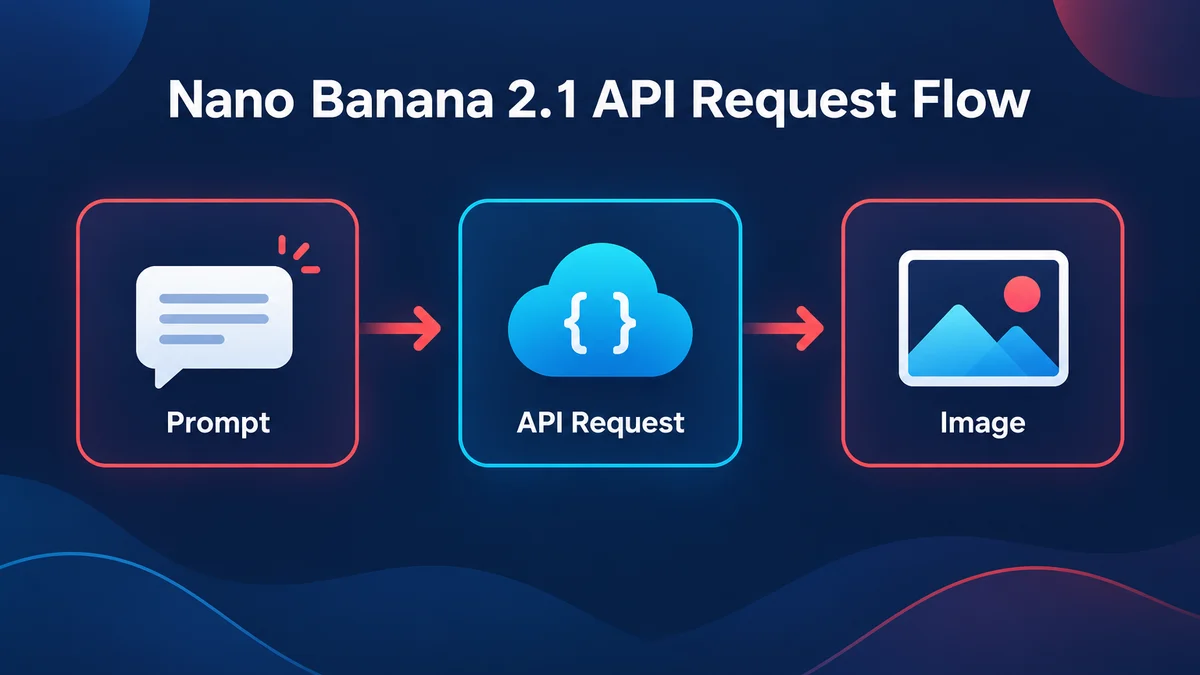
Send your first Nano Banana 2.1 API request
The smallest request names the model and passes the prompt as a text item. Google's guide shows this REST call:
curl -s -X POST \
  "https://generativelanguage.googleapis.com/v1beta/interactions" \
  -H "x-goog-api-key: $GEMINI_API_KEY" \
  -H "Content-Type: application/json" \
  -d '{
    "model": "gemini-nano-banana-2.1",
    "input": [
      {"type": "text", "text": "Create a picture of a nano banana dish in a fancy restaurant with a Gemini theme"}
    ]
  }'
To choose the shape of the result, add a response_format object. The same fields appear in Google's Python example, where the output is read from interaction.output_image:
-d '{
    "model": "gemini-nano-banana-2.1",
    "input": [{"type": "text", "text": "A cedar bottle on a linen cloth, soft window light"}],
    "response_format": {
      "type": "image",
      "mime_type": "image/jpeg",
      "aspect_ratio": "16:9",
      "image_size": "2K"
    },
    "generation_config": {"thinking_level": "medium"}
  }'
The fields in plain language:
Field
What it does
input
The prompt as {"type": "text", "text": ...} items, plus {"type": "image", ...} items for references
response_format.mime_type
image/jpeg or image/png in Google's examples
response_format.aspect_ratio
For example 1:1, 5:4 or 16:9 in Google's examples
response_format.image_size
1K, 2K or 4K, with an uppercase K
generation_config.thinking_level
minimal, medium or high
previous_interaction_id
Continues an earlier interaction for multi-turn editing
In the SDK examples the image arrives base64-encoded in interaction.output_image.data, and the Python example decodes it with base64.b64decode before writing the file. The interaction also carries steps, which can include thought steps and the final model_output. Google's REST example does not print a response body, so inspect a real response before you write a parser for the raw JSON.
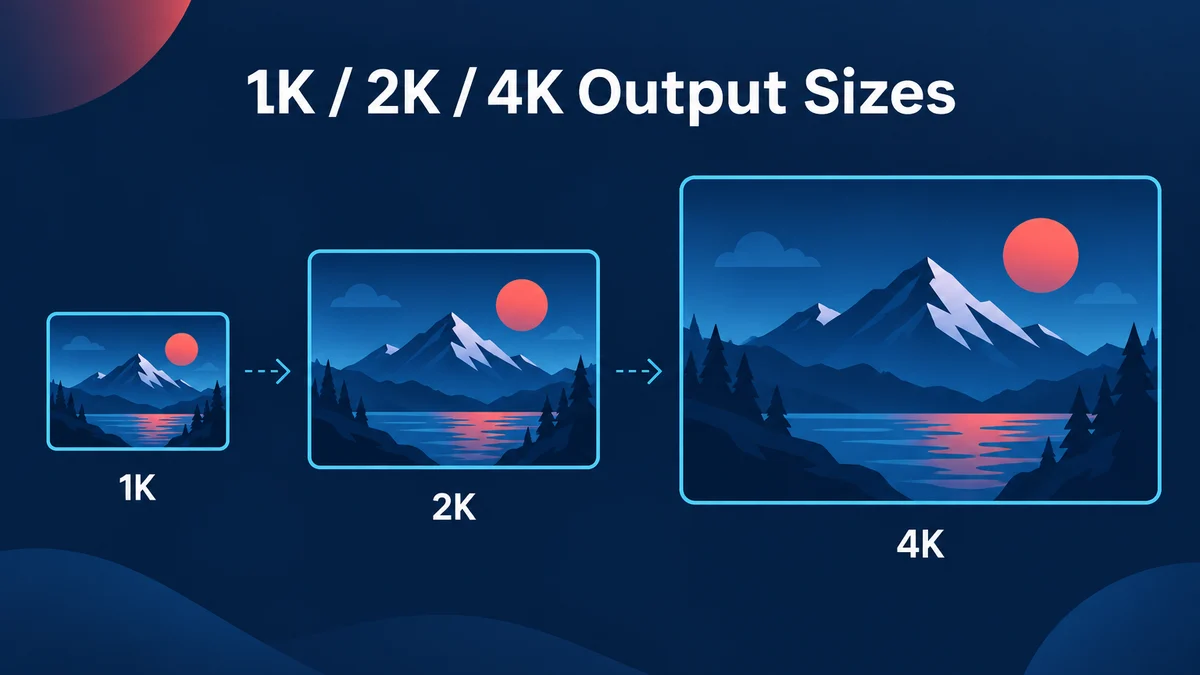
Nano Banana 2.1 output sizes: 1K, 2K and 4K
Nano Banana 2.1 produces three output sizes: 1K, 2K and 4K, with 1K as the default when you do not set image_size. Google's pricing page lists the image tokens each size consumes: 1,120 for a 1K image, 1,680 for 2K and 3,780 for 4K.
Rules from the image generation guide that cause real errors:
Uppercase K only. Lowercase values such as 1k are rejected.
No 512px on 2.1. The smaller 512px (0.5K) size belongs to Gemini 3.1 Flash Image, not to Nano Banana 2.1.
Aspect ratios. The 2.1 examples use 1:1, 5:4 and 16:9. Google's model page names 1:4, 4:1, 1:8 and 8:1 as wide and panoramic ratios where tiling artifacts were fixed at 2K and 4K. The pages read for this guide do not print a complete list of ratios for 2.1, so test the exact ratio you need before you build a layout around it.
Pixel dimensions. Google's guide does not publish a pixel table for 2.1, so measure the returned file if your layout needs fixed dimensions.
Every image generated by Google's tools includes a SynthID watermark, per the guide. Plan for that if you post-process or crop outputs.
Tune prompts at 1K, because a bigger size does not fix a weak composition or a misspelled word. If you already have a keeper and only need more pixels, the image upscaler enlarges it without a new generation.
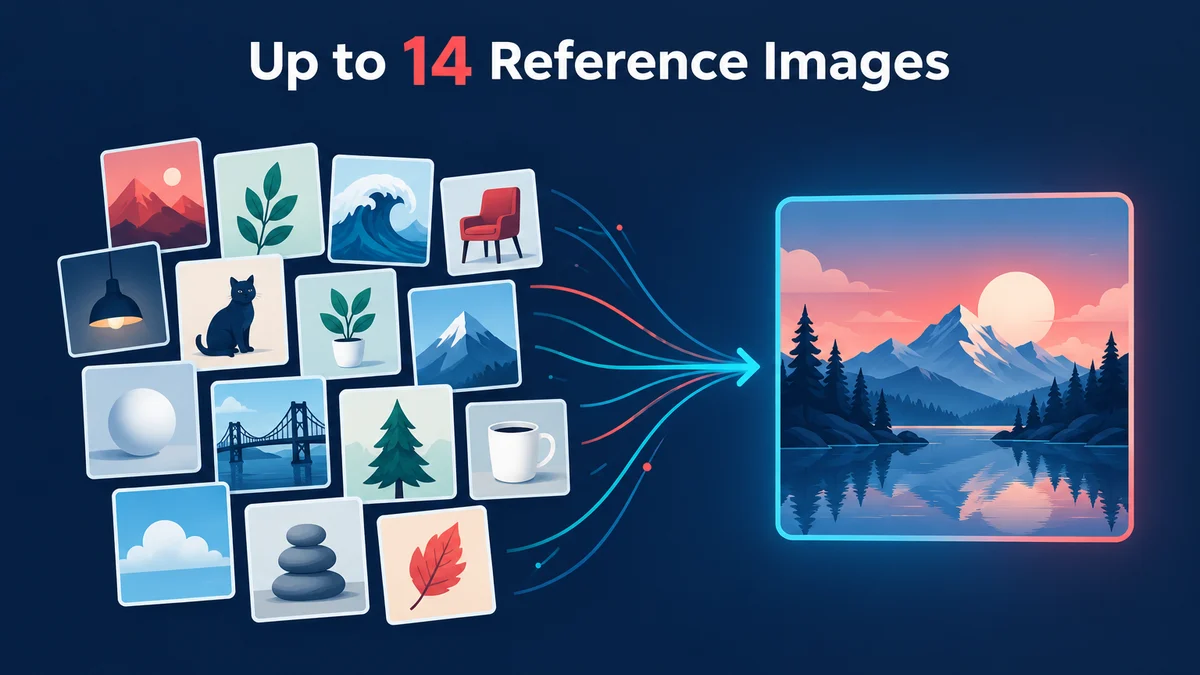
Reference images: up to 14 per request
Nano Banana 2.1 accepts up to 14 reference images in one request, and the count is a total across types. Google's guide splits the slots by model:
Reference type
Nano Banana 2.1
Objects (high fidelity in the final image)
Up to 10
Characters (consistency across images)
Up to 4
Total
Up to 14
Each reference is another item in the input list. In Google's Python example, an image item carries "type": "image", the image bytes as base64 in data, and a mime_type such as image/png, placed next to the text item that holds the prompt.
Practical use of the slots: give each image one job and say so in the prompt (the first image is the product shape, the second the palette); reuse the same character image for a recurring face; and add references one at a time, because more references do not guarantee every detail survives.
Thinking and grounding settings
Nano Banana 2.1 supports three thinking levels, set with generation_config.thinking_level: minimal, medium (the default) and high. Google's guide says thinking is on by default for Gemini 3 image models and cannot be disabled through the API, that the model can produce up to two interim thought images, and that thinking tokens are billed by default. Other Nano Banana models list different levels (Nano Banana 2 lists minimal and high), so do not copy a setting across models.
Grounding lets the model use Google Search for time-sensitive subjects. In the Interactions API you add tools with google_search, and search_types of ["web_search", "image_search"] asks for web and image results; Image Search grounding is available on Nano Banana 2.1 and Gemini 3.1 Flash Image only. Google notes that Image Search results must be shown with their search_suggestions, so build that display into your interface.
Grounding is billed separately: Google's pricing page gives 5,000 free search requests per month, shared across Gemini 3 and newer models, then $14 per 1,000 requests. Verify any names, figures or dates in a grounded image before you publish.
Multi-turn editing with previous_interaction_id
To change an image you already generated, send a second request with previous_interaction_id set to the id of the first interaction and describe only the change. Google's example translates the text of an infographic into Spanish while leaving the other elements as they were. Per the Interactions API overview, generation_config, tools and system_instruction are scoped to one interaction, so set them again on every turn, and setting store to false stops you from using previous_interaction_id. For edits where you want to paint over a region by hand, the AI image editor is easier than describing it in words.
Nano Banana 2.1 API pricing
Google bills Nano Banana 2.1 by tokens, and image output has its own rate. This is the standard (paid tier) price list from the Gemini API pricing page, read on 2026-10-10:
Item
Standard
Batch
Input (text, image, video)
$1.50 per 1M tokens
$0.75 per 1M tokens
Output text and thinking
$7.50 per 1M tokens
$3.75 per 1M tokens
Output images
$30.00 per 1M image tokens
$15.00 per 1M image tokens
One 1K image
$0.0336
$0.0168
One 2K image
$0.0504
$0.0252
One 4K image
$0.113
$0.0567
Grounding with Google Search
5,000 free requests per month, then $14 per 1,000
Not listed separately
The per-image prices are the image-token rate applied to the token counts in the previous section: 1,120 tokens at $30 per million is $0.0336. The free tier is listed as not available for this model, so every call needs a billed project.
For scale, using Google's prices for image output alone: 1,000 images cost $33.60 at 1K, $50.40 at 2K and $113.00 at 4K, or $25.20 at 2K as a batch. Input tokens (your prompt and any reference images), thinking tokens and grounding requests are billed on top, so measure a sample run before you commit a budget.
Rate limits and quotas
Google's rate-limits page does not print a number for Nano Banana 2.1. It explains how limits work and sends you to Google AI Studio for the figures that apply to your project and tier.
What the page does state:
Dimensions. Requests per minute (RPM), input tokens per minute (TPM) and requests per day (RPD); image-generating models also have images per minute (IPM). Exceeding any one dimension triggers an error.
Scope. Limits apply per project, not per API key, and daily quotas reset at midnight Pacific time.
Tiers. Free needs an active project, Tier 1 a linked billing account, Tier 2 $100 of cumulative paid spend plus 3 days, and Tier 3 $1,000 plus 30 days. Upgrades are automatic.
Spend caps. Spend-based limits apply over a rolling 10-minute window, and reaching one returns a 429 RESOURCE_EXHAUSTED error.
A loop that fires many parallel requests can hit a 429 long before the daily quota is used, so add retry with backoff, cap concurrency and send large offline jobs through the Batch API.
The model page also lists 131,072 input tokens and 32,768 output tokens, and does not support Flex or Priority inference.
Batch API for Nano Banana 2.1
The model page lists the Batch API as supported, and Google's pricing page prices batch image output at half the standard rate: $0.0168 per 1K image, $0.0252 per 2K image and $0.0567 per 4K image. The Batch API guide sets the target turnaround at 24 hours, though in most cases it is much shorter. The trade is waiting time for price and higher rate limits, which suits catalog refreshes, prompt tests and bulk variations rather than an interface where a person is waiting.
Details from the Batch API guide: inline requests must total under 20 MB, while larger jobs use a JSONL file (up to 2 GB) with one request per line and a key you define. Jobs move through JOB_STATE_PENDING, JOB_STATE_RUNNING and JOB_STATE_SUCCEEDED, or end as failed, cancelled or JOB_STATE_EXPIRED; a job pending or running for more than 48 hours expires. The rate-limits page lists 100 concurrent batch requests and 20 GB of file storage, plus enqueued-token limits per tier.
One catch: the guide says batch processing is only available with the generateContent API, and its image examples use responseModalities set to ["TEXT", "IMAGE"] with a different Nano Banana model ID. It has no example for gemini-nano-banana-2.1, so run a small test batch with this model ID before you submit thousands of requests. In practice, interactive editing runs on the Interactions API and bulk offline generation runs on generateContent batches.
Migrating to Nano Banana 2.1 from earlier models
Google's pricing page marks the original Nano Banana, gemini-2.5-flash-image, as deprecated with a shutdown date of October 2, 2026, and the image generation guide recommends Nano Banana 2.1 for new projects.
Check these differences when you change the model ID. 2.1 lists thinking levels minimal, medium and high, while 3.1 Flash Image lists minimal and high. The 512px size exists on 3.1 Flash Image but not on 2.1, so ask for 1K and resize on your side. Image Search grounding works on 2.1 and 3.1 Flash Image, and Flash Lite has no search grounding. 2.1 does not support function calling or structured outputs, so move any JSON-producing step to a text model. Recompute your cost estimate with the 2.1 rates above, then run your saved prompts through the new model and compare the results with the old ones, because a model change shifts style and text rendering even with identical prompts.
Use Nano Banana 2.1 without the API
If your goal is an image rather than an integration, the browser is simpler. Potto's AI image generator offers Nano Banana 2.1 with HD, 2K and 4K output, up to 10 reference images and PNG or JPEG files. Because Potto has no public API, this is a web workflow only.
Potto prices images in credits, shown on the Generate button before you confirm. Nano Banana 2.1 costs 12 credits per image at HD, 17 at 2K and 38 at 4K, and a failed request releases its credits. Credits are Potto's own unit, not a conversion of Google's dollar prices, so do not compare the two as if they were the same currency. The pricing page lists the plans, and the AI models page compares every image model in the creator, including Nano Banana and Nano Banana Pro.
The workflows mirror the API: text to image is a request with only a text item, image to image adds your own picture like an image item in input, the AI character generator targets recurring characters, and image templates give you a brief to adapt.
API or web generator: which should you use?
Use the Gemini API when images are produced inside your own product or on a schedule: a storefront that renders a variation for each listing, an overnight job at batch rates, or an app where users type a prompt. You own the keys, retries, storage and bill, and you get Google's full parameter set.
Use the web generator when a person is making the images: a campaign poster, product shots, a mascot for a deck. There is no key to manage and no response to parse, and the price shows before every generation. You can also explore a prompt in the browser and move the winning wording into an API call later.
FAQs
What is the Nano Banana 2.1 API?
The Nano Banana 2.1 API is the way to call Google's gemini-nano-banana-2.1 image model through the Gemini API. It takes text, image, video or PDF input, returns images and text, and supports 1K, 2K and 4K output, up to 14 reference images, configurable thinking and Google Search grounding. It is not a separate product: you use a Gemini API key and name the model ID in your request.
What is the Nano Banana 2.1 model ID?
The model ID is gemini-nano-banana-2.1. Google's model page says the stable version uses the same ID, so no version suffix is needed. Other Nano Banana models have their own IDs, such as gemini-3.1-flash-image for Nano Banana 2, so check the ID whenever you change models.
How much does the Nano Banana 2.1 API cost?
At standard prices, Google charges $0.0336 per 1K image, $0.0504 per 2K image and $0.113 per 4K image, plus token charges for input and thinking. Batch jobs cost half: $0.0168, $0.0252 and $0.0567. These are figures from Google's Gemini API pricing page as read on 2026-10-10, and the free tier is listed as not available for this model.
How many reference images can Nano Banana 2.1 use?
Up to 14 in one request: up to 10 object images and up to 4 character images. Google counts the total across types, so a request cannot exceed 14 even if both limits are used. Give each reference one job in the prompt and check the details you care about in the result.
Does Potto have a Nano Banana 2.1 API?
No. Potto does not offer a public API. You can use Nano Banana 2.1 in Potto's web generator at 12 credits per image at HD, 17 at 2K and 38 at 4K. Developers who want to call the model from code should use Google's Gemini API with the model ID gemini-nano-banana-2.1.
What are the rate limits for the Nano Banana 2.1 API?
Google does not publish a number for this model on its rate-limits page. Limits are measured in requests per minute, input tokens per minute, requests per day and, for image models, images per minute, and they apply per project and depend on your usage tier. Open the rate-limit view in Google AI Studio for the figures that apply to your account.
Can I use the Batch API with Nano Banana 2.1?
Yes. Google lists the Batch API as supported on the model page and prices batch images at half the standard rate, with a 24-hour target turnaround. Batch processing is only available with the generateContent API, not the Interactions API, and Google's batch image examples use a different Nano Banana model ID, so test a small batch with gemini-nano-banana-2.1 first.
Sources
All sources were read on 2026-10-10. Prices, limits and model details are Google's and may change.