Skip to content
Potto AI

AI Image Generator

Describe a scene or add a reference image, choose a model and aspect ratio, then compare the results before you download or keep editing.

Nano Banana Pro or Nano Banana10 aspect ratiosHD to 4KUp to 14 references
Enter a prompt to generate

Try an example

From a prompt or reference to an image

Start with a brief for a new visual, or a reference for a specific change. Decide the composition around where the image will appear.

Create a product image from a brief

Give the AI image generator three clear decisions: what to show, how it should look, and where your headline will go. Write each as one short line, then join the lines into the prompt.

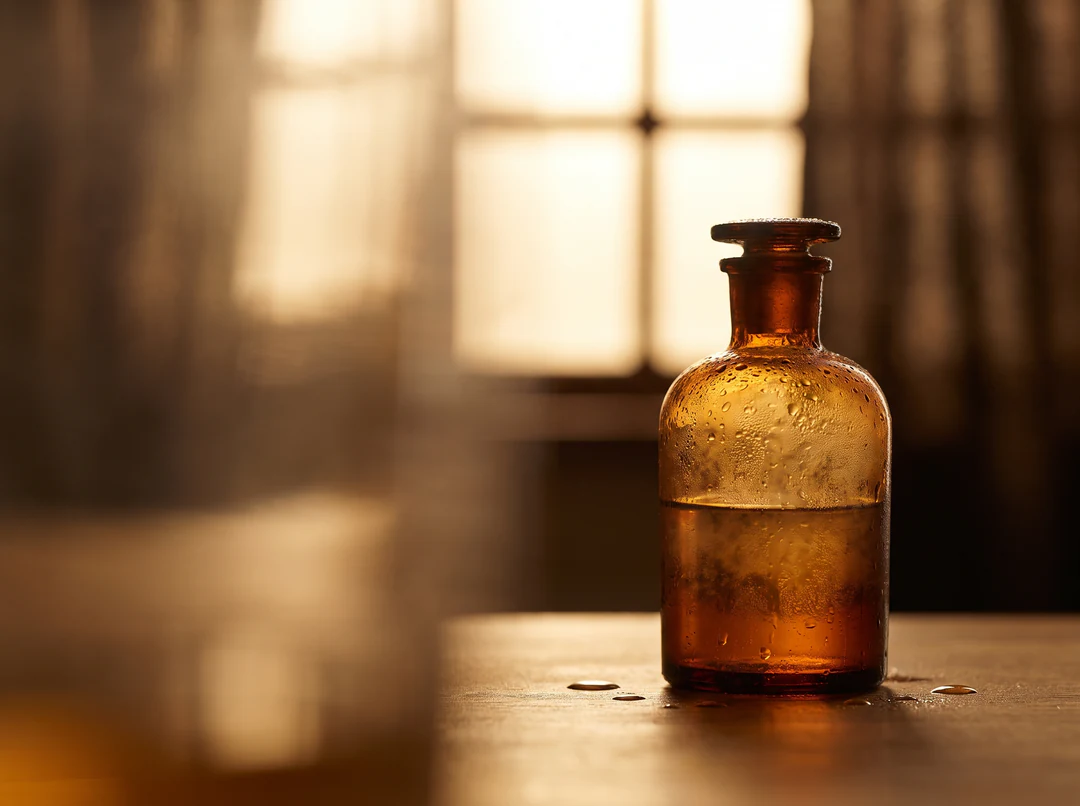
Written this way, a brief is easy to revise. Change the subject, the style or the composition on its own, generate again and compare the new image with the previous one. The image on the right was generated from this brief.

Subject
An amber glass perfume bottle with water droplets.
Style
Close studio photograph, warm backlight, shallow depth of field.
Composition
Bottle on the right third; soft empty space on the left for copy.
Amber glass perfume bottle with water droplets on the right third, warm backlight, empty space on the left
Generated from this brief

Close studio photograph of an amber glass perfume bottle with water droplets, warm backlight, shallow depth of field, bottle on the right third, empty space on the left, no text.

Use a reference to guide a change

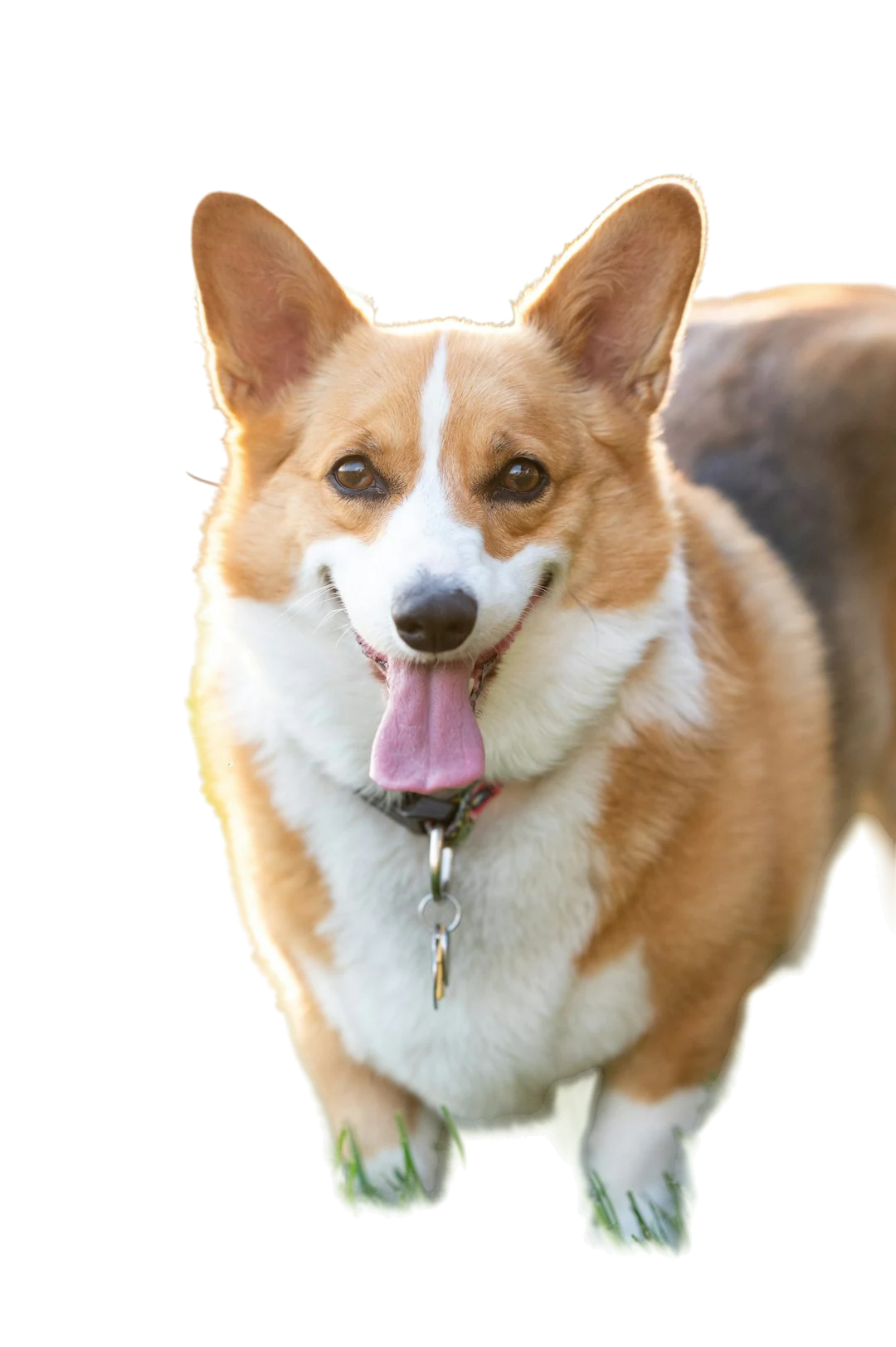
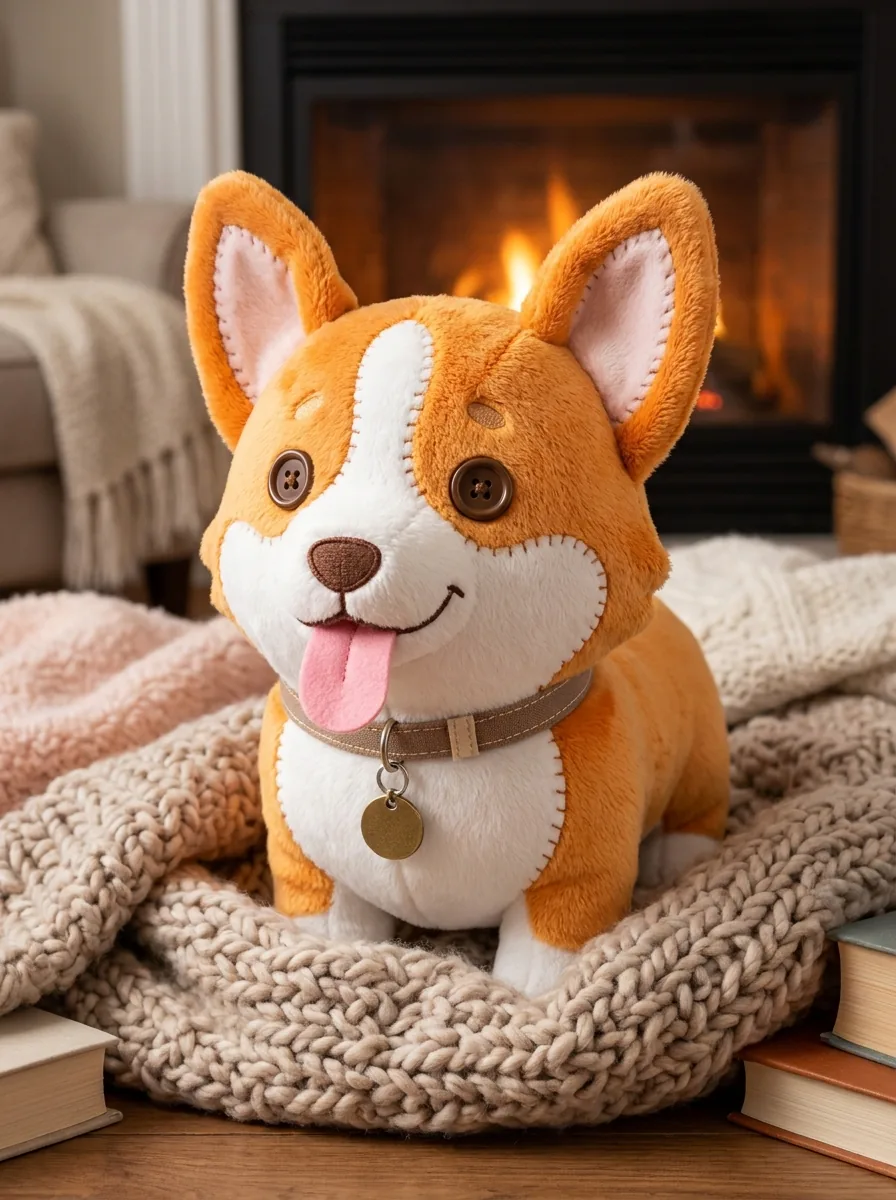
Add a supported image to the AI image generator and say what should stay recognizable and what should change. A reference guides the subject, pose or arrangement; it does not guarantee an exact copy, so compare the result with the source before you use it.

Give each reference image one job, such as the subject or the arrangement, and keep the prompt short: name what must stay and what should become different. After generating, set the source and the result side by side and check markings, proportions and any text that was meant to stay unchanged.
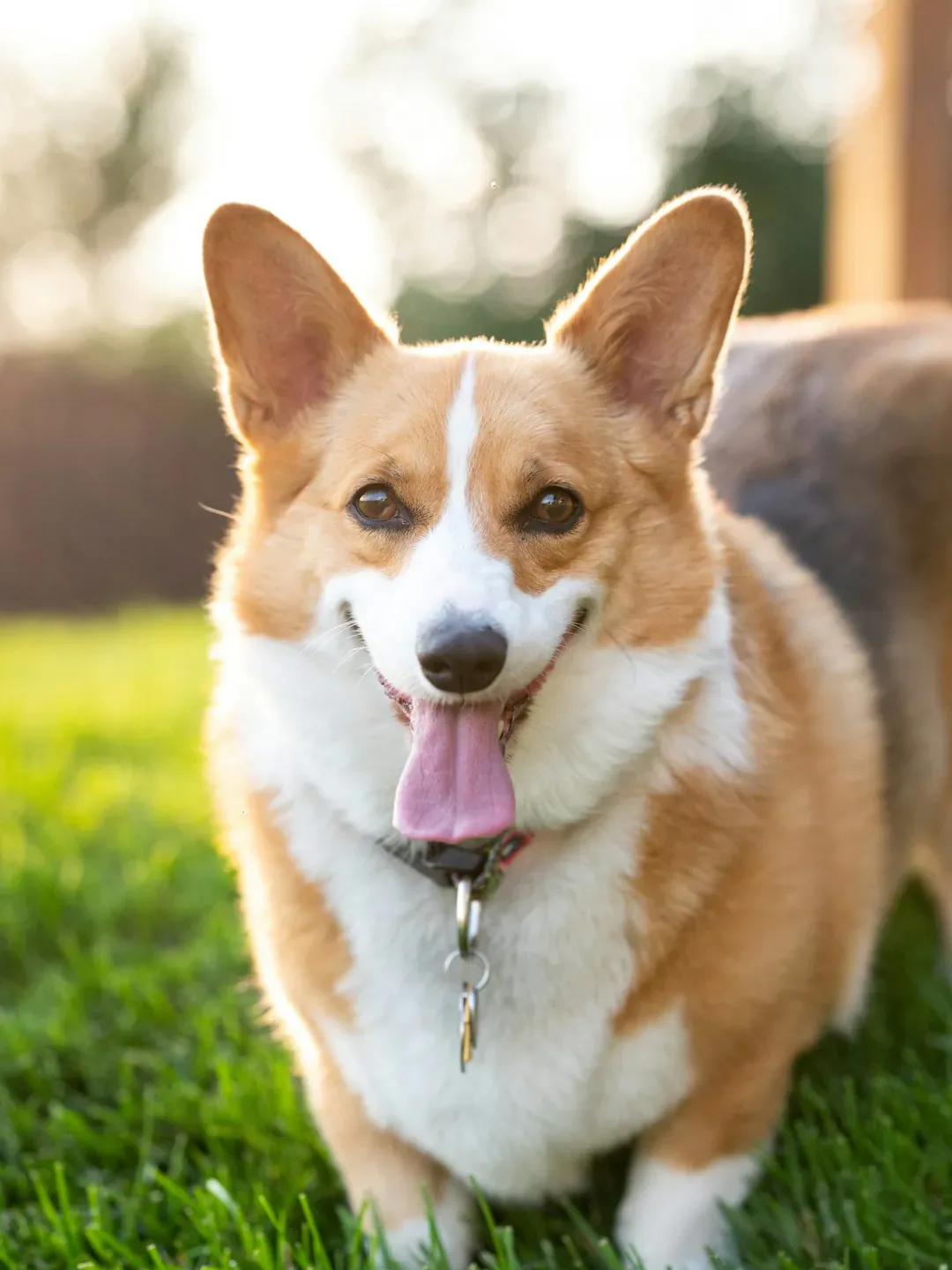
Orange and white corgi standing on grass, used as the reference photo.
Reference photo
Plush toy version of the same corgi with stitched seams on a knitted blanket by a fireplace.
Result: the same dog as a plush toy

How to generate an image

Three actions in the generator above.

  1. 1. Describe or add a reference

    Write the subject, style and composition in the prompt box, up to 4,000 characters, or add up to 14 reference images when you need a specific product, pose or layout. Give each reference one job, such as the subject or the arrangement, and keep the prompt short enough to read at a glance.

  2. 2. Choose model, ratio and size

    Pick a model, then the aspect ratio for where the image will appear, the resolution you need and how many images to make: 1, 2 or 4. The estimate updates as you change them, so compare tiers before you generate.

  3. 3. Generate, compare and download

    Results appear under the creator. Compare candidates, download the one that works, or send it to an editing tool for a focused change. One HD image costs 45 credits with Nano Banana Pro and 23 with Nano Banana; the number of images multiplies the estimate. Keep the prompt with the file so a later revision starts from the same brief.

Everything the AI image generator can do

The AI image generator offers two models, up to 14 reference images, 10 aspect ratios from HD to 4K, and an editing tool for every result.

  1. 01MODELS

    Pick the model that fits the job

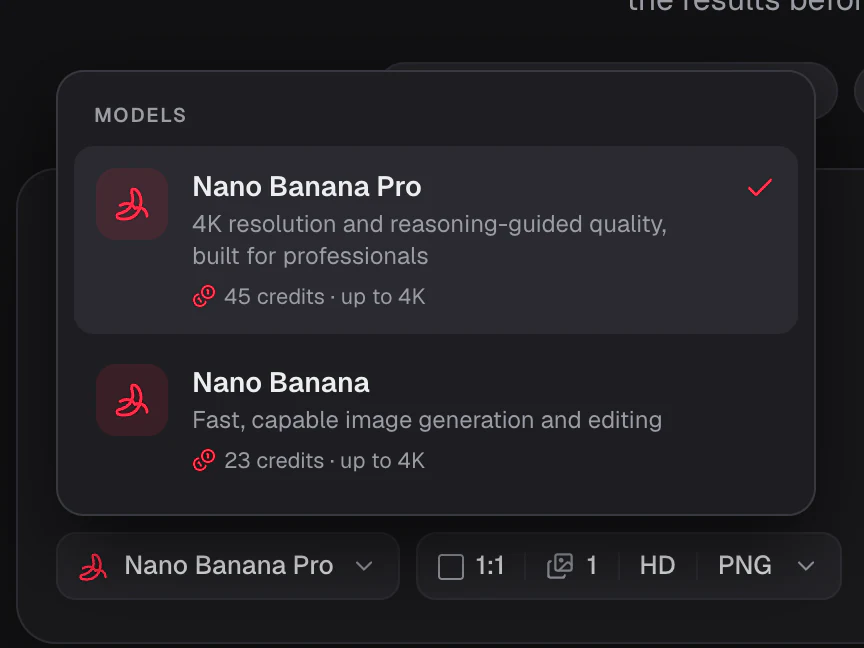
    Nano Banana Pro reasons through the prompt for professional quality up to 4K. Nano Banana is faster and lighter for drafts and quick edits. Switch models without leaving the generator.

    • Nano Banana Pro for detail and 4K
    • Nano Banana for fast drafts and edits
    • The credit estimate updates with the model
    Generator model menu open, listing Nano Banana Pro and Nano Banana with their starting credits
  2. 02REFERENCE IMAGES

    Add up to 14 reference images

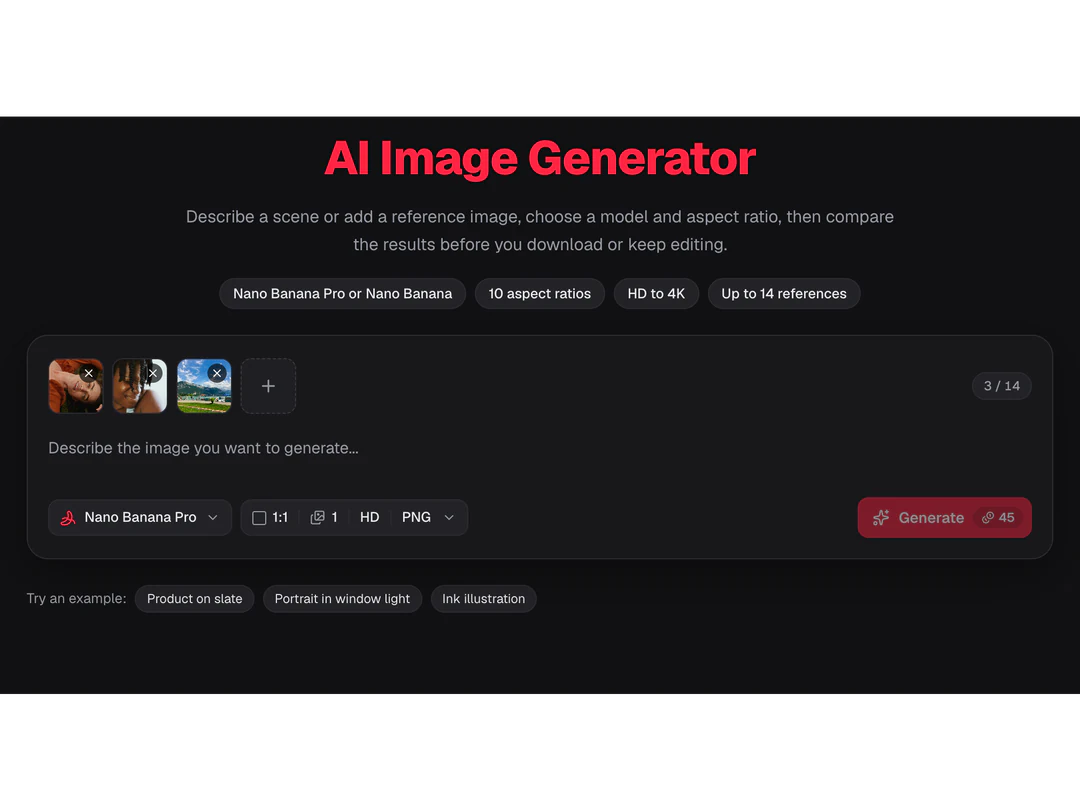
    Upload a product, a face or a style frame and describe what should change. The reference steers shape, identity and color while the prompt sets the scene; compare the result with it, because details can still drift.

    • Up to 14 images in one prompt
    • Works with both models
    • Give each image one job
    Generator card with a strip of three reference thumbnails and a 3 of 14 reference counter
  3. 03RATIOS AND RESOLUTION

    Any common ratio, from HD to 4K

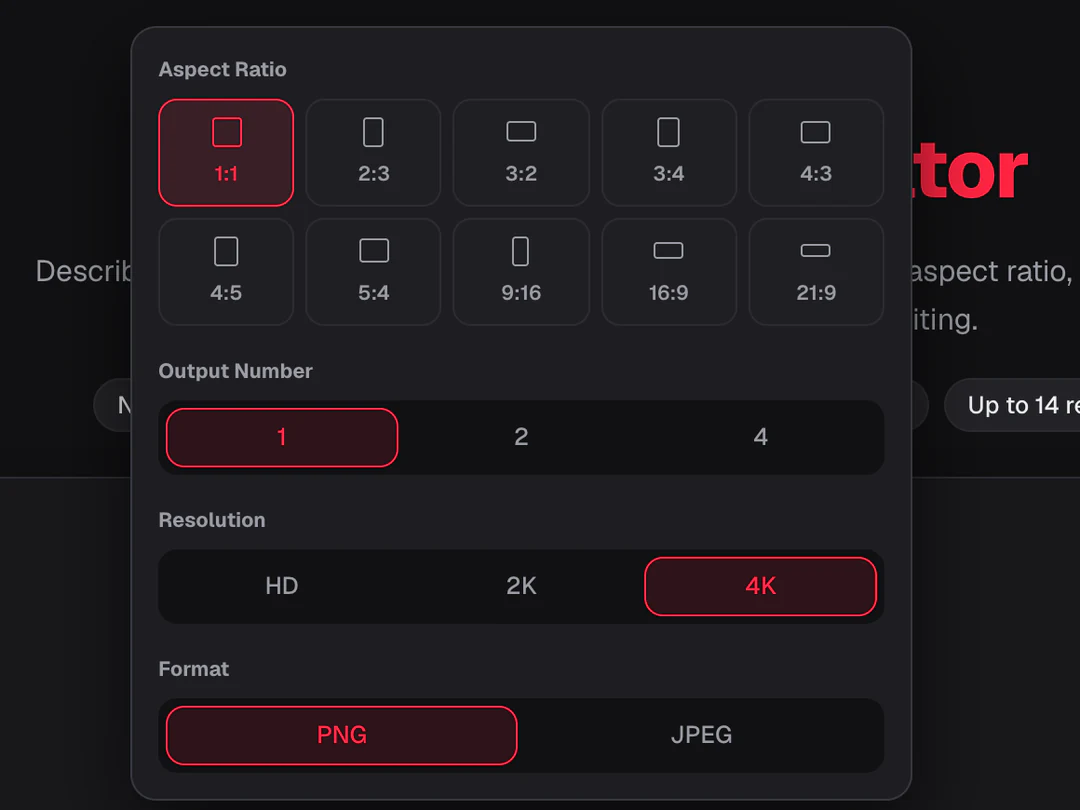
    Set the ratio before the generator runs, for where the image will be used: square posts, vertical stories, wide banners and print. Choose HD for quick checks, then 2K or 4K for the final file.

    • 10 aspect ratios, from 1:1 and 4:5 to 9:16 and 21:9
    • HD, 2K and 4K output
    • PNG or JPEG download
    Generator settings popover with aspect ratios from 1:1 to 21:9 and an HD, 2K and 4K switch with 4K selected
  4. 04TEXT IN IMAGES

    Short headlines and labels

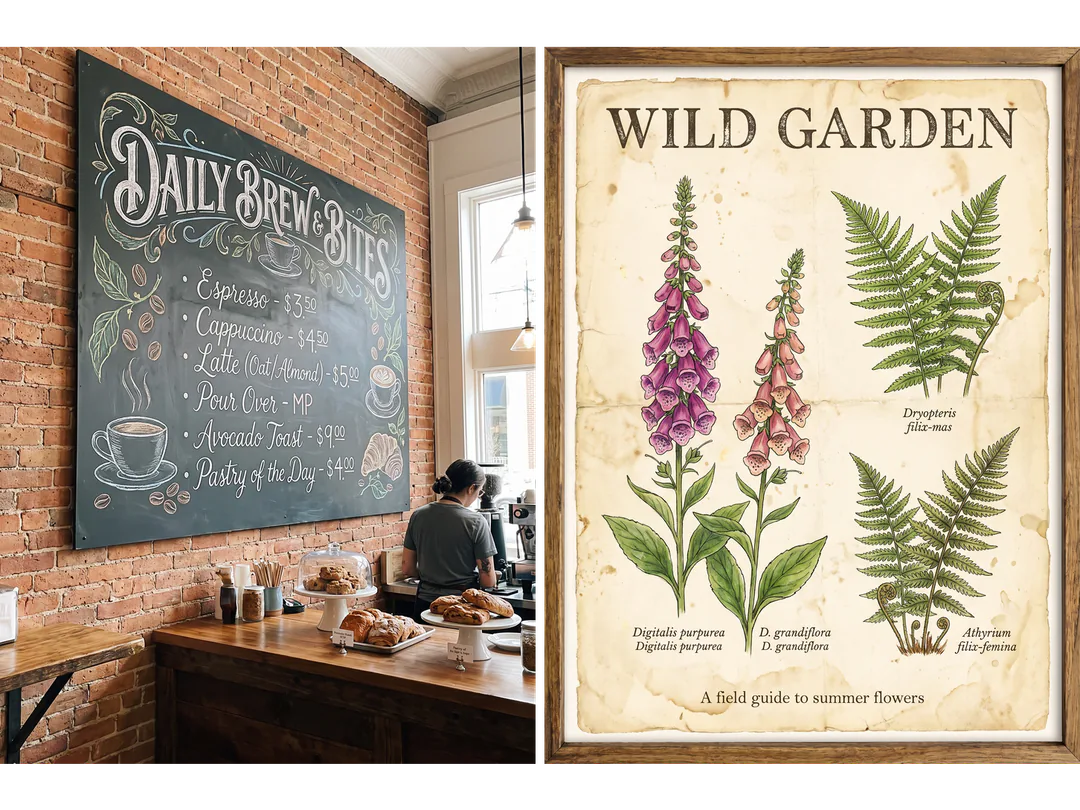
    Put the words in quotes and say where they go. Short headlines and labels on posters, menus and packaging often come out readable, especially with Nano Banana Pro, but no model gets lettering right every time, so check each word before you download.

    • Short headlines and labels
    • Place text by position in the prompt
    • Check the spelling before you download
    A chalkboard coffee menu and a botanical poster with a printed title, two generated images with text
  5. 05KEEP EDITING

    Every result is a starting point

    Open a generator result in the AI Image Editor to change one area, expand the frame to a new ratio, remove the background or upscale it for print. Results stay in My Creations, so you can come back to them.

    • Edit, expand, cut out or upscale
    • Results stay in My Creations
    • Each tool shows its credit estimate first
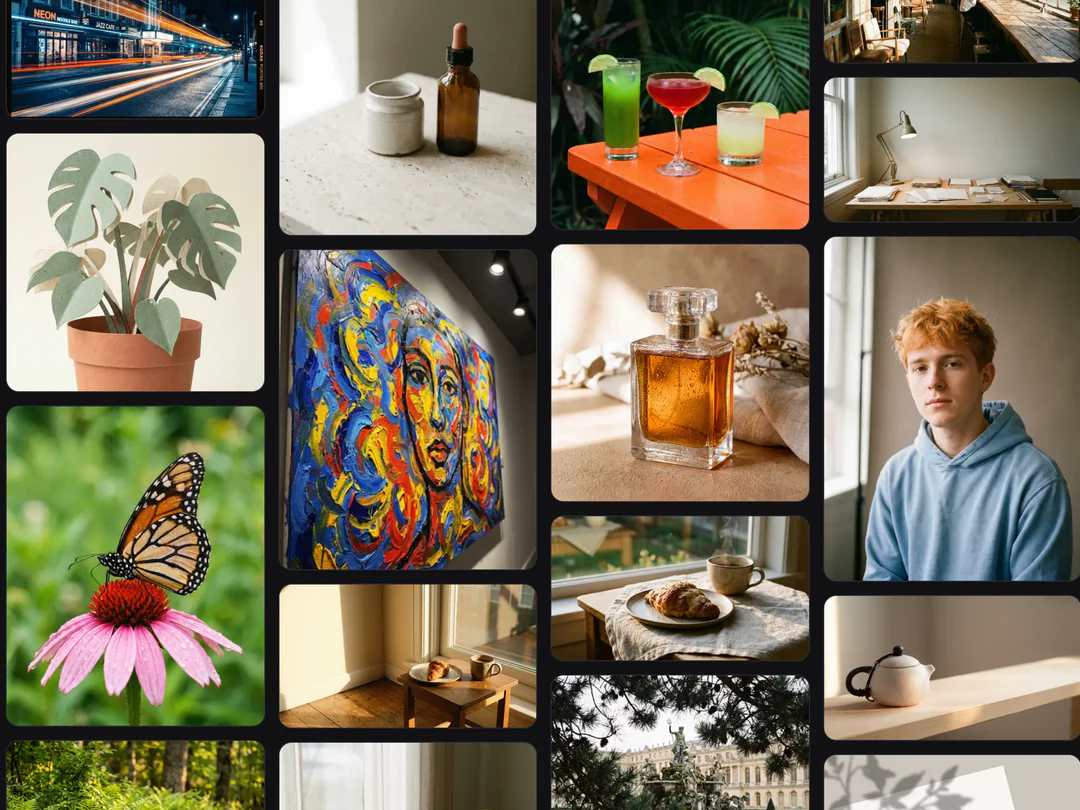
    My Images grid with recent AI image generator results, including a portrait of a young man with copper-orange hair

Choose a model for the job

Both models in the AI image generator accept text and reference images. They differ in cost and in how much detail you need from the result; run the same brief through both when you are unsure.

Model comparison
Nano Banana ProNano Banana
Best for4K resolution and reasoning-guided quality, built for professionalsFast, capable image generation and editing
ResolutionHD · 2K · 4KHD · 2K · 4K
Reference imagesUp to 14Up to 14
Credits per image45 HD · 45 2K · 80 4K23 HD · 34 2K · 51 4K

Keep working on the image you create

Generate another image with the AI image generator for a new concept. Edit the one you have when the subject works and one part needs attention.

AI image generator FAQs

  1. What is an AI image generator?

    An AI image generator, sometimes called an AI picture generator or AI image creator, makes a new image from a text prompt and, optionally, reference images. Potto AI gives you the model, aspect ratio, resolution, number of images and file format for each request. The output is a generated image, not a factual photograph, an editable design file or an exact copy of a reference, so treat each result as a candidate to review.

  2. What is reference-guided image generation?

    Reference-guided generation adds images to your written brief so the model can use what they show. A reference can supply the subject, the composition or the visual treatment, so say in the prompt which role each one plays. The result can still change details, so compare the important regions with the source instead of treating a reference as a lock.

  3. Which model should I choose?

    Run the same brief, references and ratio through both when you are unsure. Nano Banana Pro costs 45 credits per image at HD, 45 at 2K and 80 at 4K, and is the one to try first for fine detail, lettering and 4K. Nano Banana costs 23, 34 and 51 and suits drafts and quick variations. Neither is better on every task, and an unclear brief stays unclear on either model.

  4. How many reference images can I add?

    Up to 14 in total. Add a reference only when it has a specific job, such as supplying a subject, a composition or a visual direction, and say so in the prompt. Several images do not guarantee that every detail is preserved, so compare the important details with each source before you choose a result.

  5. Should I start with a larger resolution?

    Start with the output requirement and the decision you need to review. HD may be enough to compare composition, while a larger supported tier can be useful for a selected placement. Check the downloaded dimensions and the whole image. A higher output tier does not repair a wrong subject, an inaccurate label or an unclear idea, and it changes the credit estimate.

  6. Will the image contain exactly the text I write?

    Not reliably in any AI image generator. Keep the wording short, and check every letter in the actual result. A model name, a larger tier or a reference image does not guarantee correct lettering. When exact wording matters, keep it as editable text in your layout rather than inside the generated pixels, and leave empty space in the prompt for it.

  7. What output settings can I choose?

    Choose one of the 10 aspect ratios the AI image generator lists, from 1:1 and 4:3 to 16:9 and 21:9, then HD, 2K or 4K, one, two or four images, and PNG or JPEG. The exact pixel size depends on the model and the ratio, so a resolution label does not fix the same width and height for every ratio. Check the downloaded file in its intended layout.

  8. Do I need an account to use the AI image generator?

    You can write a prompt, add references and pick settings before signing in. Pressing Generate opens the sign-in dialog, and your prompt, references and settings stay in the AI image generator while you sign in.

  9. What if an AI image generation fails or I want to stop it?

    A failed image shows why it stopped and offers a retry, and the reserved credits are released. Cancel a running request from its task controls; closing the preview does not stop it. Generating again after a finished image is a new request and is charged again.

  10. How much does the AI image generator cost per image?

    Nano Banana Pro costs 45 credits per image at HD or 2K and 80 at 4K; Nano Banana costs 23, 34 or 51. Four images cost four times one. The total appears on the Generate button before you confirm, and Pricing explains subscriptions and credit packs.

Potto AI

Create your next image

Describe the scene, choose a model and ratio, and compare the results before you download. Credits are spent only when you press Generate.