Skip to content
Potto AI

Keychain design: the same subject before and after

One reference photo and the keychain concept generated from it. The result uses the keychain design template’s fixed 1:1 ratio.

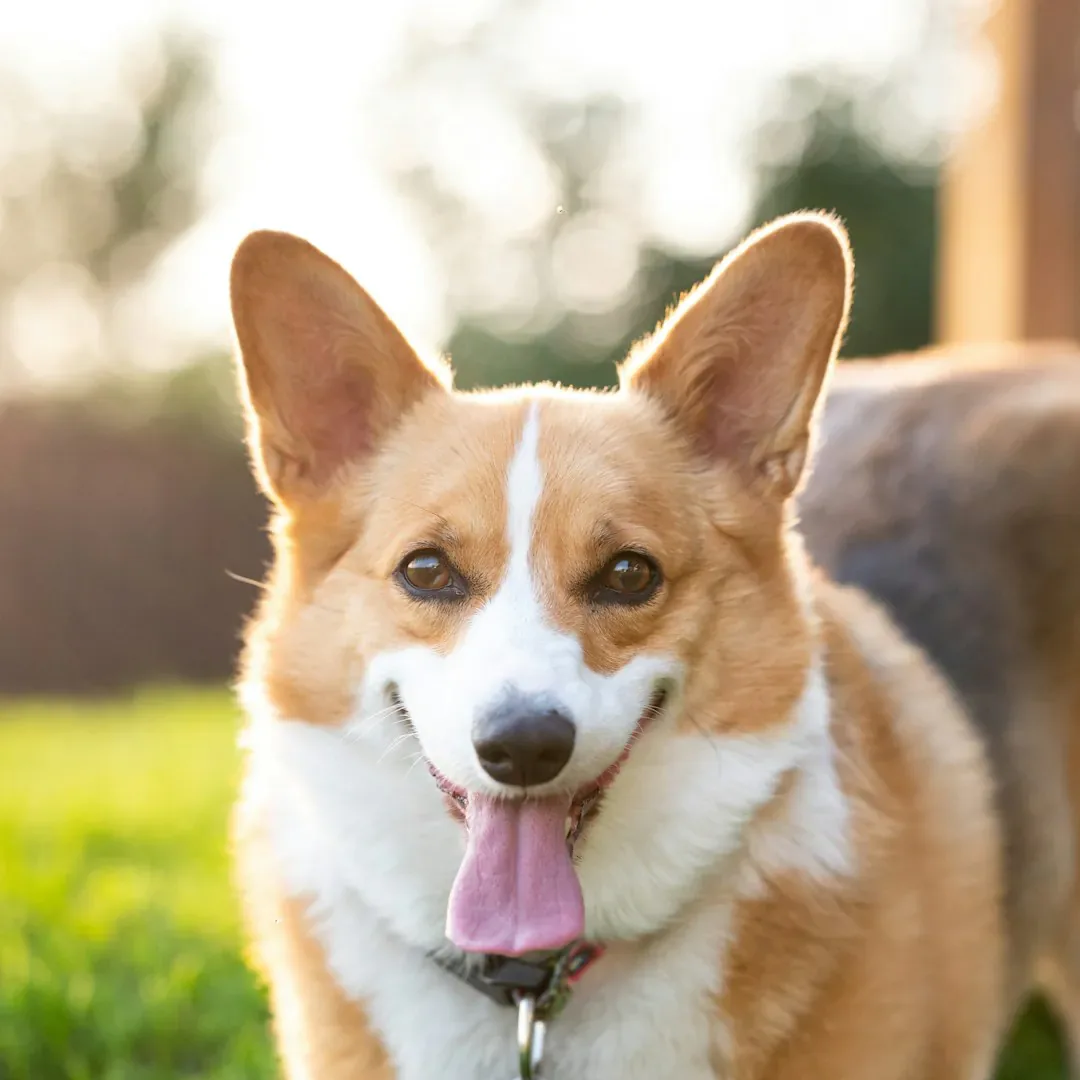
Reference photo of a subject before the keychain design treatment
Reference photo
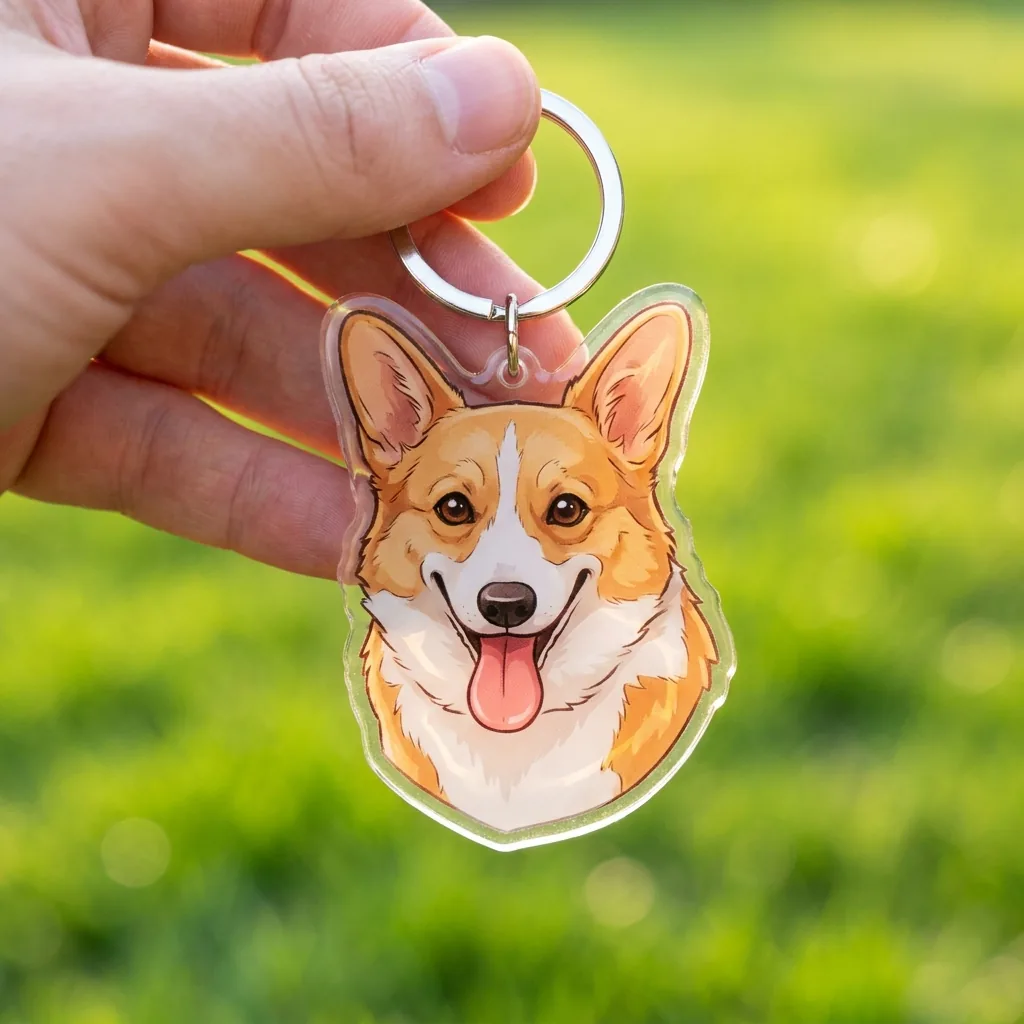
Acrylic keychain with a metal ring held in a hand, generated from the same photo
Keychain design result · 1:1

What stayed

The recipe asks the model to keep the subject's key features, shape and colors recognizable. Compare the silhouette, the ears or hair, and the main color areas with your photo: at keychain size, those few cues carry the identity.

What changed

The subject becomes a cute acrylic keychain with a metal ring, held in a hand. The acrylic edge, the ring and the hand are all generated presentation. They are not a measured, cut-ready or manufacturable design.

What to check

Shrink the image to the size of a real keychain and check that the silhouette still reads. Look at where the metal ring meets the shape, and do not read the real size or hole position from the generated hand.

Where a keychain design concept fits

Three ways to use what the keychain maker gives you. In each one the image is a presentation idea, and production artwork is separate work.

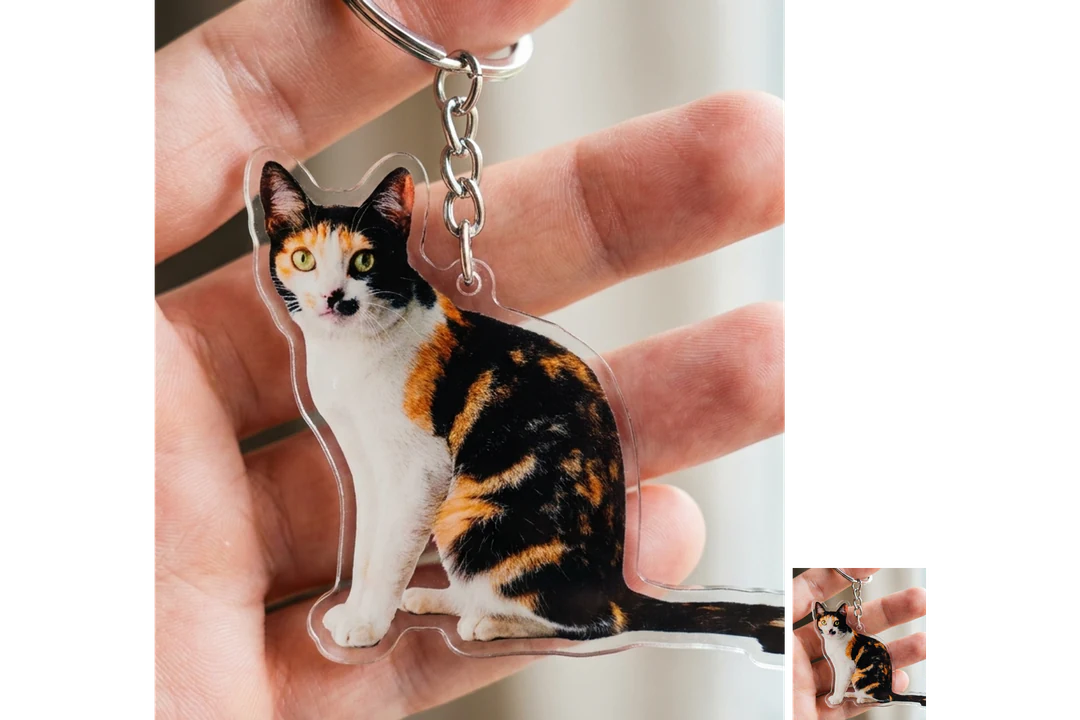
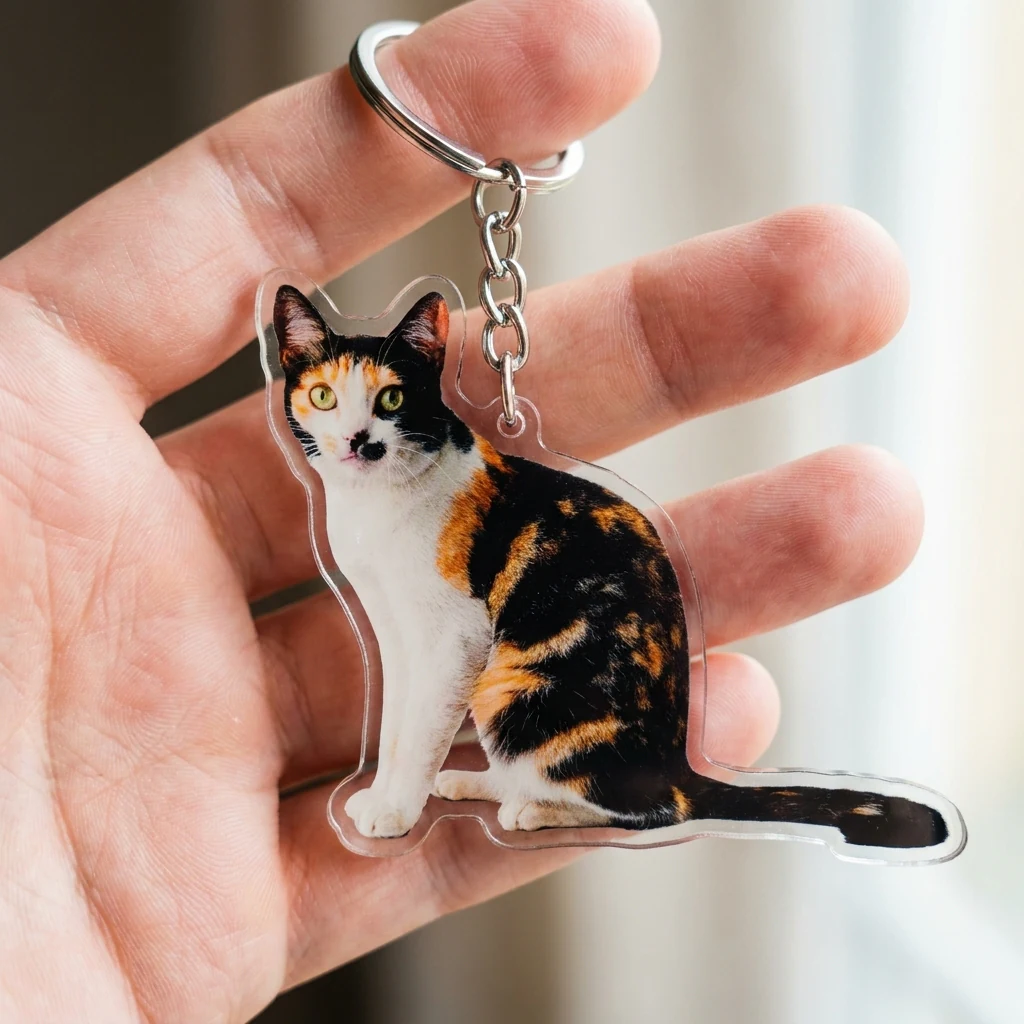
Acrylic keychain design of a calico cat that keeps its face, ears and markings

1:1 · Keepsake

Pet or mascot keepsake

Start with a photo or artwork that shows the face, ears and markings clearly. The concept shows whether those features survive a compact treatment, so compare the coat pattern or outline with the source. Fine whiskers and narrow protrusions may need redesign for a real object. Use artwork you have the rights to adapt.
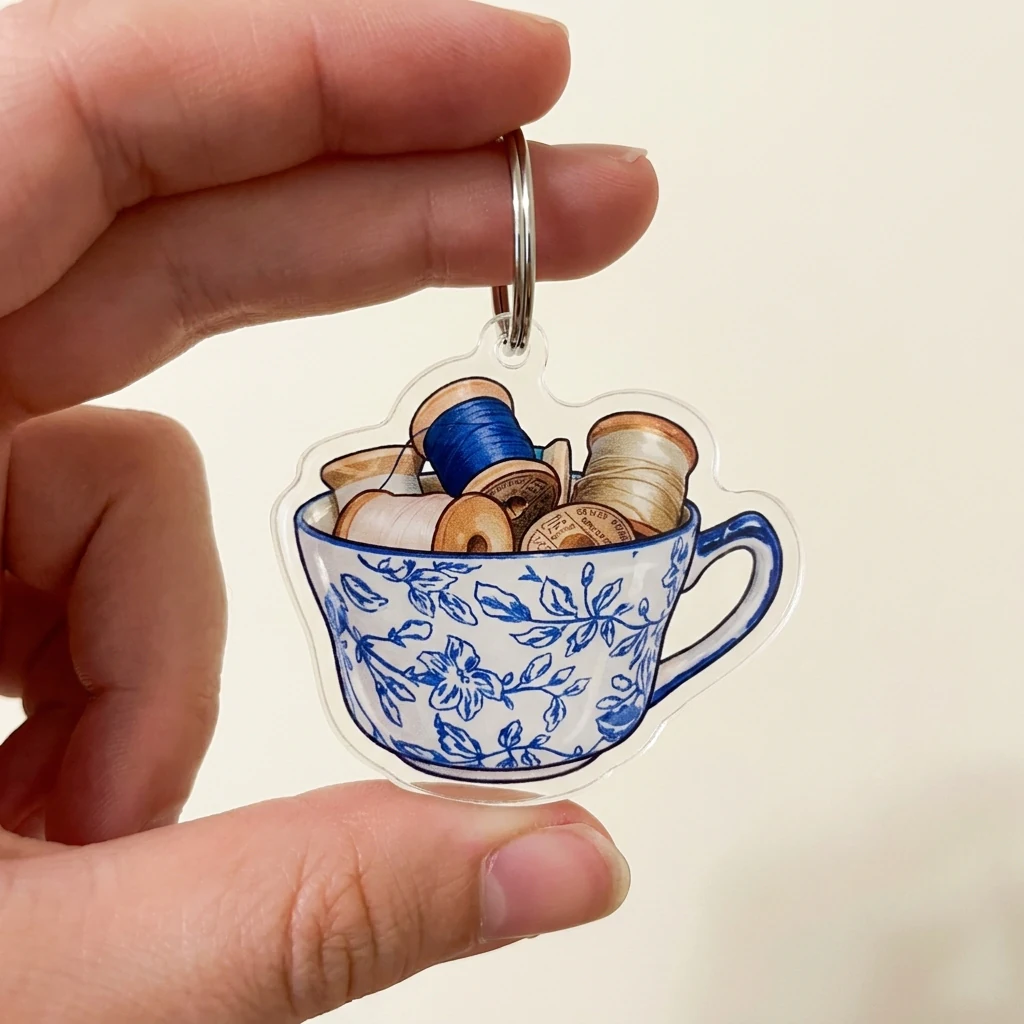
Acrylic keychain design based on a blue and white teacup, a favorite object as a gift idea

1:1 · Gift

Gift or souvenir idea

A portrait, a favorite object or a club emblem can inspire a small gift. Choose a clear reference and, for a person, get their agreement to the use. The keychain design template has no text control, so keep names and wording as separate approved artwork rather than trusting any lettering in the image.

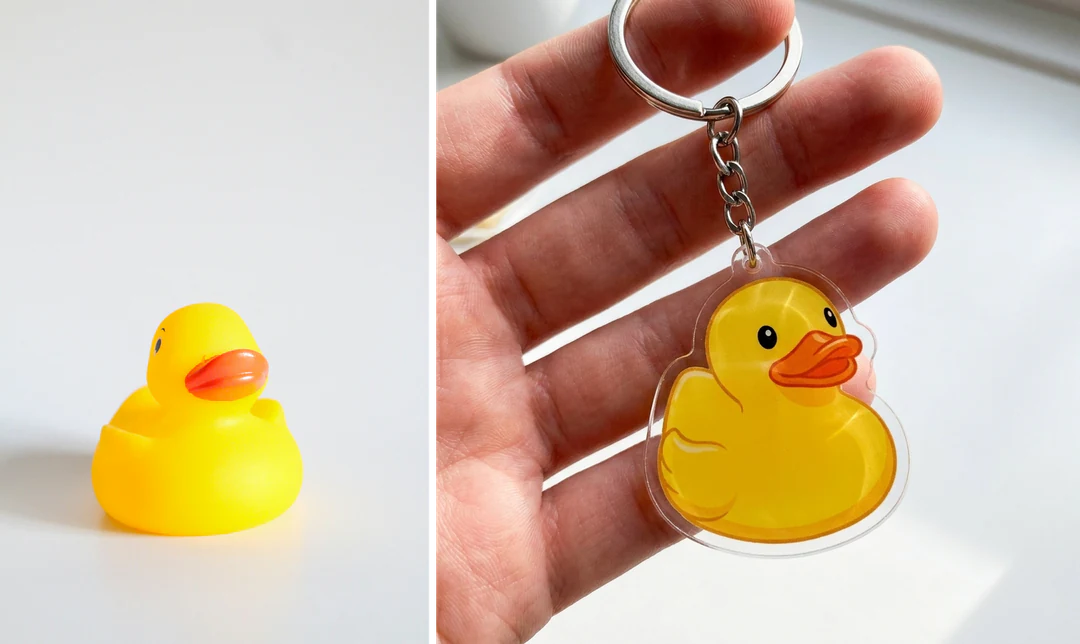
Photo of a yellow rubber duck beside the acrylic keychain design made from it

1:1 · Maker brief

Brief for a maker

Share the concept as visual direction, together with the source and notes on the recognizable features. Ask the maker for material, size, attachment options and file requirements; they will build their own production artwork, so read their proof character by character, since the image is not a cut line or a vector file.

How to make a keychain design from a photo

Upload a subject, check the fixed output, then check the outline and ring at keychain size.

  1. 1. Upload one reference subject

    Add one JPG, PNG or WebP image up to 20 MB. Choose a subject with one obvious focus and a readable silhouette, such as a pet, a character or an object, and use one you have the right to edit.

  2. 2. Check the fixed settings

    There is no style, text or size control; the panel shows the fixed output, one 1:1 PNG at HD from Nano Banana Pro. Crop the photo first if you want the subject to fill more of the frame.

  3. 3. Generate and compare

    Each keychain design result costs 45 credits, shown on Generate before you confirm. When the concept is done, compare the reference image with the result, then check the outline, ring and colors at a small size before you download it.

What keychain design turns your subject into

This keychain maker turns a single reference into one acrylic keychain concept image.

  1. 01

    Pick a subject with a readable outline

    A keychain is small, so the shape has to carry the identity. For keychain design, choose a pet, character or object with one obvious focus, and crop the photo first if you want the subject to fill more of the frame.

    • One JPG, PNG or WebP reference per run
    • Use a subject you have the right to edit
    Photo of a corgi standing on grass
    Reference photo used for the concept
  2. 02

    An acrylic keychain with a metal ring

    The subject becomes a cute acrylic keychain with a metal ring, held in a hand. Its key features, shape and colors stay recognizable, while the hand, the acrylic edge and the ring are generated presentation.

    • Fixed 1:1 image at HD, with no text or size control
    • A concept image, not a cut-ready or manufacturable file
    Acrylic corgi keychain with a metal ring held in a hand
    Keychain concept · 1:1
  3. 03

    Check the concept at keychain size

    Shrink the result to the size of a small accessory and look at the silhouette, the ears or hair, and the main color areas. Do not read the real size or hole position from the generated hand; a maker needs your own measurements.

    • Inspect the metal ring where it meets the shape
    • Share the concept with notes on the features that matter
    Keychain design of a calico cat shown full size and reduced to accessory size
    Small-size check

Keep exploring Potto AI

Other keepsake and character ideas to try next.

Keychain Design FAQs

  1. What is keychain design on this page?

    It is a generated picture of your subject as a cute acrylic keychain with a metal ring, held in a hand. The reference guides the shape, colors and recognizable features. The output is a presentation image for a gift idea or a maker brief, not a physical accessory, a measured drawing or a cut-ready file.

  2. Does the image include a cutting outline?

    No. It does not provide vector paths, hole dimensions, material thickness, tolerances, or a machine-ready cut line. A maker needs a separate production design. Use the generated silhouette as a discussion reference rather than sending it as a validated fabrication file.

  3. Can I infer the size from the hand?

    No reliable size is established by the generated hand. It suggests a visual presentation but is not a measurement reference. Specify the intended dimensions separately and ask the maker how they affect detail, attachment placement, and material choices.

  4. What should remain recognizable in a small concept?

    Prioritize the outline, identifying colors, and a few main features. A pet’s ear shape or a mascot’s silhouette may matter more than fine texture. Test the image at small size and compare it with the source; glossy acrylic appearance cannot compensate for a lost identity cue.

  5. Can I add a name or text to the keychain?

    The keychain design template has no text field, so a name or date is not something you can set here. Do not rely on lettering or a logo that appears in the generated image, because the model can distort it. Supply approved wording and artwork to the maker separately, and proofread the maker’s file.

  6. Can I make a different kind of keepsake?

    Yes, with another template; this page always makes the same acrylic keychain. AI Plushie turns the subject into a soft toy, Christmas Ornament Ideas puts it on a glass bauble, and Cookie Art decorates a sugar cookie in its shape.

  7. What should I give a maker?

    Give the maker the concept as visual direction, the reference photo and a short note on the features that must stay recognizable. Ask them for the material, size range, attachment options and file requirements, and supply exact wording and approved artwork separately. Review their proof for shape, edges, ring position and spelling before approving it; approving the concept only approves a direction.

  8. Can I use a logo, a drawing or a mascot instead of a photo?

    Yes, if it has a clear outline and you have the right to adapt it. Drawings and mascots often work better than photos because their shapes are already simple. Lettering inside a logo can come back distorted, so give a maker the exact artwork for any text rather than relying on the concept.

  9. What does a keychain design cost, and what file do I get?

    45 credits per run for one 1:1 PNG at HD, made with Nano Banana Pro. The amount appears on the Generate button before you confirm.

Potto AI

Create your keychain design

Create an acrylic keychain concept from one clear subject, review the credit estimate, and compare the finished concept with your reference before sharing it with a maker.