Poster
Prompt
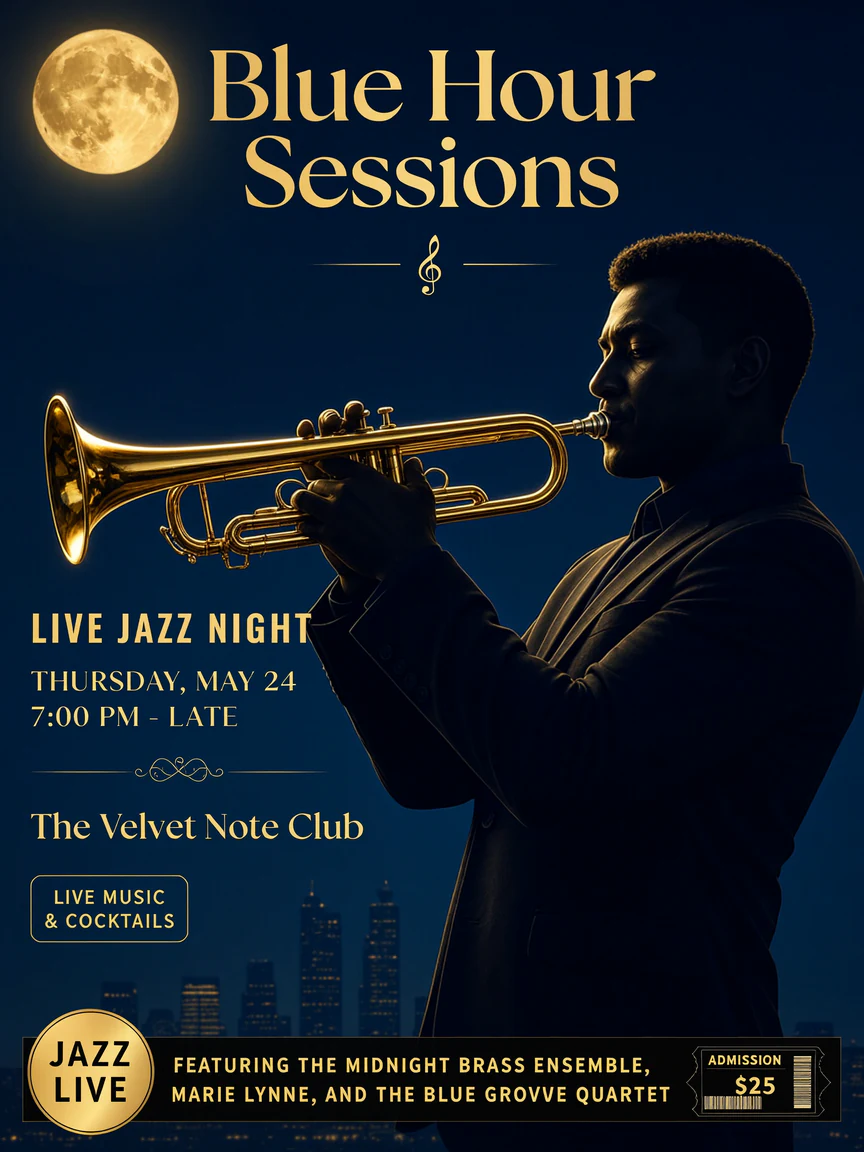
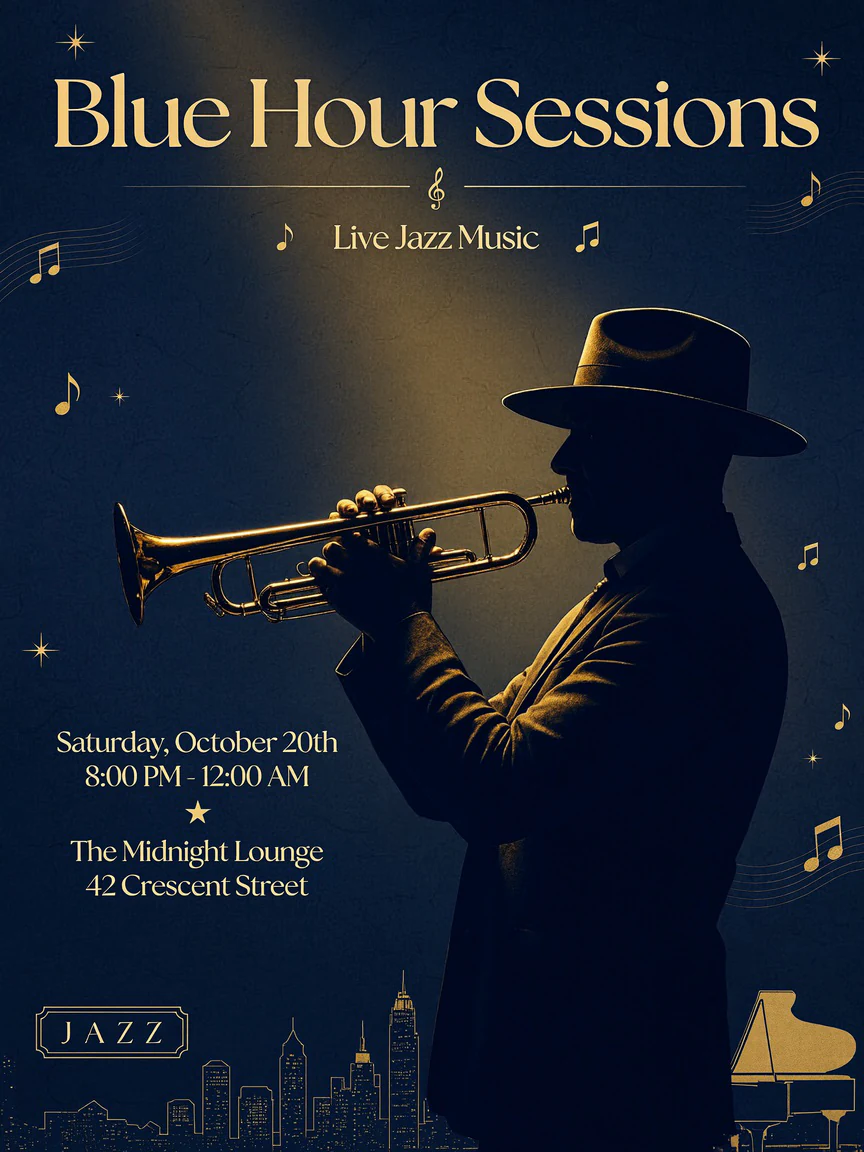
A bold poster for a jazz night, the headline "Blue Hour Sessions" in big serif letters, a trumpet player in silhouette, deep blue and gold
The MiniMax H3 Image generator makes a 4K image in under 10 seconds, says MiniMax. It is the most cost-effective, reliable open-weights image model. Pick Standard or Highspeed, draw readable text and edit with up to 14 reference images.
Try an example
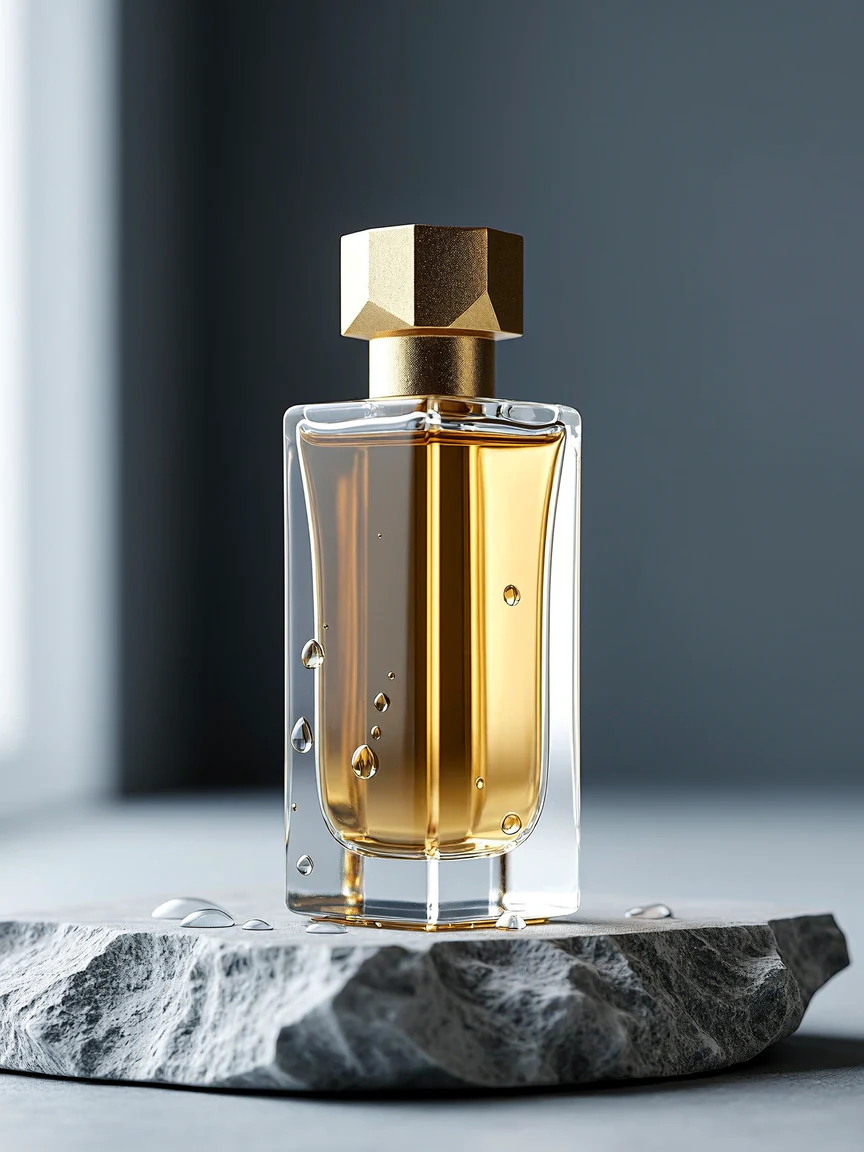
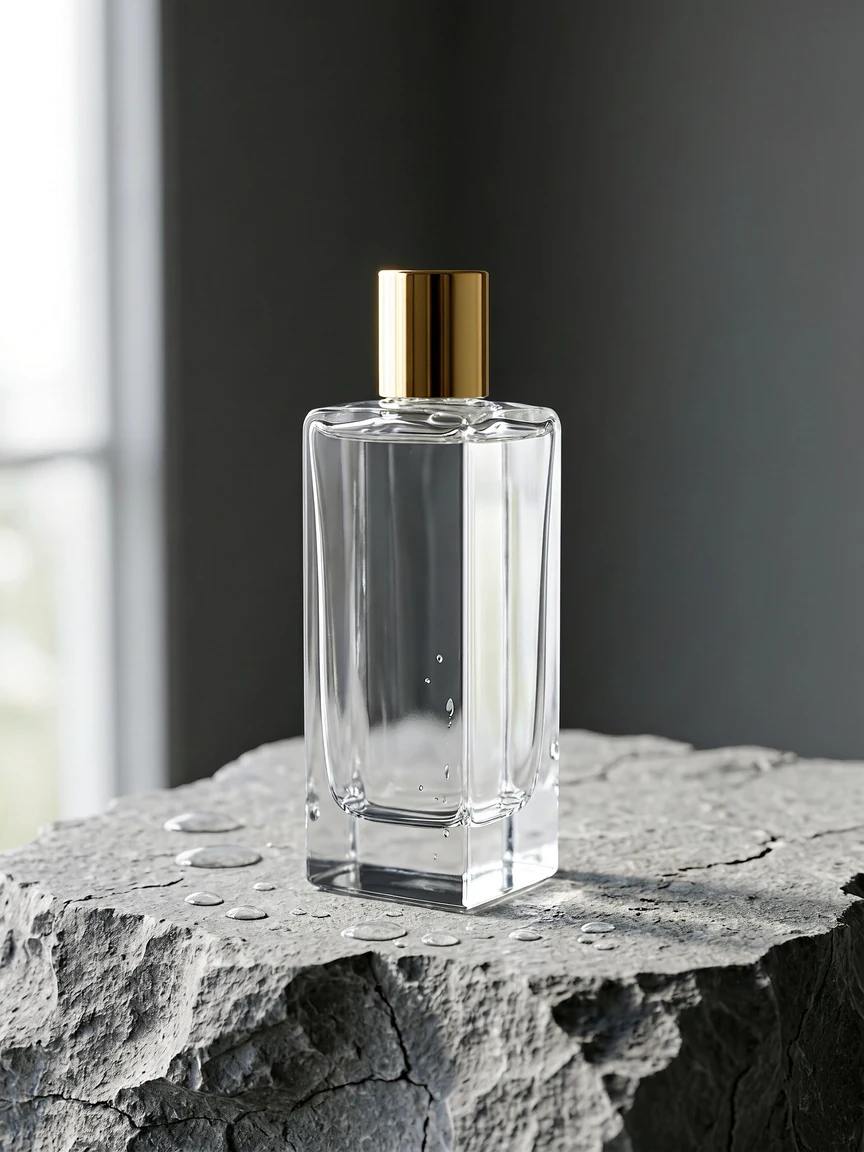
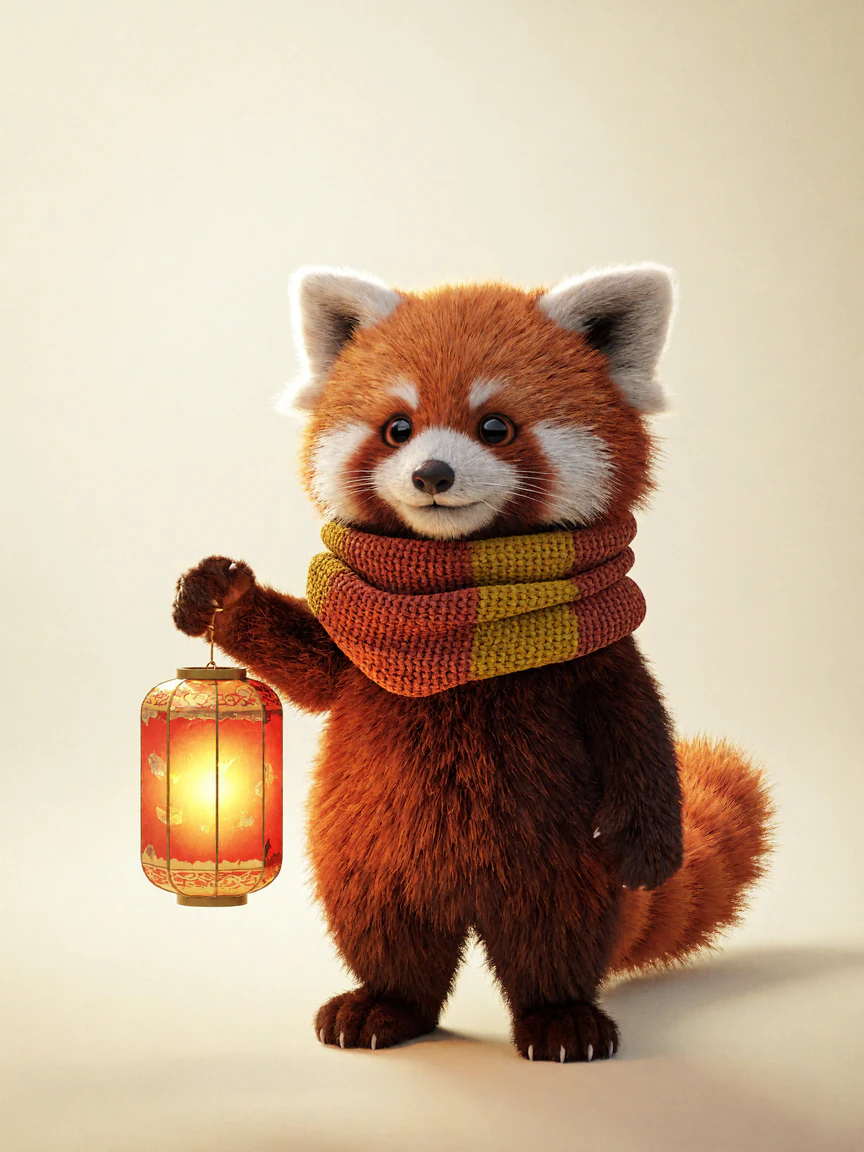
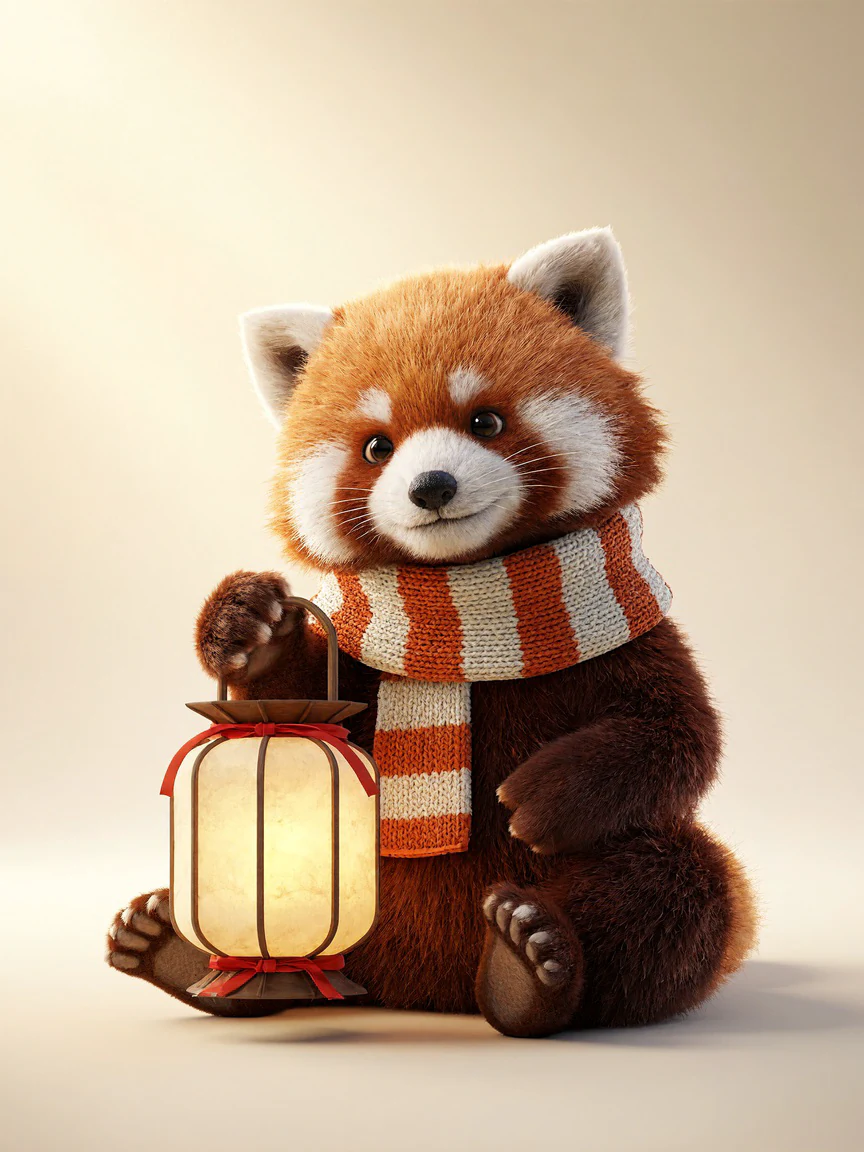
Each pair uses one prompt and the same settings: 3:4 at HD. Standard is on the left, Highspeed on the right.
Prompt
A bold poster for a jazz night, the headline "Blue Hour Sessions" in big serif letters, a trumpet player in silhouette, deep blue and gold
Prompt
A glass perfume bottle with a gold cap on a rough grey stone, soft window light from the left, a few water drops, clean product photograph, no text
Prompt
A friendly red panda character in a knitted scarf holding a paper lantern, soft 3D render, warm evening light, plain cream background
Example images were made in this creator with the prompt shown. The model adds its own details to a prompt, so the poster carries extra lines. Results vary from run to run.
Pick a variant in the MiniMax H3 Image generator. Standard and Highspeed share one model and one set of options. Highspeed returns images sooner and costs more.
Lower price for everyday work
Best for Posters, product shots and edits with several references
The same model, served faster
Best for Quick rounds of prompt testing
One model on two settings. Speed and price differ, and everything else matches. Speed figures come from MiniMax’s launch post.
| Standard | Highspeed | |
|---|---|---|
| Speed, per MiniMax | 1.5 to 2 times mainstream speed | 3 to 4 times mainstream speed |
| Sizes and ratios | HD, 2K and 4K, ten ratios | Same as Standard |
| Editing | Text and reference images | Same as Standard |
| Credits per HD image | 10 | 15 |
Three steps in the MiniMax H3 Image generator. Standard and Highspeed work the same way, and the Generate button shows the price.
Describe the subject, the style and any words that must appear. Attach reference images and give each one a job.
Use the switch under the title or the model menu. Choose the aspect ratio, HD, 2K or 4K, and how many images to make.
Check the result at its real size. Download it, or open it in an editing tool. To change one part, add the result as a reference and describe the change.
Both variants accept references and offer three sizes. They differ in speed and price.
| Standard | Highspeed | |
|---|---|---|
| Best for | Reliable, cost-effective open weights with 4K in under ten seconds | The same cost-effective open weights, served faster |
| Resolution | HD · 2K · 4K | HD · 2K · 4K |
| Reference images | Up to 14 | Up to 14 |
| Credits per image | 10 HD · 10 2K · 26 4K | 15 HD · 15 2K · 47 4K |
Quality, speed and price for MiniMax H3 Image and four other image models, from each vendor's own pages. A cell reads Not published when the vendor has no figure.
| Quality | Speed | Price per image | Credits on Potto | |
|---|---|---|---|---|
| MiniMax H3 Image | Not published | Under 10 s for a 4K image | $0.02179 (1K) · $0.06879 (4K) | HD 10 · 4K 26 credits |
| MiniMax H3 Image Highspeed | Not published | 3 to 4 times mainstream speed, per MiniMax | $0.03529 (1K) · $0.13001 (4K) | HD 15 · 4K 47 credits |
| FLUX 3 Image Klein | +91 Elo in text-to-image over FLUX.2 klein 9B, in BFL’s own test | 4.54 s median for text-to-image at 1 MP | $0.009 (1K) · $0.036 (4K) | Not on Potto |
| Nano Banana 2.1 | Elo 1050 for overall preference, ahead of Nano Banana 2 at 990 and Nano Banana Pro at 935 | Not published | $0.0336 (1K) · $0.113 (4K) | HD 12 · 4K 38 credits |
| GPT Image 2.6 Flare | Not published | As little as 6 s at low quality | $0.0435 (medium, 1024×1024) | HD 15 · 4K 49 credits |
Figures from each vendor's official pages, checked 12 Nov 2026. Each vendor ran its own tests, so scores do not compare across rows. Prices are list prices without promotions.
Official pages: MiniMax: H3-Image launch postMiniMax API pay-as-you-go pricingBlack Forest Labs: FLUX 3 Image KleinBlack Forest Labs pricingNano Banana 2.1 model cardGemini API pricingOpenAI: Introducing ChatGPT Images 2.6OpenAI API pricingOpenAI image generation guide
Write a new prompt for another image. Open the one you have in a tool when only one part needs work.
MiniMax H3 Image is an AI image model from MiniMax. It makes an image from a text prompt and edits images you upload. Potto offers it in two variants, Standard and Highspeed. You can generate and edit with either one in the creator above.
No. MiniMax also uses the H3 name for its video models. This page covers the image model only. It makes still images.
No. Potto is an independent product. MiniMax built the model, and Potto lets you use it next to other image models with one prompt box and one credit balance.
They are the same model with the same options. Highspeed returns images a little sooner and costs more per image. Standard is the better start for most work.
Start with Standard. It costs less and gives the same kind of result. Switch to Highspeed when you test many prompts in a row and waiting slows you down.
Short headlines often come out right. Both variants spelled the poster title above correctly. The model also adds lines you did not ask for, and small print can contain slips. Put the exact words in quotes and read every word of the result.
Yes. The model rewrites each prompt with extra detail before it draws, and edits are always rewritten. A short prompt can gain scenery and extra text. Say what to leave out, such as "no text", to stay close to your idea.
Yes. Upload up to 14 reference images and say what stays and what changes. A reference guides the result and is not an exact copy. Check faces, labels and shapes against the source. Masks and transparent backgrounds are not supported.
Yes, a little. Each reference adds to the cost of the image, so an edit with many references costs more than a plain prompt. The Generate button includes this in its total.
You get HD, 2K and 4K and ten aspect ratios from 1:1 to 21:9. A square image is 1024 by 1024 at HD, 2048 by 2048 at 2K and 4096 by 4096 at 4K. HD and 2K files are PNG. 4K files are JPEG.
Yes. Choose 1, 2 or 4 outputs in the settings. Each image costs the same, so four images cost four times one. Compare them side by side and keep the strongest.
Credits depend on the variant, the size and the number of references. The Generate button shows the total before you confirm. Highspeed costs more than Standard. A failed request does not use credits.
You can type your idea, add references and pick a variant before you sign in. Generate opens the sign-in dialog. Everything you entered stays in the creator.
A failed request releases its credits, and the task explains why it stopped. Content that fails the safety checks is not retried. A request that times out is not retried on its own, so run it again when you are ready.
Choose a variant, write a prompt and see the credit price before you generate.