Poster
Prompt
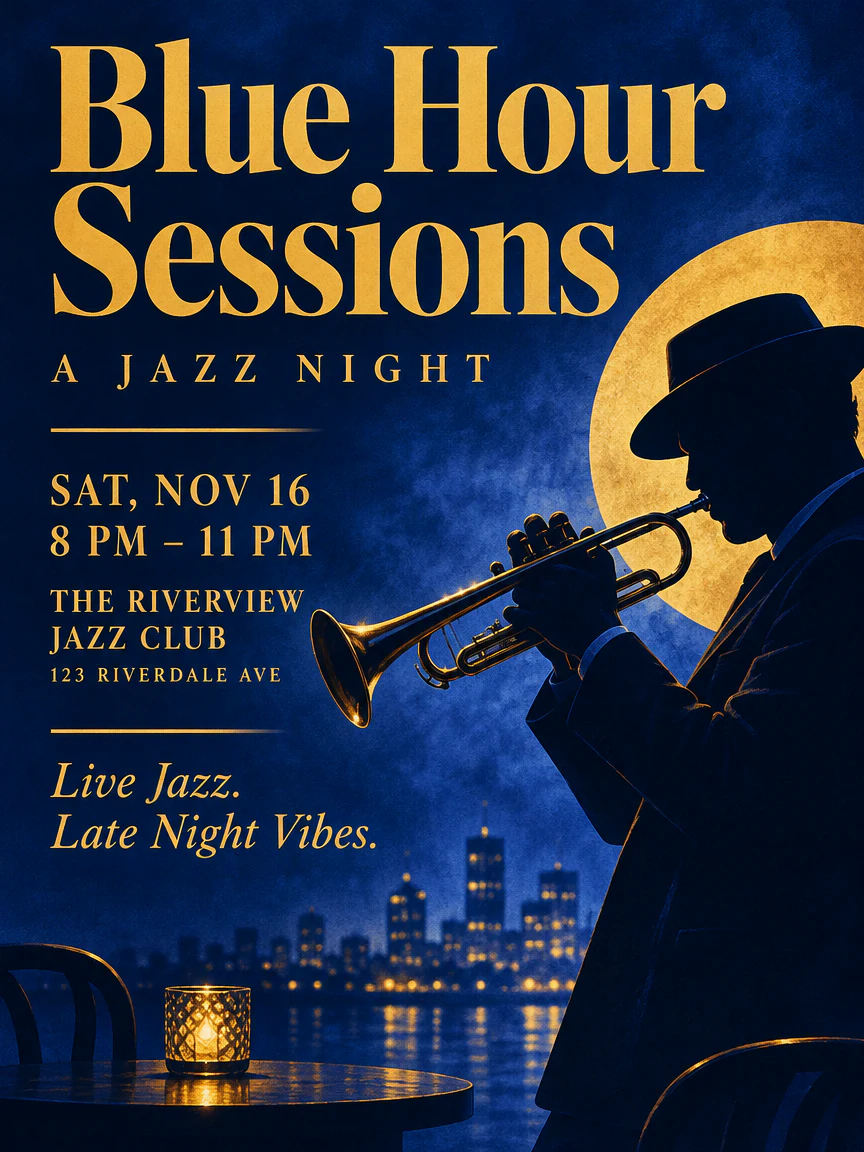
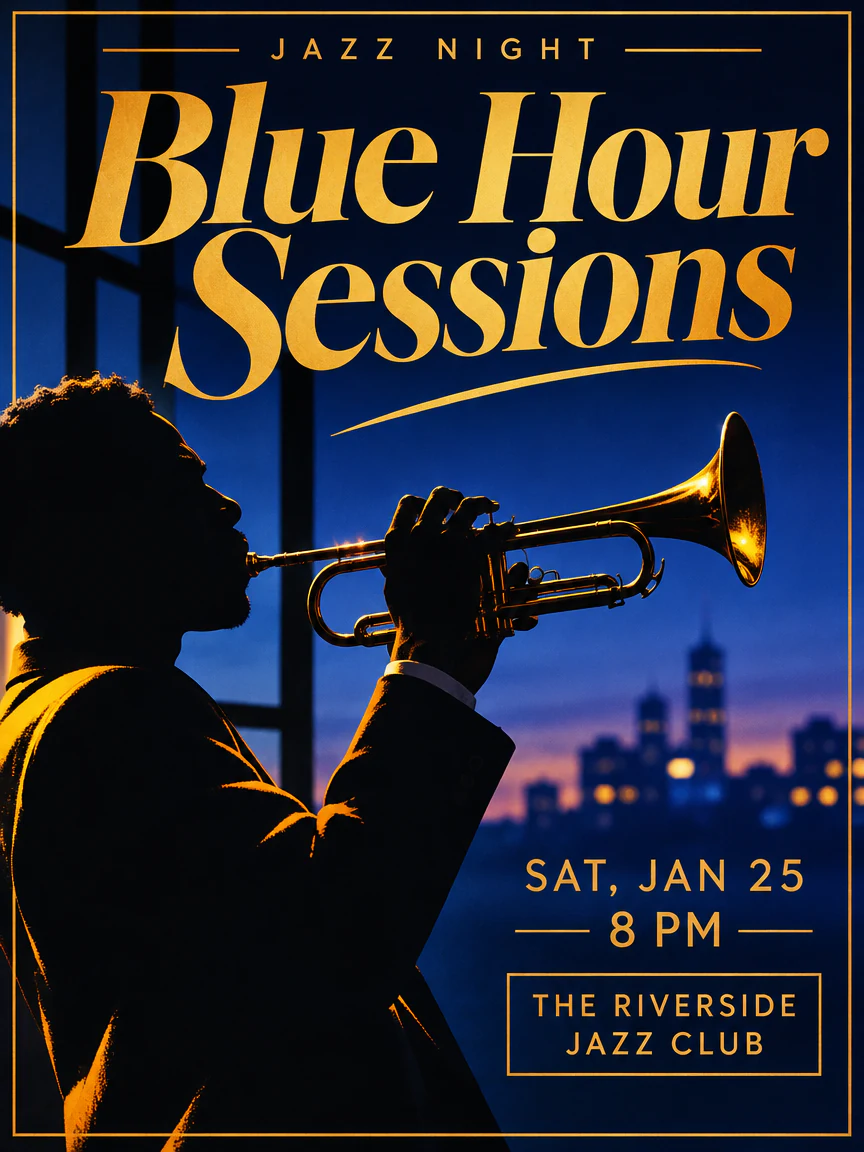
A bold poster for a jazz night, the headline "Blue Hour Sessions" in big serif letters, a trumpet player in silhouette, deep blue and gold
Generate and edit images with GPT Image 2.6 Flare and Sunburst, the API models from the ChatGPT Images 2.6 release. Switch between fast drafts and detailed edits in one creator.
Try an example
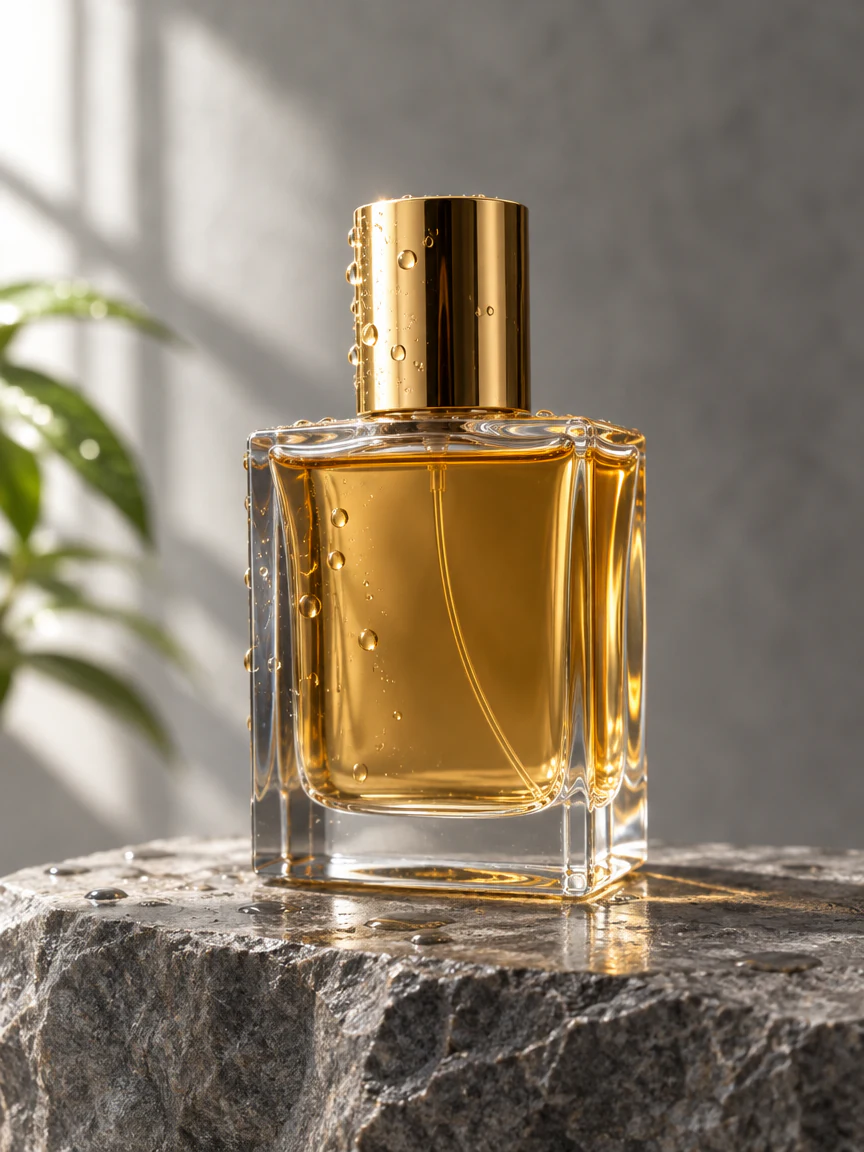
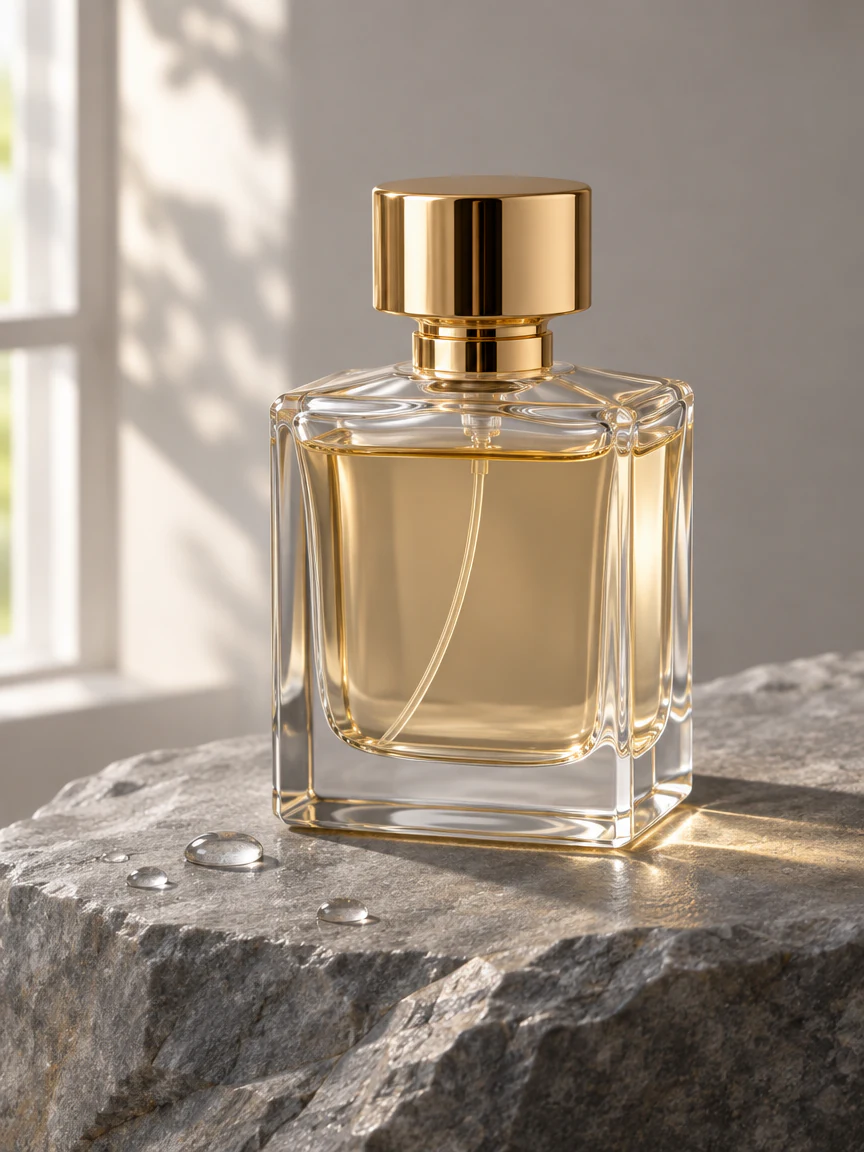
Each pair uses one prompt and the same settings: 3:4 at HD. Flare is on the left, Sunburst on the right.
Prompt
A bold poster for a jazz night, the headline "Blue Hour Sessions" in big serif letters, a trumpet player in silhouette, deep blue and gold
Prompt
A glass perfume bottle with a gold cap on a rough grey stone, soft window light from the left, a few water drops, clean product photograph, no text
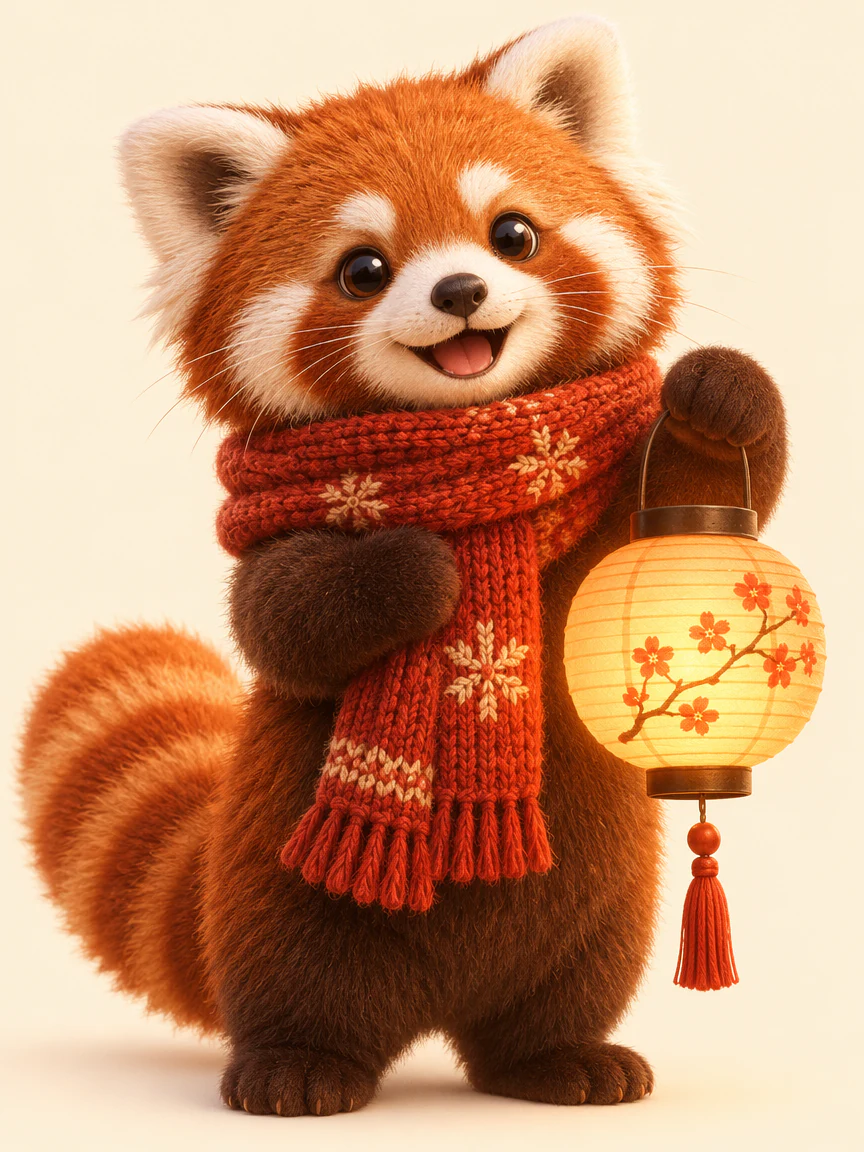
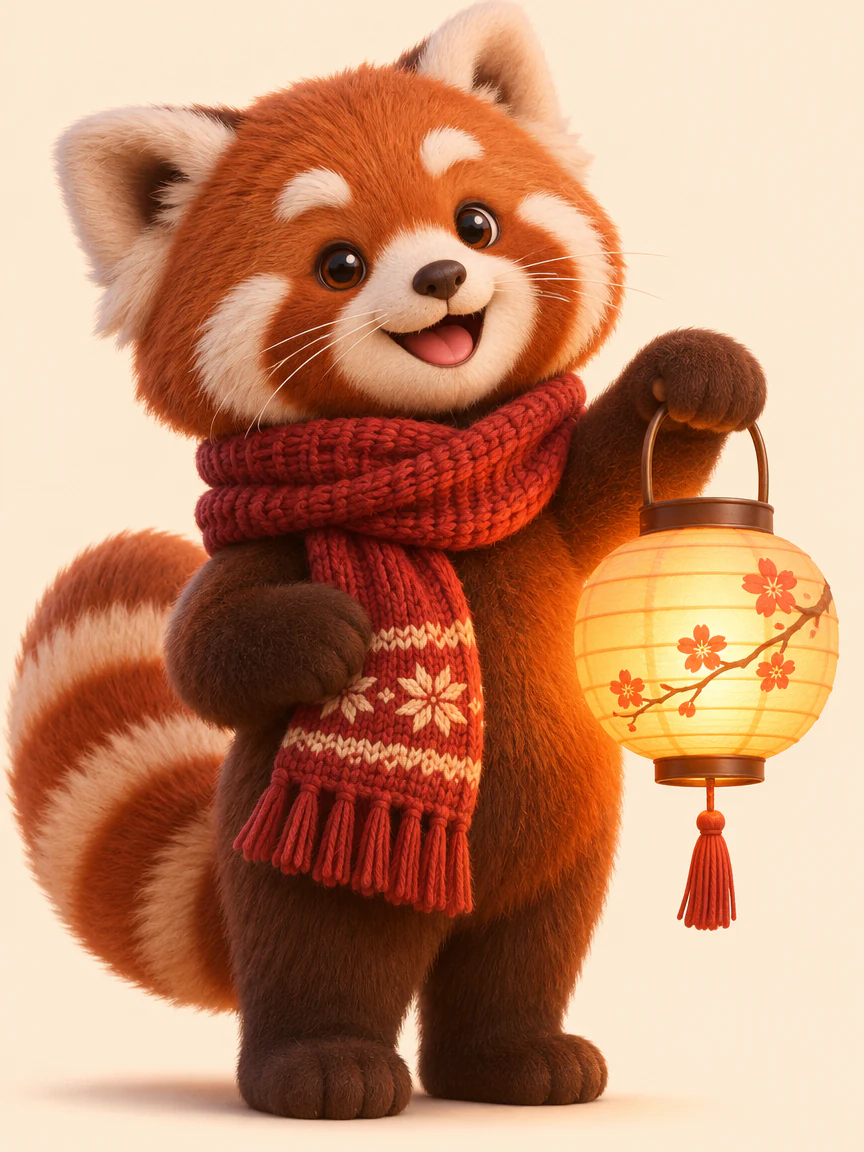
Prompt
A friendly red panda character in a knitted scarf holding a paper lantern, soft 3D render, warm evening light, plain cream background
Example images were made in this creator with the prompt shown. Results vary from run to run.
Same price per image, same inputs. Pick by how many ideas you are testing and how careful the result must be.
Built for fast iteration
Best for Brainstorms, thumbnails and social posts
Built for detail and consistent edits
Best for Final visuals, product shots and multi-step edits
What changed from version 2.5, based on OpenAI's release notes and API docs. Version 2.5 is still available here.
| Version 2.6 | Version 2.5 | |
|---|---|---|
| Models | Flare, Sunburst | Flare, Sunburst |
| Speed | OpenAI says images generate 50% faster than before | — |
| Price per token | Same as 2.5 | — |
| Output per image | About 3 times the output tokens of 2.5 at medium quality, as we measured | — |
| Flare credits per HD image | 15 | 5 |
Three steps in the creator above. The credit price shows on the Generate button before you start.
Describe the subject, the style and any words that must appear. Attach references, at most 14, and give each one a job.
Use the switch under the title or the model menu. Choose the aspect ratio, HD, 2K or 4K, and one, two or four images.
Check the result at its real size. Download it, or open it in an editing tool. To keep refining, add the result as a reference and run Sunburst.
Both models accept references and offer three sizes. They cost the same. They differ in speed and detail.
| Flare | Sunburst | |
|---|---|---|
| Best for | Fast drafts and quick variations | Detail and consistent multi-step edits |
| Resolution | HD · 2K · 4K | HD · 2K · 4K |
| Reference images | Up to 14 | Up to 14 |
| Credits per image | 15 HD · 28 2K · 49 4K | 15 HD · 28 2K · 49 4K |
Generate another image by a new prompt. Edit the one you have when the subject works and one part needs attention.
GPT Image 2.6 is OpenAI's image model family, released on November 4, 2026. It comes as two API models, Flare and Sunburst. Both take a text prompt and optional images, and return a new image. You can generate and edit with either one in the creator above.
It comes from the same OpenAI release. That name is the image feature inside ChatGPT. This page uses the matching API models. Potto is an independent product, not part of ChatGPT, and some ChatGPT features are not in the API.
Use Flare for fast drafts and many variations. Use Sunburst for detail and for edits that must stay consistent. Both cost the same per image. Draft on Flare, then move the best prompt to Sunburst.
OpenAI reports a speed gain over version 2.5 and quotes its quickest timing for Flare at the lowest quality setting. Here both run at medium quality, so expect longer waits. Sunburst usually takes longer than Flare.
Yes. The 2.5 Flare, Flare High and Sunburst models stay in the model menu. OpenAI has not retired them. Pick the version per request.
Both models edit photos you upload. Add up to 14 reference images. Say what stays and what changes. A reference is a guide, not an exact copy. Check shapes, labels and faces against the source.
Upload your last image again as the starting point. Name what must stay, such as the face, the label or the layout. Change one thing per pass. Sunburst is the better pick for this kind of step-by-step work. Compare each new version with the one before.
Lead with the subject, then the style, then the layout. Quote any text that must appear. Say what to leave out, such as extra text or logos. Keep one idea per image. Add a reference when a shape or a color must match.
You get HD, 2K and 4K, ten aspect ratios from 1:1 to 21:9, and PNG or JPEG files. A square image is 1024 by 1024 at HD, 1920 by 1920 at 2K and 2880 by 2880 at 4K. OpenAI marks 4K as experimental, so review each 4K result.
Yes. Choose 1, 2 or 4 outputs in the settings. Each image costs the same, so four images cost four times one. Compare them side by side and keep the strongest.
Credits depend on the size and the number of images. The Generate button shows the total before you confirm. A failed request does not use credits. Both models cost the same.
The token price is the same, but each new image uses more of them. At medium quality, we measured roughly three times as many tokens per image as version 2.5. Credits follow OpenAI's official price per image, so the newer models cost more. Failed requests cost nothing.
You can type your idea, add references and pick a model before you sign in. Generate opens the sign-in dialog. Everything you entered stays in the creator.
A failed request releases its credits. The task explains why it stopped. Content blocked by OpenAI's safety checks is not retried automatically. Change the prompt, then try again.
Short headlines often come out right, but OpenAI still lists text rendering as a limit. Read every word in the result. Keep long copy in your own layout. Put the exact words in quotes in the prompt.
Choose a model, write a prompt and see the credit price before you generate.