Tiny Desk AI Video Generator
Sing lead at your own desk concert. Add friends as the band and get the original "Outstanding" sound, cut to the beat.
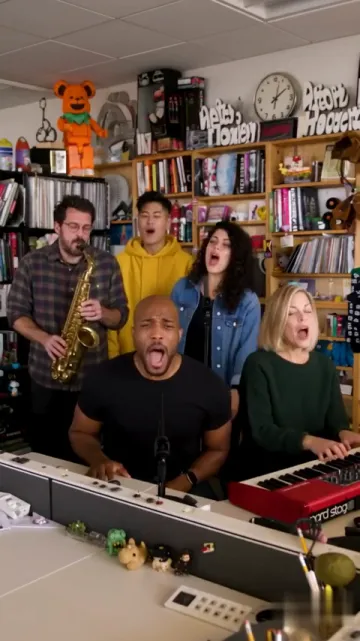
The band 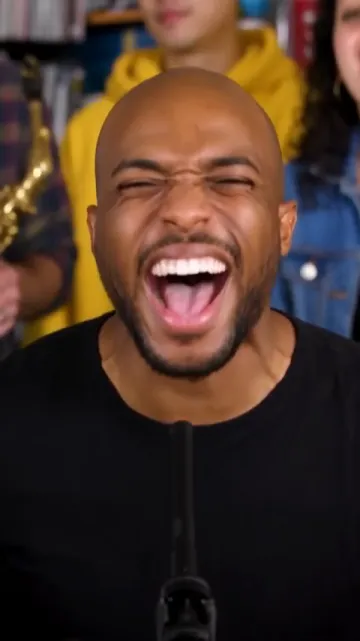
Close-up 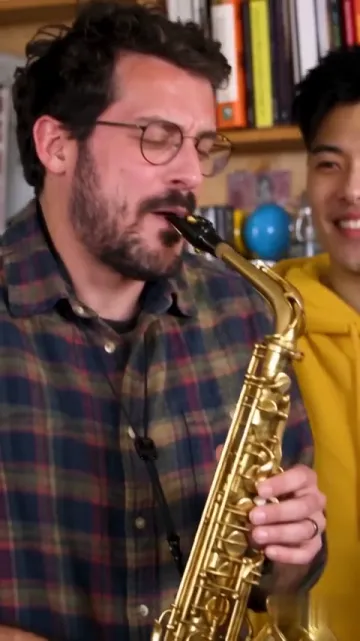
Sax solo
Tiny Desk AI turns 1 to 5 photos into a 19-second vertical concert clip with the original "Outstanding" sound. Your first photo sings lead, and up to four more photos take the sax, keys and backing vocals. Any empty seat gets a new AI musician. Choose 480p for 653 credits, 720p for 1,463 or 1080p for 3,604, with one flat price per resolution. It runs in your browser and follows the outstanding Tiny Desk AI template shot for shot.
Outstanding Tiny Desk AI Template
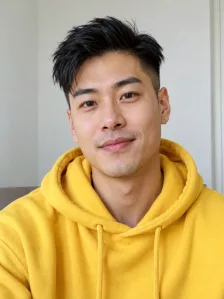
All three samples start from AI-generated photos. The first uses one photo, the second five people and the third five dogs.
One photo

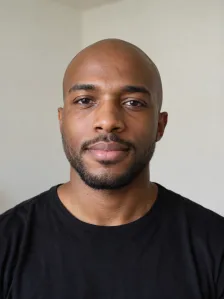
The lead singer comes from this photo. The rest of the band is new.
Five-piece band



Each photo takes its own seat: lead, sax, keys and two backing singers.
All-dog band


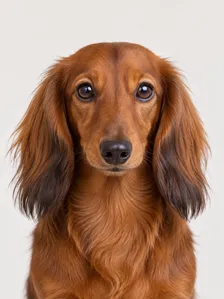

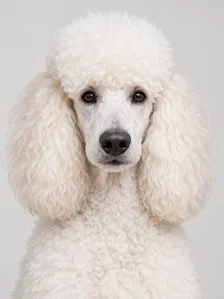
Five dog photos fill all five seats. A golden retriever sings lead and a beagle takes the sax solo.
More AI Video Effects
Same idea, different scene: add a photo and get a short video with sound.
THE TREND
What Is Tiny Desk AI?
Tiny Desk AI is a trend that drops your face into a Tiny Desk style concert. These sets are filmed at a real office desk, with the band squeezed between shelves of books and records. The long-running series began in 2008, and its small-room sound became a format of its own.
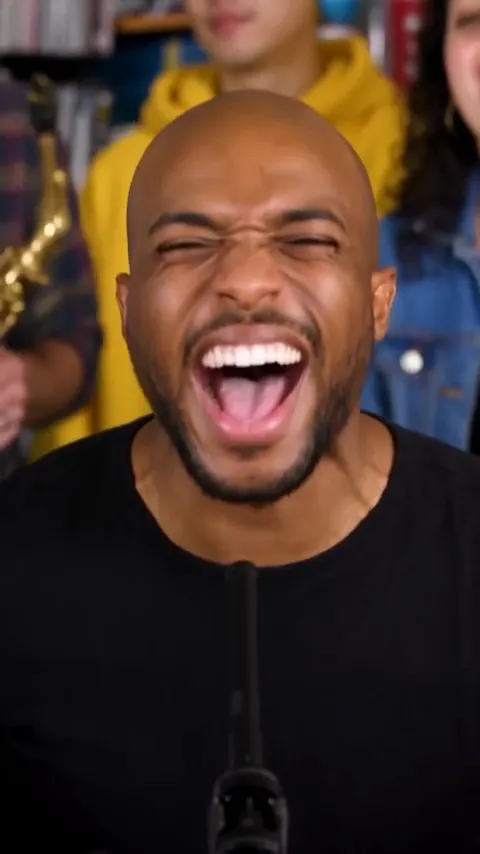
The trend remakes one viral clip from a 2023 desk concert. The band plays "Outstanding", a 1982 funk single that reached No. 1 on Billboard's Black Singles chart in February 1983. The lead singer gets the camera twice, up close, and a sax player takes a solo between those moments.
The AI wave started on October 18, 2026, when a TikTok parody swapped the band for coaches of college football teams that had just lost. Versions with pro football teams followed on October 23. Within days, people were casting friends, coworkers and group chats.
People cast the seats with care. The lead goes to the loudest friend or the guest of honor. The sax solo often goes to whoever least expects it, and that reveal gets the biggest laugh.
Searches jumped fast. By October 25, trend trackers showed tiny desk ai passing other AI trends in US Google searches. One-photo templates and tutorials appeared around October 24.
An outstanding Tiny Desk AI template keeps the room, the cuts and the sound. Only the performers change. Potto builds every frame from your photos and swaps in the original audio at the end, lined up with the cuts.
Prefer a dedicated app? Try it on aitinydeskmeme.com.
Five Seats in the Band
Upload order decides who plays what. Skip any seat you do not need.
Photo 1: lead singer
The lead sits at the front with the microphone. This photo gets both big close-ups, so pick your clearest, most expressive face.
- Front of the desk
- The two close shots
Photo 2: sax player
The sax player stands at the side and takes the solo in the middle of the clip. Only this seat holds a saxophone.
- The mid-song solo
- Only one with a sax
Photo 3: keyboard player
The keys sit on the desk itself, a red keyboard in most takes. This seat stays in the wide shots that open and close the clip.
- Seated at the desk
- In both wide shots
Photos 4 and 5: backing singers
They stand behind the desk and sway along. They fill the back row of the band shots.
- Back row
- Sway and sing along
Key Features of the Tiny Desk AI Video Generator
One fixed template, five shots, and your photos in the leading roles.
The full performance and sound
Every video runs 19 seconds with the original "Outstanding" audio. The cuts land on the beat, from the full band to the sax solo. The audio is leveled so it plays well next to other clips in a feed.
- 19 seconds, 9:16
- Original audio, leveled
Lead the band from one photo
Your first photo takes both lead close-ups. Add just that photo, and AI fills the band with new faces.
- The big close-ups
- New faces for empty seats
Up to four friends on stage
Photos 2 to 5 become the sax player, the keyboard player and two backing singers. The price stays the same for one photo or five.
- Four extra seats
- Same price for 1 or 5
Faces and outfits from your photos
AI follows each face, hairstyle and outfit it gets. People, cartoon characters and pets all work. Team jerseys and matching outfits carry over, which is why sports versions took off.
- Face, hair and outfit
- People, characters, pets
Ways to Use Tiny Desk AI
Who makes these videos, and why.
Jump on the trend
Post your own take while the trend is hot. Vertical 9:16 is made for short-video apps.
- Vertical, ready to post
- Ride the trend while it is fresh
Cast your friend group
Put the whole crew in the band for a birthday, a farewell or an inside joke. Give the lead seat to the guest of honor and fill the rest with friends.
- Birthdays and farewells
- Five seats for five friends
Teams and fan clubs
Wear team gear in every photo and turn a big win, or a bad loss, into a concert.
- Wear the team colors
- Win or loss, it still works
Pets and characters on stage
Make your dog or a game character the lead singer. A clear, front-facing picture works best, and the other seats can stay human.
- Dogs, cats and game characters
- One clear subject per photo
How to Make a Tiny Desk AI Video
Three steps. No prompt and no singing.
Upload your photos
Add the lead singer first. Then add up to 4 band members, or skip them.
Choose a resolution
Choose any of the three resolutions. The credit price shows before you start.
Generate and download
A quick check runs first. When the video is ready, play it and download the MP4.
Photos That Work Best
Every photo is checked before any credits are charged. A photo that fails costs nothing.
Use
- One person, character or pet per photo
- A face turned toward the camera
- Even light and sharp focus
- Adults only for real people
Avoid
- Group photos
- Children anywhere in the frame
- Sunglasses, masks or hidden faces
- Blurry or tiny faces
Tiny Desk AI FAQs
Answers on photos, the song, timing and credits.
How do I make an Outstanding Tiny Desk AI video?
Upload up to five photos and generate. The first photo becomes the lead singer, and the rest join the band. You don't write a prompt or sing.
What is Tiny Desk AI?
Tiny Desk AI is a viral trend that remakes a small office concert clip with new faces. Its soundtrack is the song "Outstanding". On Potto, a Tiny Desk AI video keeps the cuts and the original sound and swaps in your photos.
What is the outstanding Tiny Desk AI template?
The outstanding Tiny Desk AI template is the fixed recipe behind each video: five shots in 19 seconds, set to "Outstanding". It covers the band, two lead close-ups and a sax solo. You only choose the photos and the resolution.
Who goes where in the video?
Photo 1 is the lead singer, shown up close twice. Photo 2 plays the sax, photo 3 plays the keyboard, and the last two sing backup. AI fills any seat you leave empty. Results can vary, so a band member may get less screen time.
Can I use a pet or a cartoon character?
Yes. Any single, clear subject facing the camera works, including pets and cartoon or game characters. Real people must be adults.
Why was my photo rejected?
A photo fails the check when it shows no clear subject, more than one subject, or a face turned away. Anyone real in the photo must be an adult, and a pet photo with a child in it fails too. Each file must be a JPG, PNG or WebP of 20 MB or smaller. A rejected photo costs no credits.
Is the video real?
No. Every Tiny Desk AI video is generated by AI from your photos. Potto is an independent tool with no link to the original concert or its performers.
How long is the video, and does it fit TikTok?
Each Tiny Desk AI video is 19 seconds long, vertical 9:16, as an MP4. That shape fits TikTok, Reels and Shorts.
How long does a video take?
Most videos are ready in about 5 to 8 minutes. You can close the page. The finished video waits in My Creations.
How many credits does a Tiny Desk AI video cost?
Potto charges 653 credits for a Tiny Desk AI video at 480p, 1,463 at 720p and 3,604 at 1080p. The price doesn't change with the number of photos. If a video fails, the credits are released.
Make Your Tiny Desk AI Video
Add your photo and see the credit price. Then generate.