Black Friday: 50% off every yearly plan for the first year. Ends Dec 1.
Potto AI

Watermark remover before and after

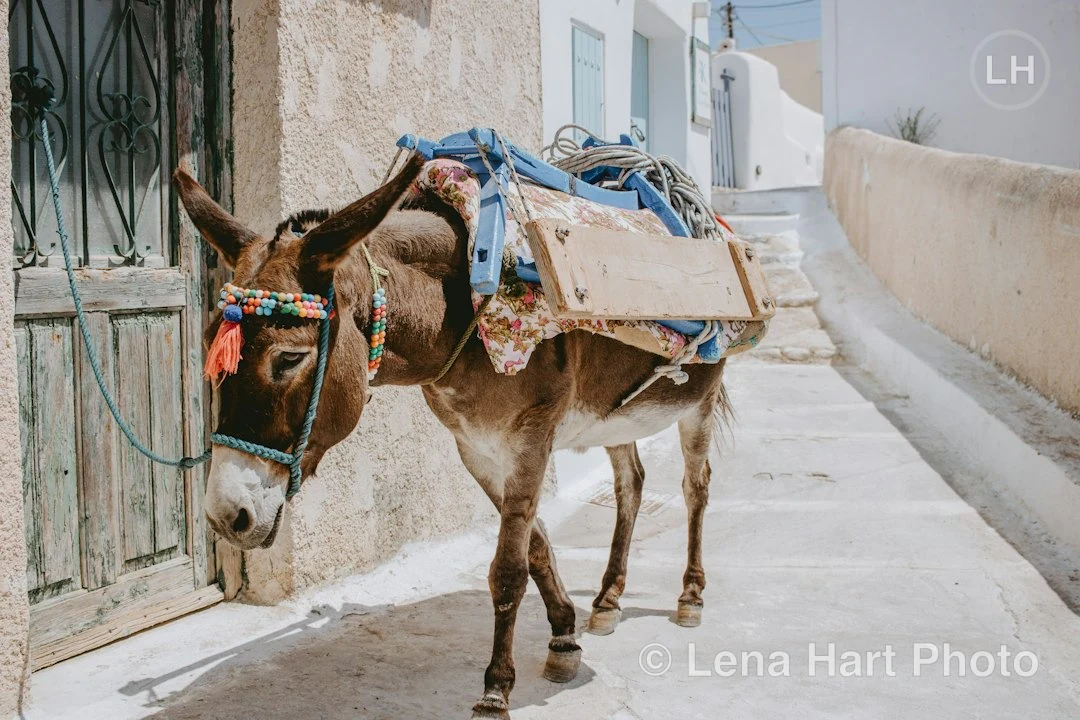
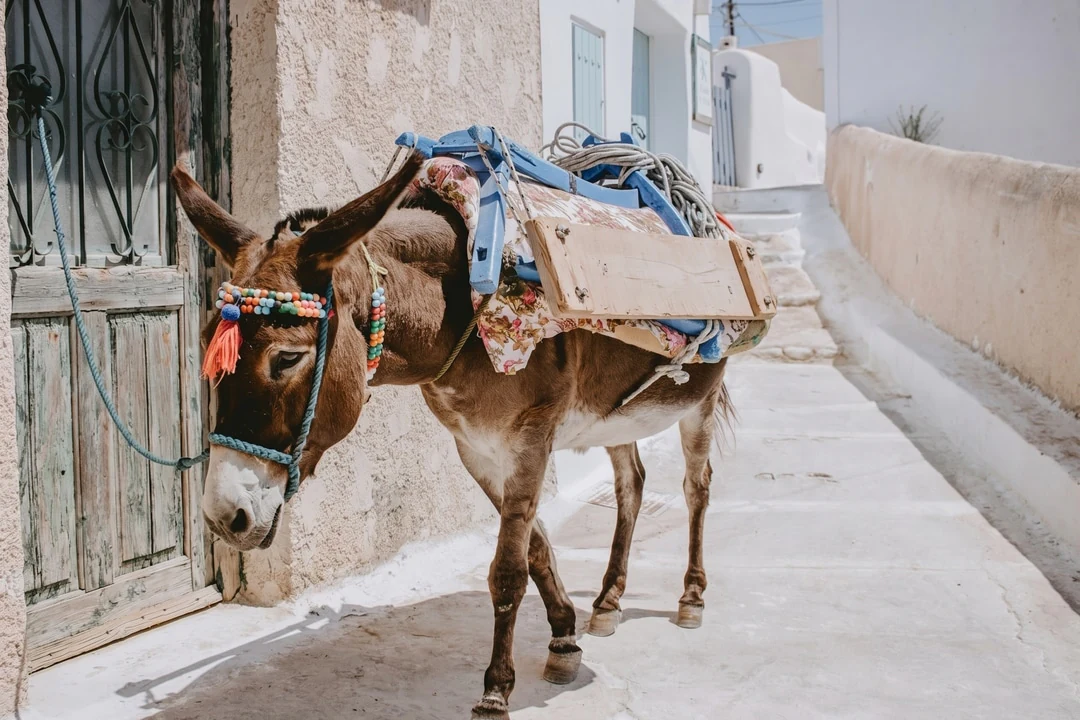
The same photo before and after the AI watermark remover cleaned an overlay. The repaired area is generated detail.

Donkey in a whitewashed Santorini street with a semi-transparent "© Lena Hart Photo" mark and a round LH badge on top
Source with overlay
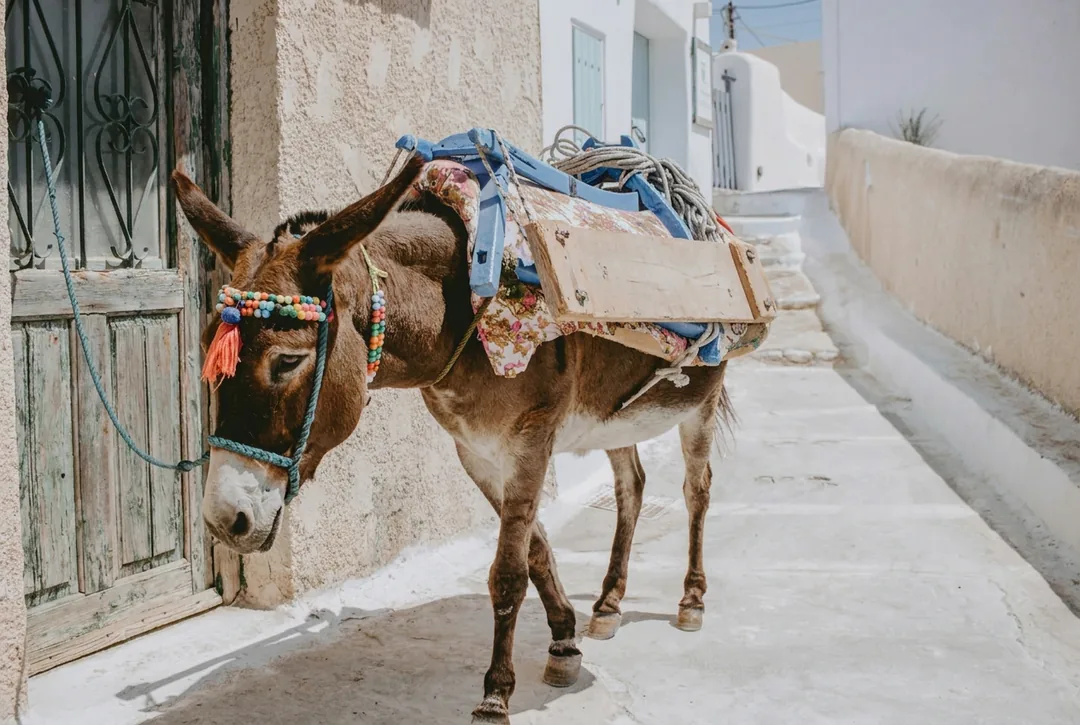
Donkey in a whitewashed Santorini street after the AI watermark remover cleared a semi-transparent text mark and corner badge
After cleanup

Filled region

Start where the overlay was. On a plain surface, check color, grain and the edge of the fill. On a pattern, look for repetition or broken alignment.

Whole image

The watermark remover can affect more than the mark. Compare faces, labels, signs and straight lines far from the overlay.

Intended use

A plausible fill can suit a decorative layout and still fail a product photo or an archive record. Keep the marked source with the version you choose.

How to remove a watermark from a photo

Three steps with the AI watermark remover for photos.

  1. 1. Upload an image you may edit

    Add an image that you own or may adapt. Note what sits behind the overlay: the tool generates a replacement, not the hidden original.

  2. 2. Run the automatic cleanup

    There is no selection brush. The cleanup covers the whole image and can change more than the mark. The text remover handles overlaid wording. On paid plans, add a batch and review each result.

  3. 3. Review each result and download

    The Generate button shows the price. Review each result against the source. Download the ones you accept, and keep your full-size original.

What the AI watermark remover must keep

What sits behind the mark decides how hard the repair is. Look at it first, and keep the original file.

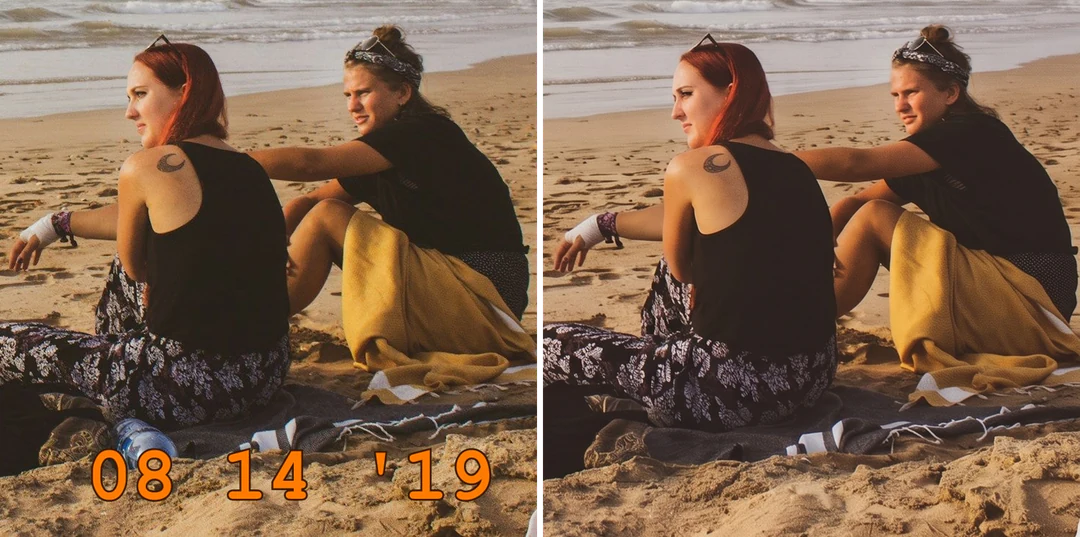
Personal photograph with an orange date stamp in the corner beside the same photo with the stamp removed

Date stampRemoved

Clean an old date stamp from a personal photograph

A stamp on a simple background is an easy job. One across a face or a building edge is harder. Review the covered area against neighboring texture. Keep the stamped original, because the date may matter to your archive.
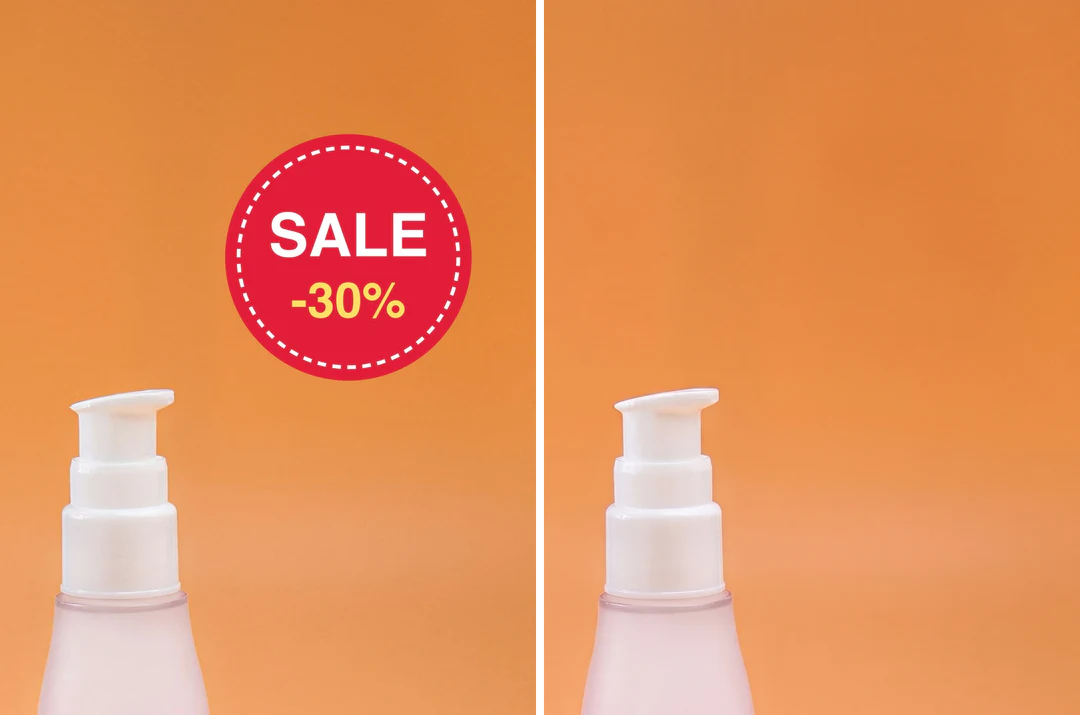
Product image with a promotional sticker beside the same image with the sticker removed and the surface continued

StickerRemoved

Remove an outdated promotional sticker from your own asset

Look for the editable source or a clean export first. On a plain background, judge the fill by continuity. If the sticker overlaps the product, the model may invent a surface or label. Add the new promotion as editable text in your layout tool.

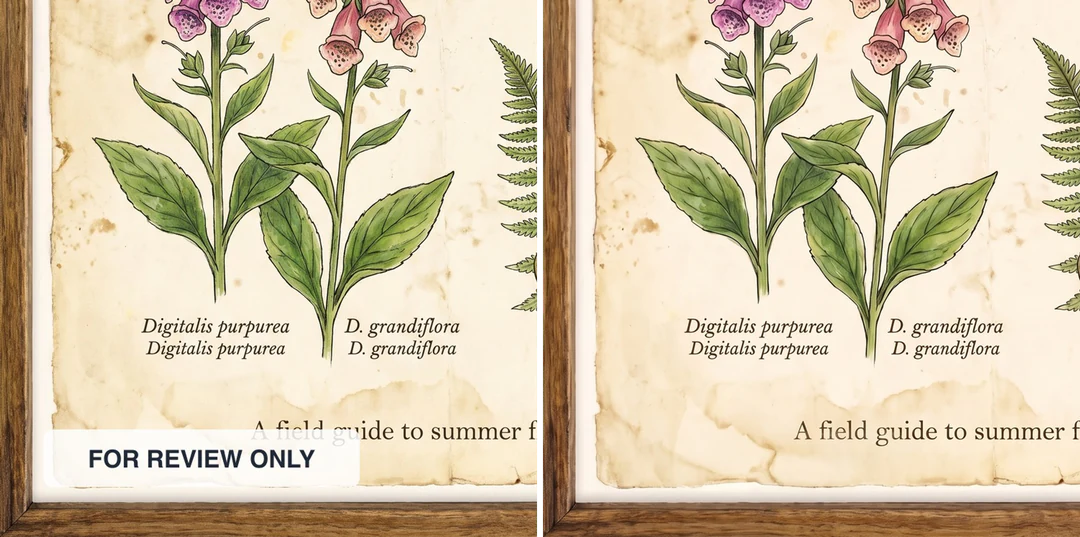
Botanical poster with a FOR REVIEW ONLY label beside the same poster with the label removed and the artwork unchanged

LabelRemoved

Prepare an owned image for a new presentation

Removing the overlay does not fix a poor crop or low resolution. Check that nearby charts, icons and text did not change. A patch that looks fine alone can show once the slide background changes.

What the AI watermark remover does

The cleanup runs on the whole image, without a brush.

  1. 01

    Marks, stamps, stickers and labels

    The AI watermark remover looks across the image for tiled marks, corner badges, date stamps, stickers and text labels. You paint no mask. It tries to tell an overlay from scene content such as a shop sign, but it can get that wrong.

    • No selection brush: it works on the whole image
    • Use an image you own or have permission to edit
    Donkey in a whitewashed Santorini street with a semi-transparent "© Lena Hart Photo" mark and a round LH badge on top
    A source with a tiled overlay across the photo.
  2. 02

    Repaired pixels, not the hidden original

    What lay under an overlay is not in your file, so the model fills it with plausible detail. Compare the covered area with the neighboring texture. Keep the marked original.

    • Check faces, product labels and straight lines
    • Cleanup does not transfer ownership
    Donkey in a whitewashed street after the AI watermark remover cleared the overlay
    After cleanup: the covered area is generated.
  3. 03

    Sized to fit, in batches

    A larger source is scaled down without cropping, and a smaller one keeps its size. On paid plans, each image in a batch is its own task.

    • Review every output in a batch
    • The output keeps the upload format
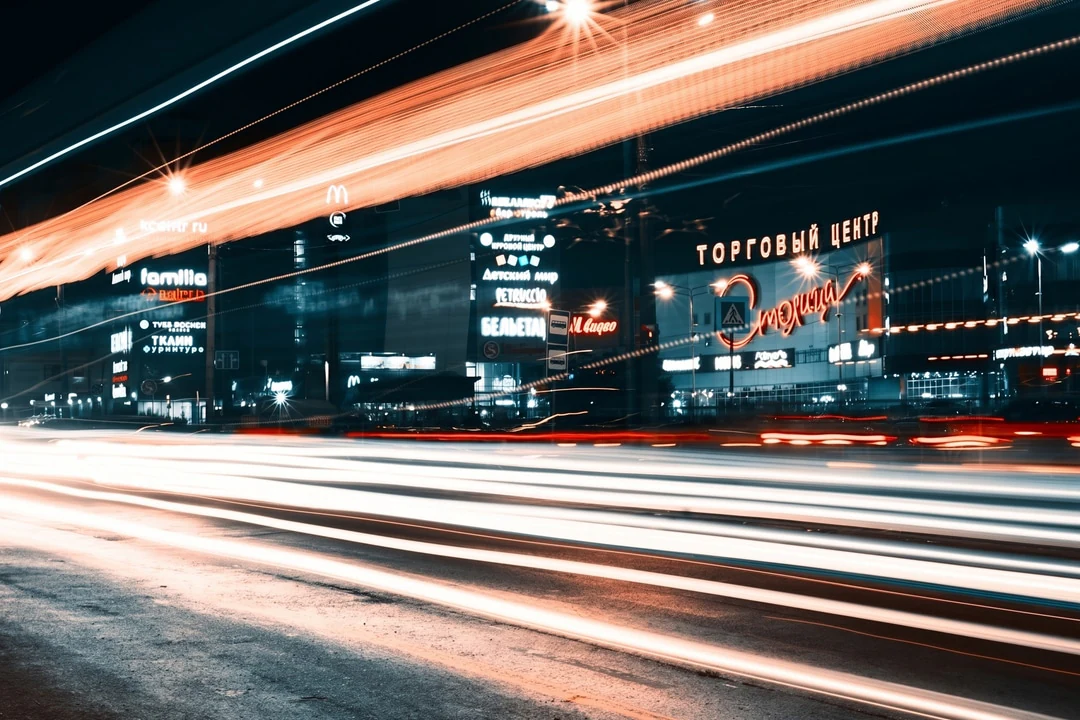
    A long-exposure night street with orange light trails beside lit shop signs
    A wide night street: scaled to fit, never cropped.

Choose Your Plan

Choose your credits and generation priority. Potto does not add a visible watermark to your downloads.

  • Lite

    Black Friday -50%
    $16$8/month

    Billed $96 for the first year, then $192/year

    Choose Lite

    Monthly HD images

    Learn more
    44 images
    86 images
    • 2,000 monthly credits
    • Up to 86 fast images
    • Standard queue
    • No Potto watermark
    • Batch image tools
    • Private creations
    • All premium skills
  • Pro

    Black Friday -50%
    $40$20/month

    Billed $240 for the first year, then $480/year

    Choose Pro

    Monthly HD images

    Learn more
    111 images
    217 images
    • 5,000 monthly credits
    • Up to 217 fast images
    • Priority queue
    • No Potto watermark
    • Batch image tools
    • Private creations
    • All premium skills
  • Recommended

    Max

    Black Friday -50%
    $80$40/month

    Billed $480 for the first year, then $960/year

    Choose Max

    Monthly HD images

    Learn more
    333 images
    652 images
    • 15,000 monthly credits
    • Up to 652 fast images
    • Highest priority queue
    • No Potto watermark
    • Batch image tools
    • Private creations
    • All premium skills

Watermark remover FAQs

What a watermark remover does, what automatic cleanup can change and how to review the result.

  1. What is a watermark remover?

    A watermark remover removes an overlay from an image and fills the covered area. Potto AI is an AI watermark remover for photos and other images. It works automatically. The repaired pixels are generated, not a recovered original. Use it only on images you may edit.

  2. How do I remove a watermark from a photo?

    Upload the photo and run the cleanup. The watermark remover needs no brush. Then check the result against the original.

  3. Is watermark removal the same as restoring the original?

    No. An overlay can hide information that is missing from your file. The model fills that area with plausible detail. When exact content matters, use an unmarked original.

  4. Can I select one exact area?

    No. This page cleans the whole image and has no selection brush. It can change areas outside the visible mark. For a different change, use the image editor.

  5. What can automatic cleanup change in my image?

    More than the mark. The cleanup can soften nearby texture, or change a sign or label it mistook for an overlay. A date stamp on a plain surface is the easiest case. A sticker across a face is the hardest. Compare the full result with the source.

  6. Do I need an account to use the AI watermark remover?

    You can upload an image and look at the controls without one. Running the cleanup and downloading need an account. The sign-in dialog keeps your image in place.

  7. What if my request is refused?

    The provider may refuse an image, such as one with brand marks or repeated watermarks. A refusal is not a ruling on ownership, and repeating the request is not a reliable fix. Look for an unmarked original or an editable source. To ask about a failed task, send support the page, the time, the error and the task ID. Never send account secrets or payment details.

  8. Which files and sizes does the AI watermark remover support?

    Upload JPG, PNG or WebP files up to 10 MB. The output keeps the format. An image larger than a 2048-pixel long edge is scaled down to fit, without cropping. For example, a 4000 × 3000 source becomes 2048 × 1536. A smaller image keeps its size.

  9. Can I process a batch, and what does it cost?

    Paid plans process batches of up to 10 images. Cleanup costs 60 credits per image. The Generate button shows the total before you start. One image can succeed while another is refused, so review every result.

  10. Can I use the result commercially?

    Yes, on a paid plan. Images from the free plan are for personal use. Potto adds no watermark of its own. Removing an overlay gives you no rights to the image underneath, so use the remover only on images you own or may edit.

Potto AI

Try the AI watermark remover for photos

Upload an image you are allowed to edit and check the area the AI watermark remover repaired before you download.