Free GIF Maker
Turn a video clip or a stack of images into a looping GIF. Everything runs in your browser.
Examples
Made with this tool, same settings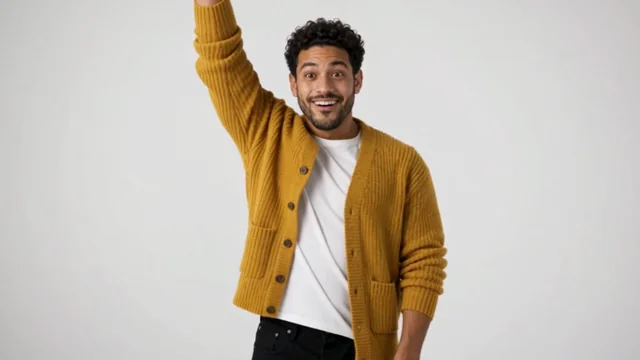 MP4
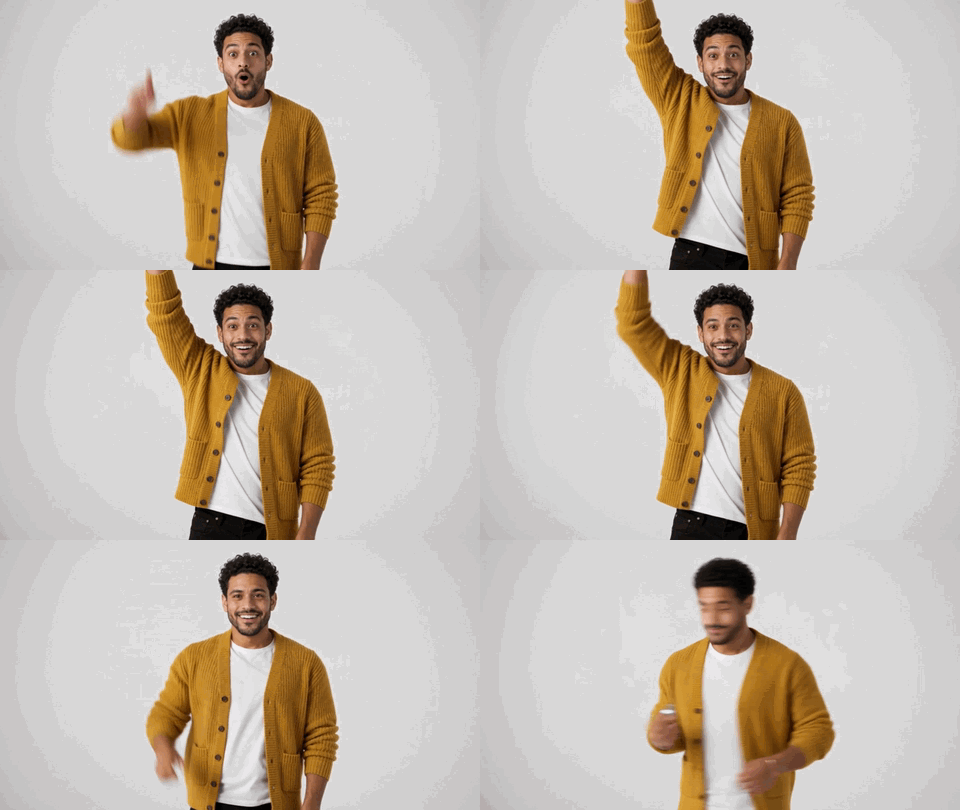 GIF

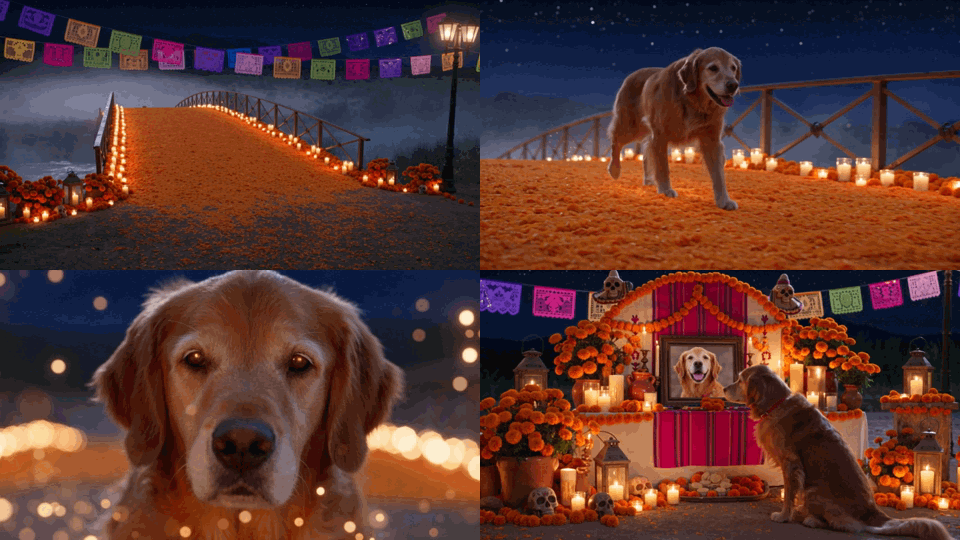 GIF
How to Make a GIF
Three steps, all inside your browser tab.
Add a video or images
Pick Video to GIF for a clip. Pick Images to GIF for photos or drawn frames. Drop your files into the box.
Set up the GIF
For a video, choose the start, the end, the frame rate and the width. For images, set the order and the time per image.
Make and download
Press Make GIF. Watch the preview and check the file size. Download the GIF when it looks right.
Video to GIF: Turn a Clip into a GIF
Convert a video to GIF without uploading it. The GIF maker reads the file on your device. It turns one short moment into a loop.

Pick the moment
Set a start time and an end time. A single GIF can last 15 seconds at most. Keep only the part that tells the story. A reaction or a punchline often needs just 2 to 4 seconds.
Choose the frame rate
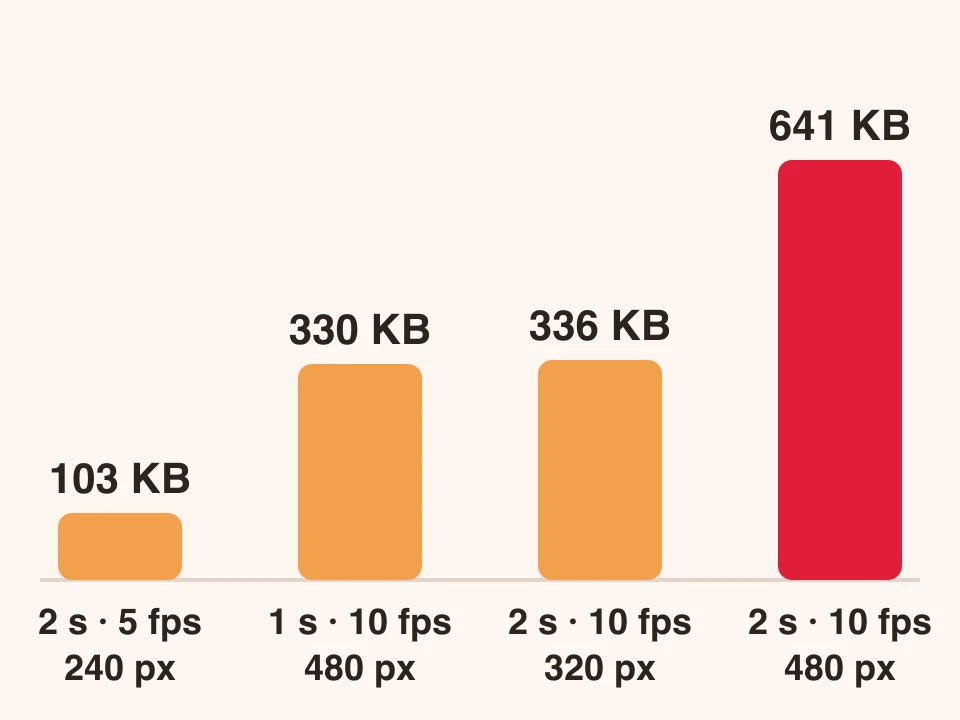
5 fps gives a choppy, flipbook feel and a small file. 10 fps looks smooth for most clips. 15 fps suits fast motion, like sports or dance. Each step up adds frames and size.
Choose the width
Widths are 240, 320, 480 and 640 px. Height follows the shape of the video, so nothing is stretched. Chats and forums are fine with 320 or 480. Use 640 when small detail matters.
Count the frames
Frames equal seconds times fps. A 4-second clip at 10 fps has 40 frames. The largest video GIF is 15 seconds at 15 fps, or 225 frames. Fewer frames mean a lighter file.
Plan a clean loop
Every GIF loops forever. The jump from the last frame to the first is easy to spot. Choose an end point that looks close to the start. Then the loop feels seamless.
Clips that work as GIFs
Reaction shots, pet moments and tutorial steps work well. So do a product turning on a table and short screen recordings. Pick motion that still makes sense without sound.
Images to GIF: Turn Photos into an Animated GIF
Join up to 60 pictures into one looping GIF. Use photos, screenshots, drawings or frames you made in another app.
Set the order
Use the arrows to move an image up or down. Remove any image you don't want. It plays from the top of the list to the bottom, then starts again.
Time per image
Each image stays on screen for 0.1, 0.2, 0.5, 1 or 2 seconds. One setting applies to the whole GIF. Every picture gets the same time.
Flipbook or slideshow
Use 0.1 or 0.2 seconds for drawn animation frames. Use 1 second or longer for a photo slideshow. 0.5 seconds suits a before-and-after pair.
Mixed image sizes
The first image sets the shape of the GIF. Other images are scaled to fit inside that shape, without stretching. They sit in the center. Any empty space is filled with white.
Put the right image first
A wide photo first makes a wide GIF. A tall phone screenshot first makes a tall GIF. Move the image with the shape you want to the top.
Same width options
The image to GIF tab offers the same widths as the video tab. Height follows the first image. A long slideshow at a large width makes a large file.
A Free GIF Maker That Keeps Files on Your Device
Potto's free GIF maker does all the work in your browser tab. No server ever sees your video or photos.
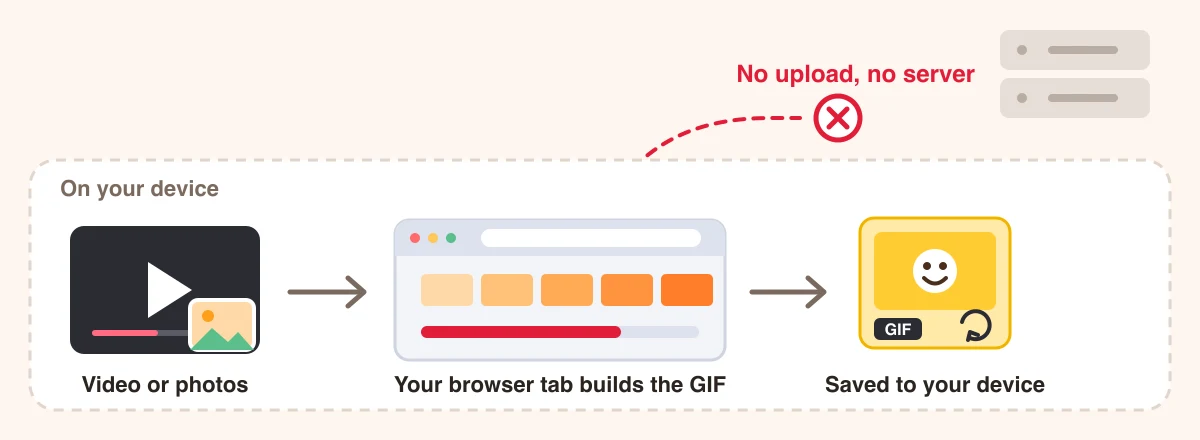
Nothing leaves your device
Your browser decodes the files and encodes the GIF itself. Private clips, screen recordings and family photos stay on your computer or phone.
No account, no credits
You don't sign up to use the GIF maker. It never takes credits from a Potto balance. Open the page and start.
Clean downloads
The GIF you save has no logo and no watermark. It contains only the frames you chose, at the size you picked. There is no app, plugin or extension to install.
What to Know Before You Make a GIF
Two limits decide how a GIF looks and how big it gets.
256 colors per frame
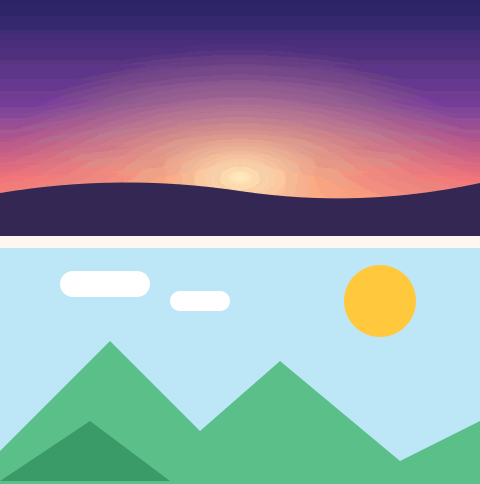
A GIF frame can hold at most 256 colors. Cartoons, flat graphics and screen recordings look clean. Skies, skin and soft gradients may show visible bands.
Bigger settings, bigger files
File size grows with length, frame rate and width. Some sites cap the size of uploads. Check the GIF size before you post there.
Choose Your Plan
Choose your credits and generation priority. Potto does not add a visible watermark to your downloads.
Lite
Black Friday -50%Choose Lite$16$8/monthBilled $96 for the first year, then $192/year
- 2,000 monthly credits
- Up to 86 fast images
- Standard queue
- No Potto watermark
- Batch image tools
- Private creations
- All premium skills
Pro
Black Friday -50%Choose Pro$40$20/monthBilled $240 for the first year, then $480/year
- 5,000 monthly credits
- Up to 217 fast images
- Priority queue
- No Potto watermark
- Batch image tools
- Private creations
- All premium skills
- Recommended
Max
Black Friday -50%Choose Max$80$40/monthBilled $480 for the first year, then $960/year
- 15,000 monthly credits
- Up to 652 fast images
- Highest priority queue
- No Potto watermark
- Batch image tools
- Private creations
- All premium skills
GIF maker FAQs
Answers on cost, privacy, formats, length and file size.
What is a GIF maker?
A GIF maker is a tool that turns video or images into an animated GIF. A GIF is an image file that holds many frames. It plays them in a loop, with no play button and no sound. Some people call it an animated GIF maker. Potto's free GIF maker does this inside your browser.
Is this GIF maker really free?
Yes. The GIF maker costs nothing and never uses credits. You don't need an account. Your download carries no watermark or logo.
Does this online GIF maker upload my files?
No. You open it in a web page, but the work happens on your device. Your browser reads the video or images and builds the GIF locally. The files are never sent to Potto's servers.
How do I convert a video to GIF?
Open the Video to GIF tab and drop in your clip. Set the start and end times. Pick a frame rate and a width. Press Make GIF, check the preview, then download.
Which video formats does the GIF maker accept?
It accepts any video your browser can play. MP4 and WebM are the safest picks. Most MOV files from phones open too. A video file can be up to 500 MB. If the browser can't play a file, convert it to MP4 first.
How do I make a GIF from photos?
Open the Images to GIF tab. Add up to 60 PNG, JPG or WebP files. Put them in order and choose how long each one stays on screen. Press Make GIF to get a photo-to-GIF loop.
How long can a GIF be?
A video GIF covers up to 15 seconds of your clip. An image GIF holds up to 60 images. At 2 seconds per image, that is a two-minute loop. Shorter GIFs load faster and are easier to share.
Does the GIF include sound?
No. GIFs are silent, and any audio in your video is dropped, so a video to GIF conversion keeps only the picture. Choose a moment that reads well with the sound off.
How do I make a GIF file smaller?
Shorten the clip first, because every second adds frames. Then lower the frame rate or pick a smaller width. Your GIF size appears with the result, so you can compare tries. Flat colors also compress better than busy photos.
Why is my GIF slow to build?
The GIF maker encodes on your own processor, so a long clip at 15 fps and 640 px takes the longest. Choose a lower fps, a smaller width or a shorter clip if a GIF feels slow to build.
Can I add text, crop or edit an existing GIF?
No. This GIF maker only makes new GIFs from video or images. It does not add captions, stickers or crops. It cannot open a GIF you already have, and it does not export MP4.
How is the GIF maker different from the AI GIF generator?
The GIF maker converts files you already have. It is free and works in your browser. The AI GIF generator draws a new loop from a sentence you write. It needs an account and uses credits.
What if I don't have a video or photos yet?
Try the AI GIF generator. It draws a short loop from one sentence, such as a waving cat or a steaming mug. It uses credits and needs an account.
Make a GIF in your browser
Drop in a video or a few photos. Pick the settings, then download your GIF. No sign-up needed.