
Skip to content
Potto AI

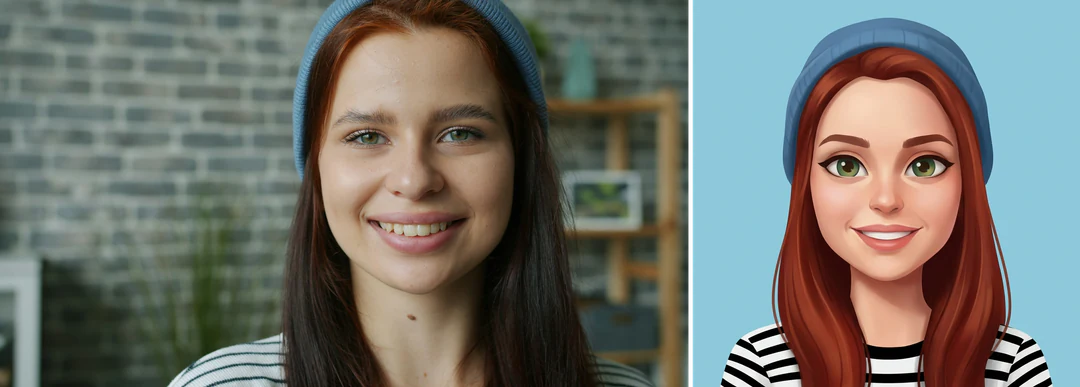
Avatar maker: the same portrait before and after

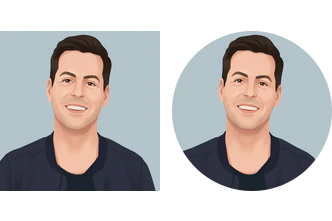
One reference portrait and the avatar generated from it, in the template's fixed 1:1 ratio.

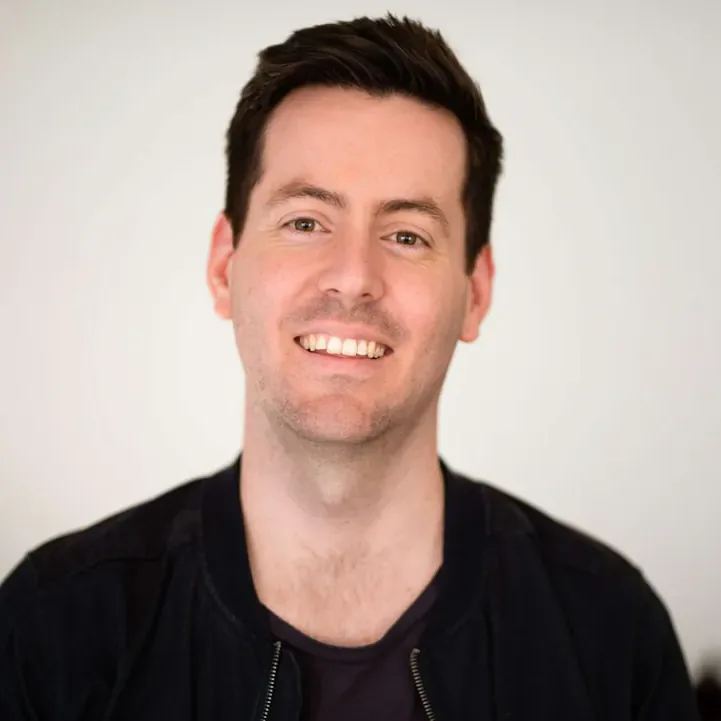
Original portrait photo before the avatar treatment
Original portrait
Stylized square avatar generated from the same portrait photo
Avatar maker result · 1:1

What stayed

The recipe asks the model to keep the hairstyle, hair color, skin tone and key facial features recognizable. The eyes, hairline, glasses and smile matter more for recognition than skin texture, which the illustration simplifies anyway.

What changed

The photo becomes a stylized, square head-and-shoulders avatar with expressive eyes, smooth shading and a simple avatar background in flat color. The illustration look comes from the fixed recipe, so the panel offers no style choice.

What to check

Check the face first, then view the avatar at icon size as a small square and as a circle, because a circular crop removes the corners. A changed expression can read as a different person, so compare the mouth and eyebrows with the original before you approve it.

Where a stylized avatar fits

Three common uses. In each one the avatar is a static square profile image, and the account name and bio stay as real text.

Photo of a young woman in a blue beanie beside the stylized avatar made from it

1:1 · Community

Community profile

Use a portrait that already feels like how you want to appear. Create a stylized profile avatar, then view it as a small square and circle. The face should stay the focus without relying on tiny clothing details. A highly stylized image may suit a hobby group better than a formal one, so choose a result that fits the community.


Illustrated avatar of a smiling bearded man, one approved avatar ready to reuse across profiles

1:1 · Creator

Creator or small team

A creator can keep a recognizable face with an illustrated look. Use one approved avatar across platforms instead of generating a new face for each, since separate generations can drift. For a team, each person reviews their own result; separate runs do not promise a matching set.

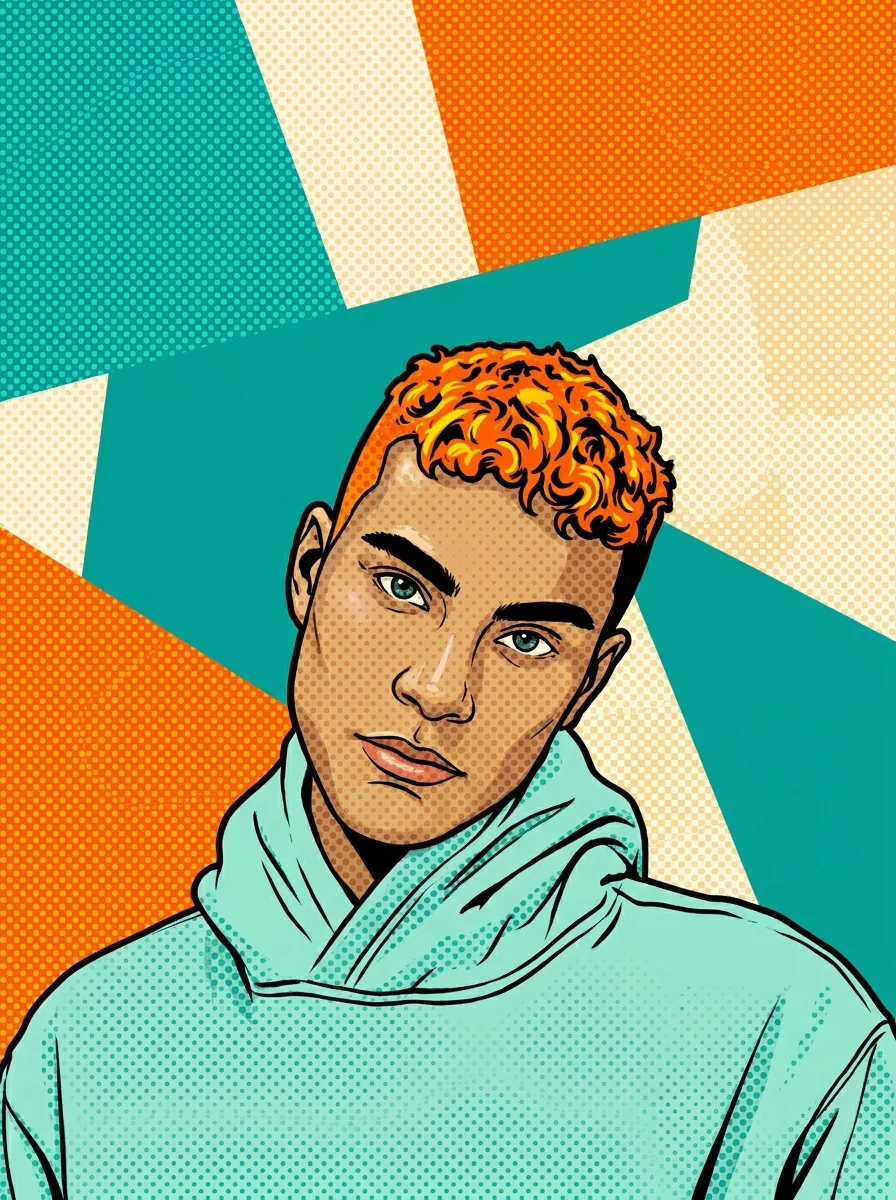
Illustrated avatar of a man in a yellow hoodie at icon size in a circular profile crop

1:1 · Account

Private chat or gaming account

A static avatar can make a profile friendlier without using a photo. Check that it still reads at icon size, and check the circular crop for room around the head. It keeps recognizable features, so it does not make you anonymous. It is one image, not an animated avatar or a character rig.

How to make an avatar from a photo

Upload a portrait, check the fixed output, then test the avatar in a small square and a circle.

  1. 1. Upload one portrait

    Add one JPG, PNG or WebP image up to 20 MB. Choose a photo with a visible face, a clear hairline and an expression you want to carry into the avatar, and use one you own or have permission to edit.

  2. 2. Check the fixed settings

    There is no style, ratio or size selector; the panel shows the fixed output, one square 1:1 PNG at HD from Nano Banana Pro. Leave room around the head in your photo, because many profiles crop the square into a circle.

  3. 3. Generate and compare

    Each avatar costs 45 credits, shown on Generate before you confirm. When it is done, compare it with your portrait, check the profile crop, then download it and keep the approved square as your original.

What the avatar maker does to your portrait

An AI avatar generator with one fixed illustration treatment that keeps the person recognizable at profile size.

  1. 01

    Start from a portrait with a clear face

    The avatar maker works from one photo, so the face, hairline and expression you upload are what the avatar will carry. Leave room around the head, because many profiles crop the square into a circle.

    • One JPG, PNG or WebP portrait per run
    • Pick an expression you want to keep
    Portrait of a smiling man in a dark jacket against a light wall
    Original portrait used as the reference
  2. 02

    A stylized head-and-shoulders avatar

    The photo is redrawn as a square head-and-shoulders avatar with expressive eyes, smooth shading and a simple flat-color background. The hairstyle, hair color, skin tone and key facial features stay recognizable, and the illustration look is the same on every run.

    • The illustration look is fixed, so there is no style menu
    • One 1:1 HD PNG per run
    Stylized square avatar of a smiling man on a pale blue background
    Avatar result · 1:1
  3. 03

    Test it as a small square and a circle

    An avatar lives at icon size. View the result as a small square and as a circle, check that the face still reads, and compare the mouth and eyebrows with the original so a changed expression does not look like a different person.

    • Keep one approved avatar and reuse it across profiles
    • Check the circular crop for room around the head
    Avatar maker result shown as a small square and as a circle
    Square and circle crop test

Keep exploring Potto AI

Other portrait treatments to compare with your avatar.

Avatar Maker FAQs

  1. What is an avatar maker?

    An avatar maker creates the image that represents a person or character on a profile. This one works as an AI avatar generator: it turns one reference into a square, stylized head-and-shoulders avatar from your photo, with expressive eyes and a flat-color background. It supplies an image, not account verification, an animated avatar or a character rig.

  2. Can I change the recipe or choose a style?

    No. Every result is the same square head-and-shoulders avatar with expressive eyes, smooth shading and a simple flat-color background, with no style selector. For bold outlines and flat color, use AI Cartoon Generator; for a realistic work portrait, use AI Headshot Generator; for your own illustrated direction, write it in the AI image generator.

  3. Which portrait works best for an avatar?

    Use a portrait whose face and hairstyle are clearly separated from the background and whose expression you want to keep. Strong glare on glasses, hair across the face or a hand near the mouth hides cues the avatar needs. Leave room around the head, since many profiles crop the image into a circle. JPG, PNG and WebP are accepted, up to 20 MB, one photo per run.

  4. Will every new image look like the same avatar?

    Consistency is not guaranteed across separate generations. Save one approved image and adapt its crop for different profile uses. If you generate another scene or version, compare the face, hair, expression, and palette with that approved reference as a new review.

  5. Why should I test a circular crop?

    Many profile placements crop a square image into a circle. Important hair or face detail near the corners can disappear. Test the destination crop at its real size and keep the uncropped square original so future placements have a complete source.

  6. Can I use one avatar across several profiles?

    Yes, and it is usually better than generating a new face for each profile. Keep the approved square image as the source, use clear filenames, and make destination-specific crops from it. A stylized avatar becomes familiar through consistent use, while independent generations can change facial details and palette.

  7. How is an avatar different from a headshot?

    An avatar is a stylized, illustrated static image for a profile, while a headshot is a photographic professional portrait. An informal community may welcome an avatar, while a speaker page may need the photographic look. Choose by context, and keep in mind that neither verifies identity, role or qualification.

  8. How much does an avatar cost, and what file do I get?

    45 credits per run for one 1:1 PNG at HD, made with Nano Banana Pro. The amount appears on the Generate button before you confirm. HD is an output tier, not a print-size guarantee, so check the downloaded dimensions before using the avatar outside a profile.

Potto AI

Create your avatar

Upload one clear portrait, review the credit estimate, and test the finished avatar in a small square and circle before you use it.