Skip to content
Potto AI

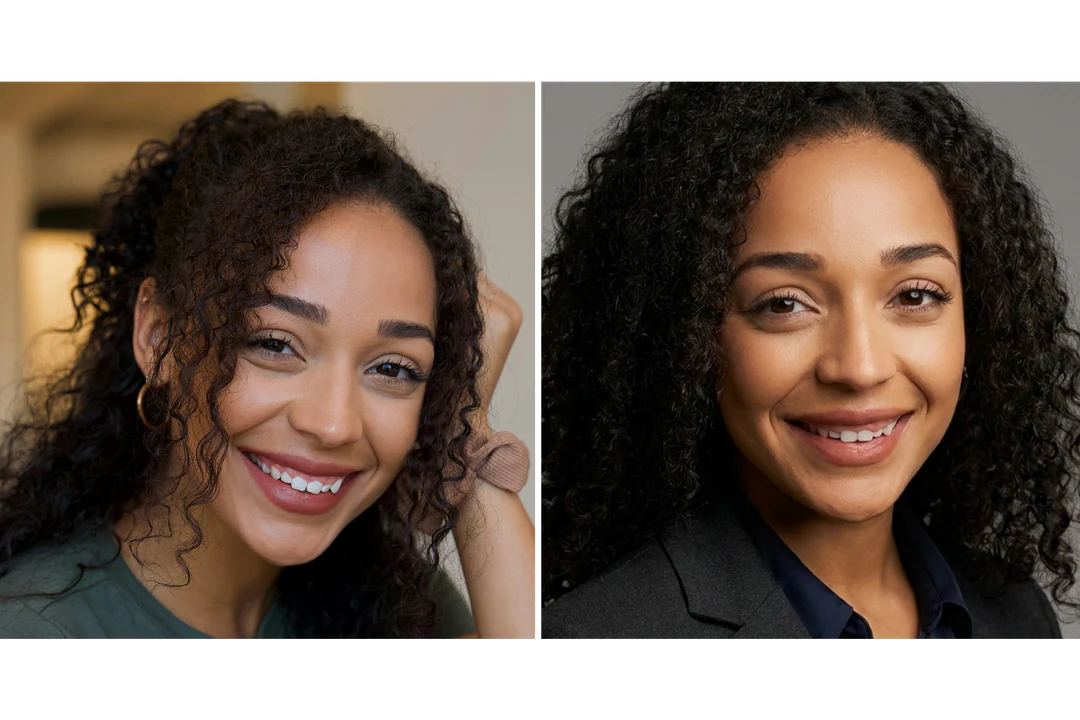
AI headshot generator: the same photo before and after

One reference photo and the headshot generated from it. The result uses the closest supported ratio to your photo.

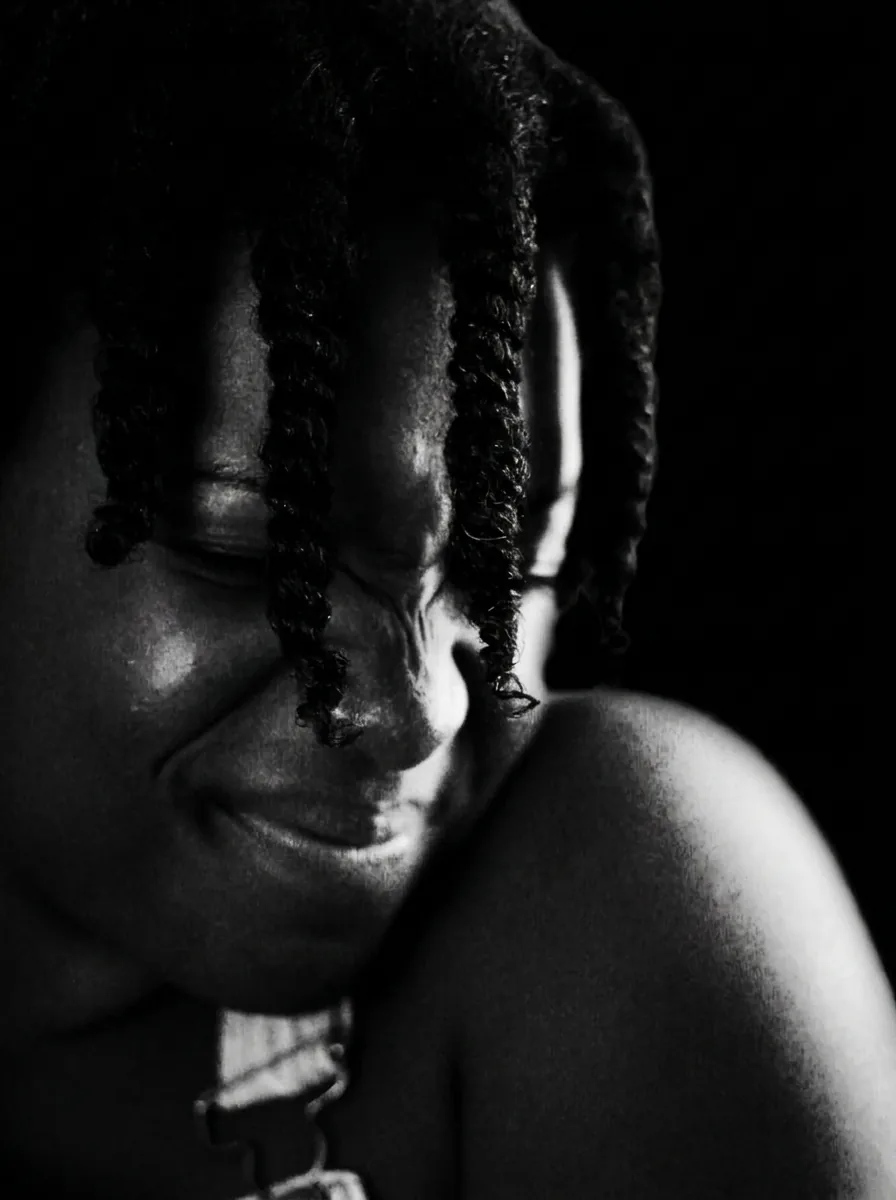
Original portrait photo before the AI headshot treatment
Original photo
Professional headshot generated from the same portrait photo
AI headshot generator result

What stayed

The recipe asks the model to keep the person's identity, face, skin tone and hairstyle. Compare the eye spacing, the mouth and the hairline with the original: they decide whether colleagues would still recognize the person in a profile.

What changed

The photo becomes a head-and-shoulders portrait facing the camera, with tailored business attire, a neutral studio background and soft lighting. The clothing, collar and background are generated by the model; they do not come from your original photo.

What to check

Review the facial features first, then look at the collar, shoulders, glasses and earrings for merged or invented details. Smooth skin can hide natural variation. A professional look is not an official identity photo, so check the destination’s own photo rules before you publish.

Where an AI headshot generator fits

Three places a professional headshot is used. In each one the image shows the person, and your own layout carries the name and role.

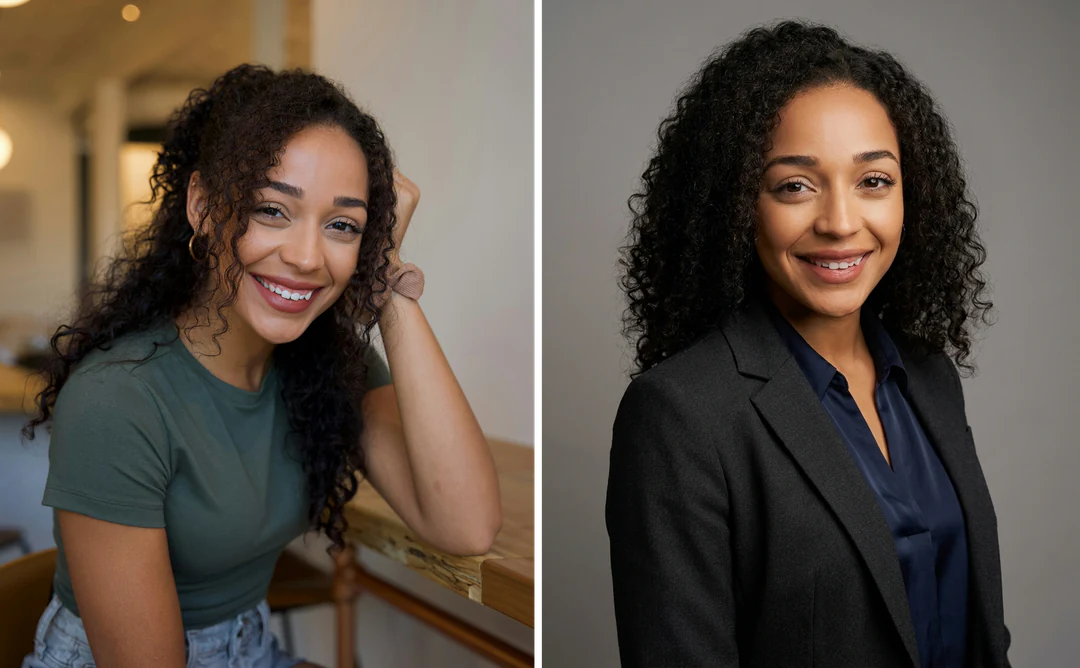
Casual photo of a smiling woman beside a professional AI headshot of the same person

Input ratio · Profile

Professional profile

A profile photo is usually shown small, so the expression, eye line and face shape matter more than studio detail. Pick a reference with a clear view of the face, then review the headshot as a thumbnail and at full size. Review the face before publication, in the actual crop of the platform, which may be a circle.
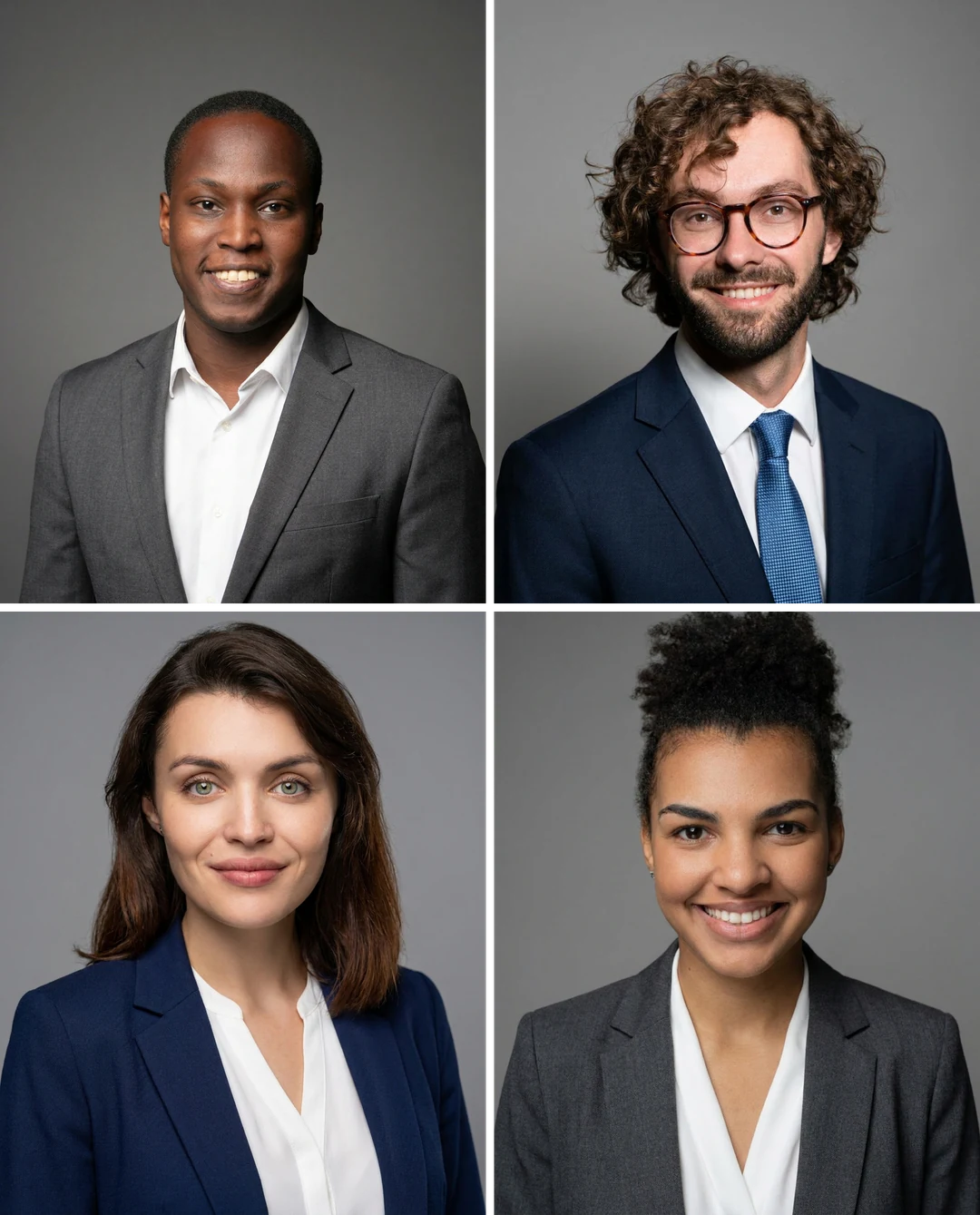
Four AI headshots of different people with consistent framing and backgrounds for a team page

Input ratio · Team page

Team page or staff directory

Prepare a team headshot by letting each person approve their own portrait before the page goes live. Independent generations can differ in head size, framing and tone, so compare the set for consistency after checking each face. Keep names and roles as editable page text, because the image proves neither position nor affiliation.

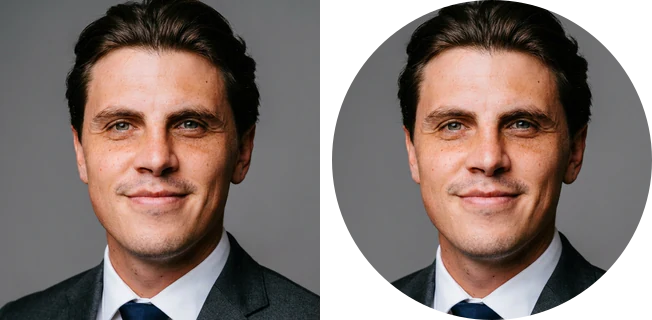
AI headshot of a man in a light blue shirt shown in a square crop and a round crop for a speaker page

Input ratio · Speaker

Speaker, author or portfolio

Organizers, program pages and portfolio sites crop portraits in different shapes. Prepare a speaker profile image by asking for the placement first, then test the headshot in that crop. Keep the biography outside the image, and reuse one approved portrait across materials so people recognize the same person each time.

How to make an AI headshot from a photo

Upload a portrait, check the fixed output, then compare the face at the same size before you download.

  1. 1. Upload one portrait

    Add one JPG, PNG or WebP image up to 20 MB. Choose a recent photo with visible eyes, an open jawline and even light, and use one you own or have permission to edit.

  2. 2. Check the fixed settings

    There is no outfit, background or style selector; the panel shows the fixed output, one PNG at HD from Nano Banana Pro in the ratio closest to your photo. Crop the photo first if the framing matters.

  3. 3. Generate and compare

    Each AI headshot result costs 45 credits, shown on Generate before you confirm. When the headshot is done, compare the source portrait with it at the same face size, check the likeness, then download it.

What the AI headshot generator does to your photo

Three things to know about the fixed professional headshot treatment before you upload a portrait.

  1. 01

    One ordinary portrait is enough

    The headshot starts from a single portrait, so there is nothing to brief or configure. A clear, recent photo with visible eyes and an open jawline gives the model more to work with than a soft or shadowed one.

    • Accepts one JPG, PNG or WebP portrait per run
    • Use a photo you own or have permission to edit
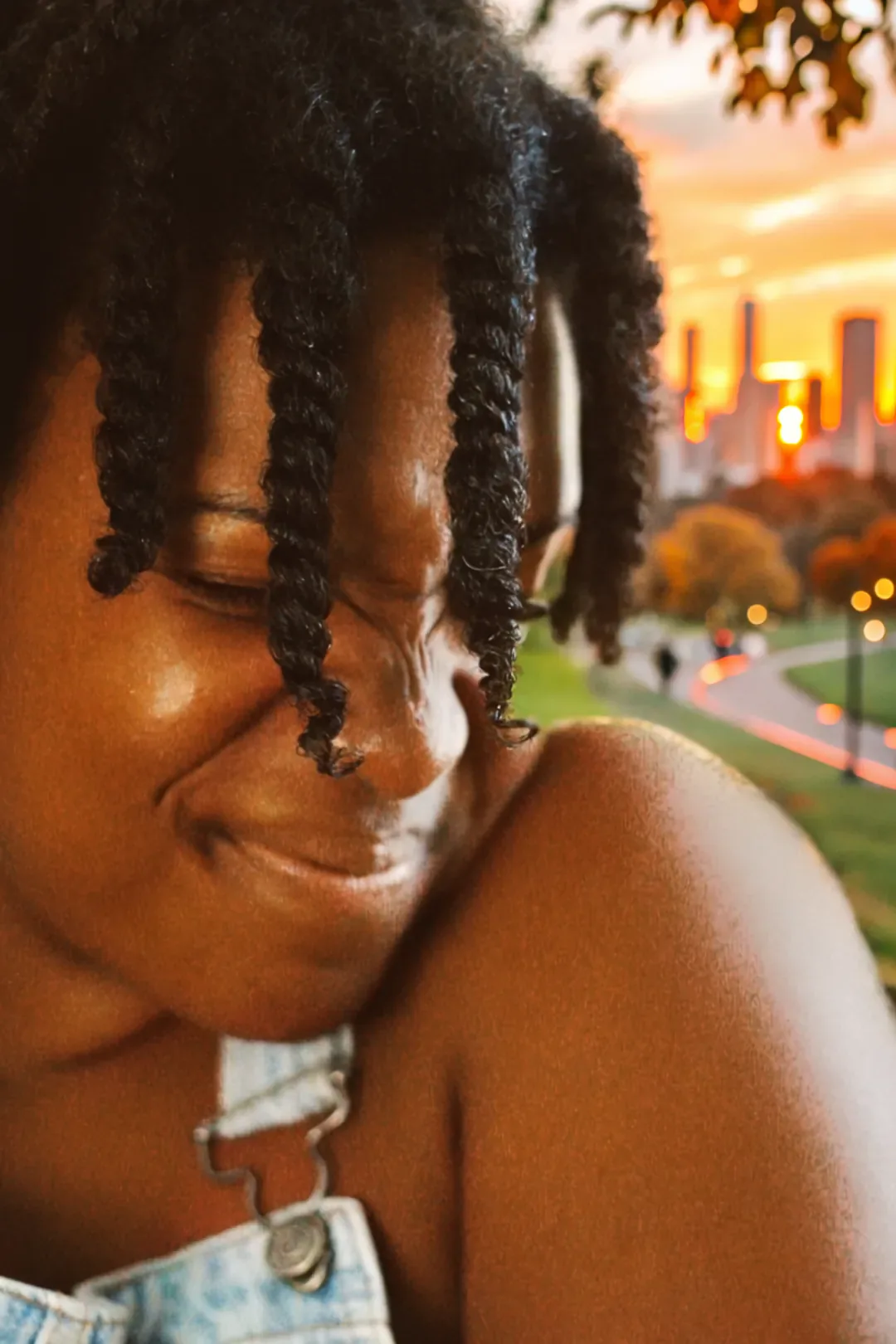
    Original portrait of a smiling woman with twists, photographed outdoors
    Original photo used as the reference
  2. 02

    A corporate look without any setup

    The headshot comes out as a head-and-shoulders portrait facing the camera, in tailored business attire, against a neutral studio background with soft light. There is no outfit, background or style menu, so the treatment is the same on every run.

    • Identity, skin tone and hairstyle are carried over from your photo
    • One HD PNG per run, at the ratio closest to your photo
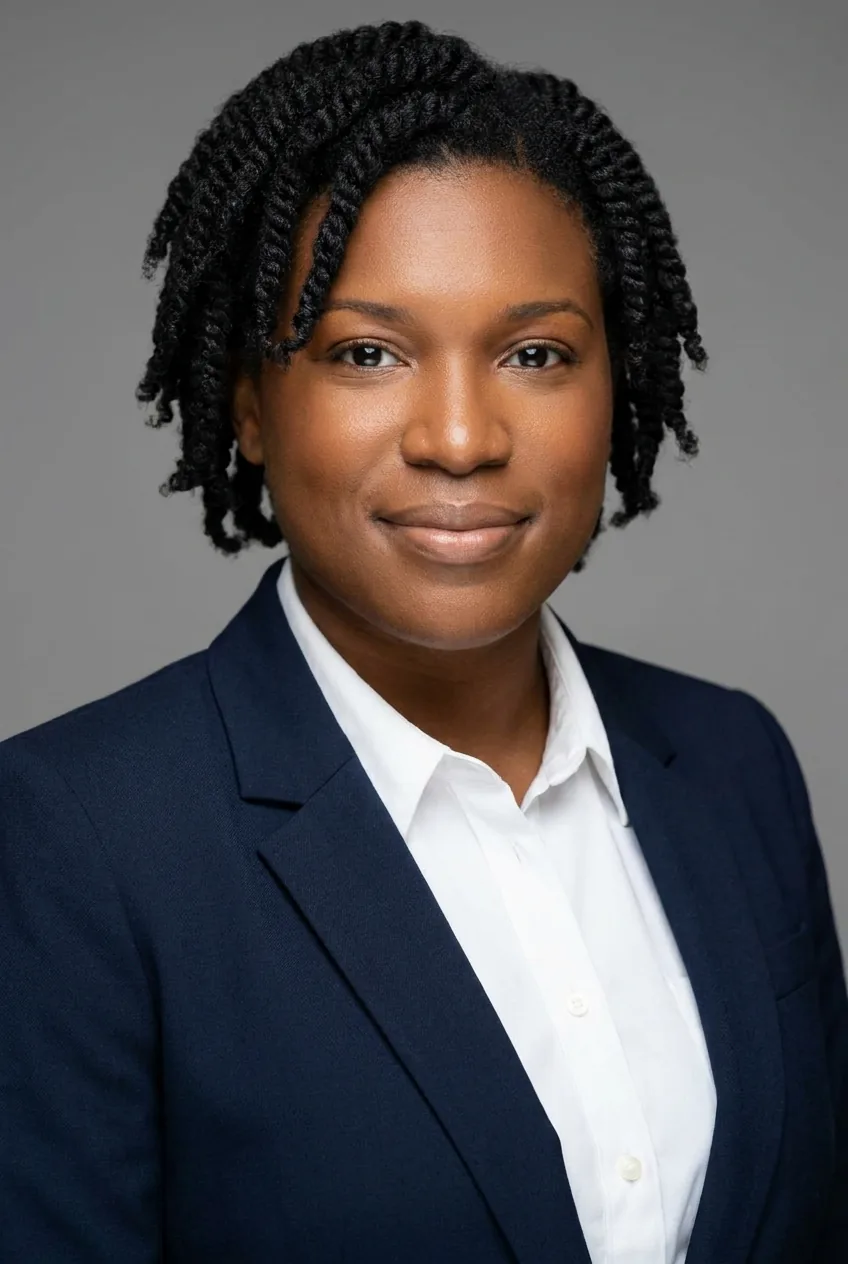
    Headshot of a woman in a navy blazer and white shirt against a grey studio background
    Result of the fixed headshot treatment
  3. 03

    Compare the headshot with your photo

    A professional look is generated artwork, not a verified identity photo. Put the headshot beside your original at the same face size, then check the collar, shoulders, glasses and earrings for merged or invented details before you publish it.

    • Compare eye spacing, mouth and hairline first
    • Try the headshot in the crop your profile page uses
    AI headshot face beside the original photo face at the same size
    Side-by-side face check

Keep exploring Potto AI

Other ways to change a portrait once the headshot is done.

AI Headshot Generator FAQs

  1. What is an AI headshot generator?

    An AI headshot generator turns an ordinary photo into a professional headshot for a profile, a team page or a speaker bio. This one applies a fixed corporate look: head and shoulders facing the camera, business attire, a neutral background and soft light. The output is generated artwork that needs a likeness check, not a verified identity photo.

  2. What is a professional headshot used for?

    A professional headshot visually identifies a person in a profile, biography, team page, or event context. The image should remain recognizable and appropriate for that setting. This template can explore that appearance; it does not verify roles, qualifications, or approval by an employer or event organizer.

  3. Which photo works best for an AI headshot?

    Use one clear, recent portrait with visible eyes, an unobstructed jawline and even light. Heavy shadow on one side, glare on glasses or a tiny face in a group shot leave the model little to work from. The template takes one photo per run; use one you own or have permission to edit, in JPG, PNG or WebP up to 20 MB.

  4. Can I use it for a passport or official ID?

    This page does not promise compliance with official-photo requirements. Each institution has its own current rules about capture, editing, framing, and submission. Use the required photographic process for that task. A neutral background and corporate appearance do not establish acceptance.

  5. Should a team review the portraits individually?

    Yes. Have each person compare their face, hair, expression, and clothing with the reference, then review the set for framing and tone. Independent generations can differ even with the same preset. Keep names and roles in editable text and obtain the appropriate approval before publishing.

  6. Why might the result look less like the person?

    The model interprets features rather than copying them. Hidden eyes, glare on glasses, heavy shadow or an unusual expression can leave details ambiguous, and a generated smile can change the teeth and the corners of the mouth. Compare headshots with their references when you review several candidates: eye spacing, mouth shape, age cues and distinctive accessories. Reject a result that changes the likeness, however polished the background looks.

  7. Can I choose the outfit, background or a different style?

    No. Every result is the same corporate head-and-shoulders portrait with business attire and a neutral background; there is no outfit, background or style selector. To change only the clothes, use AI Clothes Changer; for an illustrated profile picture, use Avatar Maker; for a dramatic monochrome portrait, use Black and White Photo.

  8. What does an AI headshot cost, and what file do I get?

    45 credits per run for one PNG at HD in the supported ratio closest to your photo, made with Nano Banana Pro. The amount appears on the Generate button before you confirm.

Potto AI

Create your AI headshot

Upload one clear portrait, review the credit estimate, and compare the finished headshot with your original before using it.