Skip to content
Potto AI

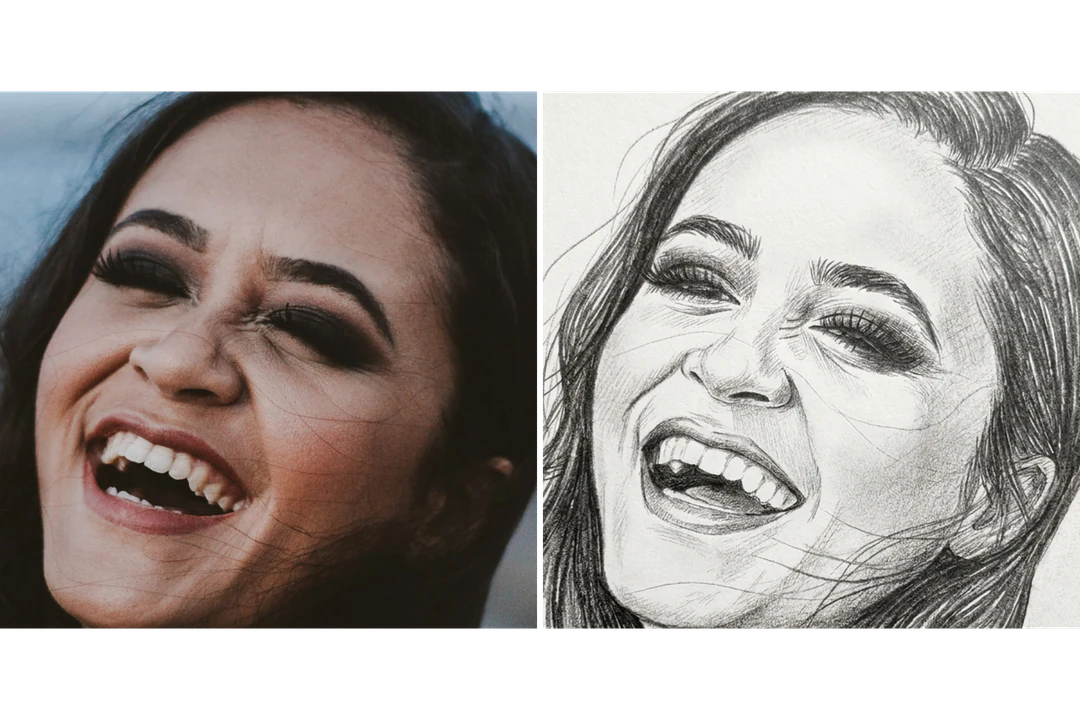
Photo to sketch: the same portrait before and after

One reference photo and the pencil sketch generated from it. The result uses the template's fixed 3:4 ratio.

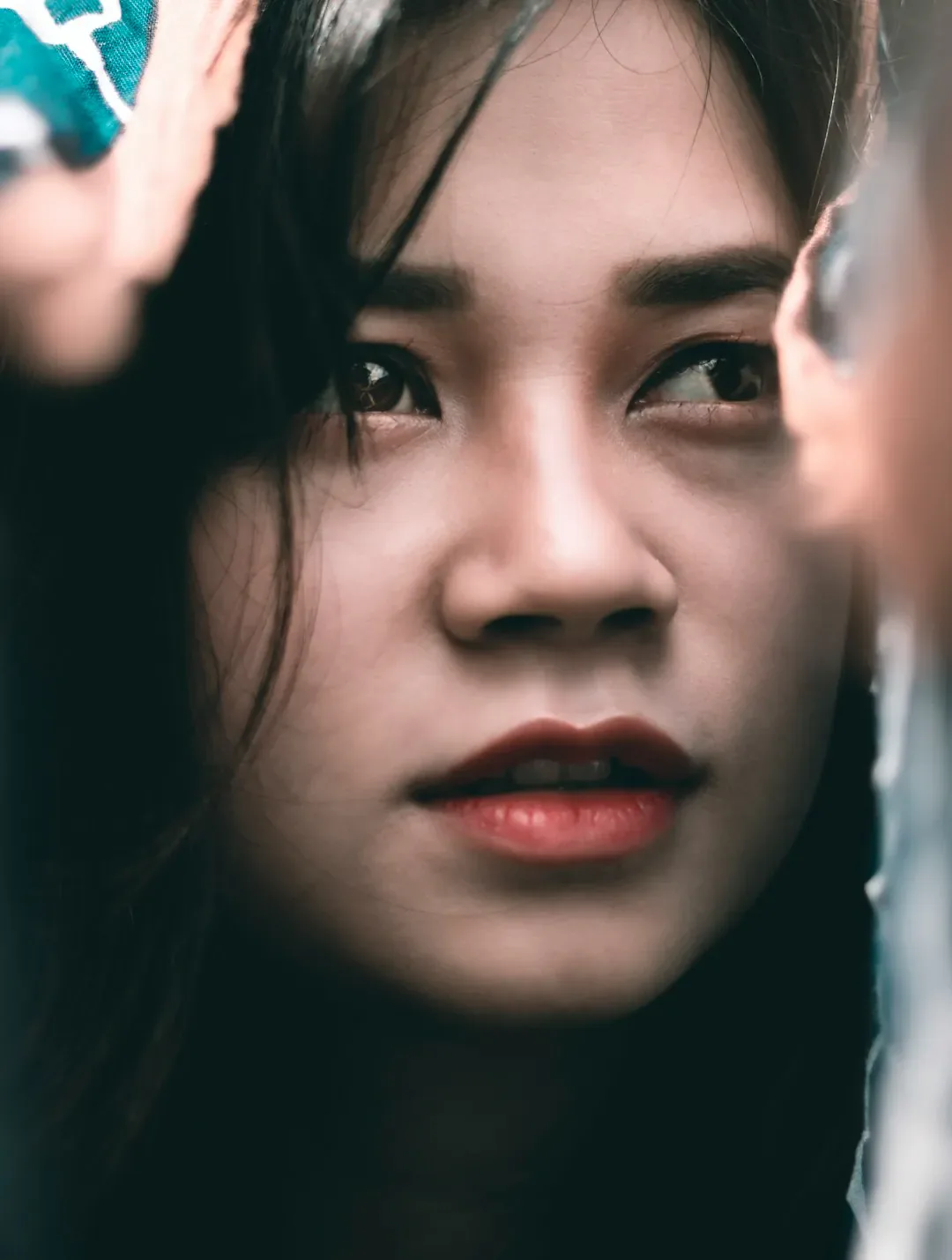
Original portrait photo before the photo to sketch treatment
Original photo
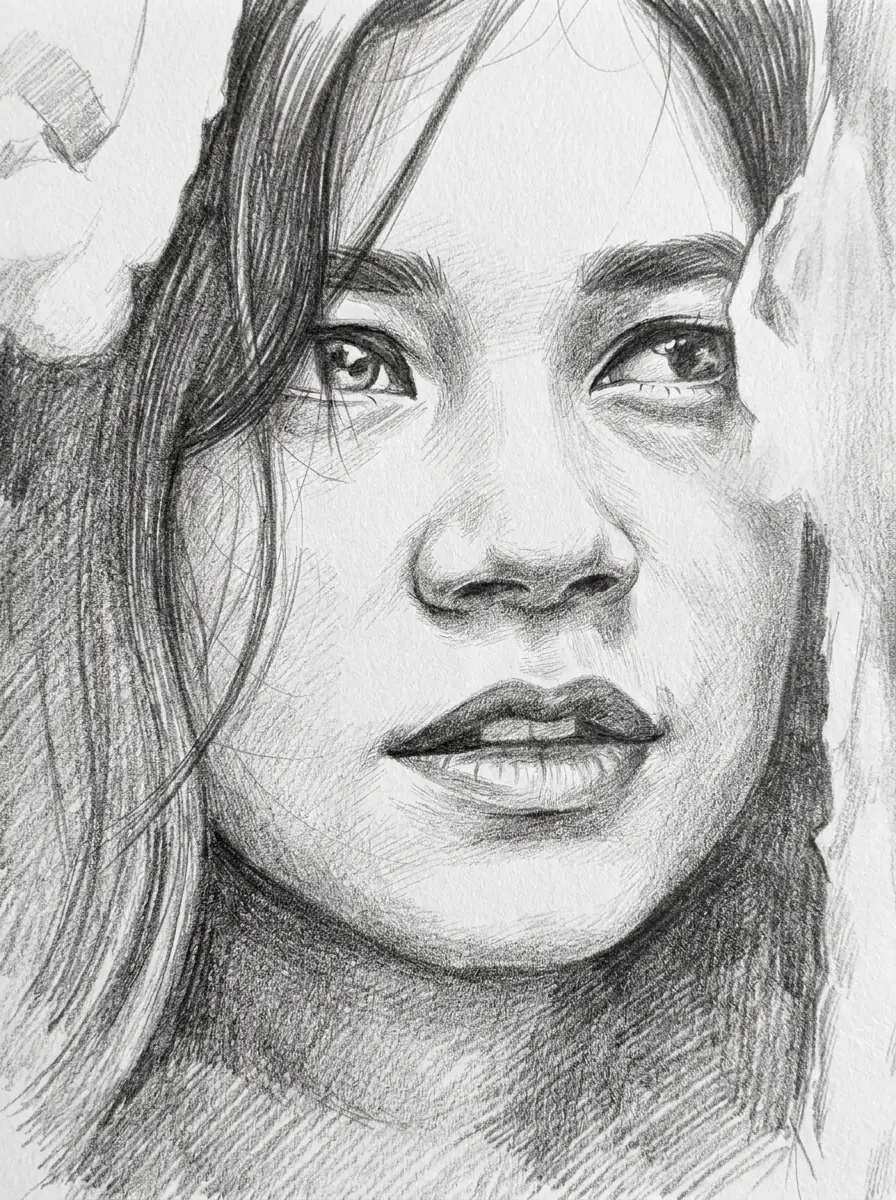
Graphite pencil sketch generated from the same portrait photo
Photo to sketch result · 3:4

What stayed

The recipe asks the model to keep the person's identity, face, expression and pose. Compare the eye spacing, the smile and the jaw with the original. They decide whether the portrait is still recognizable.

What changed

The photographic surface becomes graphite pencil on textured white paper, with fine hatching and soft shading. Hair, clothing and background turn into pencil values, so small shapes such as glasses frames or earrings may be simplified.

What to check

The face is interpreted, not traced. Look for a shifted eye, a changed smile, glasses merged with the eyebrow, or loose hair turned into a hard outline. If a detail matters, try a clearer source photo.

Where a photo to sketch portrait fits

Three common uses. In each one the pencil sketch is the image, and your own layout carries the text.

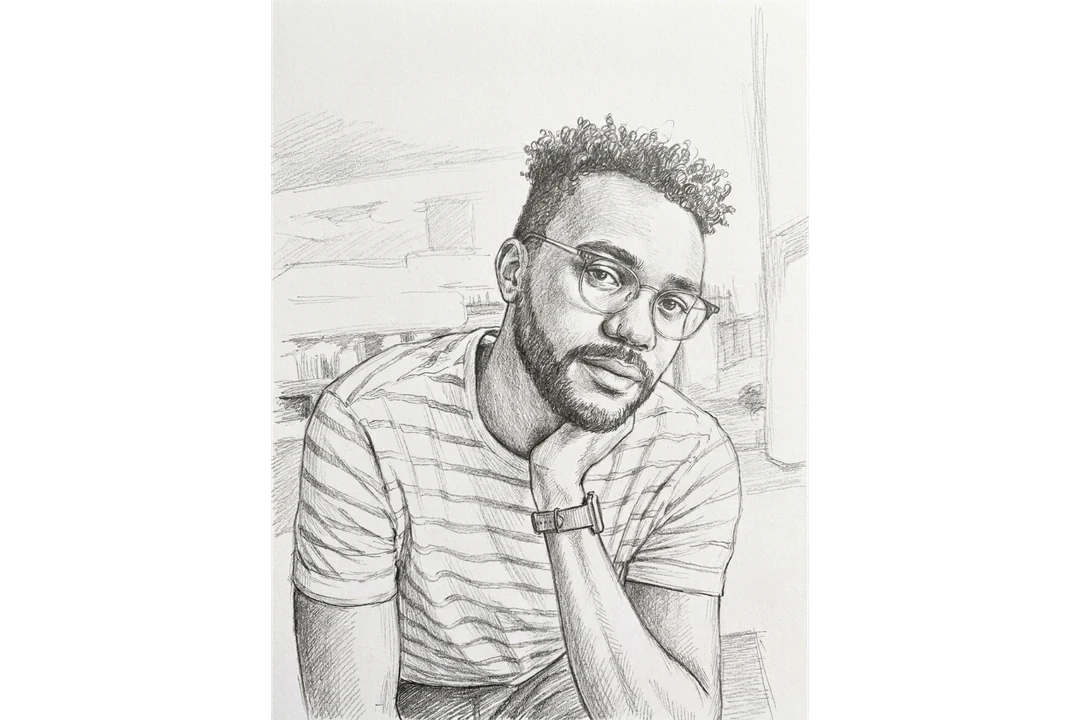
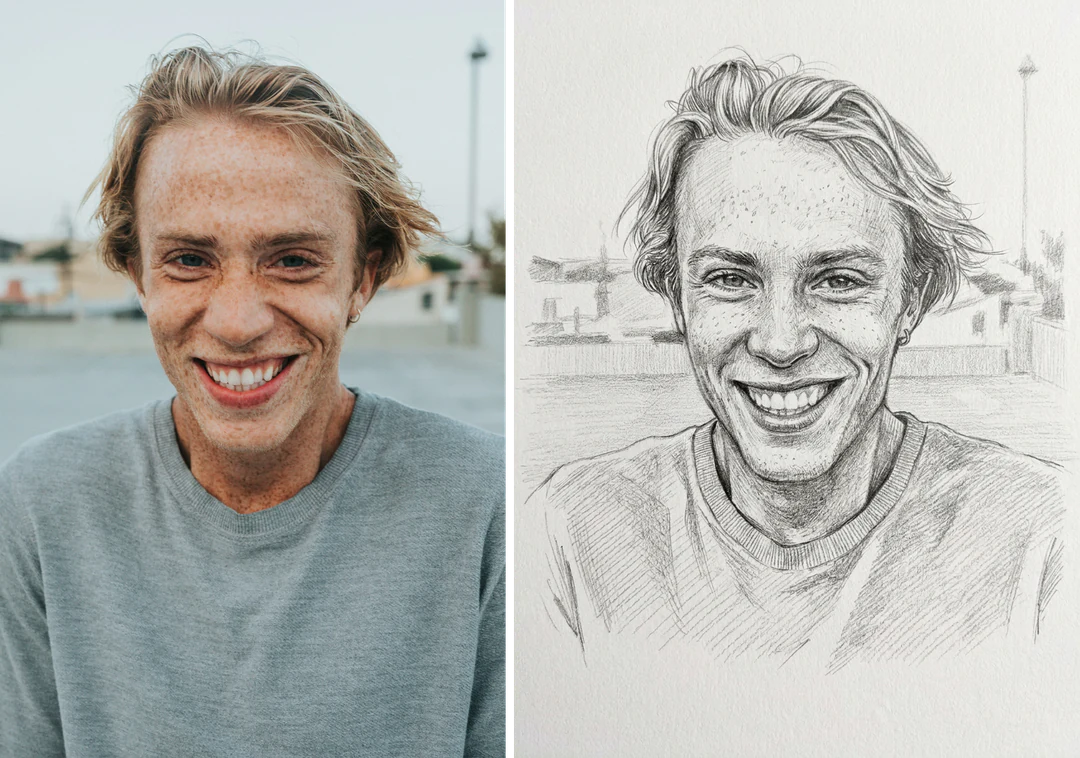
Smiling man's photo beside the graphite pencil sketch portrait made from it with the photo to sketch template

3:4 · Gift

Portrait gift

Pick a photo where the person's usual expression is clear, then check the eyes, mouth and face shape against the original. Add names and dates in your own layout app, where you can verify the spelling. The sketch is generated artwork from a photo you chose, not a hand-drawn piece, so describe it that way.
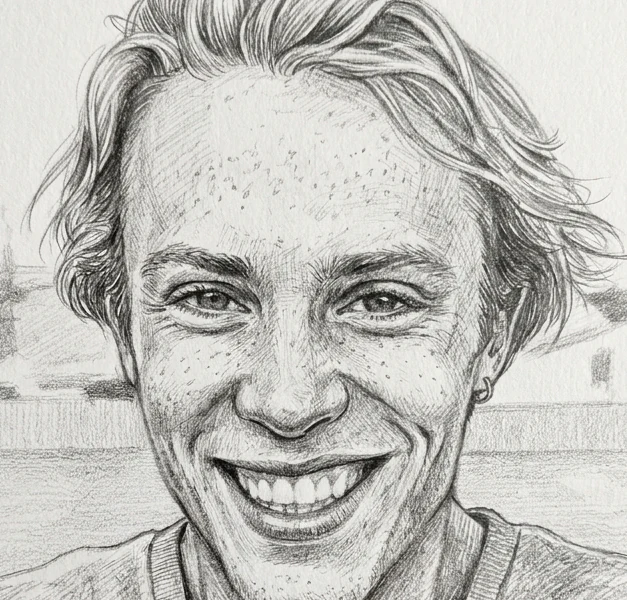
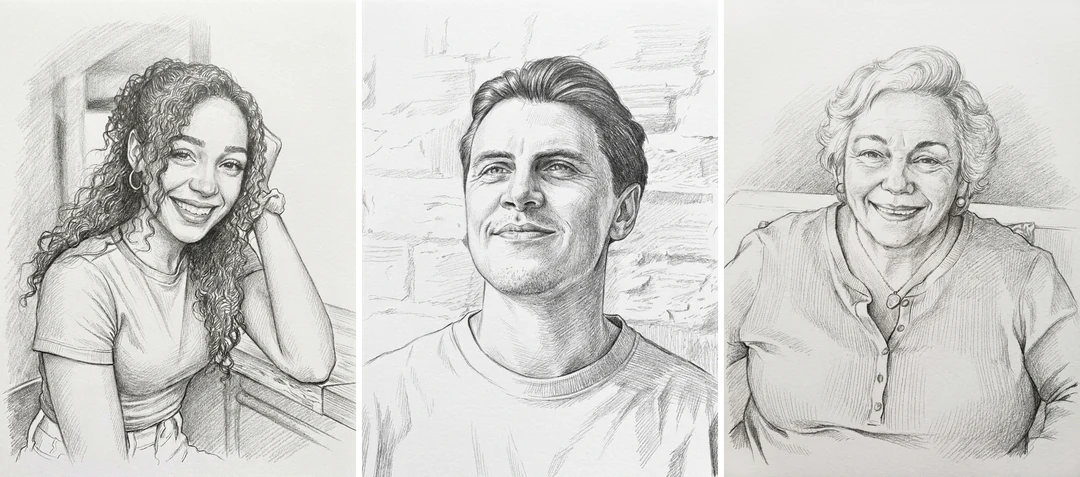
Photo to sketch portrait of a smiling man cropped to a small byline size, with eyes and smile still readable

3:4 · Profile

Author or profile portrait

A pencil portrait can sit beside a byline or biography when a plain photo feels heavy. Reduce it to the size where it will appear, because fine hatching can turn into a dark patch. Compare it with a current photo before publishing, and keep the name and bio as real text outside the image.

Three photo to sketch portraits of different people in similar framing, shown side by side as pencil sketches

3:4 · Keepsake

Family set or memory book

Choose photos with similar framing, generate one portrait per run, and review each result on its own. Keep the original photo in your archive and label the sketch as an edited version. Arrange the accepted images in your own layout; the template does not make a collage or a matched batch.

How to turn a photo into a sketch

Upload a portrait, check the fixed output, then compare the sketch with your photo before you download.

  1. 1. Upload one portrait

    Add one JPG, PNG or WebP image up to 20 MB. Choose a photo with clear eyes and a visible jawline, and use one you own or have permission to edit.

  2. 2. Check the fixed settings

    There is nothing to pick here: the panel shows the fixed output, one 3:4 PNG at HD from Nano Banana Pro. Crop your photo first if the framing matters.

  3. 3. Generate and compare

    Each photo to sketch result costs 45 credits, shown on Generate before you confirm. When the sketch is done, compare it with your original, check the face and line work, then download it.

What photo to sketch does to your portrait

One portrait goes in and one graphite pencil sketch comes out. Here is what the fixed recipe keeps, what it changes and what you control.

  1. 01

    Start from one clear portrait

    Photo to sketch takes a single portrait photo and applies a fixed pencil recipe. A clear face in even light gives the sketch the most to work with, so choose the photo before you upload it.

    • One photo in, one sketch out
    • JPG, PNG or WebP up to 20 MB
    A portrait photo of a young woman looking upward, the source for a photo to sketch run
    The source photo before the sketch
  2. 02

    Graphite pencil on textured paper

    Every pencil sketch uses the same graphite treatment: fine hatching and soft shading on textured white paper. Hair, clothing and background become pencil values instead of colors, and the paper texture is part of the image, not a transparent background.

    • Fine hatching and soft shading
    • Fixed 3:4 portrait ratio
    A graphite pencil sketch generated from a portrait photo
    Photo to sketch result · 3:4
  3. 03

    The face is interpreted, not traced

    The recipe asks the model to keep identity, expression and pose, but every feature is redrawn in pencil, so the result is an interpretation of the face. Glasses, earrings and loose hair are where a pencil sketch most often drifts from the photo.

    • Identity and pose are what the recipe asks to keep
    • Compare eyes, smile and jaw with the photo
    A portrait photo and its pencil sketch compared on the eyes, smile and jaw
    The face compared with the original
  4. 04

    One recipe, no style menu

    Every run uses the same graphite recipe and returns one 3:4 PNG at HD. There is nothing else to tune, so one portrait is one run, and the 45 credits appear on the Generate button before you confirm.

    • 45 credits per sketch
    • Credits shown before you generate
    A finished pencil sketch portrait ready to download as a PNG
    The result ready to download

Keep exploring Potto AI

Photo to sketch makes one graphite portrait. When you want another look or a different starting point, these pages pick up from here.

Photo to Sketch FAQs

  1. What is photo to sketch?

    Photo to sketch means turning a photograph into a drawing, with lines and tonal shading in place of the photographic surface. On this page, Potto AI makes a pencil sketch from a photo with one fixed graphite recipe: paper-like texture, fine hatching and soft shading. It is generated raster artwork, not a hand-drawn original or a set of editable pencil strokes, so compare the face and expression with your photo before choosing it.

  2. Which photo works best for a photo to sketch portrait?

    Use one clear portrait with visible eyes and an unobstructed jawline. The reference supplies the face, so a tiny face in a group shot, heavy shadows or a hand over the mouth leave the model little to work from. Avoid crops that cut through the chin or the top of the head, and use a photo you own or have permission to edit. JPG, PNG and WebP are accepted, up to 20 MB.

  3. How does a pencil sketch differ from an ink drawing?

    A pencil sketch uses graphite-like values and softer tonal transitions; an ink drawing uses more distinct dark lines and hatching. This template aims for the former. If you want a high-contrast line illustration of an object or scene, use the Ink Drawing template instead. Neither output becomes a vector file simply because its marks look drawn.

  4. Can I use the result for a portrait gift?

    You can use a reviewed sketch-style image as part of your own gift design. Select a reference that captures the recipient’s recognizable expression, compare the generated face, and add names or dates in an editable layout. For a physical print, check actual file dimensions and make a proof. The generated image does not include framing, printing, or a hand-drawn service.

  5. Why might the result look less like the person?

    The model interprets features rather than tracing them. Shadows, glasses, hidden eyes, a small face or an unusual crop leave details ambiguous, and the pencil sketch fills those gaps with its own guess. If likeness matters, start from a clearer photo or generate again; paper texture and crisp lines cannot make up for a face the model could not see.

  6. Will the sketch look the same on screen and on paper?

    Not necessarily. Pale graphite shading can look clearer on a screen than on paper, and fine hatching can close up in print. The result is a raster image with a paper-like background, not a transparent cutout and not separate editable layers. Check the downloaded dimensions and print a small proof before ordering a larger print.

  7. Can I choose a different sketch style?

    No. Photo to Sketch always draws a graphite pencil sketch with fine hatching and soft shading on white paper. For bold black lines and cross-hatching, use Ink Drawing; for loose, playful lines, use AI Doodle; to describe a pencil style of your own, write a prompt in the AI image generator.

  8. What does a photo to sketch portrait cost, and what file do I get?

    45 credits per run for one 3:4 PNG at HD, made with Nano Banana Pro. The amount appears on the Generate button before you confirm.

Potto AI

Create your photo to sketch image

Upload one clear portrait, review the credit estimate, and compare the finished sketch with your original before using it.