- 時長與比例
- 0:30
- 16:9
- 製作工具
- Canvas
提示詞
Make a dynamic 30-second motion graphics video that shows what an incredible motion designer you are, like it's your showreel for a résumé. go all out. Make it a video to introduce Use actual product screenshot/logo/assets Must have music and motion must match the music Do it like a real professional production video, not like a demo or prototype. Add more animation and motion design; avoid using screenshots as raw; instead, break them down into components/icons so we can animate those too. Make the motions more juicy. Use the best motion design techniques you can.
更多類似影片
查看全部
選擇你的方案
同一份點數餘額,可用於 AI 影片與 AI 圖片。按月或按年訂閱,或一次性購買點數包。
2,000 點數
US$20一次性
一次付清 · 無訂閱
每包影片數
30 秒產品示範影片13 支
60 秒解說影片5 支
- 2,000 點數,一次入帳
- 最多 86 張快速生成圖片
- 不加上 Potto 浮水印
- 影片與圖片工具共用
5,000 點數
US$50一次性
一次付清 · 無訂閱
每包影片數
30 秒產品示範影片33 支
60 秒解說影片13 支
- 5,000 點數,一次入帳
- 最多 217 張快速生成圖片
- 不加上 Potto 浮水印
- 影片與圖片工具共用
15,000 點數
US$100一次性
一次付清 · 無訂閱
每包影片數
30 秒產品示範影片100 支
60 秒解說影片40 支
- 15,000 點數,一次入帳
- 最多 652 張快速生成圖片
- 不加上 Potto 浮水印
- 影片與圖片工具共用
Lite
選擇 LiteUS$20/月按月計費
每月影片支數
30 秒產品示範影片13 支60 秒解說影片5 支- 每月 2,000 點數
- 最多 86 張快速生成圖片
- 標準佇列
- 不加上 Potto 浮水印
- AI 工具批次處理
- 不列入公開作品集
Pro
選擇 ProUS$50/月按月計費
每月影片支數
30 秒產品示範影片33 支60 秒解說影片13 支- 每月 5,000 點數
- 最多 217 張快速生成圖片
- 優先排隊
- 不加上 Potto 浮水印
- AI 工具批次處理
- 不列入公開作品集
- 推薦
Max
選擇 MaxUS$100/月按月計費
每月影片支數
30 秒產品示範影片100 支60 秒解說影片40 支- 每月 15,000 點數
- 最多 652 張快速生成圖片
- 最高優先排隊
- 不加上 Potto 浮水印
- AI 工具批次處理
- 不列入公開作品集
Lite
-20%選擇 LiteUS$20US$16/月按年計費 · US$240 → US$192/年
每月影片支數
30 秒產品示範影片13 支60 秒解說影片5 支- 每月 2,000 點數
- 最多 86 張快速生成圖片
- 標準佇列
- 不加上 Potto 浮水印
- AI 工具批次處理
- 不列入公開作品集
Pro
-20%選擇 ProUS$50US$40/月按年計費 · US$600 → US$480/年
每月影片支數
30 秒產品示範影片33 支60 秒解說影片13 支- 每月 5,000 點數
- 最多 217 張快速生成圖片
- 優先排隊
- 不加上 Potto 浮水印
- AI 工具批次處理
- 不列入公開作品集
- 推薦
Max
-20%選擇 MaxUS$100US$80/月按年計費 · US$1,200 → US$960/年
每月影片支數
30 秒產品示範影片100 支60 秒解說影片40 支- 每月 15,000 點數
- 最多 652 張快速生成圖片
- 最高優先排隊
- 不加上 Potto 浮水印
- AI 工具批次處理
- 不列入公開作品集
Videos use credits when you export, and starting one needs a balance that covers its export. Counts assume a 30-second product demo and a 60-second explainer with narration and 3 illustrations.
Editor mockup shows live markdown linting 常見問題
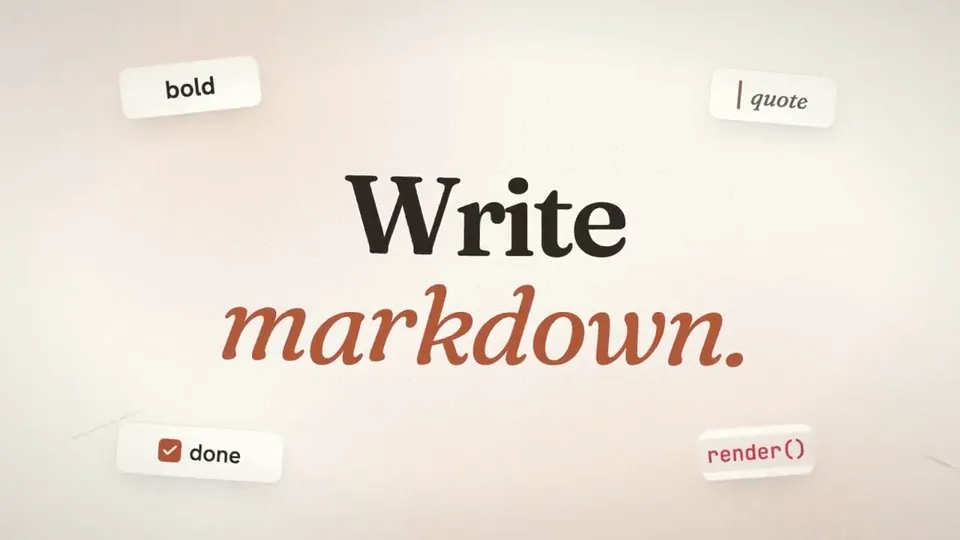
Editor mockup shows live markdown linting 的製作方式、提示詞內容,以及如何用 Potto 做出同類的 產品畫面 影片。
Editor mockup shows live markdown linting 是什麼?
Editor mockup shows live markdown linting 是 HO_BA 製作的 產品畫面 類型 AI 動態圖形影片。 A 30-second motion graphics editor mockup showing live markdown linting.
Editor mockup shows live markdown linting 是怎麼製作的?
Editor mockup shows live markdown linting 使用 Canvas 製作,屬於 Potto 上 產品畫面 分類的 AI Motion Graphics 影片。
可以查看 Editor mockup shows live markdown linting 的提示詞嗎?
可以。本頁有 Editor mockup shows live markdown linting 的完整提示詞。你可以複製,或點選「使用此提示詞」,在 Potto 工作區中開啟。
Editor mockup shows live markdown linting 有多長,畫面比例是多少?
Editor mockup shows live markdown linting 時長為 0:30,畫幅為 16:9。
我能用 Potto 做出像 Editor mockup shows live markdown linting 這樣的 產品畫面 影片嗎?
可以。點選「使用此提示詞」,把 Editor mockup shows live markdown linting 的提示詞載入 Potto 工作區。Potto 會算繪自己的版本,匯出前你可以修改文字和風格。
在哪裡觀看 Editor mockup shows live markdown linting 的原片?
Editor mockup shows live markdown linting 最初由創作者發布。點擊「查看原片」,即可在新分頁開啟該貼文。
在哪裡可以找到更多像 Editor mockup shows live markdown linting 這樣的 產品畫面 影片?
在 Potto 上瀏覽 產品畫面 合集:244 支影片,每支都附有提示詞、規格和來源。