Claude Video Generator
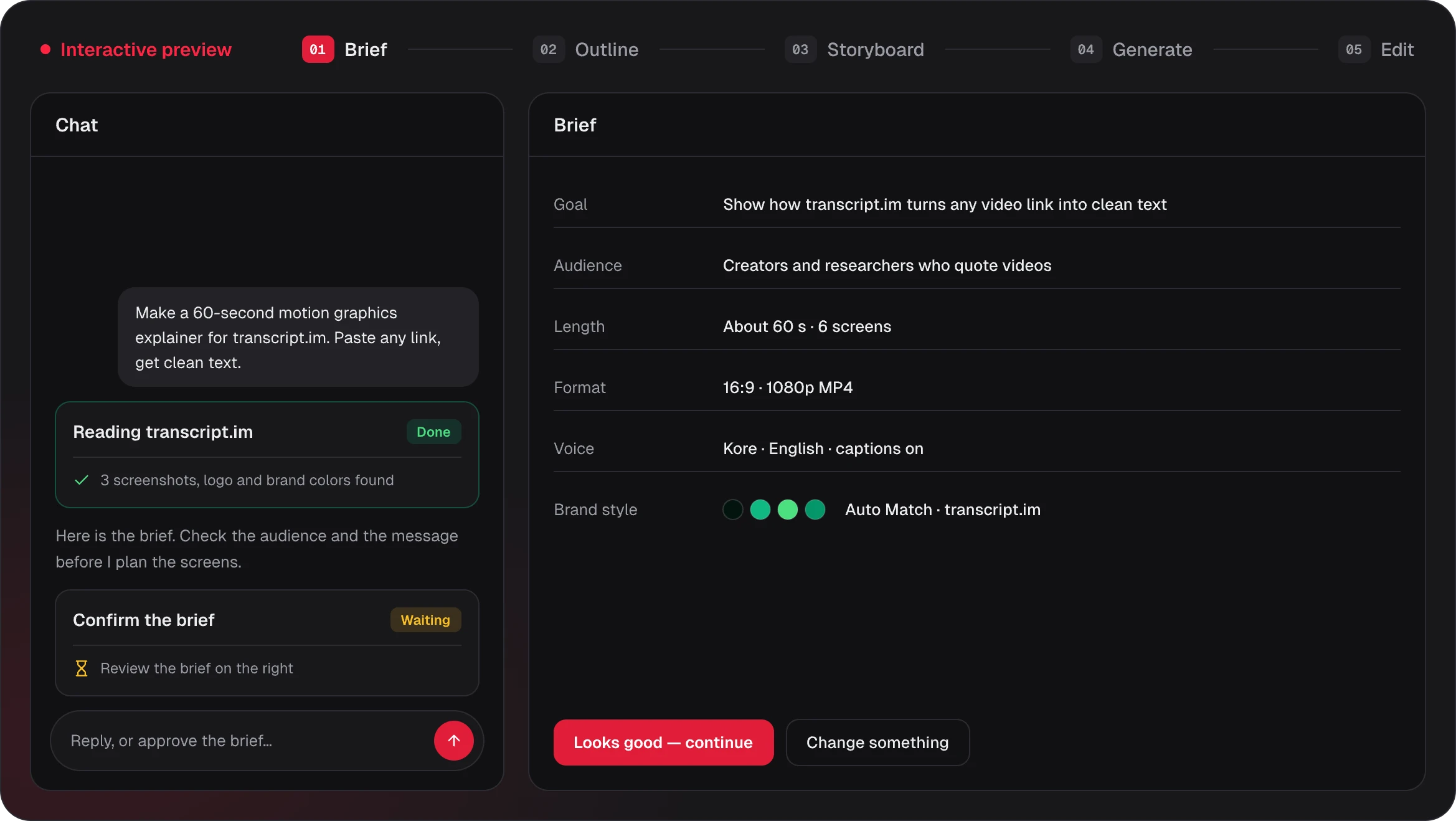
For Claude video generation, describe a video or paste a link, and Claude Opus 5.5 writes the outline, storyboard and voiceover script. Remotion renders it into motion graphics with captions and music, with no setup and no code, and you export an MP4.
Kinds of Claude AI video you can make
Product launches, explainers, feature walkthroughs and data stories: the kinds of Claude AI video and Claude motion graphics you can make here. Posters load first; a video plays only when you click it, and the line under each poster says what it shows.
Make a 35-second product launch video for this website: what it is, who it is for, and the two things it makes. Clean Modern style, confident voiceover.
Product Launch
Your ideas, in motion
Made from our own website, 16:9 · 0:31
Make a 16:9 product demo from my two screenshots: zoom in on what matters on each one with a cursor path, then list three features.
Product Demo
Two screens and three features
Zoom and cursor, 16:9 · 0:10
Make a 16:9 walkthrough that welcomes new Pulse users: a title, three first steps as a list, and an illustration of their first report.
Feature Walkthrough
Welcome to Pulse
Three first steps, 16:9 · 0:10
Explain how vaccines work in 16:9: a title question, then two illustrated steps with short captions.
Explainer
How vaccines work
Title, two illustrations · 0:10
Make a 20-second vertical explainer: how a heat pump moves heat from cold outside air into a warm room. Three steps, one idea per screen, Blueprint style.
Explainer
How does cold air warm your room?
From one prompt, 9:16 · 0:22
Answer a support question in 9:16: why is my export blurry? List three fixes in order and end on a link to the help page.
Feature Walkthrough
Why is my export blurry?
Help answer, 9:16 · 0:11
Make a 16:9 product launch video for Lumen: a hook that says it launches today, one zoomed screenshot with a cursor path, and a closing call to action with lumen.app.
Product Launch
Launching today
Hook, screen, call to action · 0:09
Show how our budget is split in 9:16: a title, a donut chart with product 45, marketing 30 and support 25, then a stat for the 45% that goes to product.
Data Story
Where the budget goes
Donut chart, 9:16 · 0:10
Make a vertical explainer about compound interest: a title question, one illustration, three short points, a bar chart of $100 at 5% a year, and a closing quote.
Explainer
What is compound interest?
Vertical lesson, 9:16 · 0:23
Make the compound interest explainer in 1:1 for social feeds, with the same title, illustration, three points, chart and closing quote.
Explainer
Compound interest, square
Feed-ready, 1:1 · 0:23
The first two videos were generated on Potto from the prompts shown: one from our own website, one from a single prompt. The rest are samples arranged from the same Remotion scene types that Claude plans with. Samples are demonstrations, not customer work, and they play as live previews in your browser from the same scene data that exports to MP4.
The storyboard behind a Claude video
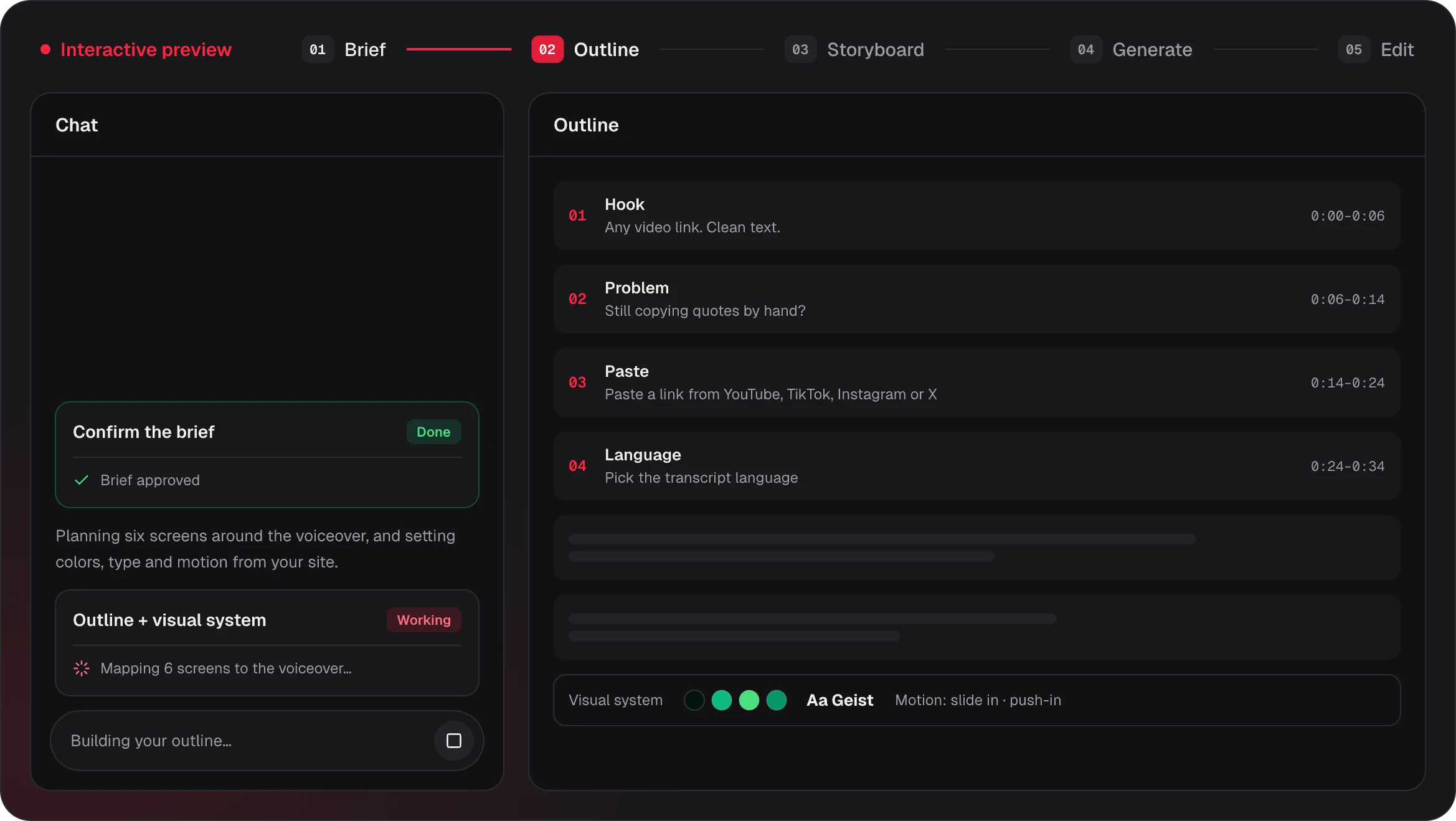
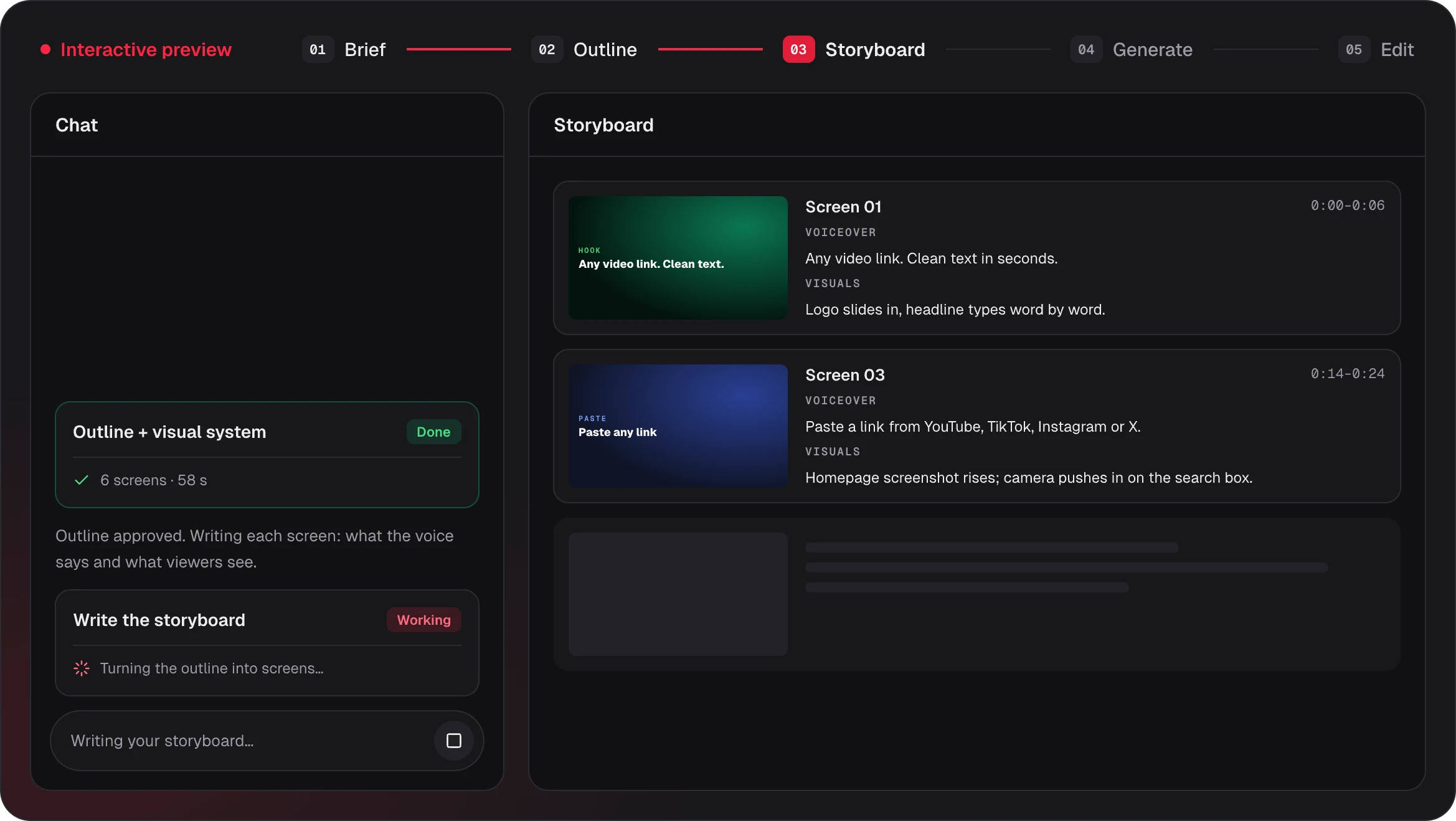
Claude video generation starts with a plan. To make a Claude video, Claude first turns your request into a storyboard you can read: what each screen shows, what the voiceover says and how long it stays. Here is one screen from a Claude video about our own website.
0:11 – 0:18
Screen 3 · 8s
Voiceover
First, motion graphics videos: add screenshots or a topic, review the storyboard, export an MP4.
What viewers see
The first view of potto.ai, captured from the link, in a browser frame on a dark background in the site's colors, labeled Motion graphics videos, with the voiceover captioned underneath.
On-screen text
- Motion graphics videos
Assets
Voiceover sets the timing
In the storyboard, Claude writes the line first, and each screen stays up for the time that line takes to speak, so the Claude motion graphics never run ahead of the narration.
Claude plans, Remotion renders
Claude decides what each storyboard screen says and shows. Remotion scene components put it in motion, and the browser preview uses the same composition as the exported MP4.
Assets come from your link
Brand name, colors, fonts and logo are pulled from the page you paste, and its first view is captured at 1440×900 for the screens that need it.
Why make a Claude video on Potto
Claude is good at planning a video storyboard, and turning that storyboard into an MP4 usually takes code, a renderer and a sound setup. Claude video generation on Potto puts those pieces in one creator in your browser: Claude does the thinking, and Remotion does the drawing and the motion, so the motion design follows the story.
01WRITTEN BY CLAUDE
Claude writes the outline and storyboard
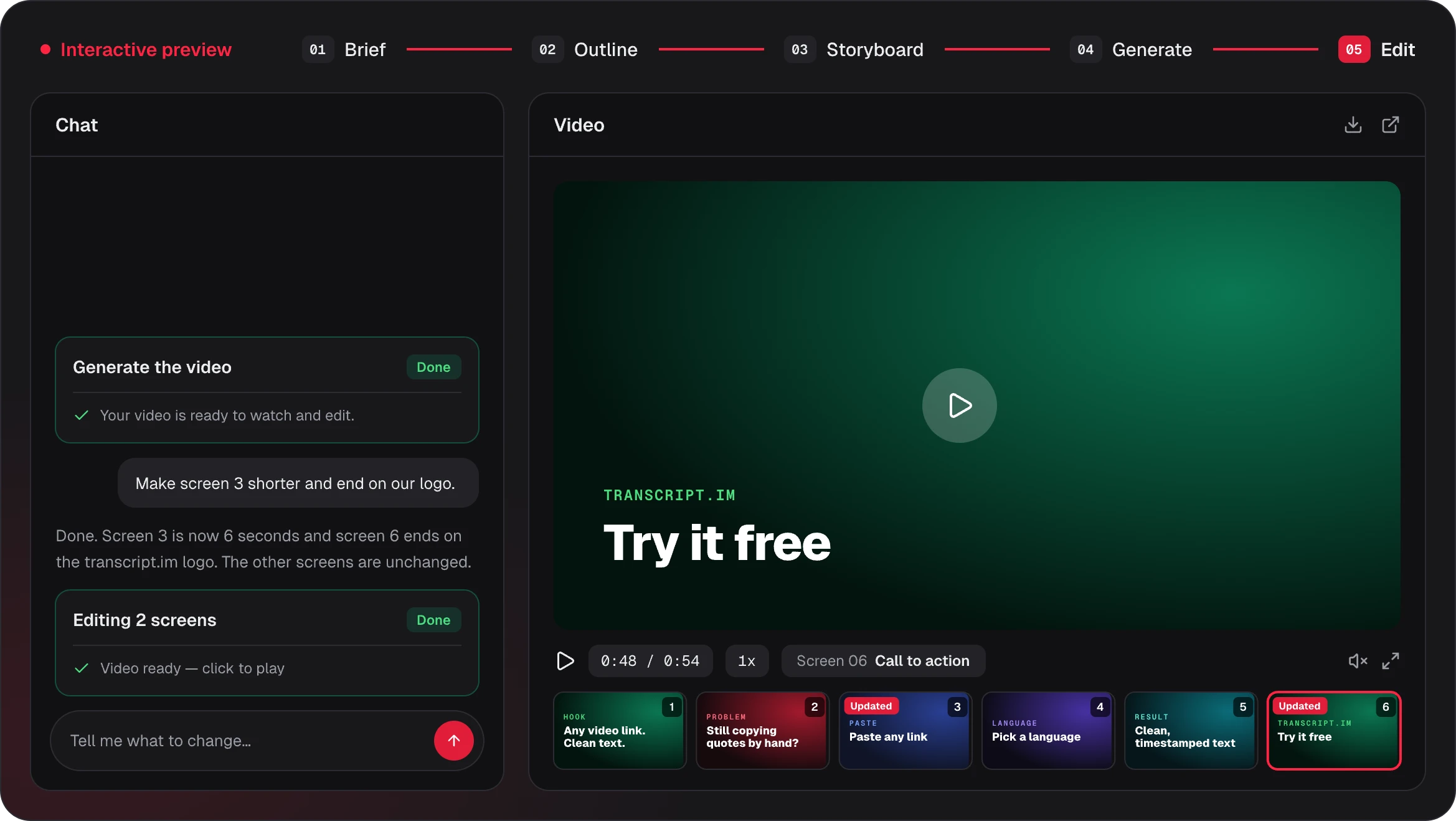
Claude Opus 5.5 reads your request and writes the outline, a storyboard and the voiceover script, and you can read and edit every storyboard line. Each screen gets one job, its on-screen text and a duration that matches its line, so the Claude AI video you preview follows the plan you read.
- A storyboard you can read and edit
- One job for each screen
- Timing set by the voiceover
02RENDERED WITH REMOTION
Claude motion graphics, rendered with Remotion
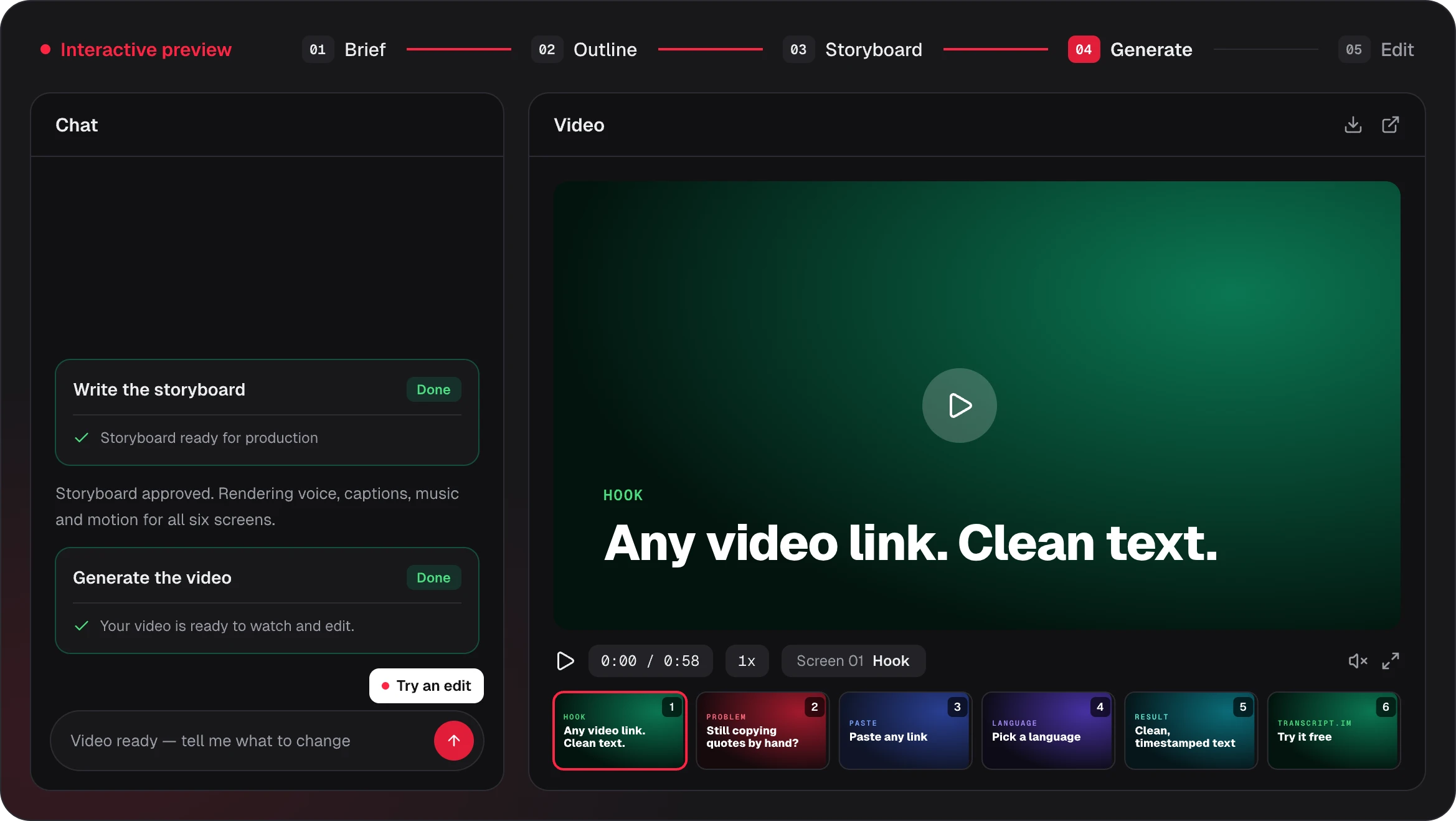
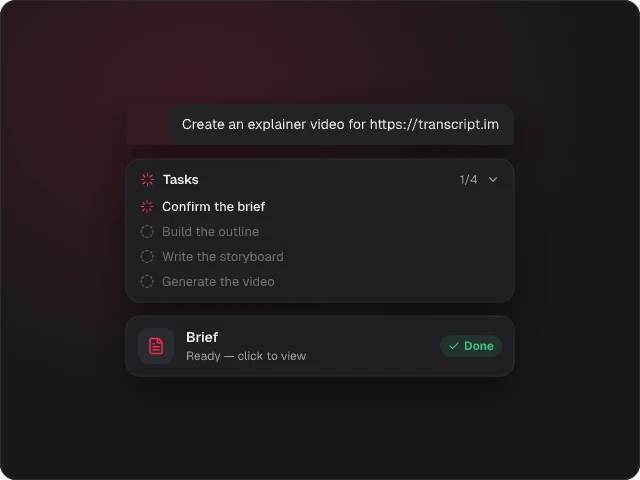
Remotion scene components set text, screenshots and charts in motion as Claude motion graphics, with AI-generated illustrations and voiceover, captions that highlight each word as it is spoken, and music picked from an original library to fit the style and length, which you can change. The browser preview and the exported MP4 use the same Remotion composition, and neither Claude video generation nor the Remotion preview costs credits.
- Illustrations, voiceover, captions and music
- Preview and export share one Remotion composition
- No credits until you export

03LINKS, PDF AND PPT
Start from what you already have
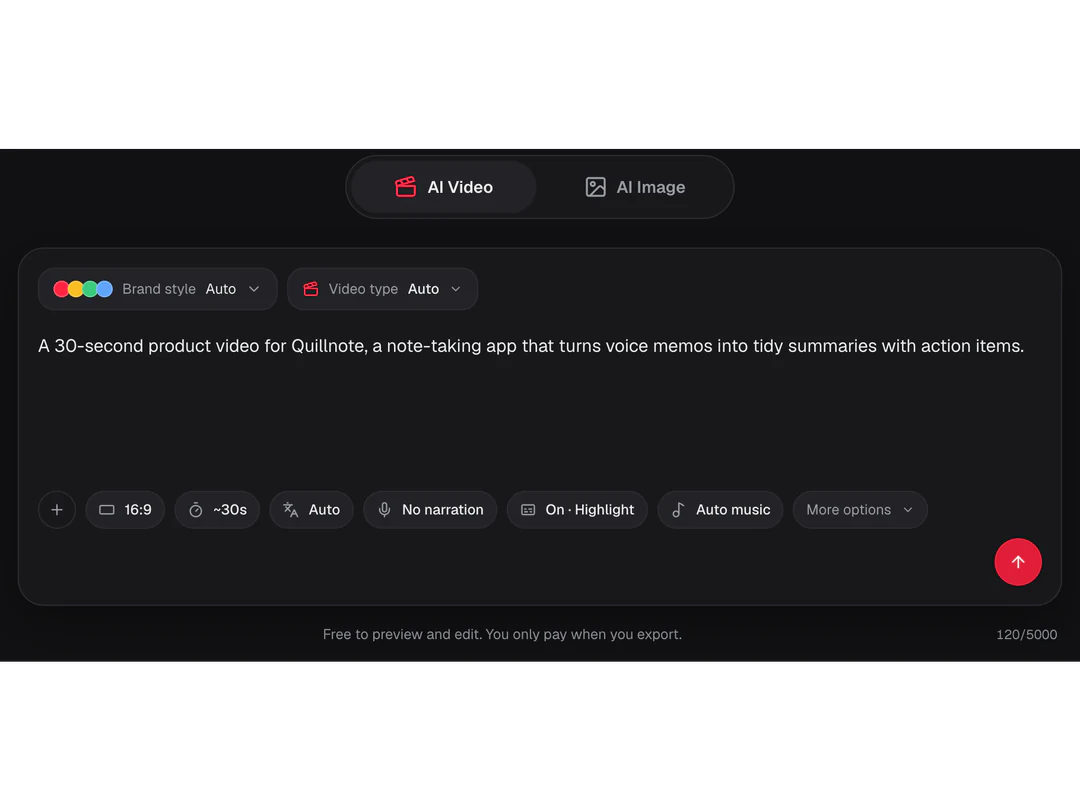
Paste a public link, upload a PDF, PPTX or DOCX file, add screenshots or just describe the idea. For Claude video generation, pick Product Launch or Explainer, or choose a video type: Product Demo, Explainer, Product Launch, Feature Walkthrough, Article to Video, Data Story or Auto. A brand kit puts your four colors and one of three fonts into your Claude motion graphics, and your logo in the opening and closing.
- Links, PDF, PPTX, DOCX and screenshots
- Six video types, or Auto
- Brand colors, font and logo
04EDIT AND EXPORT
Edit any scene, then export an MP4
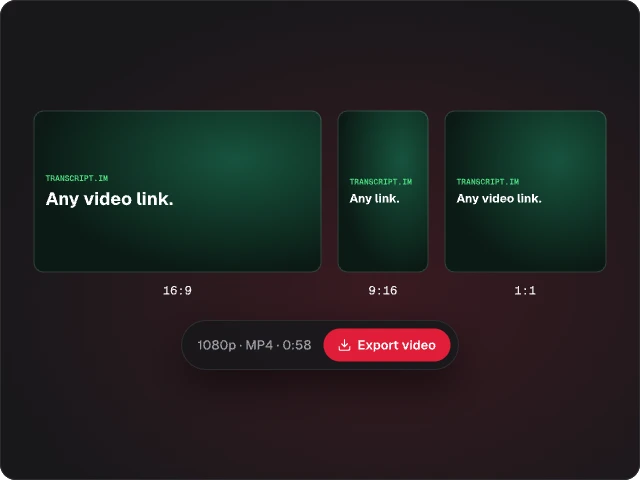
Change the text or voiceover of a single storyboard scene, swap a screenshot, choose its focus point, or regenerate an illustration, and the rest of your Claude video stays as it was. Export the Claude AI video as a 1080p MP4 at 30 fps in 16:9, 9:16 or 1:1, with voiceover in 32 languages or detected automatically.
- Edit one part at a time
- 1080p MP4 at 30 fps
- 16:9, 9:16 and 1:1
More ways to make videos
Claude video generation is behind every video here. Start from a specific format, or prepare the images that go into your motion graphics.
- AI Motion GraphicsKinetic text, product screens and charts that move.
- Product Launch VideoShow a product workflow from your screenshots.
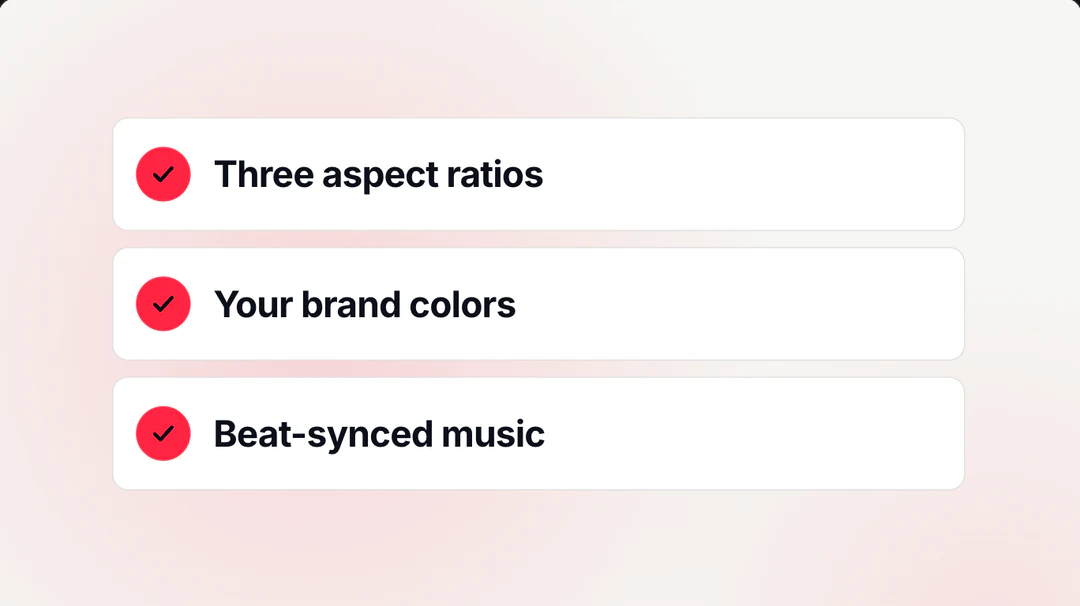
- Explainer VideoExplain one idea with illustrations and captions.
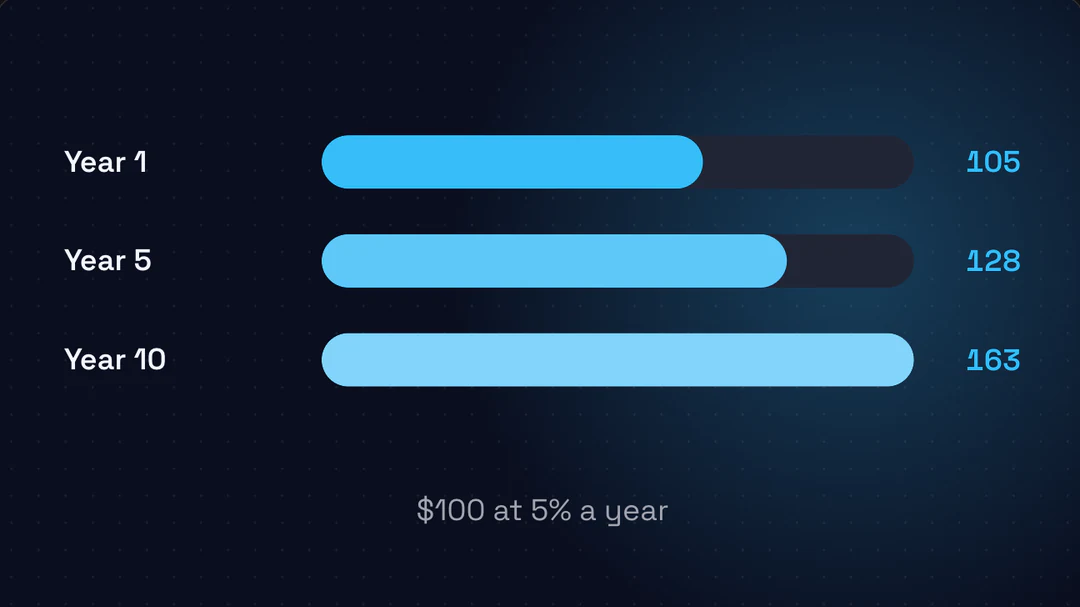
- AI Video GeneratorEvery video type, from one prompt or link.
- AI Image GeneratorCreate illustrations and visuals for your scenes.

- AI Background RemoverCut out a logo or product for a clean scene.

Claude video FAQs
What Claude video is, how Claude video generation works on Potto, and the inputs, edits, limits and prices to know before you export.
What is Claude video?
Claude video is a video planned by Claude and produced by a renderer: Claude writes the outline, the storyboard and the narration, and rendering software turns that plan into moving pictures and sound. Here, Claude video generation pairs Claude for the writing with Remotion for the motion graphics, plus AI-generated illustrations and voiceover, so the result is an MP4 with captions and music. It is designed animation, not filmed footage.
Can Claude make videos?
Claude can plan a video and write its storyboard, but on its own it outputs text and code, not a video file; to get a finished Claude AI video you need a renderer that turns its storyboard into frames and sound. Potto connects the two: Claude writes the storyboard and script, Remotion renders the Claude motion graphics, and you export an MP4 you can post or share.
How do I make a Claude video on Potto?
To make a Claude video, follow three steps. First, describe the video or paste a link in the creator at the top of this page, and pick Product Launch, Explainer or another video type, or leave it on Auto. Second, read the outline and storyboard that Claude writes, and edit any part of it. Third, preview the Claude AI video in your browser for free, then export an MP4 when everything reads right.
Which Claude model does Potto use?
Potto uses Claude Opus 5.5 for Claude video generation: it writes the outline, storyboard and voiceover script for every Claude AI video. Claude video generation splits the work: Claude plans the words and the order of the story; Remotion draws the motion graphics, and illustrations and voiceover are AI-generated.
How is this different from using Claude Code with Remotion?
With Claude Code and Remotion, Claude writes Remotion code for you, so you need a local development environment, you run and debug that code, render on your own computer and add voiceover, captions and music yourself. In Claude video generation here, Claude currently writes an outline and a structured storyboard instead of code, Remotion scene components render it, and you get a Claude AI video as an MP4 in your browser after editing that storyboard. Claude Code with Remotion suits developers who want full control of the code and custom motion; this creator suits people who want to make a Claude video without setting up or writing code.
Can Claude make motion graphics?
Yes. Claude motion graphics are animated text, product screenshots, charts and illustrations timed to a voiceover, and every Claude AI video here is built from them. Claude decides what each screen says and shows, and Remotion puts it in motion, so Claude animation and Claude motion design here mean a planned sequence of motion graphics rather than hand-drawn frames.
What can I start from?
You can start Claude video generation from a sentence of description, a public web page link, a PDF, a slide deck (.pptx) or a document (.docx), or screenshots. A link must be a public http or https page; Potto reads that page and up to 2 more pages on the same site, and pages behind a login cannot be read, so upload screenshots instead. Each document can be up to 20 MB with up to 100 pages of text, the first 12 pages can be used as visuals, and a project holds up to 8 attachments.
Can I edit the video before exporting?
Yes. Before you export a Claude video, you can change the on-screen text and voiceover of each scene, swap a screenshot, choose its focus point, and regenerate or replace an illustration. Each change shows up in the free Claude AI video preview, so you can check it before you spend any credits.
Is Claude video free on Potto?
Claude video generation and browser previews use no credits; you pay credits only when you export, and illustrations are billed at export too. For example, a 30-second Claude AI video with English voiceover and no illustrations costs 153 credits, and adding 2 illustrations brings it to 199 credits; aspect ratio does not change the price. Claude video generation has a daily limit for everyone: up to 30 new video projects and 60 illustrations a day.
Can Claude watch or edit my videos?
Not here at the moment: you currently cannot upload an existing video for Claude to analyze or edit, because Claude video generation here starts from words, links, documents and screenshots. This page is about making a new Claude AI video.
Do I get the code behind the video?
No. You get the finished MP4, not the code behind it, and you cannot run code inside the creator. To change a Claude video, edit its storyboard: text, voiceover and visuals, one scene at a time.
Is Potto affiliated with Anthropic?
No. Potto is an independent product that uses Claude Opus 5.5 through the API, and it has no official relationship with Anthropic, the company that makes Claude. Claude video generation here means videos whose outline, storyboard and script are written by Claude.
Make your first Claude video
Start Claude video generation by describing the video or pasting a link in the creator above. Claude writes the storyboard, Remotion renders the motion graphics, and previews stay free until you export an MP4.