
- 長さと比率
- 0:42
- 1:1
- 制作ツール
- SVG
プロンプト
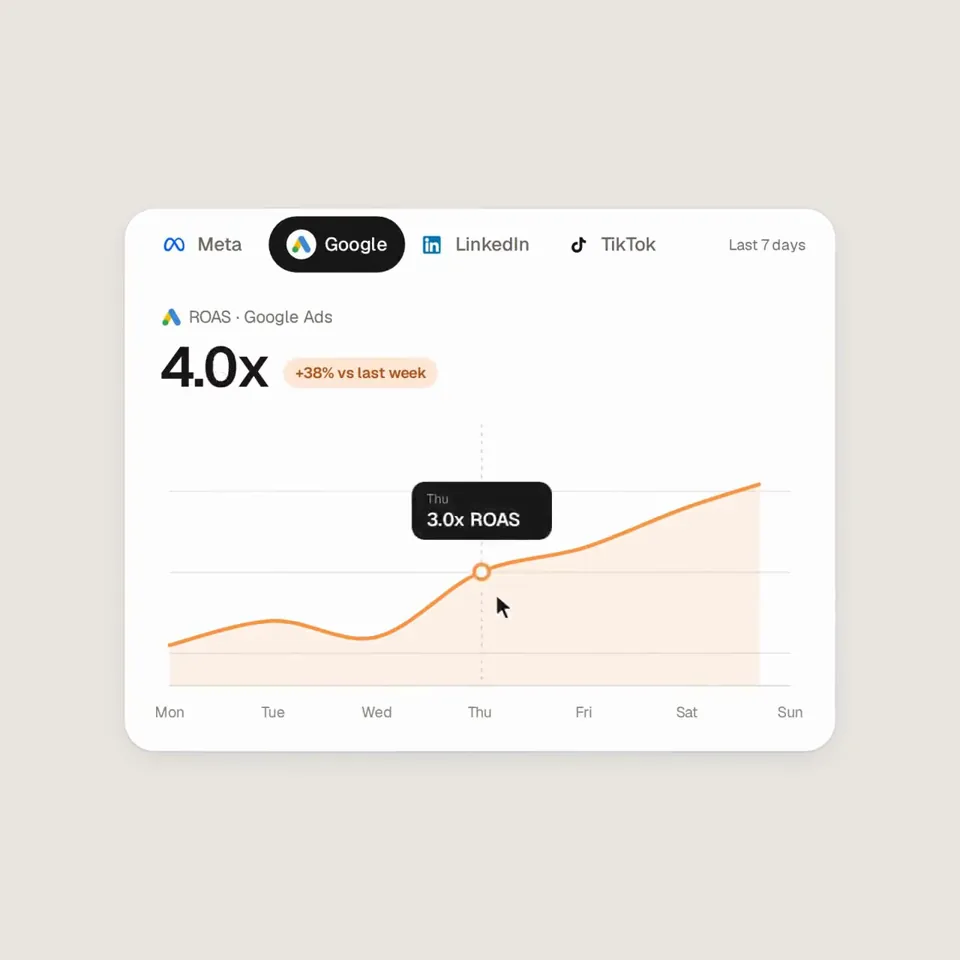
Analyze http://sprites.ai and build a product promo from our own UI, not generic components. <direction> Dribbble-level UI motion. One shape, never cut: every state is the same element morphing its size, radius and color while its content swaps with a short blur. A cursor drives every change with real clicks and drags. Warm-gray canvas, black and white components, one accent (#FD9543), Geist. Springs everywhere, a tiny overshoot at most. The camera zooms so each state fills the frame. Last frame = first frame, so it loops. Banned: bouncy easing, particles, glows, gradients on UI chrome, mismatched icon strokes, dead time, anything that looks like a template. </direction> <structure> 120 BPM, 7 bars, something on every beat. Connect ad account (Meta, Google, LinkedIn, TikTok, Reddit logos) → loader → check → prompt bar types "Launch ads that convert" → island "Researching 42 competitors" → Ads Library wall of real ads scrolls and lands on a top performer → approval card → Approve & launch → budget slider that stretches past max → Autopilot toggle → knob becomes a liquid tab indicator across channels → ROAS chart draws itself with hover tooltip → ⌘K → type "pause" → toast "Paused 3 losing ads" → back to the button. </structure> <build> 1. One HTML file, 1440x1440. Every style is computed inside seek(t): no CSS transitions, no timers, no state between frames. 2. Springs are closed-form step responses. A value that changes target many times is a sum of springs, so it stays a pure function of time. 3. Tab indicator and toggle knob: the two edges ride different springs, so the leading edge stretches ahead. 4. Drags are direct manipulation: while held, the value follows the cursor. On release it springs back from wherever it was. 5. No music. Synthesize UI sounds with numpy and place each one by its measured peak on the beat grid. 6. Render with Playwright: 4 subframes per frame, blended with ffmpeg tmix for motion blur at 60fps. 7. Render one frame per beat first. Fix anything off-grid, cramped or hard to read. </build> <gotchas> No will-change on anything the camera scales. Swapped text needs its own enter/exit timing. Match the last frame to the first, cursor position and speed included, or the loop stutters. </gotchas> Show me the state list on the beat grid before writing any code.
似た動画をもっと見る
すべて見る


プランを選ぶ
AI 動画と AI 画像で使える、一つのクレジット残高です。月額または年額で登録するか、クレジットパックを一度だけ購入できます。
2,000 クレジット
$20一回限り
一回払い · サブスクなし
パックあたりの動画数
30 秒の製品デモ動画13 本
60 秒の解説動画5 本
- 2,000 クレジットを一度だけ追加
- 高速生成は最大 86 枚
- Potto のウォーターマークを追加しません
- 動画と画像ツールで共有
5,000 クレジット
$50一回限り
一回払い · サブスクなし
パックあたりの動画数
30 秒の製品デモ動画33 本
60 秒の解説動画13 本
- 5,000 クレジットを一度だけ追加
- 高速生成は最大 217 枚
- Potto のウォーターマークを追加しません
- 動画と画像ツールで共有
15,000 クレジット
$100一回限り
一回払い · サブスクなし
パックあたりの動画数
30 秒の製品デモ動画100 本
60 秒の解説動画40 本
- 15,000 クレジットを一度だけ追加
- 高速生成は最大 652 枚
- Potto のウォーターマークを追加しません
- 動画と画像ツールで共有
Lite
Lite を選ぶ$20/月月額請求
月あたりの動画本数
30 秒の製品デモ動画13 本60 秒の解説動画5 本- 月 2,000 クレジット
- 高速生成は最大 86 枚
- 標準キュー
- Potto のウォーターマークを追加しません
- AI ツールの一括処理
- 公開ギャラリーには掲載されません
Pro
Pro を選ぶ$50/月月額請求
月あたりの動画本数
30 秒の製品デモ動画33 本60 秒の解説動画13 本- 月 5,000 クレジット
- 高速生成は最大 217 枚
- 優先キュー
- Potto のウォーターマークを追加しません
- AI ツールの一括処理
- 公開ギャラリーには掲載されません
- おすすめ
Max
Max を選ぶ$100/月月額請求
月あたりの動画本数
30 秒の製品デモ動画100 本60 秒の解説動画40 本- 月 15,000 クレジット
- 高速生成は最大 652 枚
- 最優先キュー
- Potto のウォーターマークを追加しません
- AI ツールの一括処理
- 公開ギャラリーには掲載されません
Lite
-20%Lite を選ぶ$20$16/月年額請求 · $240 → $192/年
月あたりの動画本数
30 秒の製品デモ動画13 本60 秒の解説動画5 本- 月 2,000 クレジット
- 高速生成は最大 86 枚
- 標準キュー
- Potto のウォーターマークを追加しません
- AI ツールの一括処理
- 公開ギャラリーには掲載されません
Pro
-20%Pro を選ぶ$50$40/月年額請求 · $600 → $480/年
月あたりの動画本数
30 秒の製品デモ動画33 本60 秒の解説動画13 本- 月 5,000 クレジット
- 高速生成は最大 217 枚
- 優先キュー
- Potto のウォーターマークを追加しません
- AI ツールの一括処理
- 公開ギャラリーには掲載されません
- おすすめ
Max
-20%Max を選ぶ$100$80/月年額請求 · $1,200 → $960/年
月あたりの動画本数
30 秒の製品デモ動画100 本60 秒の解説動画40 本- 月 15,000 クレジット
- 高速生成は最大 652 枚
- 最優先キュー
- Potto のウォーターマークを追加しません
- AI ツールの一括処理
- 公開ギャラリーには掲載されません
Videos use credits when you export, and starting one needs a balance that covers its export. Counts assume a 30-second product demo and a 60-second explainer with narration and 3 illustrations.
Sprites ad-platform promo built from a morphing button のよくある質問
Sprites ad-platform promo built from a morphing button の作り方、プロンプトの内容、そして Potto で同じような ローンチ 動画を作る方法。
Sprites ad-platform promo built from a morphing button とは?
Sprites ad-platform promo built from a morphing button は AnnaCher___ による ローンチ のモーショングラフィックス動画です。 A 42-second code-built promo for an ad platform, animated as one morphing UI element.
Sprites ad-platform promo built from a morphing button はどう作られましたか?
Sprites ad-platform promo built from a morphing button は SVG で制作されました。Potto の ローンチ に含まれる AI モーショングラフィックス動画です。
Sprites ad-platform promo built from a morphing button のプロンプトは見られますか?
はい。Sprites ad-platform promo built from a morphing button のプロンプト全文がこのページにあります。コピーするか、「このプロンプトを使う」をクリックして Potto のワークスペースで開いてください。
Sprites ad-platform promo built from a morphing button の長さとアスペクト比は?
Sprites ad-platform promo built from a morphing button の長さは 0:42、フレームは 1:1 です。
Potto で Sprites ad-platform promo built from a morphing button のような ローンチ 動画を作れますか?
はい。「このプロンプトを使う」をクリックすると、Sprites ad-platform promo built from a morphing button のプロンプトが Potto のワークスペースに読み込まれます。Potto が独自のバージョンをレンダリングし、書き出す前に文字とスタイルを変えられます。
Sprites ad-platform promo built from a morphing button のオリジナルはどこで見られますか?
Sprites ad-platform promo built from a morphing button は作成者が最初に投稿しました。「オリジナルを見る」をクリックすると、その投稿が新しいタブで開きます。
Sprites ad-platform promo built from a morphing button のような ローンチ 動画はどこで見つかりますか?
Potto の ローンチ コレクションを見てください。348 本あり、それぞれにプロンプト、仕様、出典が付いています。