Premium00
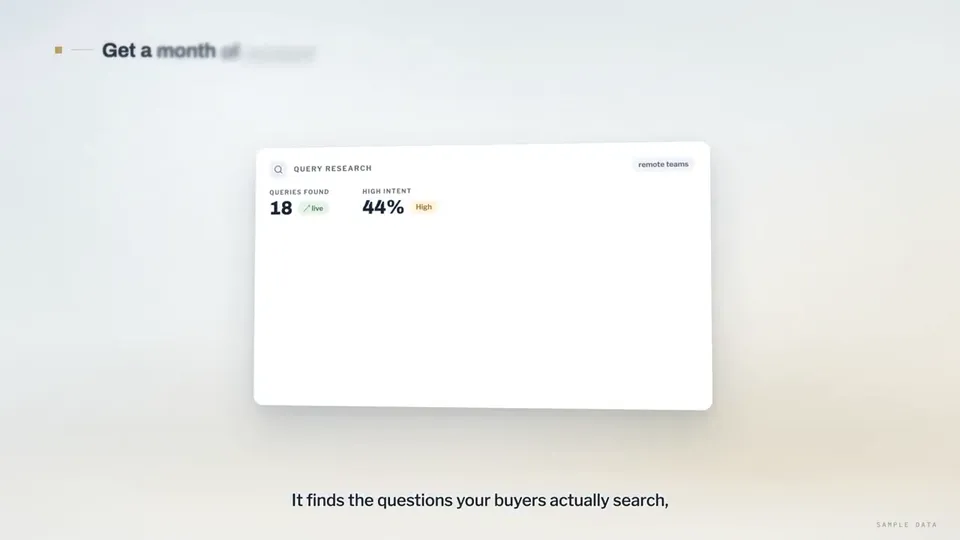
Video 1 von 1Search-ranking dashboards explain the rctrl content tool
Videoseite öffnen

Ein Credit-Guthaben für KI-Videos und KI-Bilder. Monatlich oder jährlich abonnieren oder einmal ein Credit-Paket kaufen.
Einmal zahlen · kein Abo
Videos pro Paket
Einmal zahlen · kein Abo
Videos pro Paket
Einmal zahlen · kein Abo
Videos pro Paket
Monatliche Abrechnung
Videos pro Monat
Monatliche Abrechnung
Videos pro Monat
Monatliche Abrechnung
Videos pro Monat
Jährliche Abrechnung · 240 $ → 192 $/Jahr
Videos pro Monat
Jährliche Abrechnung · 600 $ → 480 $/Jahr
Videos pro Monat
Jährliche Abrechnung · 1.200 $ → 960 $/Jahr
Videos pro Monat
Videos use credits when you export, and starting one needs a balance that covers its export. Counts assume a 30-second product demo and a 60-second explainer with narration and 3 illustrations.
Was Product Walkthrough for Silent Viewing (UI Flythrough) bietet, welche Agents ihn ausführen, welche Schlüssel er benötigt und wie Sie ihn installieren.
Product Walkthrough for Silent Viewing (UI Flythrough) ist ein Agent-Skill von Potto zum Erstellen von Erklärvideo-Videos. Create 60–90-second, 16:9 product walkthroughs in Remotion, designed for silent viewing: a continuous 3D camera flies through code-drawn UI cards on a studio backdrop, with…
Product Walkthrough for Silent Viewing (UI Flythrough) ist ein Premium-Skill. Er ist in jedem kostenpflichtigen Potto-Abo (Lite, Pro oder Max) enthalten. Alternativ können Sie ihn einmalig für 5 $ kaufen und dauerhaft behalten.
Der Skill Product Walkthrough for Silent Viewing (UI Flythrough) ist auf Englisch verfasst. Er erstellt Texte im Video in jeder von Ihnen vorgegebenen Sprache.
Product Walkthrough for Silent Viewing (UI Flythrough) basiert auf Remotion. Installieren Sie Bun, Python 3 und FFmpeg, bevor Sie den Skill ausführen.
Product Walkthrough for Silent Viewing (UI Flythrough) erzeugt MP4.
Product Walkthrough for Silent Viewing (UI Flythrough) läuft in Claude Code und Codex und in jedem anderen Agent, der SKILL.md liest.
Nein. Product Walkthrough for Silent Viewing (UI Flythrough) funktioniert ohne zusätzlichen API-Schlüssel.
Kopieren Sie den Installationsprompt für Product Walkthrough for Silent Viewing (UI Flythrough) von dieser Seite und fügen Sie ihn in Ihren Agent ein, oder laden Sie die ZIP herunter.
Product Walkthrough for Silent Viewing (UI Flythrough) wurde verwendet, um 1 Video in der Potto-Galerie zu erstellen, etwa Search-ranking dashboards explain the rctrl content tool.
Auf Potto liegt Product Walkthrough for Silent Viewing (UI Flythrough) v1.0.0, aktualisiert am 21.10.2026. Kopieren Sie den Installationsprompt erneut, um die neueste Version zu erhalten.