
- Länge und Format
- 0:15
- 16:9
- Erstellt mit
- Canvas
- SVG
Prompt
Create a 15s motion-graphics film explaining {{PRODUCT}}. HyperFrames + GSAP, no voiceover, no footage. Style: paper-light canvas, marker notes that draw on, real physics, huge kinetic type, hard light/dark switches, a new idea every 1.5–2 s, a sound on every hit. COPY: read {{POSITIONING_DOCS}} first. {{ONE_LINER}} For {{AUDIENCE}}. {{WHAT_IT_DOES}} Name what the product learns, never the abstraction. RULES - No chrome (scrubber, timecode, fps, headers). No animator jargon on screen ("squash", "stagger", "easing"...). Every word speaks to the buyer. - No invented results: no %, multipliers, customer names or figures. - Never use: {{BANNED_WORDS}}. - Logo: real mark {{LOGO_FILE}} + "{{PRODUCT}}" in {{WORDMARK_FONT}}; never a boxed logo file. CRAFT - Colours {{COLOR_CANVAS}} / {{COLOR_INK}} / {{COLOR_ACCENT_1}} / {{COLOR_ACCENT_2}}; notes in the accents; dark mode = charcoal matching the palette. - Fonts {{BRAND_FONTS}}; Anton for kinetic type; Caveat handwriting via stroke-dashoffset. - Real easing, squash/stretch, stagger, overlap, onion skin, smear, follow-through. Check the HyperFrames registry first. Set every from-state at t=0 (seek-safe); never cover an exit. One primary move per transition; no generic push/slide/rotate-swing. - Music in sections: drums drop on the dark switch and while the ball is airborne, slam back on the type and the logo. SFX: pops, pen scribbles, whooshes, logo sub-hit. CC0 or generated only; log sources. Master -14 LUFS, -2 dBTP, re-measured after AAC encode.
Weitere Videos wie dieses
Alle ansehen


Abo wählen
Ein Credit-Guthaben für KI-Videos und KI-Bilder. Monatlich oder jährlich abonnieren oder einmal ein Credit-Paket kaufen.
2.000 Credits
20 $einmalig
Einmal zahlen · kein Abo
Videos pro Paket
Produktdemo mit 30 Sekunden13 Videos
Erklärvideo mit 60 Sekunden5 Videos
- 2.000 Credits, einmal gutgeschrieben
- Bis zu 86 schnelle Bilder
- Kein hinzugefügtes Potto-Wasserzeichen
- Von Video- und Bildwerkzeugen gemeinsam genutzt
5.000 Credits
50 $einmalig
Einmal zahlen · kein Abo
Videos pro Paket
Produktdemo mit 30 Sekunden33 Videos
Erklärvideo mit 60 Sekunden13 Videos
- 5.000 Credits, einmal gutgeschrieben
- Bis zu 217 schnelle Bilder
- Kein hinzugefügtes Potto-Wasserzeichen
- Von Video- und Bildwerkzeugen gemeinsam genutzt
15.000 Credits
100 $einmalig
Einmal zahlen · kein Abo
Videos pro Paket
Produktdemo mit 30 Sekunden100 Videos
Erklärvideo mit 60 Sekunden40 Videos
- 15.000 Credits, einmal gutgeschrieben
- Bis zu 652 schnelle Bilder
- Kein hinzugefügtes Potto-Wasserzeichen
- Von Video- und Bildwerkzeugen gemeinsam genutzt
Lite
Lite wählen20 $/MonatMonatliche Abrechnung
Videos pro Monat
Produktdemo mit 30 Sekunden13 VideosErklärvideo mit 60 Sekunden5 Videos- 2.000 Credits pro Monat
- Bis zu 86 schnelle Bilder
- Warteschlange Standard
- Kein hinzugefügtes Potto-Wasserzeichen
- Stapelverarbeitung mit KI-Tools
- Nicht in öffentlichen Galerien gelistet
Pro
Pro wählen50 $/MonatMonatliche Abrechnung
Videos pro Monat
Produktdemo mit 30 Sekunden33 VideosErklärvideo mit 60 Sekunden13 Videos- 5.000 Credits pro Monat
- Bis zu 217 schnelle Bilder
- Bevorzugte Warteschlange
- Kein hinzugefügtes Potto-Wasserzeichen
- Stapelverarbeitung mit KI-Tools
- Nicht in öffentlichen Galerien gelistet
- Empfohlen
Max
Max wählen100 $/MonatMonatliche Abrechnung
Videos pro Monat
Produktdemo mit 30 Sekunden100 VideosErklärvideo mit 60 Sekunden40 Videos- 15.000 Credits pro Monat
- Bis zu 652 schnelle Bilder
- Höchste Priorität in der Warteschlange
- Kein hinzugefügtes Potto-Wasserzeichen
- Stapelverarbeitung mit KI-Tools
- Nicht in öffentlichen Galerien gelistet
Lite
-20%Lite wählen20 $16 $/MonatJährliche Abrechnung · 240 $ → 192 $/Jahr
Videos pro Monat
Produktdemo mit 30 Sekunden13 VideosErklärvideo mit 60 Sekunden5 Videos- 2.000 Credits pro Monat
- Bis zu 86 schnelle Bilder
- Warteschlange Standard
- Kein hinzugefügtes Potto-Wasserzeichen
- Stapelverarbeitung mit KI-Tools
- Nicht in öffentlichen Galerien gelistet
Pro
-20%Pro wählen50 $40 $/MonatJährliche Abrechnung · 600 $ → 480 $/Jahr
Videos pro Monat
Produktdemo mit 30 Sekunden33 VideosErklärvideo mit 60 Sekunden13 Videos- 5.000 Credits pro Monat
- Bis zu 217 schnelle Bilder
- Bevorzugte Warteschlange
- Kein hinzugefügtes Potto-Wasserzeichen
- Stapelverarbeitung mit KI-Tools
- Nicht in öffentlichen Galerien gelistet
- Empfohlen
Max
-20%Max wählen100 $80 $/MonatJährliche Abrechnung · 1.200 $ → 960 $/Jahr
Videos pro Monat
Produktdemo mit 30 Sekunden100 VideosErklärvideo mit 60 Sekunden40 Videos- 15.000 Credits pro Monat
- Bis zu 652 schnelle Bilder
- Höchste Priorität in der Warteschlange
- Kein hinzugefügtes Potto-Wasserzeichen
- Stapelverarbeitung mit KI-Tools
- Nicht in öffentlichen Galerien gelistet
Videos use credits when you export, and starting one needs a balance that covers its export. Counts assume a 30-second product demo and a 60-second explainer with narration and 3 illustrations.
Bouncing teal ball explains a construction AI brand FAQ
Wie Bouncing teal ball explains a construction AI brand entstand, was der Prompt sagt und wie Sie mit Potto ein ähnliches Produktstart-Video erstellen.
Was ist Bouncing teal ball explains a construction AI brand?
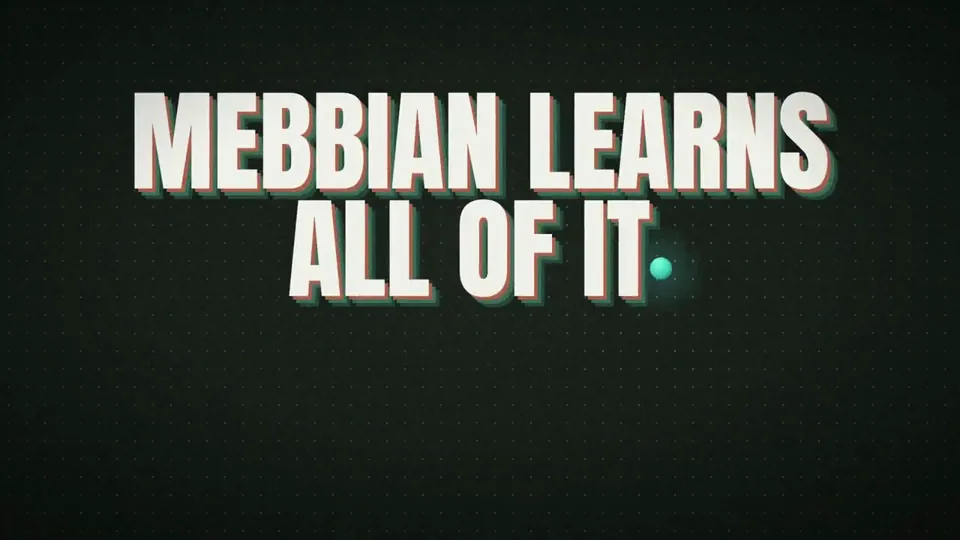
Bouncing teal ball explains a construction AI brand ist ein Motion-Graphics-Video in der Kategorie Produktstart von ik_builds. A 15-second launch video with a bouncing teal ball explaining a construction AI brand.
Wie wurde Bouncing teal ball explains a construction AI brand erstellt?
Bouncing teal ball explains a construction AI brand wurde mit Canvas und SVG erstellt. Es gehört zur Produktstart-Sammlung der KI-Motion-Graphics-Videos auf Potto.
Ist der Prompt für Bouncing teal ball explains a construction AI brand verfügbar?
Ja. Der vollständige Prompt hinter Bouncing teal ball explains a construction AI brand steht auf dieser Seite. Kopieren Sie ihn, oder klicken Sie auf „Diesen Prompt verwenden“, um ihn im Arbeitsbereich von Potto zu öffnen.
Wie lang ist Bouncing teal ball explains a construction AI brand, und welches Seitenverhältnis hat es?
Bouncing teal ball explains a construction AI brand dauert 0:15 und nutzt ein 16:9-Format.
Kann ich mit Potto ein Produktstart-Video wie Bouncing teal ball explains a construction AI brand erstellen?
Ja. Klicken Sie auf „Diesen Prompt verwenden“, um den Prompt hinter Bouncing teal ball explains a construction AI brand in den Arbeitsbereich von Potto zu laden. Potto rendert eine eigene Version, und Sie können Text und Stil vor dem Export ändern.
Welcher Agent-Skill wurde für Bouncing teal ball explains a construction AI brand verwendet?
Bouncing teal ball explains a construction AI brand wurde mit dem Skill Hyperframes erstellt. Klicken Sie nach der Anmeldung auf „Skill ansehen“, um ihn kostenlos in Claude Code, Codex oder Cursor zu installieren.
Wo kann ich das Original von Bouncing teal ball explains a construction AI brand ansehen?
Bouncing teal ball explains a construction AI brand wurde zuerst von der erstellenden Person veröffentlicht. Klicken Sie auf Original ansehen, um diesen Beitrag in einem neuen Tab zu öffnen.
Wo finde ich weitere Produktstart-Videos wie Bouncing teal ball explains a construction AI brand?
Durchsuchen Sie die Produktstart-Sammlung auf Potto: 348 Videos, jeweils mit Prompt, Angaben und Quelle.