
- Länge und Format
- 0:16
- 16:9
- Erstellt mit
- Canvas
- SVG
Prompt
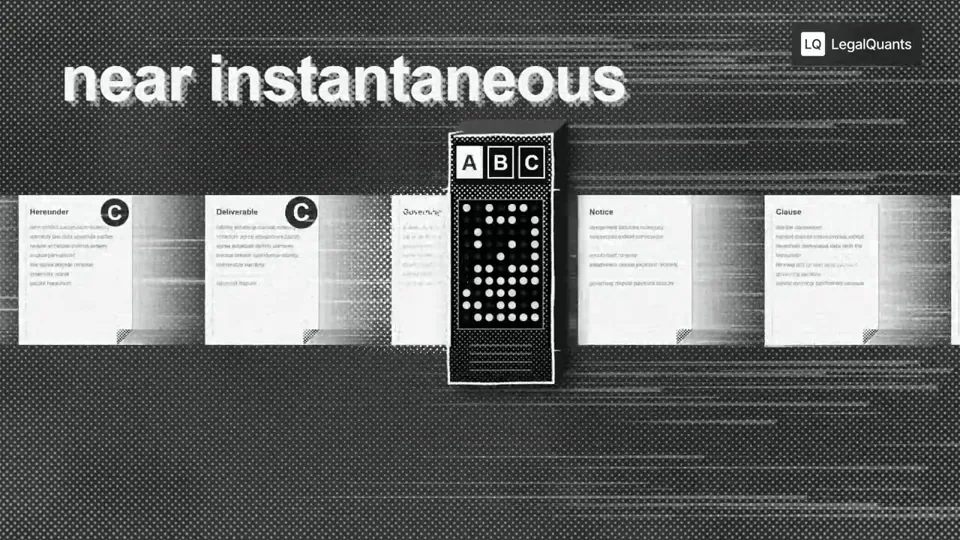
Go through the entire [episode] cut and add full-screen animations and graphics wherever they help. Be aggressive and over-inclusive: 35–50 moments, at least 2 per chapter. The goal is to fill empty talking-head time, explain ideas, and create visual hooks. Style. Pick an aesthetic that's genuinely interesting and very, very cool, built in JavaScript with HyperFrames and assembled in Tesseract. Inspiration (all JS, no image assets): paper, typewriter-tape labels, hand-drawn marks halftone, manga and pixel print, kinetic data type Stay inside the LegalQuants brand (read brands/legalquants/): charcoal, white and black only, Arial, and the supplied lockup top-right, static. Write a shared style bible and a component kit first, so every animation looks like the same show. Moments I definitely want: [LIST] Rules Whenever anything goes full-screen (animation, screen share or still), one of us is in a corner picture-in-picture, bottom-right, following whoever is talking. No punch-ins or zooming on the cameras. Keep each speaker relatively centered. Copy must be verbatim or faithful to what's said. Never invent facts, numbers or quotes. Sync each animation's beats to the spoken words. Keep each graphic inside one uncut stretch of audio, and leave a few seconds of faces between graphics. Process An Opus 5.5 agent at extra-high effort finds every timestamp where an animation could fill space and hook the viewer, with a concept for each. Opus 5.5 at medium effort builds each animation. Opus 5.5 at extra-high effort judges each one once on brand consistency with the others, visual interest, relevance to the narrative and creative judgment. Only cues the judge considers egregiously bad go back for a fix. No blanket redo loops. Assemble the full cut with PiP baked into every full-screen visual, and give me a folder of the individual animations.
Weitere Videos wie dieses
Alle ansehen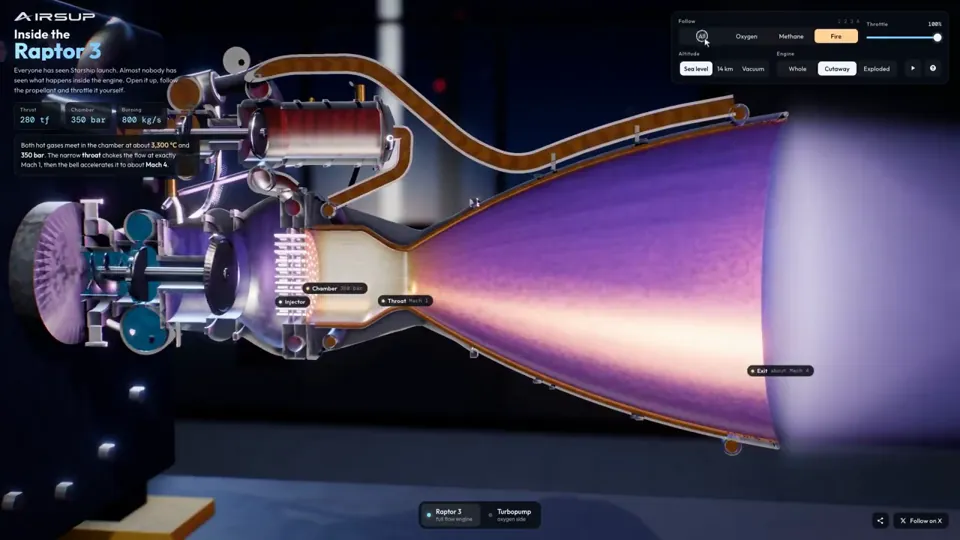
Erklärvideo
Raptor 3 engine cutaway tracing its turbopumps
three.js, Shader · 16:9 · 0:35
von konstantinsaifo


Abo wählen
Ein Credit-Guthaben für KI-Videos und KI-Bilder. Monatlich oder jährlich abonnieren oder einmal ein Credit-Paket kaufen.
2.000 Credits
20 $einmalig
Einmal zahlen · kein Abo
Videos pro Paket
Produktdemo mit 30 Sekunden13 Videos
Erklärvideo mit 60 Sekunden5 Videos
- 2.000 Credits, einmal gutgeschrieben
- Bis zu 86 schnelle Bilder
- Kein hinzugefügtes Potto-Wasserzeichen
- Von Video- und Bildwerkzeugen gemeinsam genutzt
5.000 Credits
50 $einmalig
Einmal zahlen · kein Abo
Videos pro Paket
Produktdemo mit 30 Sekunden33 Videos
Erklärvideo mit 60 Sekunden13 Videos
- 5.000 Credits, einmal gutgeschrieben
- Bis zu 217 schnelle Bilder
- Kein hinzugefügtes Potto-Wasserzeichen
- Von Video- und Bildwerkzeugen gemeinsam genutzt
15.000 Credits
100 $einmalig
Einmal zahlen · kein Abo
Videos pro Paket
Produktdemo mit 30 Sekunden100 Videos
Erklärvideo mit 60 Sekunden40 Videos
- 15.000 Credits, einmal gutgeschrieben
- Bis zu 652 schnelle Bilder
- Kein hinzugefügtes Potto-Wasserzeichen
- Von Video- und Bildwerkzeugen gemeinsam genutzt
Lite
Lite wählen20 $/MonatMonatliche Abrechnung
Videos pro Monat
Produktdemo mit 30 Sekunden13 VideosErklärvideo mit 60 Sekunden5 Videos- 2.000 Credits pro Monat
- Bis zu 86 schnelle Bilder
- Warteschlange Standard
- Kein hinzugefügtes Potto-Wasserzeichen
- Stapelverarbeitung mit KI-Tools
- Nicht in öffentlichen Galerien gelistet
Pro
Pro wählen50 $/MonatMonatliche Abrechnung
Videos pro Monat
Produktdemo mit 30 Sekunden33 VideosErklärvideo mit 60 Sekunden13 Videos- 5.000 Credits pro Monat
- Bis zu 217 schnelle Bilder
- Bevorzugte Warteschlange
- Kein hinzugefügtes Potto-Wasserzeichen
- Stapelverarbeitung mit KI-Tools
- Nicht in öffentlichen Galerien gelistet
- Empfohlen
Max
Max wählen100 $/MonatMonatliche Abrechnung
Videos pro Monat
Produktdemo mit 30 Sekunden100 VideosErklärvideo mit 60 Sekunden40 Videos- 15.000 Credits pro Monat
- Bis zu 652 schnelle Bilder
- Höchste Priorität in der Warteschlange
- Kein hinzugefügtes Potto-Wasserzeichen
- Stapelverarbeitung mit KI-Tools
- Nicht in öffentlichen Galerien gelistet
Lite
-20%Lite wählen20 $16 $/MonatJährliche Abrechnung · 240 $ → 192 $/Jahr
Videos pro Monat
Produktdemo mit 30 Sekunden13 VideosErklärvideo mit 60 Sekunden5 Videos- 2.000 Credits pro Monat
- Bis zu 86 schnelle Bilder
- Warteschlange Standard
- Kein hinzugefügtes Potto-Wasserzeichen
- Stapelverarbeitung mit KI-Tools
- Nicht in öffentlichen Galerien gelistet
Pro
-20%Pro wählen50 $40 $/MonatJährliche Abrechnung · 600 $ → 480 $/Jahr
Videos pro Monat
Produktdemo mit 30 Sekunden33 VideosErklärvideo mit 60 Sekunden13 Videos- 5.000 Credits pro Monat
- Bis zu 217 schnelle Bilder
- Bevorzugte Warteschlange
- Kein hinzugefügtes Potto-Wasserzeichen
- Stapelverarbeitung mit KI-Tools
- Nicht in öffentlichen Galerien gelistet
- Empfohlen
Max
-20%Max wählen100 $80 $/MonatJährliche Abrechnung · 1.200 $ → 960 $/Jahr
Videos pro Monat
Produktdemo mit 30 Sekunden100 VideosErklärvideo mit 60 Sekunden40 Videos- 15.000 Credits pro Monat
- Bis zu 652 schnelle Bilder
- Höchste Priorität in der Warteschlange
- Kein hinzugefügtes Potto-Wasserzeichen
- Stapelverarbeitung mit KI-Tools
- Nicht in öffentlichen Galerien gelistet
Videos use credits when you export, and starting one needs a balance that covers its export. Counts assume a 30-second product demo and a 60-second explainer with narration and 3 illustrations.
Halftone machine sorts contract clauses in a podcast FAQ
Wie Halftone machine sorts contract clauses in a podcast entstand, was der Prompt sagt und wie Sie mit Potto ein ähnliches Erklärvideo-Video erstellen.
Was ist Halftone machine sorts contract clauses in a podcast?
Halftone machine sorts contract clauses in a podcast ist ein Motion-Graphics-Video in der Kategorie Erklärvideo von stokebuilder. A halftone machine sorts contract clauses in a podcast explainer.
Wie wurde Halftone machine sorts contract clauses in a podcast erstellt?
Halftone machine sorts contract clauses in a podcast wurde mit Canvas und SVG erstellt. Es gehört zur Erklärvideo-Sammlung der KI-Motion-Graphics-Videos auf Potto.
Ist der Prompt für Halftone machine sorts contract clauses in a podcast verfügbar?
Ja. Der vollständige Prompt hinter Halftone machine sorts contract clauses in a podcast steht auf dieser Seite. Kopieren Sie ihn, oder klicken Sie auf „Diesen Prompt verwenden“, um ihn im Arbeitsbereich von Potto zu öffnen.
Wie lang ist Halftone machine sorts contract clauses in a podcast, und welches Seitenverhältnis hat es?
Halftone machine sorts contract clauses in a podcast dauert 0:16 und nutzt ein 16:9-Format.
Kann ich mit Potto ein Erklärvideo-Video wie Halftone machine sorts contract clauses in a podcast erstellen?
Ja. Klicken Sie auf „Diesen Prompt verwenden“, um den Prompt hinter Halftone machine sorts contract clauses in a podcast in den Arbeitsbereich von Potto zu laden. Potto rendert eine eigene Version, und Sie können Text und Stil vor dem Export ändern.
Welcher Agent-Skill wurde für Halftone machine sorts contract clauses in a podcast verwendet?
Halftone machine sorts contract clauses in a podcast wurde mit dem Skill Hyperframes erstellt. Klicken Sie nach der Anmeldung auf „Skill ansehen“, um ihn kostenlos in Claude Code, Codex oder Cursor zu installieren.
Wo kann ich das Original von Halftone machine sorts contract clauses in a podcast ansehen?
Halftone machine sorts contract clauses in a podcast wurde zuerst von der erstellenden Person veröffentlicht. Klicken Sie auf Original ansehen, um diesen Beitrag in einem neuen Tab zu öffnen.
Wo finde ich weitere Erklärvideo-Videos wie Halftone machine sorts contract clauses in a podcast?
Durchsuchen Sie die Erklärvideo-Sammlung auf Potto: 264 Videos, jeweils mit Prompt, Angaben und Quelle.