Visuelles System
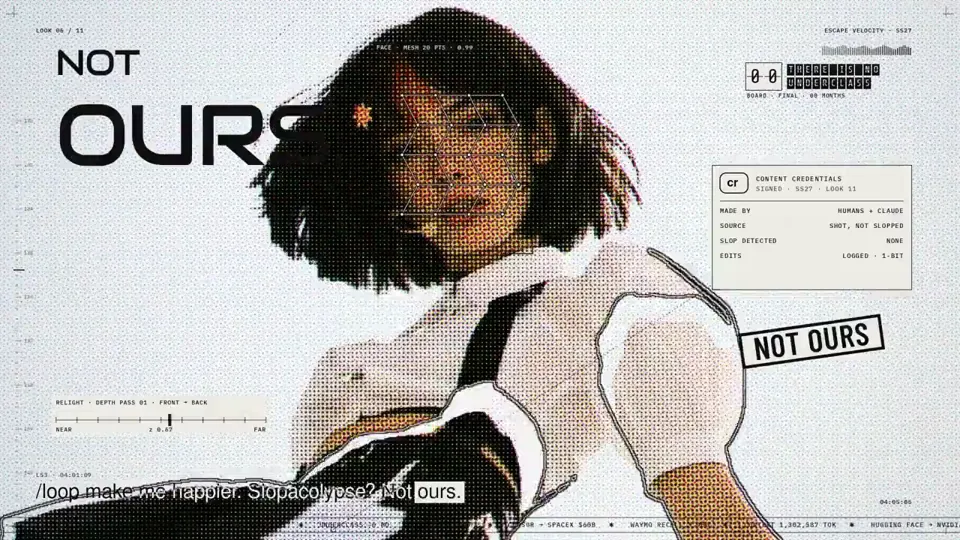
Pop music video with a halftone portrait overlay
Canvas, AI image · 16:9 · 5:06
von anabology
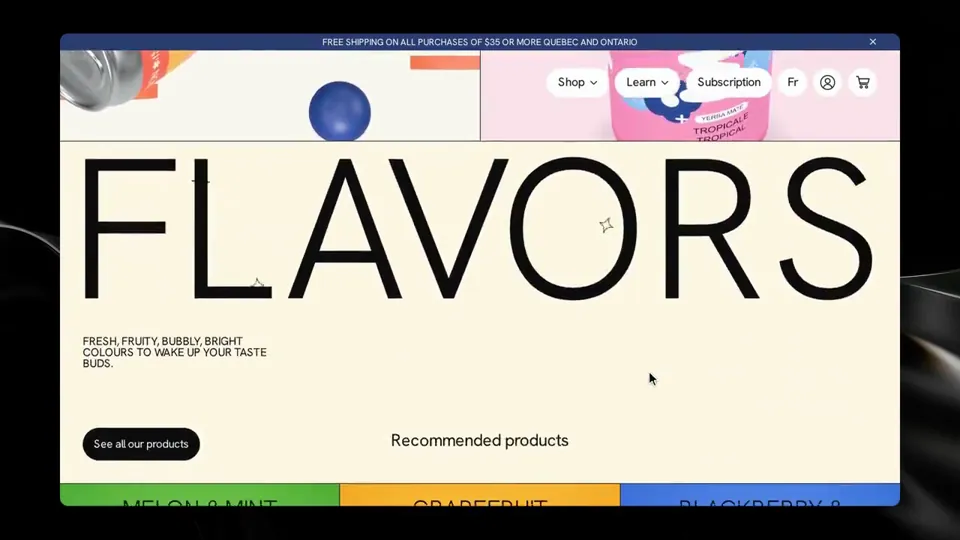
Rebuild https://en.manayerbamate.com/ as closely as you can, using the cloning methodology in ./clone-skill/. Context you should know: this is going into a video watched by a large audience, your build is put on screen next to the real site against two other frontier models doing the same task, and your work will be credited to you by name. Every model gets this identical prompt and the identical target. The comparison is literal, so anything you skip will be visible. This is an evaluation exercise, not a site to ship. It is never published as the brand's own site. **Read the methodology first.** `./clone-skill/SKILL.md` and `references/00-contract.md` before you do anything else, then each stage reference as you reach it. `references/stage-prompts.md` and `references/tooling.md` are worth reading early. The contract defines the workspace layout, the artifact filenames, the stage inputs and outputs, the verification gate and the convergence loop. Follow it. `scripts/assert-styles.mjs` is the gate. Two overrides that win where they conflict with the skill: - **Ignore the stop-and-check-in gate.** That skill was written for an interactive session with a human. You are running unattended. Do not stop between stages, do not ask for approval, do not ask questions. Run the whole pipeline start to finish and report only when it is done. - **Use your own browser automation** — headless Playwright or Puppeteer, installed and driven by you — anywhere the skill says to use the Claude Chrome extension. The contract's real rule is unchanged and it is the one that matters: **computed styles read off the live page are ground truth.** Read them through the CSSOM. Screenshots are visual reference only; never build the gate on a pixel diff. Requirements: 1. **Recon every view before you write code.** Every route, every breakpoint, every interactive state: hover, focus, active, open menus, modals, scroll-triggered states, loading and transition states, the language switcher. What you miss in recon you will not build. 2. **Extract, do not guess.** Pull real computed values off the live page: the full type scale, the colour palette with exact values, spacing, radii, shadows, borders, grid and container widths, breakpoints, easing curves and durations, font families and weights. Never read a value off a screenshot. 3. **Rebuild it.** Every section, every component, every state, at every breakpoint. The motion is part of the clone: scroll behaviour, page transitions, hover choreography, entrance animations, any canvas or WebGL work. A static skin over a site whose identity is motion is a failed clone. 4. **No lifted assets.** Do not hotlink from the original and do not download its images, video or fonts. Regenerate imagery in code, substitute freely-licensed equivalents, or author placeholders that match the original's role, aspect and colour. Fonts come from an open CDN, matching the metrics as closely as you can. List every substitution in the README. 5. **Prove the match.** Run the verification gate: read your clone's computed styles, compare them to the extracted design tokens with `scripts/assert-styles.mjs`, and iterate the convergence loop until there are zero style-assertion failures and the project builds clean. Then eyeball your clone against the real site at the same viewport, at every breakpoint, and fix what your eye catches that the assertions did not. 6. **Ship it runnable.** A real project that installs and runs with a documented command, plus a README naming what you substituted and your final assertion results. 7. **Depth over breadth if you have to choose.** One page cloned to a genuinely indistinguishable standard beats five that are approximately right.
Visuelles System
Canvas, AI image · 16:9 · 5:06
von anabology

Visuelles System
Claude Opus 5.5, JavaScript · 16:9 · 2:22
von donaldjewkes


Ein Credit-Guthaben für KI-Videos und KI-Bilder. Monatlich oder jährlich abonnieren oder einmal ein Credit-Paket kaufen.
Einmal zahlen · kein Abo
Videos pro Paket
Einmal zahlen · kein Abo
Videos pro Paket
Einmal zahlen · kein Abo
Videos pro Paket
Monatliche Abrechnung
Videos pro Monat
Monatliche Abrechnung
Videos pro Monat
Monatliche Abrechnung
Videos pro Monat
Jährliche Abrechnung · 240 $ → 192 $/Jahr
Videos pro Monat
Jährliche Abrechnung · 600 $ → 480 $/Jahr
Videos pro Monat
Jährliche Abrechnung · 1.200 $ → 960 $/Jahr
Videos pro Monat
Videos use credits when you export, and starting one needs a balance that covers its export. Counts assume a 30-second product demo and a 60-second explainer with narration and 3 illustrations.
Wie Yerba mate can scrolls through a drink brand site entstand, was der Prompt sagt und wie Sie mit Potto ein ähnliches Visuelles System-Video erstellen.
Yerba mate can scrolls through a drink brand site ist ein Motion-Graphics-Video in der Kategorie Visuelles System von per_simmons_. A 41-second motion video showing yerba mate can scrolls moving through a drink brand site.
Yerba mate can scrolls through a drink brand site wurde mit three.js, Canvas und SVG erstellt. Es gehört zur Visuelles System-Sammlung der KI-Motion-Graphics-Videos auf Potto.
Ja. Der vollständige Prompt hinter Yerba mate can scrolls through a drink brand site steht auf dieser Seite. Kopieren Sie ihn, oder klicken Sie auf „Diesen Prompt verwenden“, um ihn im Arbeitsbereich von Potto zu öffnen.
Yerba mate can scrolls through a drink brand site dauert 0:41 und nutzt ein 16:9-Format.
Ja. Klicken Sie auf „Diesen Prompt verwenden“, um den Prompt hinter Yerba mate can scrolls through a drink brand site in den Arbeitsbereich von Potto zu laden. Potto rendert eine eigene Version, und Sie können Text und Stil vor dem Export ändern.
Yerba mate can scrolls through a drink brand site wurde zuerst von der erstellenden Person veröffentlicht. Klicken Sie auf Original ansehen, um diesen Beitrag in einem neuen Tab zu öffnen.
Durchsuchen Sie die Visuelles System-Sammlung auf Potto: 480 Videos, jeweils mit Prompt, Angaben und Quelle.