Premium00
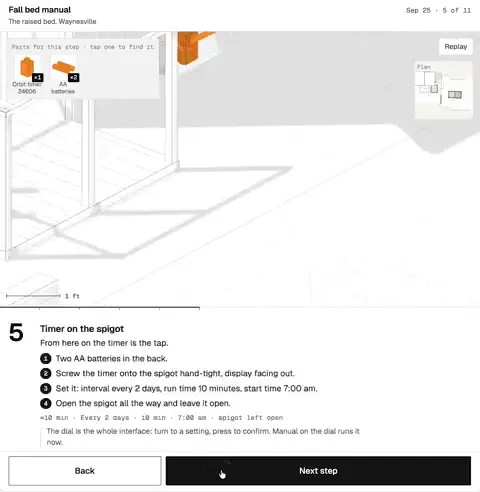
Video 1 of 1Step-by-step 3D manual for a raised garden bed
Open video page
Product ScreensENRemotion
Claude Code · Codex
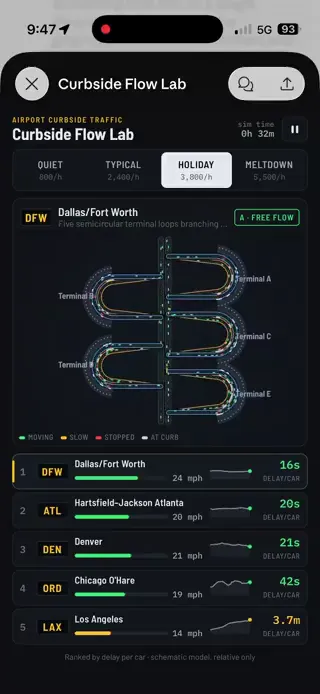
One balance of credits for AI videos and AI images. Subscribe monthly or yearly, or buy a credit pack once.
Billed monthly
Monthly videos
Billed monthly
Monthly videos
Billed monthly
Monthly videos
Videos use credits on export. Your balance must cover the export before you start. Counts assume a 30s demo and a 60s explainer with narration and 3 illustrations.
What Step-by-Step Spatial Instruction Manual does, which agents run it, the keys it needs, and how to install it.
Step-by-Step Spatial Instruction Manual is an agent skill by Potto for making Product Screens videos. Create animated spatial instruction manuals with line drawings on white, orange highlights for active parts, camera moves between assembly locations, parts lists, step panels…
Step-by-Step Spatial Instruction Manual is a premium skill. It comes with any paid Potto plan (Lite, Pro or Max), or you can buy it once for $5 and keep it.
The Step-by-Step Spatial Instruction Manual skill is written in English. It makes on-screen text in any language you give it.
Step-by-Step Spatial Instruction Manual builds on Remotion. Install Bun, Python 3, and FFmpeg before you run it.
Step-by-Step Spatial Instruction Manual produces MP4.
Step-by-Step Spatial Instruction Manual runs in Claude Code and Codex, or in any other agent that reads SKILL.md.
No. Step-by-Step Spatial Instruction Manual works without any extra API key.
Copy the install prompt for Step-by-Step Spatial Instruction Manual from this page and paste it into your agent, or download its ZIP.
Step-by-Step Spatial Instruction Manual was used to make 1 video in the Potto gallery, such as Step-by-step 3D manual for a raised garden bed.
Potto has Step-by-Step Spatial Instruction Manual v1.0.0, updated Oct 21, 2026. Copy the install prompt again to get the latest version.