
- Length & ratio
- 0:15
- 9:16
Prompt
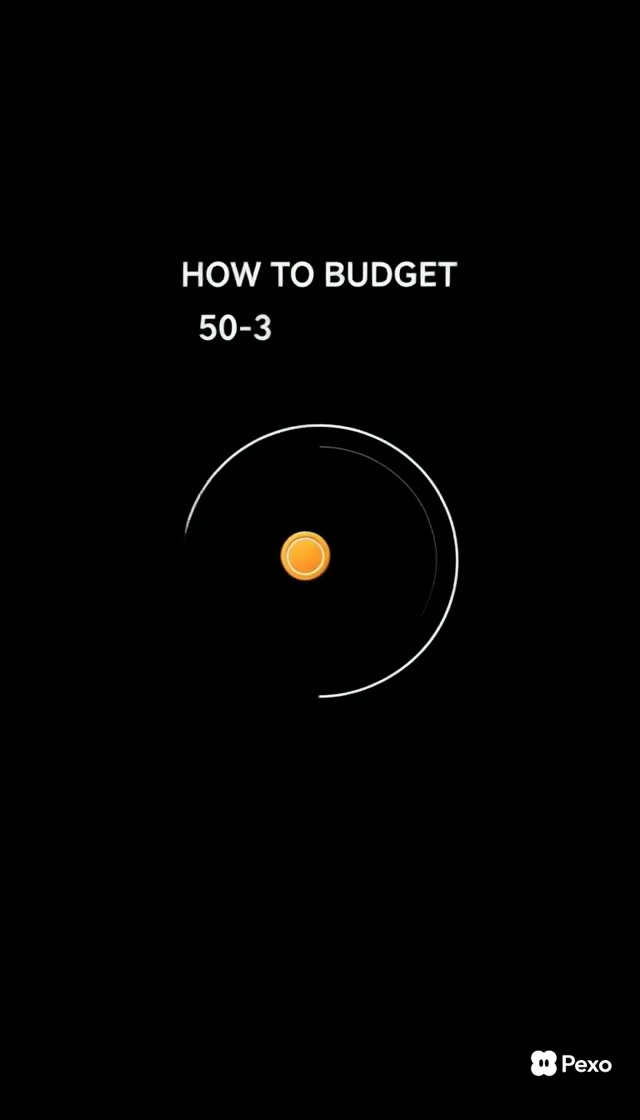
Create a vertical motion-graphics explainer titled “Budgeting Basics Explained.” Preserve the source video’s subject, scene order, visual treatment, transitions, camera behavior, color palette, caption timing, and audio intent. Keep the narrative aligned with the detailed source brief below. Minimalist financial-explainer motion graphic, dark editorial style, 9:16 portrait, crisp 1080p rendering. Palette: background solid near-black #0A0A0A (explicit background every beat); a single glowing amber coin #F2A81D used only for the traveling "money" dot and the liquid fill inside each bucket; thin white #FFFFFF line-art icons, ring outlines and large uppercase labels. One warm amber accent, everything else white on black. Every beat carries a real illustrated object (house, coin, campervan skyline, insurance sheet, savings jar), never text alone. Change every 1-1.5s. (1) 0-3s: on black, a small amber coin drifts in from left; a thin white circular progress ring sweeps 360 degrees around it and locks. Large white caps type on letter by letter: "HOW TO BUDGET", then swaps to "50-30-20 RULE". A flat white line-drawn radar dial expands beneath. (2) 3-6s: white caps "50% NEEDS". A white outline circle drops in and its lower half floods with amber like liquid. Three line icons tile in one by one: a house, a coin stamped with an X (food), a city skyline with a small campervan. Labels beneath each: "HOUSING", "FOOD", "TRANSPORTATION". (3) 6-9s: three stacked amber-outlined roundels pop in for "BASIC UTILITIES" (water drop, lightning bolt, wifi), then a document icon in a ring for "INSURANCE". A big amber disc scales up with white caps "NEXT". (4) 9-12s: white caps "30% WANTS". Line icons swing in: film camera "ENTERTAINMENT", globe "TRAVEL", t-shirt "FASHION", headphones "GEAR". Cut to two upright white cylinders filling one-fifth amber, caps "20% SAVINGS". (5) 12-15s: four line icons flip in — coins on a plate "DEBT PAYMENTS", plus-mark box "EMERGENCY FUND", open crate "RETIREMENT", rising line-graph "INVESTMENTS". A ring fills with amber coins, then collapses to one bright coin. Closing white caps stack and hold: "SAVE YOUR MONEY / BECAUSE ONE DAY / IT WILL SAVE YOU." Voiceover (confident low female voice, editorial; unhurried pace with natural breathing pauses; finishes before the 13s mark): "Here's how to budget: split every dollar into three buckets. Fifty percent needs, thirty percent wants, twenty percent savings — because one day, that money will save you." (27 words) Audio bed: minimal deep sub-pulse with soft ticking accents that land on each icon reveal; a single warm chime on the final coin. On-screen text whitelist (large bold caps only, spell identically, no small print): "HOW TO BUDGET", "50-30-20 RULE", "50% NEEDS", "HOUSING", "FOOD", "TRANSPORTATION", "BASIC UTILITIES", "INSURANCE", "NEXT", "30% WANTS", "ENTERTAINMENT", "TRAVEL", "FASHION", "GEAR", "20% SAVINGS", "DEBT PAYMENTS", "EMERGENCY FUND", "RETIREMENT", "INVESTMENTS", "SAVE YOUR MONEY", "BECAUSE ONE DAY", "IT WILL SAVE YOU". Negatives: no barcodes, no QR codes, no small print, no gibberish glyphs, no watermark, no handles, no URLs, no follow/subscribe/DM call-to-action, no camera shake. Background stays solid near-black #0A0A0A throughout.
More videos like this
View all


Choose Your Plan
One balance of credits for AI videos and AI images. Subscribe monthly or yearly, or buy a credit pack once.
2,000 credits
$20one-time
Pay once · no subscription
Videos per pack
30-second product demo13 videos
60-second explainer5 videos
- 2,000 credits, added once
- Up to 86 fast images
- No added Potto watermark
- Shared by video and image tools
5,000 credits
$50one-time
Pay once · no subscription
Videos per pack
30-second product demo33 videos
60-second explainer13 videos
- 5,000 credits, added once
- Up to 217 fast images
- No added Potto watermark
- Shared by video and image tools
15,000 credits
$100one-time
Pay once · no subscription
Videos per pack
30-second product demo100 videos
60-second explainer40 videos
- 15,000 credits, added once
- Up to 652 fast images
- No added Potto watermark
- Shared by video and image tools
Lite
Choose Lite$20/monthBilled monthly
Videos per month
30-second product demo13 videos60-second explainer5 videos- 2,000 credits per month
- Up to 86 fast images
- Standard queue
- No added Potto watermark
- Batch processing with AI tools
- Not listed in public galleries
Pro
Choose Pro$50/monthBilled monthly
Videos per month
30-second product demo33 videos60-second explainer13 videos- 5,000 credits per month
- Up to 217 fast images
- Priority queue
- No added Potto watermark
- Batch processing with AI tools
- Not listed in public galleries
- Recommended
Max
Choose Max$100/monthBilled monthly
Videos per month
30-second product demo100 videos60-second explainer40 videos- 15,000 credits per month
- Up to 652 fast images
- Highest priority queue
- No added Potto watermark
- Batch processing with AI tools
- Not listed in public galleries
Lite
-20%Choose Lite$20$16/monthBilled annually · $240 → $192/year
Videos per month
30-second product demo13 videos60-second explainer5 videos- 2,000 credits per month
- Up to 86 fast images
- Standard queue
- No added Potto watermark
- Batch processing with AI tools
- Not listed in public galleries
Pro
-20%Choose Pro$50$40/monthBilled annually · $600 → $480/year
Videos per month
30-second product demo33 videos60-second explainer13 videos- 5,000 credits per month
- Up to 217 fast images
- Priority queue
- No added Potto watermark
- Batch processing with AI tools
- Not listed in public galleries
- Recommended
Max
-20%Choose Max$100$80/monthBilled annually · $1,200 → $960/year
Videos per month
30-second product demo100 videos60-second explainer40 videos- 15,000 credits per month
- Up to 652 fast images
- Highest priority queue
- No added Potto watermark
- Batch processing with AI tools
- Not listed in public galleries
Videos use credits when you export, and starting one needs a balance that covers its export. Counts assume a 30-second product demo and a 60-second explainer with narration and 3 illustrations.
Budgeting Basics Explained FAQ
How Budgeting Basics Explained was made, what its prompt says, and how to make Launch videos like it with Potto.
What is Budgeting Basics Explained?
Budgeting Basics Explained is a motion graphics video in the Launch collection. A launch video explaining the basics of budgeting.
How was Budgeting Basics Explained made?
The creator of Budgeting Basics Explained did not list the tools behind it. It is part of the Launch collection of AI motion graphics videos on Potto.
Is the prompt for Budgeting Basics Explained available?
Yes. The full prompt behind Budgeting Basics Explained is on this page. Copy it, or click Use this prompt to open it in the Potto workspace.
How long is Budgeting Basics Explained, and what is its aspect ratio?
Budgeting Basics Explained runs 0:15 in a 9:16 frame.
Can I make Launch videos like Budgeting Basics Explained with Potto?
Yes. Click Use this prompt to load the prompt behind Budgeting Basics Explained into the Potto workspace. Potto renders its own version, and you can change the text and style before you export.
Where can I watch the original Budgeting Basics Explained?
Budgeting Basics Explained was first posted by its creator. Click View original to open that post in a new tab.
Where can I find more Launch videos like Budgeting Basics Explained?
Browse the Launch collection on Potto: 348 videos, each with its prompt, specs and source.