Oh You Can Make It Cap AI
Two photos in, one 15-second meme out. Your faces act out all 11 shots, set to the meme sound.
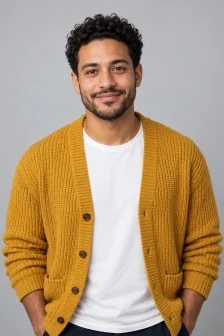
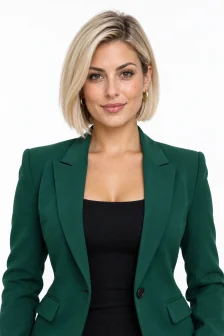
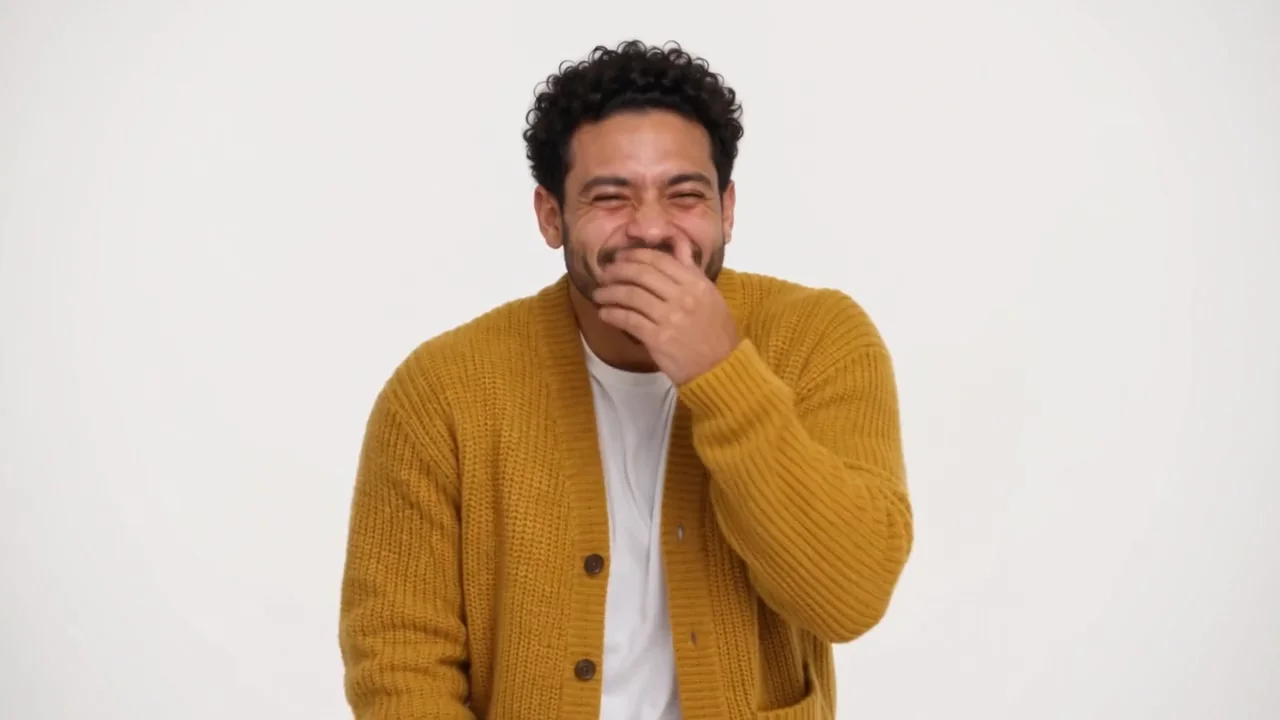 15s
15sA sample made from two AI-generated adults.
Photos In, Meme Out
Each example shows the photos we uploaded and the video Potto made. Everyone pictured is AI-generated.
Two people, horizontal
Photo 1 laughs, photo 2 spins. Shaped like the meme itself.
Same video, stacked vertical
The free phone version that comes with horizontal videos.
Just me
One face in every shot.
What Is the Oh You Can Make It Cap Meme?
Oh you can make it cap is a short meme that spread in October 2026. Two people trade shots in a bright white studio. One person cannot stop laughing. The other spins and keeps a straight face.
The name comes from a caption. The line sounds like "make it clap", but the caption reads "cap". Many people call it the oh he tweakin meme instead.
An oh you can make it cap AI video remakes the clip with new faces. Cuts and sound stay the same. Potto builds that remake from your photos. No frames from the original clip are used.
Prefer a dedicated app? Try it on ohyoucanmakeitcapai.com.
Role A: the laugher
Points, holds back a giggle and covers a laugh. Photo 1 takes this part.
Role B: the spinner
Turns around, looks back and talks with a straight face. Photo 2 gets this part.
All 11 Shots of the Meme
Your video follows the original edit shot for shot. Role A and role B take turns.
- 010.0sAGrins and points at someone off camera.
- 021.9sBSpins and looks back over the shoulder.
- 033.2sABites a finger to hold back a laugh.
- 045.1sBFaces the camera and talks, hands up.
- 056.3sACovers the mouth and laughs.
- 068.6sBKeeps talking, holding a small object.
- 0710.0sALaughs and talks back.
- 0811.5sBStands still with a smug look.
- 0912.2sAGrins and waves a hand.
- 1013.8sBTalks one more time.
- 1114.4sAStands and talks until the end.
How to Make an Oh You Can Make It Cap AI Video
Three steps. No prompt to write.
Upload your photos
Start with the laugher's photo. Add the spinner's photo, or turn on Just me.
Choose layout and resolution
Pick vertical or horizontal, then 480p or 720p. The credit price shows before you start.
Generate and download
Your photos get checked first. When the video is ready, play it and download the MP4.
Photos That Work Best
Every photo is checked before any credits are charged. A photo that fails costs nothing.
Use
- A single adult per photo
- A clear face toward the camera
- Even light and sharp focus
- Waist up or full body
Avoid
- Group photos or two faces
- Photos of children
- Sunglasses, masks or hands over the face
- Blurry, dark or tiny faces
Layouts and Resolutions
Pick the shape for where you will post. Every video is 15 seconds with sound.
Vertical (9:16)
Fills a phone screen. Made for short-video apps.
Horizontal (16:9)
Closest to the meme's own shape. Good for YouTube and X.
Stacked vertical
Comes free with every horizontal video. The same video plays twice, top and bottom.
Blurred vertical
Also included with horizontal. The video sits in the middle on a blurred fill.
480p
The lower price. Fine for phone feeds.
720p
Sharper faces and detail.
Oh you can make it cap AI FAQs
Answers on photos, layouts, sound and credits.
What is oh you can make it cap AI?
Oh you can make it cap AI is a way to remake a viral meme clip with your own face. You upload one or two photos. AI rebuilds the meme's 11 shots with those faces and adds the meme sound. On Potto, it runs in your account and uses credits.
What is the oh he tweakin meme?
The oh he tweakin meme is another name for the oh you can make it cap clip. The name points at the person who keeps laughing. "Tweakin" is slang for acting wild or overreacting. You tweaking and do a 360 are other names for the same clip.
Can I make it with just one photo?
Yes, one photo is enough. Turn on Just me, and that face covers both roles. Add a second photo when a friend should play the spinner.
Why was my photo rejected?
A photo is rejected unless it shows exactly one adult with a clear face. Group shots, children, sunglasses, masks and blurry faces fail the check. Each file must be 20 MB or smaller. A rejected photo costs no credits.
Does the video use the original meme sound?
Yes. Every oh you can make it cap AI video on Potto carries the meme's own soundtrack. The track is swapped in after rendering and sets it to -14 LUFS, a common loudness for social apps.
Which layout should I pick for TikTok?
Pick the vertical layout for TikTok, Reels and Shorts. Pick horizontal for the classic look of the meme. A horizontal video also comes with stacked and blurred vertical versions at no extra cost.
How long does a video take?
Most videos are ready in about 3 to 5 minutes. In our test, a 480p video took about 3.5 minutes from start to finish. You can close the page, and the finished video waits in My Creations.
How many credits does an oh you can make it cap AI video cost?
Potto charges 515 credits for an oh you can make it cap AI video at 480p, and 1,155 at 720p. Every video runs 15 seconds. You see the exact price before you generate. If a video fails, the credits are released.
Can I change the shots or write a prompt?
No. Shots, timing and audio are fixed to match the meme. You choose the photos, the layout and the resolution.
Is Potto connected to the original video?
No. Potto is an independent tool. It has no link to the people in the original clip or to any social app. Only upload photos of people who agreed to be in your meme.
Make Your Oh You Can Make It Cap AI Video
Add a photo, pick a layout and see the credit price. Then generate.