Make your own stickers with AI: describe one character, pick a pack of 4 or 9 or an animated sticker, add captions and download transparent PNG, SVG or GIF.
You can make your own stickers with Potto's AI sticker maker: describe one character in a sentence, pick a pack of 4 or 9 or an animated sticker, and download transparent PNG files, each with an SVG. Every sticker in a pack shows the same character in a new pose. You can add a caption to each sticker; captions are set in a real font, so the spelling stays exact.
This guide walks through the whole process. It covers how to describe a character, which sticker type to pick, how captions work, how to keep a character across many packs, and which files you get. It ends with what to check before you add your stickers to a chat app or send them to print.
Key facts (checked November 2026):
WhatsApp's Help Center says stickers should be 512 × 512 px, with up to 30 stickers in one pack.
WhatsApp's Help Center caps a static sticker at 100 KB and an animated sticker at 500 KB.
Telegram's sticker guidelines ask for static stickers as PNG or WEBP files with one side exactly 512 px.
Telegram's sticker guidelines ask for video stickers as WEBM files of up to 3 seconds and 256 KB.
OpenAI's model page describes GPT-Image-2.6 Flare as a model that generates and edits images from text and image inputs.
Potto's AI sticker maker draws a transparent sticker pack of 4 or 9 stickers or one animated sticker for 15 credits.
What You Need to Make Your Own Stickers
To make your own stickers with AI, you need an idea and a sentence. You do not draw, trace or cut anything. The AI sticker maker is an AI sticker generator that runs on GPT Image 2.6, which draws a whole set of matching stickers from a single request. Potto then cuts each sticker out, so every file has a transparent background.
You can also start a transparent sticker pack from a picture. A drawing, a mascot or a game character works as a reference image, and the stickers keep its look. A reference is optional. Most people start with words alone and add a picture later, once they know what kind of sticker they like.
You need a Potto account to generate. Each sticker pack or animated sticker costs 15 credits, and new accounts start with 100 credits. The exact price shows next to the Make stickers button before you press it.
Describe One Character
The prompt is where your sticker character comes from. Keep each pack to a single subject. Name the character, its colors and a trait or two, for example "a grey cat with a blue scarf" or "a round white bunny with pink cheeks and a tiny yellow scarf". The AI sticker generator draws the poses for you, so use your words for looks, not actions.
Add a style to the sentence. Chibi, flat cartoon, watercolor and 3D clay all work well. Bold shapes and thick lines read well at chat size. Fine texture and tiny details vanish when a sticker shrinks to a thumbnail, so simple designs make better stickers.
A prompt can run to 1,000 characters, but a single sentence often does the job. These are the prompts behind the example GPT Image 2.6 stickers on the sticker maker:
"A round white bunny with pink cheeks and a tiny yellow scarf, chibi style"
"A chubby shiba inu dog with a red bandana, chibi style"
"A round grey cat with a blue scarf, flat sticker style"
Pick a Sticker Pack or an Animated Sticker
The AI sticker maker has two modes at the same price. A sticker pack gives you a reply for every mood. An animated sticker gives you a gesture that moves. If you want both kinds, run both.
A pack of 4 or 9 stickers
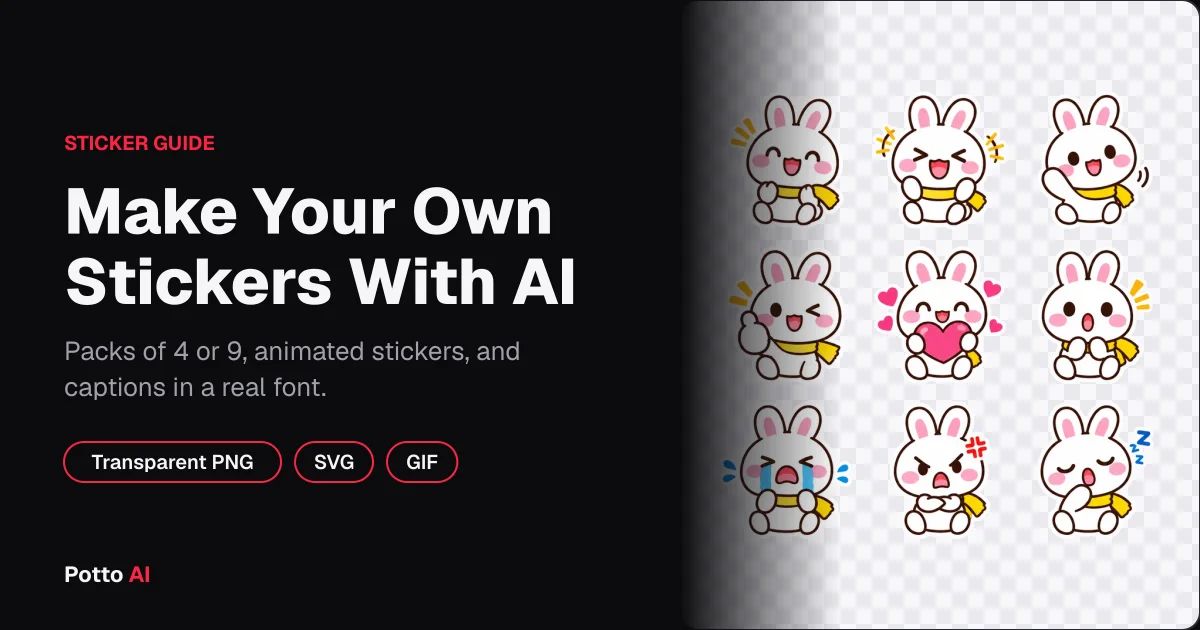
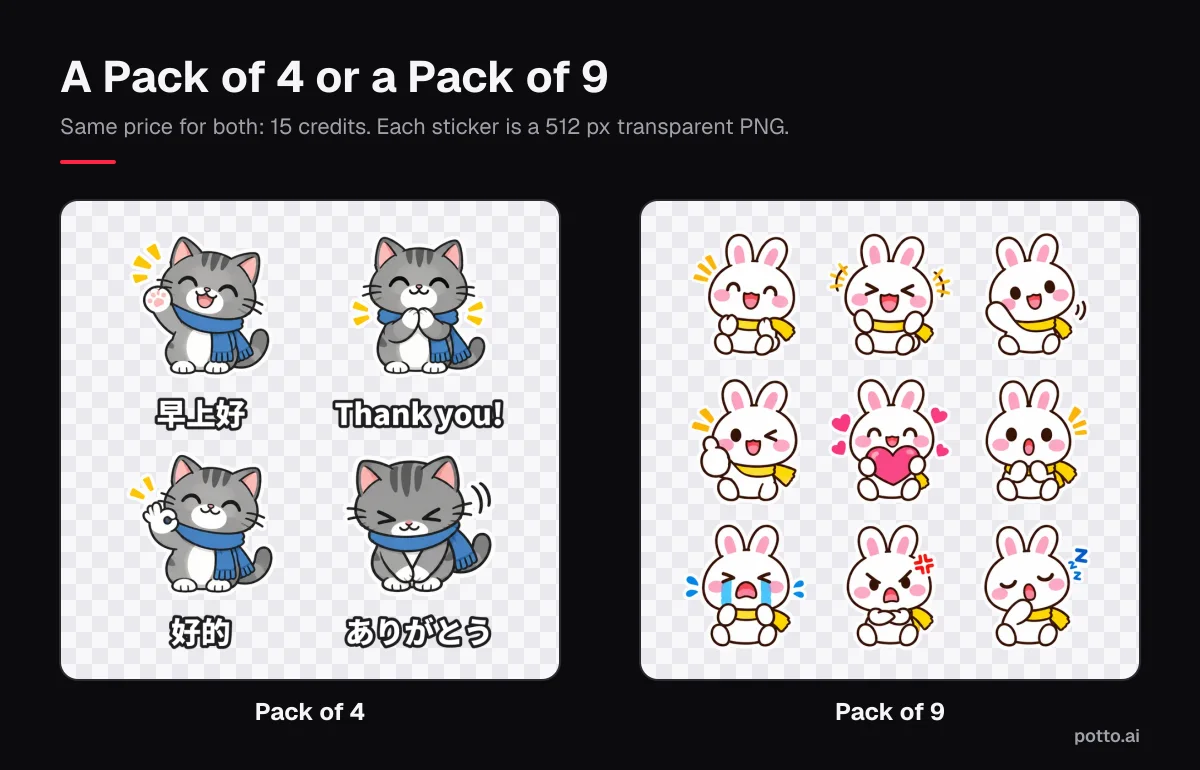
A pack of 9 stickers covers nine moods, one per sticker: happy, laughing, waving hello, thumbs up, heart love, surprised, crying, angry and sleepy. The 4-sticker pack keeps the first four moods, drawn larger, so fine details survive better. The result is a transparent sticker pack: every sticker is a 512 × 512 px PNG with a white die-cut outline and a clear background.
All the stickers in a pack are drawn together, in a single pass. That is why a pack always matches: same character, same colors, same line style. Small details can still shift a little from sticker to sticker, so look over the set before you share it.
An animated sticker
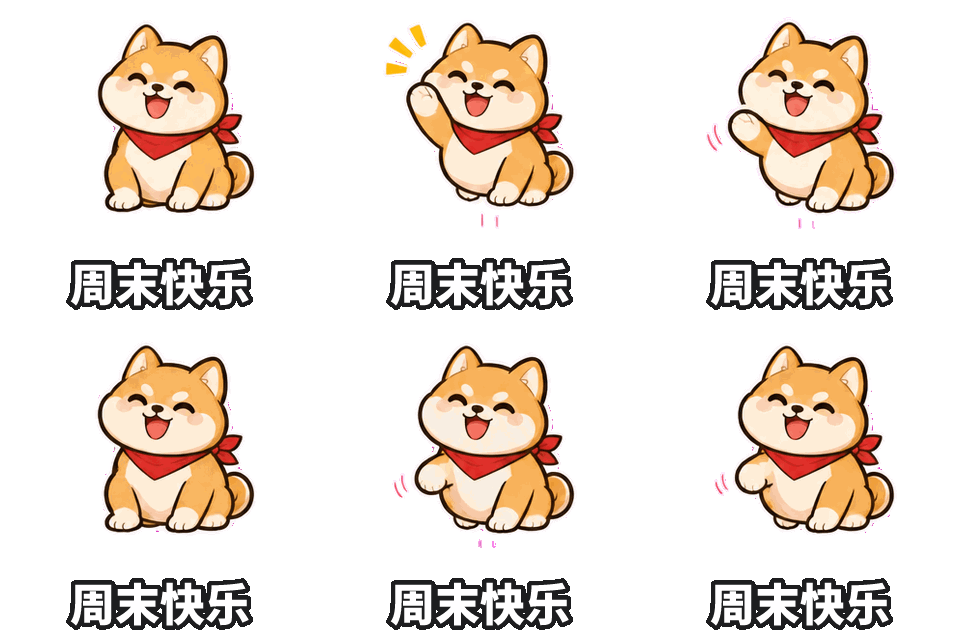
An animated sticker is a short motion that repeats forever, such as a wave or a little hop. It downloads as a GIF with a transparent background. The GIF is 320 × 320 px with 16 frames, and at the default speed each loop lasts 2 seconds. For an animated sticker, describe the motion in your prompt: "the shiba inu waves hello and hops a little".
You can change the speed of an animated sticker after it is made. Pick 4, 6, 8 or 12 frames per second. Nothing is drawn again, and changing the speed uses no credits. The new speed is saved in My Creations.
A trade-off comes from the GIF format itself. A PNG pixel can be partly see-through, so the edges of pack stickers look smooth. A GIF pixel is either fully clear or solid, which makes animated sticker edges a little harder.
Add Captions in a Real Font, Spelled Right
Text drawn by an image model can come out misspelled. Potto avoids that problem: the model draws only the character, and Potto adds your caption afterward. Each caption is set in a real font under the character, spelled exactly as you typed it. That makes captions among the most useful parts of an AI sticker generator for chat.
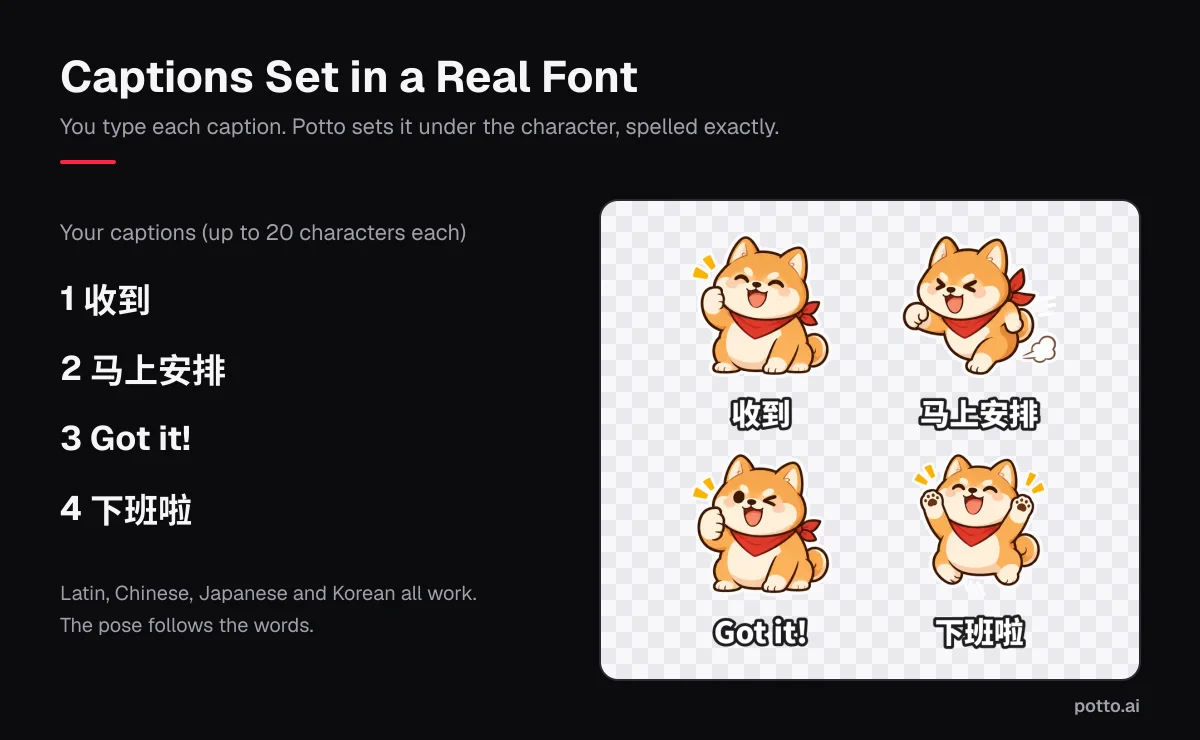
Each sticker in a pack can have its own caption of up to 20 characters. Latin, Chinese, Japanese and Korean all work, so "Got it!", "收到" and "ありがとう" can sit in the same pack. Emoji can't be added. An animated sticker takes one caption, added the same way.
Captions also change the poses. Without captions, a pack follows the fixed list of nine moods. With captions, each sticker acts out its own words. A "Thank you!" sticker gets a grateful pose, and a "下班啦" sticker gets a happy one, so the art and the text match.
Keep captions short. A chat sticker is viewed small, so two or three English words or about eight Chinese characters read best. A longer caption gets a smaller font so it stays on a single line. Bold letters from a real font stay readable even at thumbnail size.
Keep the Same Character
A good character is worth reusing in an AI sticker generator. Under any finished sticker, pick "Use this character". That sticker becomes the reference image for your next run, so the same character carries over into a new pack or an animated sticker.
This is how you build a set in stages. Make a pack of 9 stickers for everyday replies. Then pick Use this character on one of its stickers and make an animated wave. Later, use this character again for a captioned pack with work phrases. Every run is a fresh drawing, so small details can shift between packs, but the character stays recognizable.
The AI GIF generator works the same way. Upload a sticker PNG as its reference image, and the character moves in a looping GIF on a plain background instead of being cut out.
Download PNG, SVG or GIF
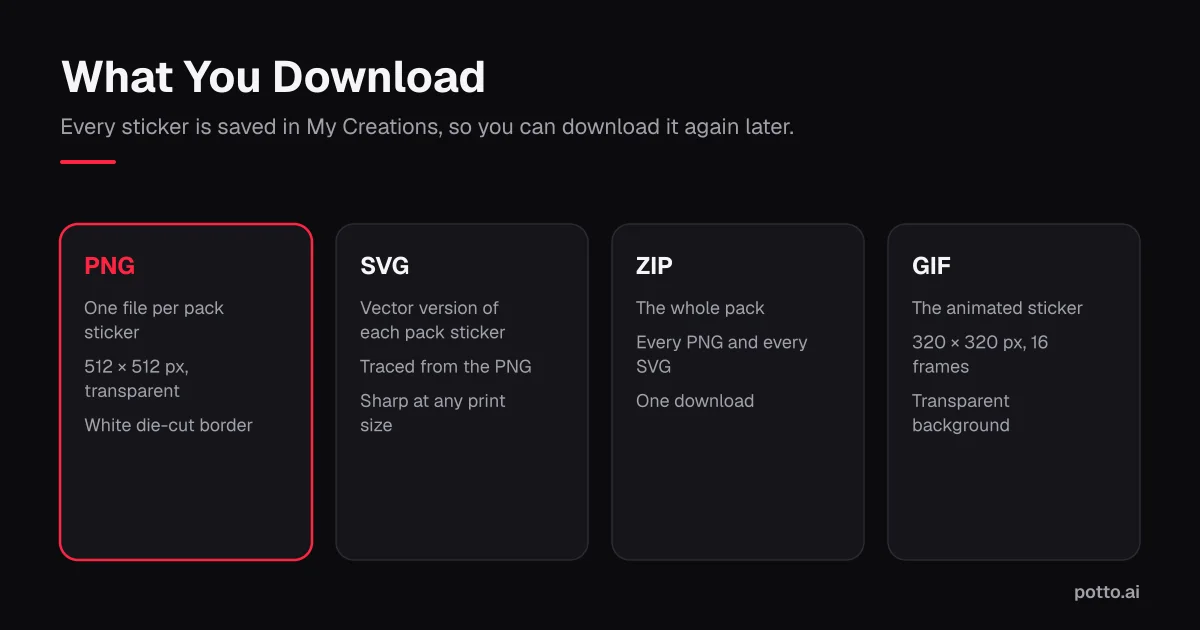
Every finished sticker is saved in My Creations, so you can download it again later. The files depend on the sticker type:
PNG: each pack sticker as a transparent PNG, 512 pixels square, with a white border.
SVG: each pack sticker as a vector file, traced from its PNG on Potto's server. It stays sharp at any size.
ZIP: the whole transparent sticker pack, with every PNG and every SVG in a single download.
GIF: the animated sticker, 320 × 320 px, with a transparent background.
The SVG version is useful for printing and design work. You can scale it up for a laptop decal, open it in a vector editor, or change its colors. It is traced from the finished PNG, so it matches the art you saw.
Use Stickers in Chat Apps
You add the stickers to chat apps yourself. Potto makes the artwork. It does not upload stickers to any app, and it does not export WebP, WebM or other app-only formats. Download the files first, then follow each app's own rules for custom stickers. A pack of 9 stickers stays well under the 30-sticker pack limit that WhatsApp lists.
The PNG size matches the sticker size that WhatsApp and Telegram describe in their own help pages. Size limits still apply, so check the file size against each app's rules before you add a sticker. Telegram builds sticker sets with its own tools, and its animated stickers use other formats than GIF. Discord server stickers are added in your server settings, and your server's limits apply.
A transparent PNG also works outside sticker menus. Drop one into a social comment, a post or a story, and it sits on any background with no square box behind it.
Print Your Own Stickers
You can print the stickers on your own printer or at a print shop. Each PNG has a white border and a clear background, so it is ready for sticker paper. Cut along the border by hand or with a cutting machine.
Size matters for print. At 300 dpi, a 512 px sticker prints about 1.7 inches wide. For anything larger, use the SVG file, which stays sharp at any size. Potto does not print or ship stickers.
When You Want a GIF Instead
Sometimes a sticker is the wrong shape for the job. If you want a looping scene with a plain background, the AI GIF generator draws it from a sentence and can add a caption in a real font. If you already have a video clip or photos, the free GIF maker turns them into a GIF in your browser. Our guide on how to make a GIF covers the settings for that.
FAQs
How do I make my own stickers?
Describe one character in a sentence on the AI sticker maker, with a style such as chibi or flat cartoon. Choose a pack of 4 or 9 stickers or one animated sticker, then press Make stickers. You can also add a caption to each sticker before you start. Download each transparent PNG, the SVG files or the whole set as a ZIP. To keep the same character later, select Use this character under any sticker.
Can I add text to stickers?
Yes, every sticker can carry a caption of up to 20 characters. Potto sets the caption in a real font after the character is drawn, so the spelling matches what you typed. Latin, Chinese, Japanese and Korean captions all work, but emoji do not.
Are the stickers transparent?
Yes, every sticker comes with a transparent background. Pack stickers are PNG files, 512 pixels square, with a white die-cut border. Animated stickers are GIF files with a clear background.
Can I print stickers?
Yes, you can print them yourself or at a print shop. Use the SVG files for sharp prints at any size, since a 512 px PNG prints about 1.7 inches wide at 300 dpi. Potto does not print or ship stickers.
How much does a sticker pack cost?
A sticker pack costs 15 credits on Potto, whether it has 4 or 9 stickers. An animated sticker costs the same. Changing the speed of an animated sticker later is free.
What are GPT Image 2.6 stickers?
GPT Image 2.6 stickers are stickers drawn by OpenAI's GPT Image 2.6 image model. The AI sticker maker uses it to draw a whole pack in a single pass, which keeps the character the same across the set. Captions are added by Potto in a real font, not drawn by the model.
Sources
All sources were read on 2026-11-12. App rules and model details belong to their owners and may change.