How to make a podcast audiogram: upload an episode, confirm the moment Potto proposes, add show details and captions, and export an MP4 of up to 90 seconds.
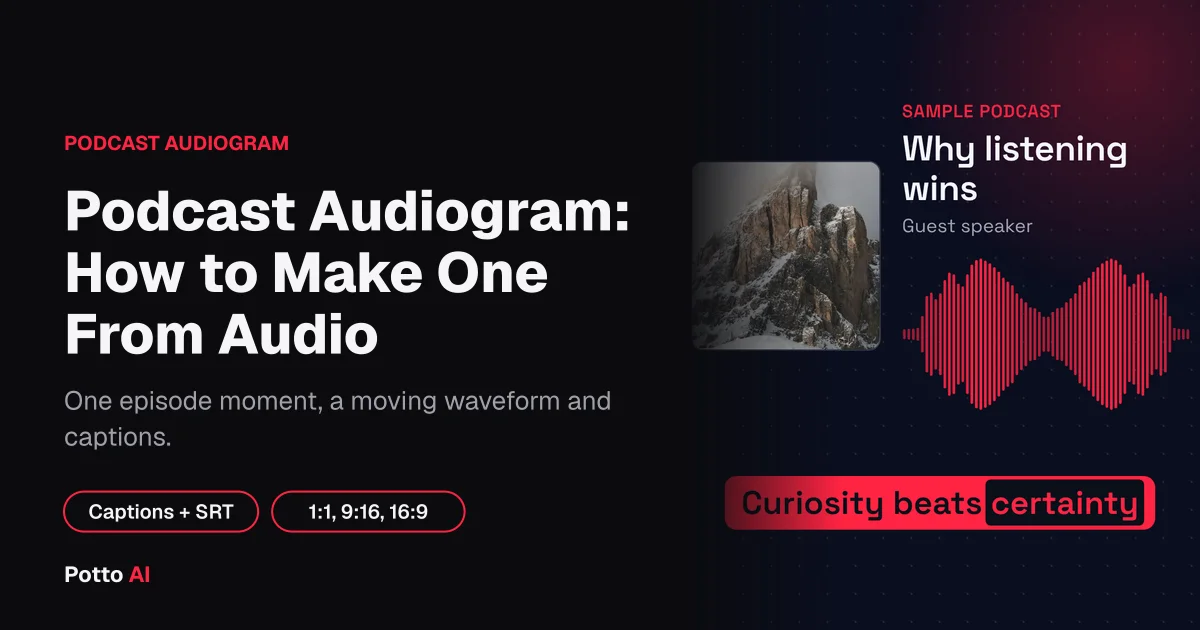
A podcast audiogram is a short video that plays one moment of an episode over a moving waveform, with captions. With Potto you upload the audio, Potto proposes the moment from the transcript, and you export an MP4 of up to 90 seconds. The show name, the guest label and your cover art sit next to the waveform. The whole waveform video is built from the audio file, with no camera and no editing timeline.
This guide covers what a podcast audiogram is, how to turn audio to video with captions, how to make an audiogram from a podcast episode, how the moment is picked, how captions work and what an export costs. It also shows a real audiogram made on Potto from public domain audio.
Key facts (checked November 2026):
In hearing care, an audiogram is a graph of the results of a pure-tone hearing test, according to a site powered by the American Speech-Language-Hearing Association.
YouTube Help states that audio files such as MP3, WAV or PCM can't be uploaded to create a YouTube video.
YouTube Help lists SubRip (.srt) as a supported caption format: plain UTF-8 text with time codes.
Potto's audiogram maker takes MP3, WAV or M4A files of up to 10 minutes and 20 MB and exports one clip of up to 90 seconds at 5 credits per second.
What a Podcast Audiogram Is
An audiogram, in podcasting, is audio to video with captions. The sound is the original recording. The picture is a waveform that moves with the voice, plus text that says what the show is and who is talking. Podcasters post an audiogram to preview an episode in a feed, where people scroll with the sound off.
The word has a second meaning. In hearing care, an audiogram is a chart of a hearing test. That is a different thing, and this guide does not cover it. Here, a podcast audiogram always means the short video.
A podcast audiogram has one job: make people press play on the full episode. So it carries a single idea, not a summary. A specific answer, a number, a story or a clear opinion works better than a general intro. If the waveform clip makes sense on its own, it can travel without the post around it.
Make a Podcast Audiogram From an Episode
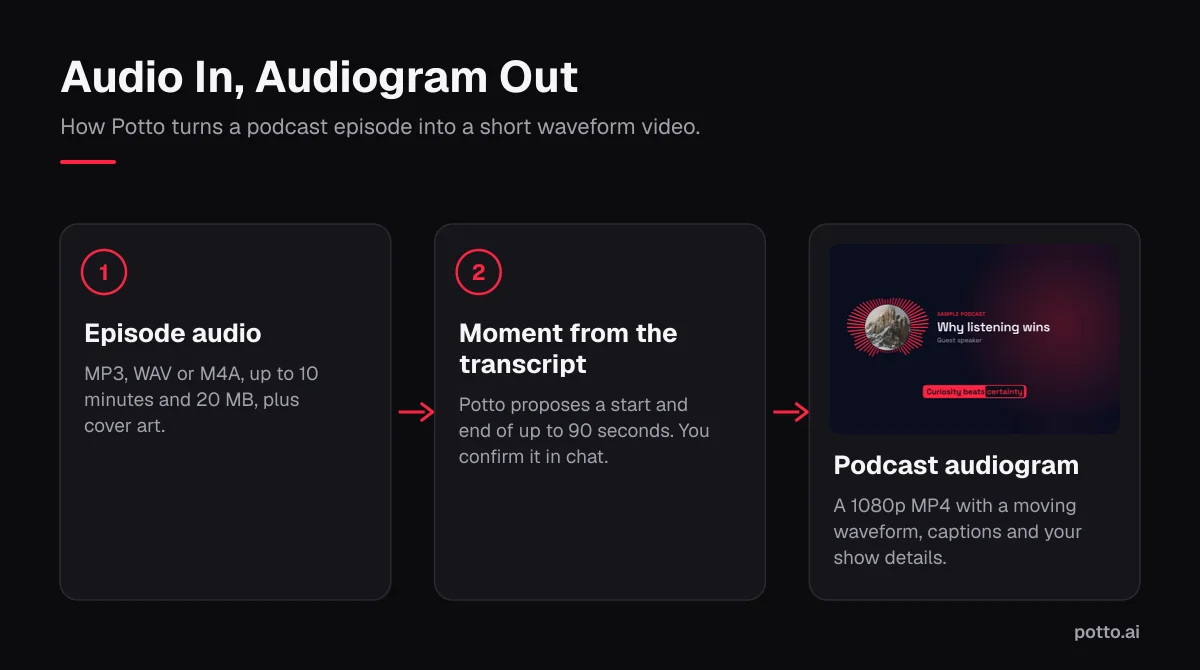
You can make a podcast audiogram in the podcast audiogram maker on the audiogram page. You approve the moment before anything is exported. Here are the steps.
Upload the episode audio. Add an MP3, WAV or M4A file of up to 10 minutes and 20 MB. Trim longer episodes first.
Add cover art. Upload the show or episode artwork.
Describe the audience. Say who the clip is for and what it should make them do, such as play the full episode or follow the guest.
Name the moment, or let Potto pick. Point to a topic or a time, or leave it open.
Confirm the start and end. Potto lists both times in chat. Approve them, or name another moment.
Preview and export. Check the waveform, the captions and the show details. Then export the MP4 and the SRT.
Previews are free, and nothing is exported until you say so. You need enough credits for the length you pick before you start. To make an audiogram from a podcast episode longer than 10 minutes, cut the part you care about first and upload that.
How the moment is picked
To build a podcast audiogram from an episode, Potto reads a transcript of your file. If you name a moment, it uses that one. If you do not, it proposes one and may skip an intro or an ad read. The moment is a continuous stretch in its original order, with nothing cut out of the middle.
You confirm the times in chat. There is no timeline picker, so speak in words: "the guest's answer about pricing" or "from 4:10 to 5:20". If the proposal misses, say what you want instead. Potto moves the start and end before you export.
This is the main difference from tools that make you trim by hand. A podcast audiogram maker that reads the transcript can find the line you meant from a short description. You still decide, because nothing is exported until you approve the times.
Show Name, Guest and Cover Art
A shared clip should say where it came from. Give the episode title, the show name and guest label in your message. Upload the cover image with the audio. They appear next to the waveform for the whole clip.
The waveform frame shows only the details you give it. Potto does not look up the show name and guest from the internet. That also means you control how a guest is credited. Use a full name, a role or a neutral label, whatever the guest agreed to.
The frame above comes from a real audiogram made on Potto. The prompt asked for a show name of "Keeping Time on Other Planets", a guest label of "Guest speaker" and no real names, organization names, logos or show brands on screen. Sample audio: NASA, not subject to U.S. copyright. Potto is not affiliated with or endorsed by NASA.
Pick the right moment for the show
Different shows need different moments. For an episode teaser, pick the line that makes people want the rest. For a guest quote, choose a moment where the guest is specific. For a lecture or a reading, ask for a full explanation or a single passage, because a summary of the whole recording does not fit in 90 seconds.
Captions and SRT
Every podcast audiogram gets captions without extra steps. They come from the transcript of your clip. The current word is highlighted under the waveform as it is spoken, so viewers can follow along with the sound off. That is the point of a waveform video with captions in a muted feed.
You also get an SRT file. SRT is a plain-text caption format with a time code on each line. YouTube Help lists it as a supported caption format, and many players take it as a separate upload.
Read every caption line before you export. Transcripts often mishear names, brand words, technical terms and numbers. Check the guest's name and any figure they quote. If a line is wrong, ask for the fix in chat before you export.
Sizes
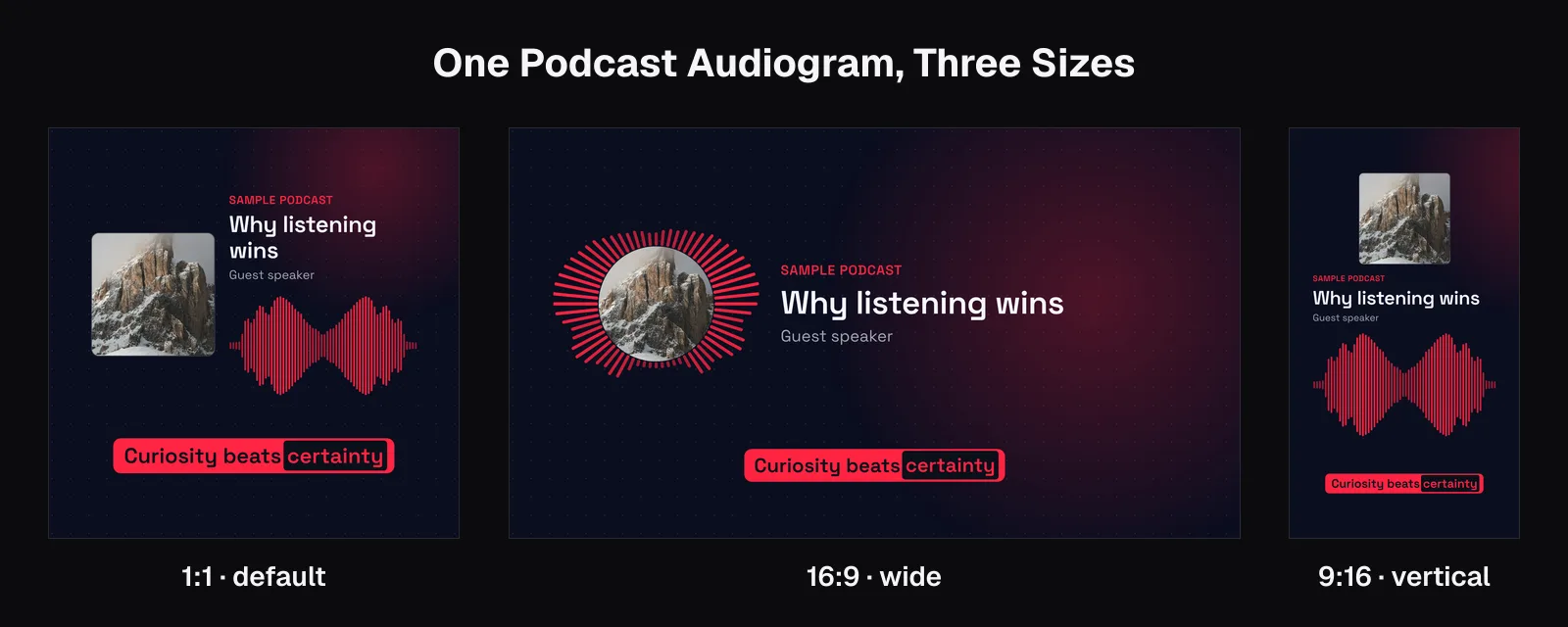
Every waveform video exports as a 1080p MP4 at 30 fps. The same moment can come out in three shapes.
1:1 (default). Square, for most feeds.
9:16. Vertical, for Reels, Shorts and TikTok.
16:9. Wide, for an episode page or a YouTube upload.
There are three waveform styles: bars, wave and ring. Bars are the default. The wave suits quiet interviews. The ring sits around your cover art. A single style runs through the whole audiogram.
You upload the MP4 yourself. Potto does not post to any platform. If you need a square post and a vertical one, export twice, and each export is priced on its own length.
What It Costs
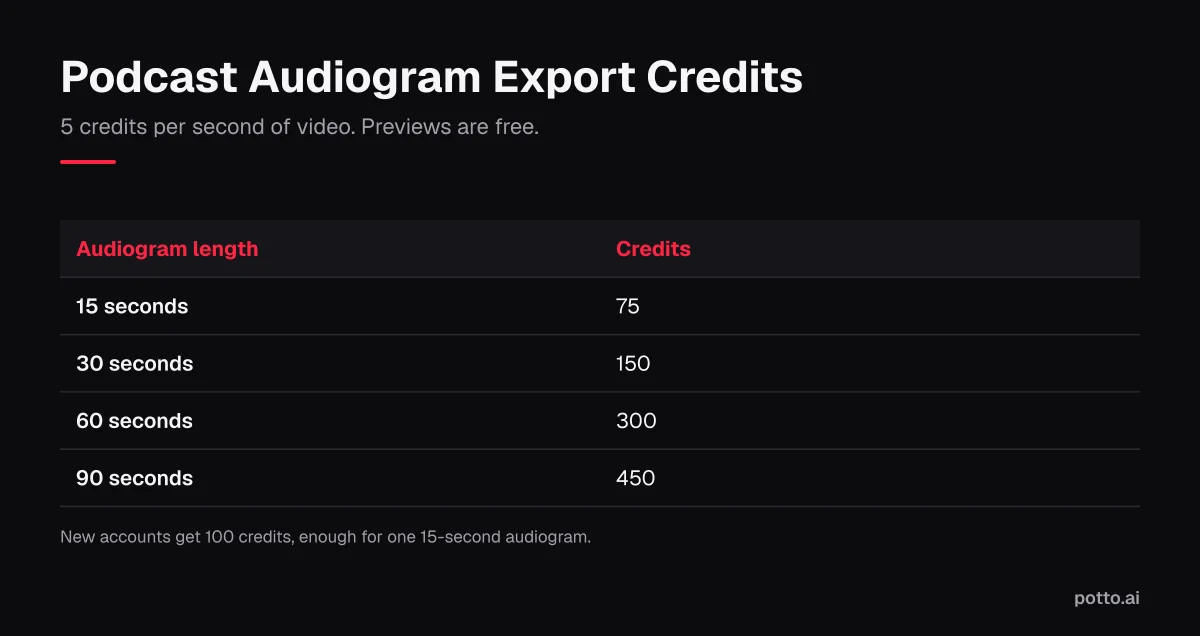
Previews are free. Export costs 5 credits per second of video. Your recording supplies the sound and drives the waveform, so there is no voiceover charge.
Audiogram length
Credits at 5 credits per second
15 seconds
75
30 seconds
150
60 seconds
300
90 seconds
450
A 60-second audiogram costs 300 credits. New accounts get 100 credits, enough for one 15-second audiogram. For regular episodes, plans and credit packs are on the pricing page.
What the Audiogram Maker Does Not Do
No video input. You cannot upload an existing video file. For a video podcast, upload the episode's audio instead.
No full episodes. Each audiogram is one moment of up to 90 seconds.
No posting. You download the MP4 and post it yourself.
No changes to the sound. Potto does not re-record, remix or add music under the voice.
The same audio to video approach also works outside podcasts. For a song, the music visualizer adds cover art and a title and artist line. For any other recording, the MP3 to video converter turns the file into a waveform video for sites that only accept video.
A podcast audiogram maker is only as good as the moment you feed it. Different show formats call for different moments, and the waveform style can follow the format too.
Interview shows
Pick the guest's most specific answer. Put the show name and guest label on screen, so the waveform video with captions still makes sense when someone shares it alone. A 60-second audiogram costs 300 credits and fits most single answers.
Solo episodes
Pick a claim and the reason behind it. A solo host has no back-and-forth, so the waveform carries the energy of the clip. The wave style suits a calm voice.
Panels and roundtables
Pick a moment with a single speaker, or label the clip with the topic instead of a name. Several voices in 30 seconds are hard to follow in captions.
Lectures and readings
Pick a full explanation or a single passage. A reading works well in the ring style, with the cover art at the center of the waveform.
FAQs
What does a podcast audiogram show?
A podcast audiogram shows one moment of an episode as a video: a waveform that moves with the voice, captions, the show name, a guest label and the cover art. The sound is the original recording. Its goal is to get people to play the full episode.
How do I make an audiogram from a podcast?
To make an audiogram from a podcast, upload the episode audio and cover art, describe the audience and the moment, and confirm the start and end Potto proposes in chat. Then preview the clip and export the MP4. The SRT caption file comes with it.
How long can an audiogram be?
An audiogram on Potto can be up to 90 seconds long. The source file can run ten minutes and weigh up to 20 MB. Longer episodes need trimming before upload.
Does a video podcast work?
A video podcast works only through its audio. Potto does not accept existing video files, so export or download the episode's audio and upload that. You get a podcast audiogram from an episode audio file, with a new waveform, not an edit of your footage.
Does it add captions?
Captions come with every podcast audiogram, built from the transcript of the clip. You can also download them as an SRT file. Check names and numbers before you export, because transcripts often get them wrong.
Sources
All sources were read on 2026-11-12. Formats and definitions are set by each publisher and may change.