GPT Image 2.6 Flare vs Sunburst: what each OpenAI model is for, same-prompt results, token costs, a draft-then-finish workflow and prompt tips.
GPT Image 2.6 is OpenAI's image model family released on November 4, 2026, and it comes as two API models: Flare and Sunburst. Flare is for drafts and many variations. Sunburst is for detail and step-by-step edits. Both cost the same per image on Potto, so the GPT Image 2.6 Flare vs Sunburst choice is about the job, not the budget.
This guide explains what changed in version 2.6, how Flare and Sunburst differ, and why the two models work best as a pair: draft on one, finish on the other. It also covers prompts, text in images, editing your own photos, and the AI GIFs and stickers that GPT Image 2.6 draws on Potto. OpenAI's facts come from its model pages, pricing page and image generation guide, read on November 12, 2026.
Key facts (checked November 2026):
OpenAI released ChatGPT Images 2.6 on November 4, 2026, with two API models: gpt-image-2.6-flare and gpt-image-2.6-sunburst.
OpenAI's model pages describe GPT Image 2.6 Flare as "for fast iteration" and GPT Image 2.6 Sunburst as "for detailed visual work."
OpenAI's pricing page lists both models at $8 per million image input tokens and $30 per million image output tokens, the same rates as version 2.5.
OpenAI's image guide says both GPT Image 2.6 models support complexity control, markup-guided edits, SVG output and animated GIF output.
On Potto, GPT Image 2.6 Flare and GPT Image 2.6 Sunburst both cost 15 credits at HD, 28 at 2K and 49 at 4K.
What is new in GPT Image 2.6
GPT Image 2.6 is the second release in OpenAI's Flare and Sunburst line. Version 2.5 arrived in September 2026 with the same two names. Version 2.6 keeps the split: one model for iteration, one for careful work. "ChatGPT Images 2.6" is the name of the image feature inside ChatGPT. In the API, the models are called GPT Image 2.6 Flare and GPT Image 2.6 Sunburst.
OpenAI's GPT Image 2.6 Flare model page lists text and image as inputs and image as output. Both models work through the image generation and image edit endpoints. OpenAI's guide adds new controls for 2.6: complexity, markup-guided edits, SVG output and animated GIF output. OpenAI's release post also claims a speed gain over the previous version. That is OpenAI's figure, not one we have measured, so we leave it there.
Why each image uses more tokens
The token price did not change from version 2.5. What changed is how many tokens each image uses. On November 7, 2026, we measured square images at medium quality on both 2.6 models. An HD image used 1,449 output tokens, a 2K image 2,703 and a 4K image 4,894. That is about three times the output of version 2.5 at the same quality.
At $30 per million output tokens, those counts work out to about $0.0435, $0.0811 and $0.1468 per image. Flare and Sunburst used the same counts in our test. That is why both GPT Image 2.6 models cost the same on Potto, and why they cost more than the 2.5 models.
Model on Potto
HD
2K
4K
GPT Image 2.6 Flare
15 credits
28 credits
49 credits
GPT Image 2.6 Sunburst
15 credits
28 credits
49 credits
GPT Image 2.5 Flare
5 credits
9 credits
15 credits
GPT Image 2.5 Sunburst
5 credits
9 credits
15 credits
The 2.5 models stay in the model menu. You pick the version per request.
Flare or Sunburst: what each model is for
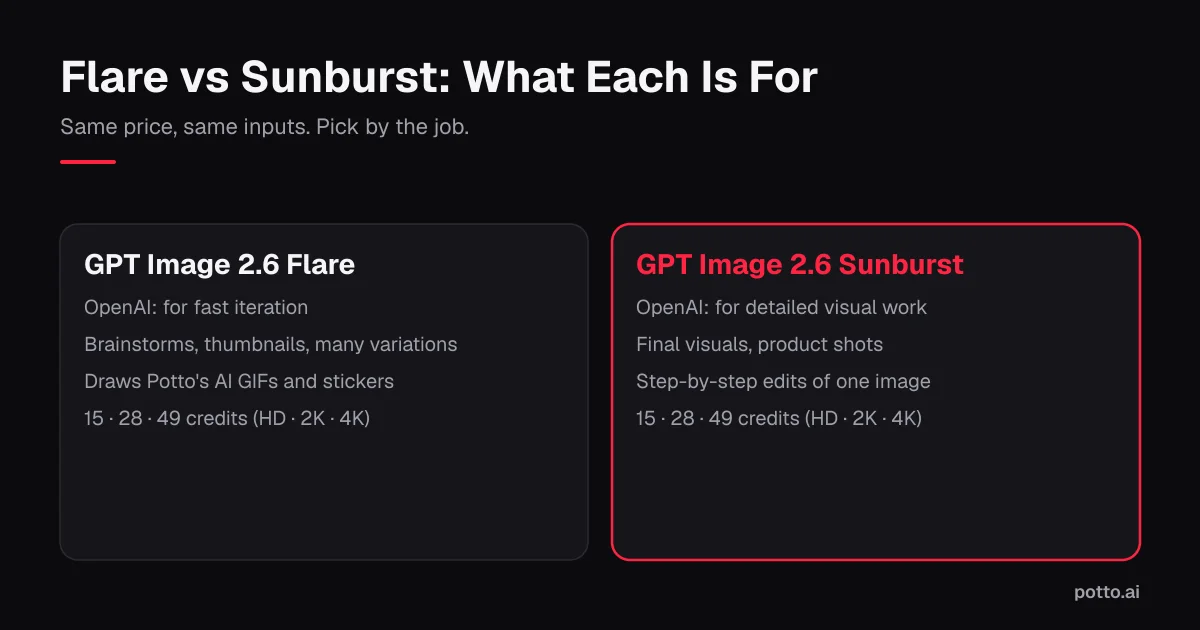
OpenAI gives each model one job. Its guide says GPT Image 2.6 "includes Sunburst for detailed visual work and Flare for fast iteration." On Potto, both GPT Image 2.6 models run at medium quality, both take up to 14 reference images, and both offer HD, 2K and 4K.
GPT Image 2.6 Flare
GPT Image 2.6 Sunburst
OpenAI's description
Image generation and editing for fast iteration
Image generation and editing for detailed visual work
Use it for
Brainstorms, thumbnails, social posts, many variations
Final visuals, product shots, step-by-step edits
Reference images on Potto
Up to 14
Up to 14
Sizes on Potto
HD, 2K, 4K
HD, 2K, 4K
Credits per image on Potto
15, 28, 49
15, 28, 49
When Flare is the right pick
Use Flare while the idea is still open. You do not know the layout yet. You are testing colors, styles or angles. You want four versions to compare side by side. The GPT Image 2.6 Flare model suits that kind of wide search, and OpenAI built it for iteration.
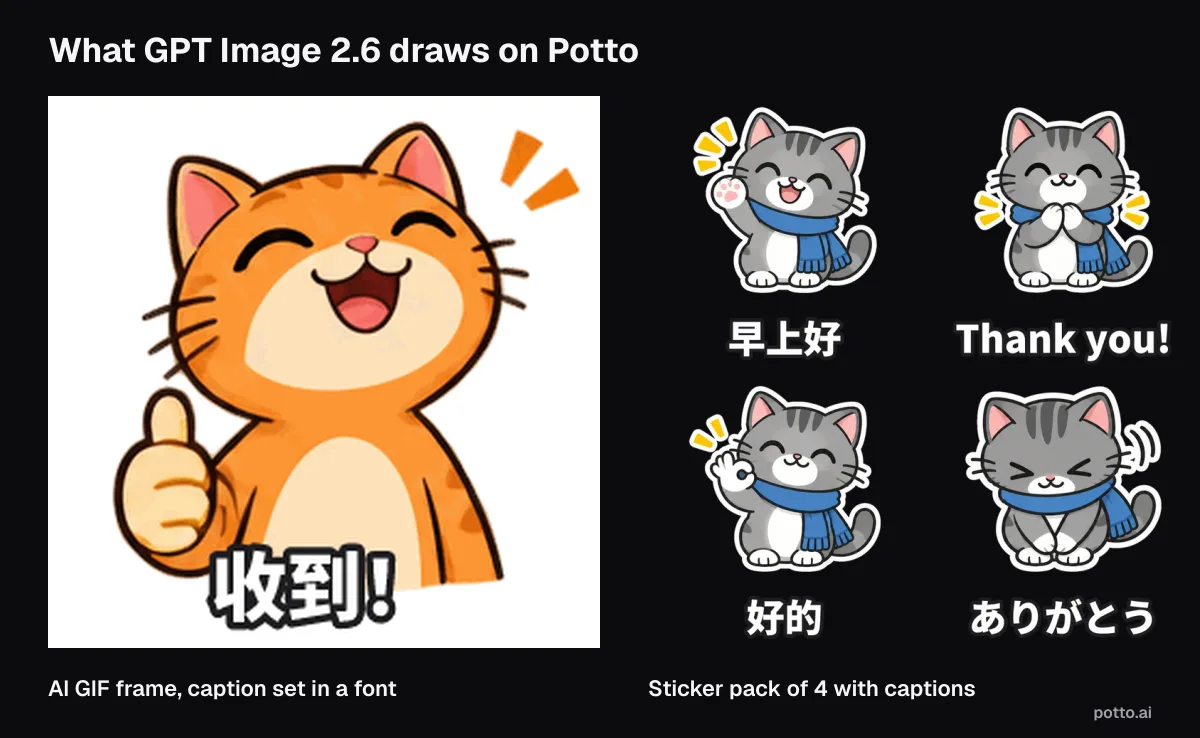
Flare is also the model behind Potto's AI GIFs and stickers, covered below. Those tools draw many frames or stickers in one image. A model built for iteration fits that job.
When Sunburst is the right pick
Use GPT Image 2.6 Sunburst once you know what you want. The layout is settled. The product has to look right. You plan to edit the same image three or four times. OpenAI positions the GPT Image 2.6 Sunburst model for detailed visual work, and its release post says it stays more consistent across a series of edits.
The GPT Image 2.6 Sunburst model is also the better start for a product shot from a real photo. Upload the photo as a reference. Say what must stay the same, such as the label or the bottle shape. Then change one thing per pass.
Same prompt, both models
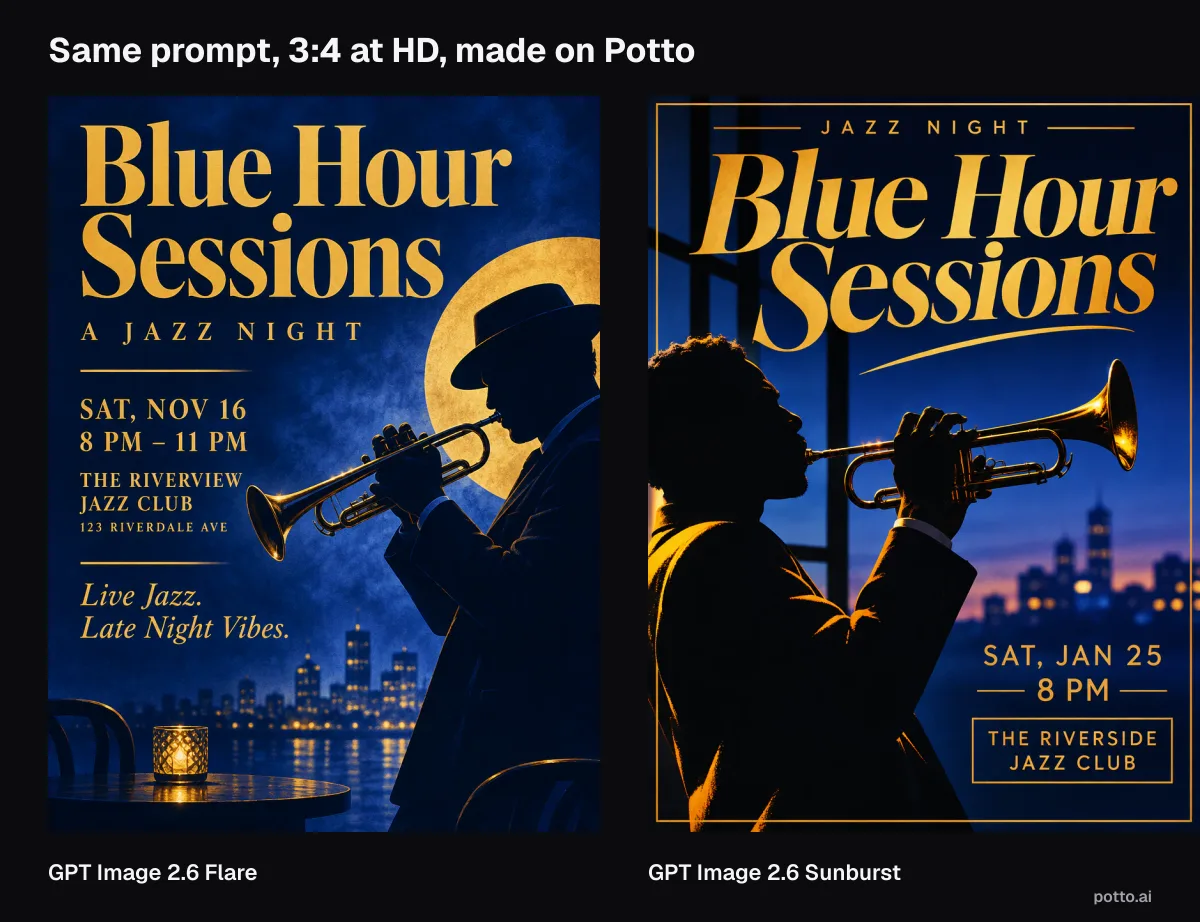
The best way to compare GPT Image 2.6 Flare vs Sunburst is to run the same prompt through both. The GPT Image 2.6 model page does exactly that. Each pair below used one prompt and the same settings: 3:4 at HD.
The prompt was:
A bold poster for a jazz night, the headline "Blue Hour Sessions" in big serif letters, a trumpet player in silhouette, deep blue and gold
Both models spelled the headline correctly. Both also added text the prompt did not ask for, such as a date and a club name. If you want the headline only, add "no other text" to the prompt. The layouts differ, and so does the finish. This is one run, so treat it as a sample, not a verdict. Results change from run to run on both models. Run your own brief twice on each before you decide.
Draft on Flare, finish on Sunburst
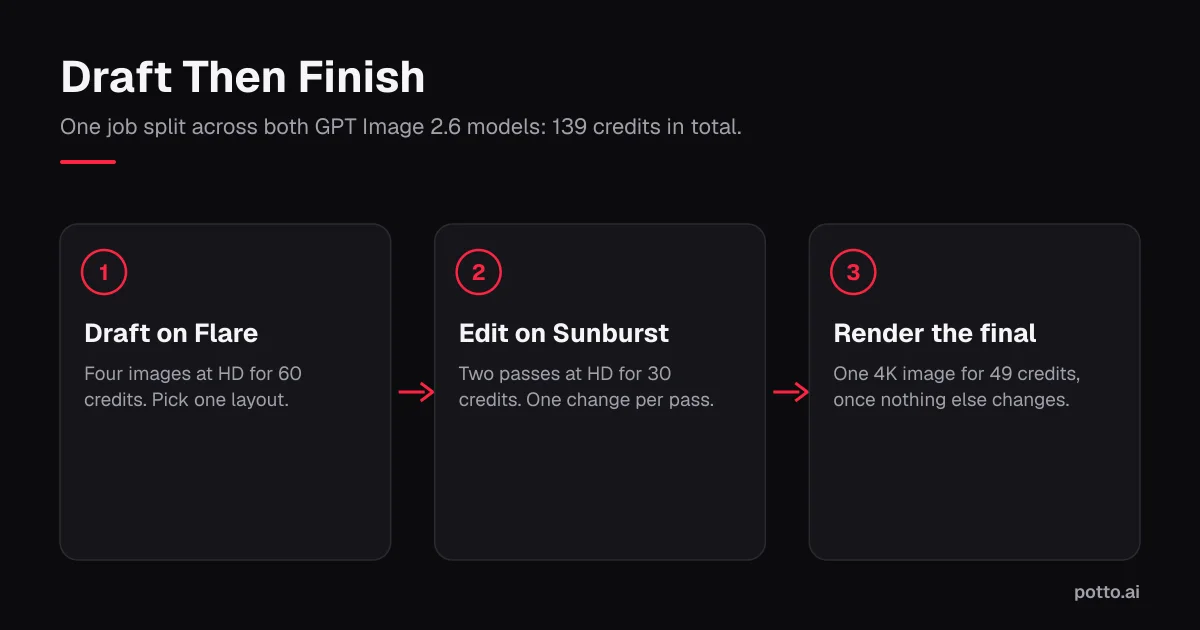
Because both GPT Image 2.6 models cost the same per image, you can split one job between them. Flare explores. Sunburst refines. This workflow keeps your credits on the parts that matter.
Write the brief. Name the subject, the style, the layout and any exact words.
Draft on Flare at HD. Make four images at once for 60 credits.
Pick one layout. Keep the prompt that made it.
Move to GPT Image 2.6 Sunburst. Paste the same prompt, or add the chosen draft as a reference.
Edit one thing per pass. Name what stays: the face, the label, the layout.
Raise the size last. Render at 2K or 4K only when the image is final.
A typical job costs 60 credits for four Flare drafts, 30 credits for two Sunburst passes at HD and 49 credits for one 4K final. That is 139 credits in total. You switch models in the model menu of the AI image generator, and the Generate button shows the price before you confirm. A failed request releases its credits.
Edit your own photos
Both GPT Image 2.6 models edit photos as well as make new ones. On Potto, you can attach up to 14 reference images. Give each one a job, such as subject, palette or layout, and say that job in the prompt.
A reference guides the result. It is not an exact copy. Check shapes, labels and faces against the source after every edit. Change one thing per request, so you know which change caused which result. For changes to one area of a picture, the AI Image Editor is a better fit than a new prompt. Our guide to a free AI photo editor shows what the sign-up credits cover across every model.
GPT Image 2.6 prompts and text in images
Good GPT Image 2.6 prompts follow one order: subject first, then style, then layout. Quote any words that must appear, and say where they sit. Say what to leave out, such as extra text or logos. Keep one idea per image. A prompt on Potto can run to 4,000 characters, but one or two clear sentences are easier to fix.
Here are two GPT Image 2.6 prompts from the model page that you can run on both models:
A glass perfume bottle with a gold cap on a rough grey stone, soft window light from the left, a few water drops, clean product photograph, no text
A friendly red panda character in a knitted scarf holding a paper lantern, soft 3D render, warm evening light, plain cream background
Text in images
Short headlines often come out right on both models. Long text is still the hard case. OpenAI's release notes list text rendering among the known limits, along with exact layouts and character consistency across separate generations. So put the exact words in quotation marks, keep them short, and read every letter. Keep long copy, prices and legal lines in your own layout tool.
SVG files
Potto offers an SVG format on both GPT Image 2.6 models. OpenAI draws the picture and then writes it out as a vector file. On Potto, an SVG is one HD image without reference images, and it costs 90 credits: 15 for the image and 75 for writing the SVG. Potto checks each file before you download it and rejects scripts and outside links. SVG suits logos, icons and flat illustrations that need to scale.
What GPT Image 2.6 powers on Potto
GPT Image 2.6 is more than a model in the menu on Potto. It also draws the frames behind two tools. Both use GPT Image 2.6 Flare at HD, and each run costs the same as one HD image: 15 credits.
AI GIFs
The AI GIF generator turns one sentence into a looping GIF. GPT Image 2.6 draws every frame of the loop in one image, as a grid of 4, 9 or 16 frames. Potto then cuts the grid into frames and builds the GIF. You pick a speed of 4, 6, 8 or 12 frames per second, and you can change the speed later at no cost.
You can add a caption of up to 20 characters. The model does not draw the words. Potto sets the caption in a real font on every frame after the frames are drawn, so it is spelled exactly as you typed. Latin, Chinese, Japanese and Korean all work. Our guide to making an AI GIF with text covers captions and prompts in more depth.
Stickers
The sticker maker draws a pack of 4 or 9 matching stickers, or one animated sticker. Every sticker in a pack is drawn together in one image, so the character matches across the set. Potto cuts each sticker out with a transparent background and offers it as PNG and SVG. Captions work the same way as in GIFs: up to 20 characters, set in a real font.
Our guide to make your own stickers walks through packs, captions and keeping one character across packs.
Is there a GPT Image 2.6 API?
Yes, from OpenAI. Developers call the models by ID: gpt-image-2.6-flare and gpt-image-2.6-sunburst. OpenAI's model pages list the image generation and image edit endpoints. They list no batch support for 2.6, and the pricing page gives no batch rates for these two models.
Potto does not offer a public API, and it is not part of ChatGPT. Potto is an independent product that uses the GPT Image 2.6 API models in its own creator. To build GPT Image 2.6 into your own app, call OpenAI's API directly. The AI models comparison lists every image model in the Potto creator with its price.
FAQs
When did OpenAI release GPT Image 2.6?
OpenAI released GPT Image 2.6 on November 4, 2026, as part of the ChatGPT Images 2.6 release. The model IDs are gpt-image-2.6-flare and gpt-image-2.6-sunburst. Version 2.5 came out in September 2026 and is still available.
Is Sunburst better than Flare?
Sunburst is not better overall; it is built for a different job. OpenAI's model pages pitch Sunburst at detailed visual work and Flare at iteration. Use Flare to explore many versions and Sunburst to refine one image. Both cost 15 credits at HD on Potto.
What is the difference between GPT Image 2.6 and ChatGPT Images 2.6?
ChatGPT Images 2.6 is the image feature inside ChatGPT, and GPT Image 2.6 is the matching pair of API models. Both names come from the same OpenAI release. Some ChatGPT Images 2.6 features are not in the API. Potto uses the GPT Image 2.6 API models and is not part of ChatGPT.
Is GPT Image 2.6 more expensive than GPT Image 2.5?
Yes, per image, but not per token. OpenAI kept the same token prices, yet each 2.6 image used about three times as many output tokens in our test at medium quality. On Potto, a 2.6 image costs 15 credits at HD, against 5 for the 2.5 Flare and Sunburst models.
Can GPT Image 2.6 write text in images?
GPT Image 2.6 can write short text, and headlines often come out right on both Flare and Sunburst. Long text, small print and dense layouts are where mistakes appear. Quote the exact words in the prompt and read every letter. For GIF and sticker captions, Potto sets the words in a real font instead.
Can GPT Image 2.6 make an SVG file?
Yes. On Potto, both GPT Image 2.6 models offer an SVG format. An SVG is one HD image with no reference images, and it costs 90 credits. Potto checks the file and rejects scripts and outside links before you download it.
Sources
OpenAI pages were read on November 12, 2026, except the release post, read on November 6, 2026. Prices and limits are OpenAI's and may change.